Curated ToolThis tool is part of our curated AI directory. We only include tools that meet our standards for relevance, usability and real-world value.

tawk.to

AI answers website live chat messages and routes support tickets

Customer Support BotsKnowledge Base Bots
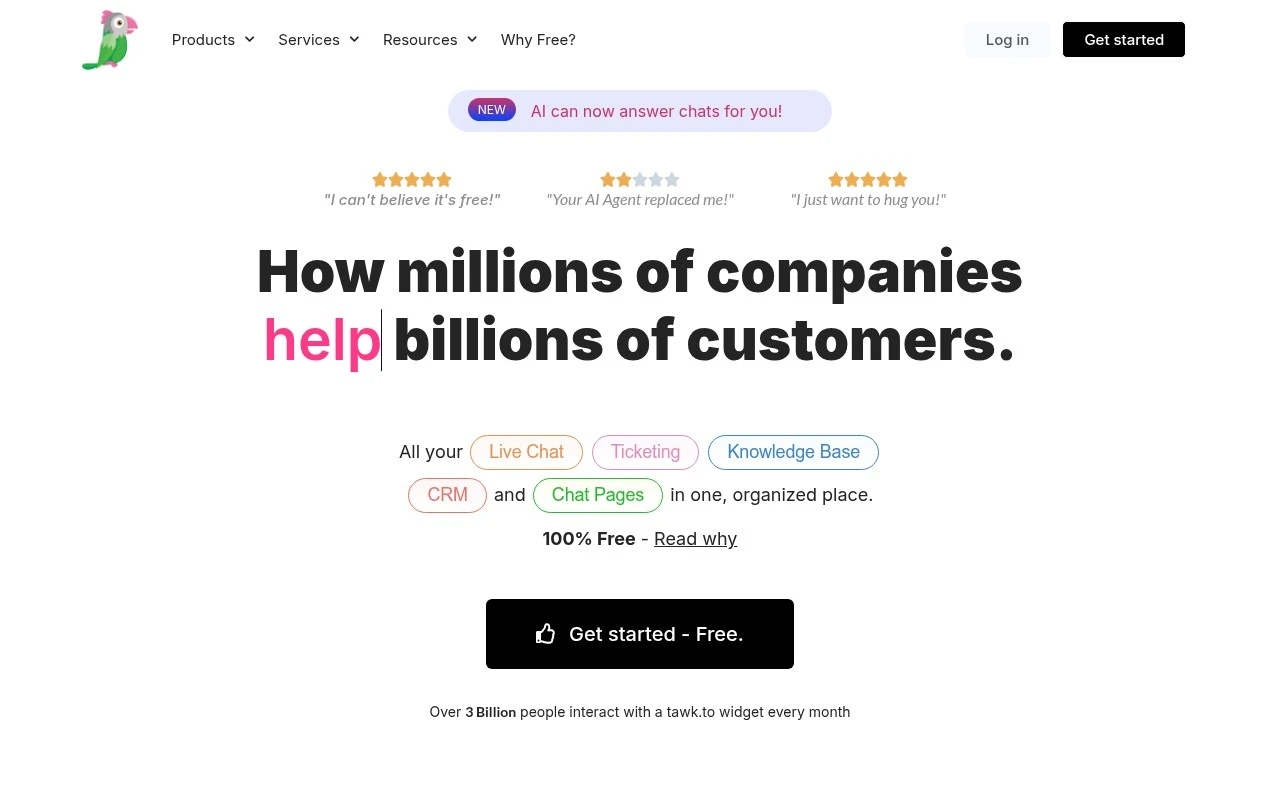
tawk.to is a free hosted live chat platform for websites. It lets teams install a chat widget, monitor visitors, answer chats, manage tickets, collaborate on conversations, and maintain a knowledge base. The service emphasizes unlimited free use for agents, chat volume, and sites, while earning revenue from optional services such as hired chat agents, branding removal, and add-ons.

FYAI Score

8.5 / 10

Based on 344 reviews

Pricing:

Freemium

Best for:

Support and sales teams adding live chat to their website

Score Breakdown

  • Ease of use8.8 / 10
  • Features7.7 / 10
  • Pricing9.4 / 10
  • Integrations8.4 / 10
  • Support8.3 / 10

PRODUCT PREVIEW

What this AI tool does

tawk.to is a customer messaging tool designed to help website owners communicate with visitors in real time. It’s commonly used to answer questions, provide basic support, and guide people while they browse, without requiring them to leave the page. In practice, you add a chat widget to your site and manage conversations from a dashboard or mobile app. This can be useful for small teams that want a simple way to handle incoming inquiries, keep track of ongoing chats, and respond quickly during business hours. If you’re comparing live chat options, tawkto is typically considered when the goal is straightforward website chat and visitor communication rather than a full help desk system. It fits informational needs for anyone looking to understand how live chat works on a website and what a tool like this can do.

Use cases

Best for

Proactive Customer Engagement

Trigger the tawk.to chat widget to invite visitors and let agents monitor pages and respond in real time.

Customer Support Automation

Route unanswered chats into the ticketing inbox, assign owners, and track status updates until the issue is resolved.

Knowledge Base Search

Let visitors search your tawk.to knowledge base and open relevant help articles directly from the chat widget.

ANALYSIS

Strengths & limitations

Strengths
  • The official site states that the core live chat software is free with unlimited agents, chat volume, and website properties.
  • Combines live chat, ticketing, knowledge base, CRM-style customer history, team assignment, and visitor monitoring in one hosted system.
  • Includes broad support features such as multilingual support, desktop and mobile apps, file transfer, reporting, tags, departments, JavaScript API, and 24/7 support.
Limitations
  • It is a hosted cloud service and the official FAQ says there is no self-hosted or on-premise option.
  • Some capabilities are optional add-ons or paid services, such as hired agents, video and voice add-ons, and removing the tawk.to branding.
  • The page mentions AI answering chats, automated translation, and beta features, but does not provide enough detail in the supplied content to assess depth, pricing, or reliability of those AI functions.

Evaluation

FYAI score breakdown

Our structured evaluation across five key criteria

8.5 / 10

Overall score

Based on 344 reviews

  • Ease of use8.8 / 10
  • Features7.7 / 10
  • Pricing9.4 / 10
  • Integrations8.4 / 10
  • Support8.3 / 10

What users say

Findings from public reviews, documentation and community sources.

  • Ease of use

    G2’s 202-review product page rates tawk.to 4.5/5 and says users consistently praise its “ease of use.” The tawk.to product page says setup is adding “a small JavaScript snippet” that “takes 30 seconds,” while one Reddit signal describes the interface as “way too cluttered.”

  • Features

    The tawk.to features page lists live chat, ticketing, knowledge base, and AI chat answering. The tawk.to features page also lists unlimited agents/history, triggers, sentiment tracking, and in-chat payments beta.

  • Pricing

    The tawk.to pricing page presents the core software as “truly 100% free” with no limits on agents, chat volumes, or sites. The tawk.to pricing page lists optional paid add-ons such as hired agents at “$1/hr” and AI Assist plans.

  • Integrations

    The tawk.to features page lists “100+ Integrations” and a “Javascript API.” Zapier’s tawk.to integrations page names Shopify, WordPress, Zapier, and Cloudflare, and says Zapier connectivity extends to “9000 other apps.”

  • Support

    The tawk.to site states tawk.to offers “24×7-365 live support via both chat and email” and points users to a Help Center. Trustpilot includes a support complaint about waiting two weeks to speak to a real person.

Who is this for?

Best for teams that want no-cost live chat with many agents, the tawk.to pricing page presents the core software as “truly 100% free” with no limits on agents, chat volumes, or sites. Less suited to teams sensitive to interface clutter or delays reaching a real person, one Reddit signal describes the interface as “way too cluttered,” and Trustpilot includes a support complaint about waiting two weeks to speak to a real person.

PRODUCT PREVIEW

Feature highlights

Live chat widget

Add website chat to answer questions and capture leads in real time.

Team inbox & notes

Collaborate on conversations with assignments, tags, and internal notes.

Tickets & knowledge

Turn chats into tickets and publish help articles for self-serve support.

COMPARE

Discover curated alternatives worth comparing

Compare similar AI tools based on features, pricing and use cases

8.1/ 10FYAI score

Helply

Customer Support BotsKnowledge Base Bots
Answers support tickets, drafts replies, and flags churn risk
Best for:
Customer support teams
Pricing
Freemium

8.7/ 10Based on 7.757 reviews

Zoho Desk

Customer Support BotsKnowledge Base Bots
Uses Zia AI to triage tickets, draft replies, and flag issues
Best for:
Customer support teams
Pricing
Freemium

7.8/ 10Based on 31.824 reviews

Zoho

Customer Support Bots
Cloud suite for CRM, finance, HR, and business operations
Best for:
Operations teams
Pricing
Freemium

Join teams delivering faster, friendlier support. Start chatting with visitors in real time and turn more questions into happy customers with tawk.to.

FAQ

Frequently asked
questions

Everything you need to know about this AI tool,
its features, pricing, use cases, and limitations.

What types of teams and websites is tawk.to a good fit for?
tawk.to works best for small to mid-sized businesses that want live chat on a website with minimal budget and quick deployment. It’s a solid choice for sales and support teams that can handle real-time conversations during business hours. If you need deep chatbot automation, complex routing, or heavy branding control, you may find other platforms a better match.
How does tawk.to’s free plan compare to its paid options, and what are the main limitations?
tawk.to’s free tier covers core live chat and basic team workflows, which is often enough to validate demand before paying. Paid add-ons typically focus on removing branding, adding features, or outsourcing chat coverage (e.g., hired agents). If your decision hinges on advanced customization, automation, or enterprise controls, confirm those specific needs against the paid add-ons before committing.
How does tawk.to compare with Intercom, Zendesk Chat, or LiveChat for a buyer evaluating alternatives?
tawk.to is usually more cost-effective, but it tends to offer fewer customization and advanced automation capabilities than Intercom or some Zendesk configurations. Tools like Intercom often win for product-led messaging, sophisticated bots, and lifecycle campaigns, while tawk.to is stronger for straightforward live chat. If reporting depth, integrations, and brand control are key, compare those areas feature-by-feature.
How quickly can you set up tawk.to, and what onboarding effort should you expect?
Customization of the chat widget and advanced experience design can be more limited than premium competitors. Real-time chat can generate high volumes that overwhelm small teams unless you set hours, routing, or expectations clearly. Because it’s internet-dependent, any connectivity issues can disrupt agent availability and chat reliability.
What should I know about data handling, privacy, and compliance when using tawk.to?
tawk.to processes chat content and visitor metadata to deliver the service, so you should treat transcripts as customer data and set retention/access controls accordingly. If you operate under GDPR/CCPA or handle sensitive information, review tawk.to’s data processing terms, hosting details, and sub-processor disclosures before rollout. It’s also wise to avoid collecting regulated data in chat unless you’ve validated the platform’s compliance fit for your requirements.