Curated ToolThis tool is part of our curated AI directory. We only include tools that meet our standards for relevance, usability and real-world value.

Tars

Build AI chatbots to answer questions, qualify leads, and route tasks

Customer Support BotsAgent Builders
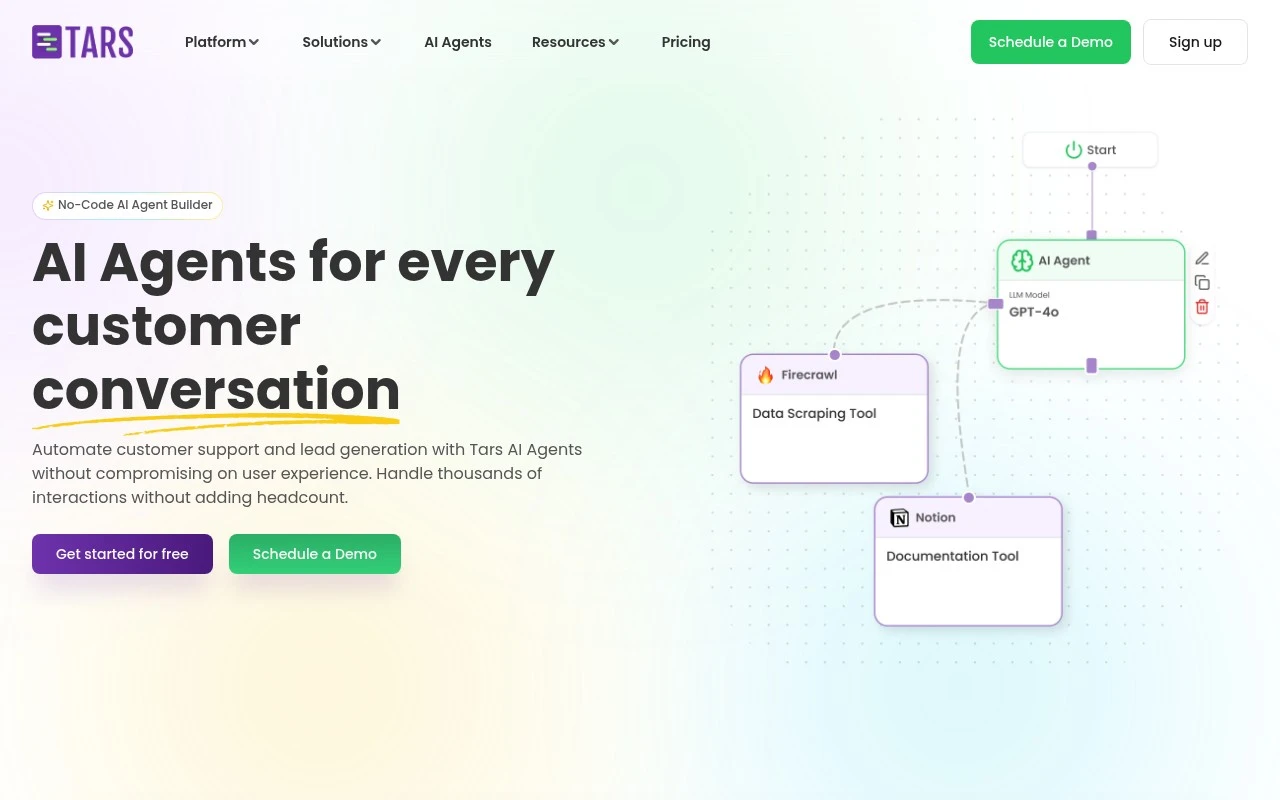
Tars is a no-code conversational AI agent platform for customer experience automation. It lets teams build AI agents with a visual drag-and-drop builder, configure prompts and workflows, connect data sources and business tools, test agent behavior, and deploy agents on channels such as websites, WhatsApp, and Slack. The product is positioned mainly for automating support conversations and lead generation while providing analytics on visits, goal completion, resolution, sentiment, and conversation performance.

FYAI Score

8.2 / 10

Based on 3 reviews + FYAI product analysis

Pricing:

Paid

Best for:

Support and growth teams automating customer chats and lead capture

Score Breakdown

  • Ease of use8.0 / 10
  • Features7.9 / 10
  • Pricing8.0 / 10
  • Integrations8.8 / 10
  • Support8.9 / 10

PRODUCT PREVIEW

What this AI tool does

Tars is an AI tool designed to help teams create and manage conversational experiences, such as chat-based support or guided workflows. It focuses on turning common user questions and requests into structured interactions that can be embedded on a website or shared through messaging channels. In practice, it’s used to streamline routine conversations by collecting information, routing requests, and providing consistent responses. This can be useful for customer support, lead intake, appointment scheduling, or internal help desks where repeatable steps and clear handoffs matter. The tool typically fits into existing operations by connecting conversations to forms, knowledge sources, or business systems, so outcomes can be tracked and followed up. It’s most relevant for organizations looking for a practical way to standardize chat interactions without building a custom solution from scratch.

Use cases

Best for

Customer Support Automation

Automate support chats by routing questions through workflows, pulling answers from connected data sources, and handing off to agents.

Lead Capture

Capture leads by running website or WhatsApp conversations that qualify visitors, collect contact details, and push data to connected tools.

Agent Building

Tars lets teams build AI agents in a no-code drag-and-drop builder with prompts, branching logic, testing, and multi-channel deployment.

ANALYSIS

Strengths & limitations

Strengths
  • Provides a no-code visual builder with templates and configurable agent workflow blocks.
  • Supports deployment across multiple customer-facing channels, including website embeds, WhatsApp, Slack, and shareable links.
  • Includes testing and analytics features for evaluating agent responses, tracking conversations, and improving performance after launch.
Limitations
  • The official page does not provide detailed pricing or plan limits.
  • The site claims 600+ integrations but does not enumerate the full integration list in the provided content.
  • Its stated focus is customer support and lead generation, so it may not fit teams looking for a general-purpose internal automation or developer agent framework.

Evaluation

FYAI score breakdown

Our structured evaluation across five key criteria

8.2 / 10

Overall score

Based on 3 reviews + FYAI product analysis

  • Ease of use8.0 / 10
  • Features7.9 / 10
  • Pricing8.0 / 10
  • Integrations8.8 / 10
  • Support8.9 / 10

What users say

Findings from public reviews, documentation and community sources.

  • Ease of use

    The Tars website describes a no-code workflow with a “visual drag-and-drop builder,” “thousands of pre-built Templates,” and the ability to “Build production-ready AI Agents in minutes, not months.” The Tars website also quotes a customer saying “The AI agents are not difficult to build once you have an idea of what you are doing.”

  • Features

    The Tars website says the platform includes AI agents trained on user data, context/sentiment/intent handling, multiple LLM options, and guardrails. The Tars website also references deployment across website/WhatsApp/Slack and analytics for visits, goal completion, CX scores, resolution rates, and sentiment analysis.

  • Pricing

    The Tars pricing page lists a Freemium plan at “$0 /month” for “50 conversations per month,” Premium at “$499 /month,” and Enterprise as “Custom Pricing.” The Tars pricing page states live chat and professional support are add-ons.

  • Integrations

    The Tars website states Tars can “integrate seamlessly with 600+ tools,” including Firecrawl, Notion, HubSpot, WhatsApp, and Slack. The Tars pricing page cites Google Analytics, Facebook Pixel, AdWords conversion tags, Zapier, and “any third party through APIs.”

  • Support

    The Tars pricing page says Freemium includes “help guides” and “Community support,” Premium includes “Live Chat support,” and Enterprise includes “White-glove onboarding” plus a “Dedicated account manager.” The Tars pricing page quotes customers describing the team as “Very responsive and supportive” and “Always at disposal.”

Who is this for?

Best for teams that want to build conversational AI without code, the Tars website describes a “visual drag-and-drop builder,” “thousands of pre-built Templates,” and deployment across website/WhatsApp/Slack. Less suited to teams that need included high-touch help on the lowest plan, the Tars pricing page says Freemium includes “help guides” and “Community support,” while “Live Chat support” is on Premium and “White-glove onboarding” plus a “Dedicated account manager” are on Enterprise.

PRODUCT PREVIEW

Feature highlights

No-code agent builder

Drag-and-drop flows to launch support and lead-gen agents fast.

Workflows & tools

Connect prompts, data, and business apps to automate next steps.

Conversation analytics

Track resolution, sentiment, goals, and performance to optimize.

COMPARE

Discover curated alternatives worth comparing

Compare similar AI tools based on features, pricing and use cases

8.1/ 10FYAI score

Helply

Customer Support BotsKnowledge Base Bots
Answers support tickets, drafts replies, and flags churn risk
Best for:
Customer support teams
Pricing
Freemium

8.7/ 10Based on 7.757 reviews

Zoho Desk

Customer Support BotsKnowledge Base Bots
Uses Zia AI to triage tickets, draft replies, and flag issues
Best for:
Customer support teams
Pricing
Freemium

7.8/ 10Based on 31.824 reviews

Zoho

Customer Support Bots
Cloud suite for CRM, finance, HR, and business operations
Best for:
Operations teams
Pricing
Freemium

Turn more visitors into qualified leads with conversational landing pages. Start building with Tars today and see higher engagement and conversions.

FAQ

Frequently asked
questions

Everything you need to know about this AI tool,
its features, pricing, use cases, and limitations.

What types of teams and use cases is Tars a good fit for?
Tars is typically strongest for marketing and growth teams that want to capture and qualify leads through conversational landing pages or website chat. It’s a practical choice for high-intent funnels like demo requests, pricing-page engagement, event registrations, and support-to-sales handoffs. If your primary need is a deep customer support bot with complex knowledge retrieval, you may want to compare it with more support-focused platforms.
Does Tars have a free plan, and what are the common limitations compared to paid tiers?
Tars often provides a way to trial the product, but long-term free usage (if available) is usually limited in features, volume, or branding controls. Paid plans generally unlock higher conversation limits, more advanced analytics, and production-ready deployment options. Before choosing, confirm whether the tier you need includes the channels and integrations you rely on.
How does Tars compare with tools like Intercom, Drift, or Landbot?
Tars is commonly evaluated as more funnel- and conversion-oriented than Intercom, which is broader for support and customer messaging. Compared with Drift, Tars can be a simpler build-and-launch option for structured lead flows, while Drift may offer deeper sales workflows depending on your stack. Versus Landbot, Tars is often chosen when teams prioritize lead-gen performance tracking and conversion flows over highly custom conversational design.
How quickly can you set up Tars, and what onboarding effort should you expect?
Tars can be less ideal if you need extensive CRM integrations out of the box or highly customized data sync workflows. Performance depends on how well your flows cover real user questions; complex or unexpected queries can lead to drop-offs if the bot can’t handle them gracefully. Cost can also rise with scale, so model expected traffic and lead volume against pricing tiers.
What should I check about data handling, privacy, and compliance when using Tars?
If you collect personal data via Tars, verify what data is stored, where it’s hosted, and how long it’s retained, especially for regulated industries. Confirm whether it supports consent capture, data export/deletion requests, and role-based access controls for your team. Also review the vendor’s DPA and security documentation to ensure it aligns with your GDPR/CCPA and internal compliance requirements.