Curated ToolThis tool is part of our curated AI directory. We only include tools that meet our standards for relevance, usability and real-world value.

Stack AI

Build and deploy secure AI agents connected to enterprise systems

Customer Support BotsAgent Builders
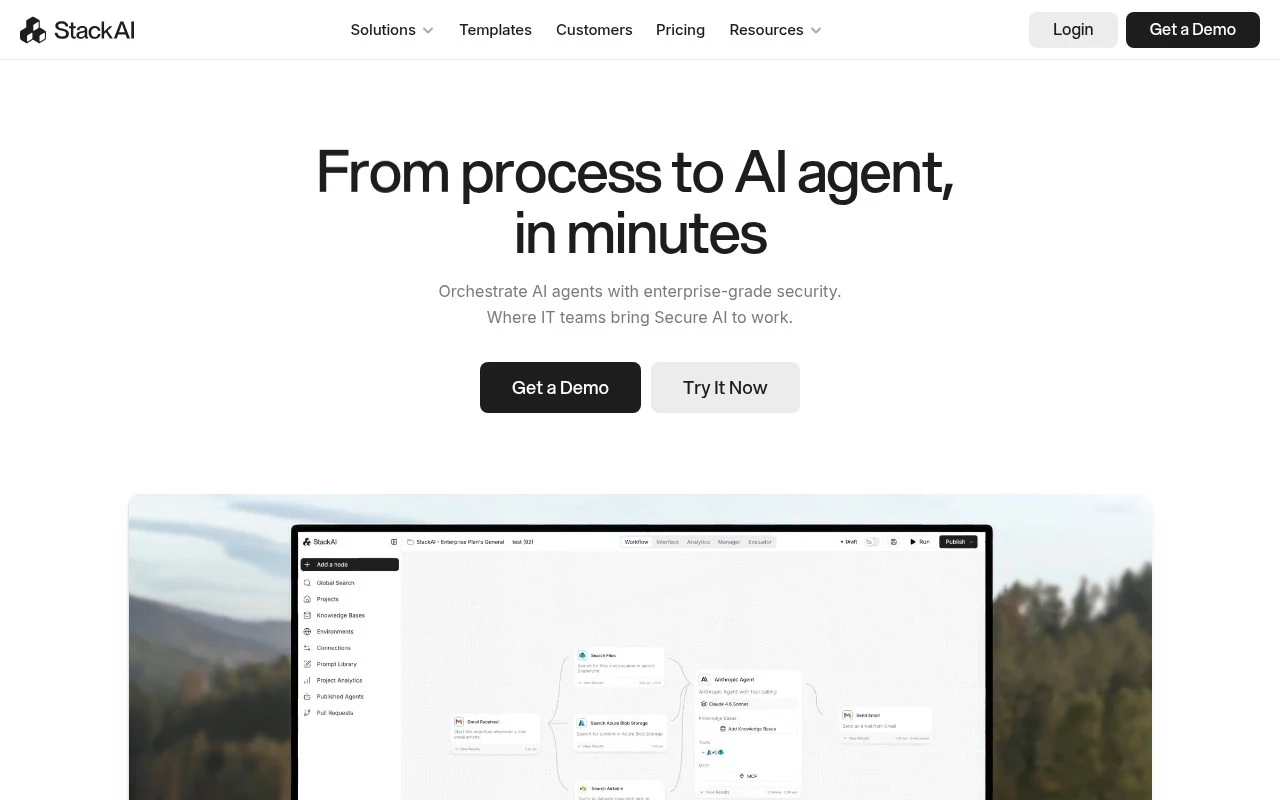
Stack AI is an enterprise AI agent platform for creating secure, governed AI workflows without traditional coding. Its website positions it as a drag-and-drop, no-code system for IT and enterprise architecture teams to convert business processes into AI agents, connect them to existing enterprise tools, choose task-specific LLMs, and deploy in multi-tenant, VPC, or on-premise environments.

FYAI Score

8.1 / 10

Based on 1.397 reviews

Pricing:

Freemium

Best for:

IT and enterprise architecture teams building governed AI agents

Score Breakdown

  • Ease of use7.8 / 10
  • Features8.3 / 10
  • Pricing7.7 / 10
  • Integrations8.5 / 10
  • Support8.7 / 10

PRODUCT PREVIEW

What this AI tool does

Stack AI is an AI tool designed to help teams build and run AI-powered workflows without needing to start from scratch. It focuses on making it easier to connect data sources, models, and common business systems so you can turn a process into something that can be tested, improved, and reused. In practice, stack-ai is often used to create internal assistants and automations for tasks like answering questions from company documents, summarizing content, or routing requests to the right place. It’s intended for informational and operational use cases where you want a clear way to assemble, evaluate, and maintain AI workflows as requirements change. For organizations exploring AI adoption, this kind of tool can provide a structured path from prototype to day-to-day use, with an emphasis on repeatability and governance. The best fit is typically teams that need to integrate AI into existing processes and want a practical way to manage those workflows over time.

Use cases

Best for

Agent Building

Build governed AI agents with drag and drop blocks that call LLMs, tools, and APIs, then deploy to VPC or on premises.

Workflow Automation

Automate enterprise workflows by chaining triggers, approvals, and LLM steps that connect to existing apps and internal systems.

Document Automation

Use Stack AI to route documents through extraction, classification, and summarization steps, then write results to enterprise systems.

ANALYSIS

Strengths & limitations

Strengths
  • Focused on enterprise deployment needs, including governance, auditability, and human oversight.
  • Supports regulated environments with stated HIPAA, GDPR, SOC 2 Type II, and ISO 27001 security positioning.
  • Designed to work across an existing enterprise stack, with the site claiming 100+ integrations and LLM-agnostic deployment.
Limitations
  • The public site describes broad platform capabilities but provides limited detail on exact builder functionality, supported integrations, and operational limits.
  • Its positioning is enterprise-first, so it may be less suitable for individuals or small teams looking for a lightweight personal AI automation tool.
  • Advanced deployment options such as VPC, on-premise, and governance controls likely require organizational IT involvement rather than simple self-service setup.

Evaluation

FYAI score breakdown

Our structured evaluation across five key criteria

8.1 / 10

Overall score

Based on 1.397 reviews

  • Ease of use7.8 / 10
  • Features8.3 / 10
  • Pricing7.7 / 10
  • Integrations8.5 / 10
  • Support8.7 / 10

What users say

Findings from public reviews, documentation and community sources.

  • Ease of use

    StackAI positions onboarding around an “intuitive drag-and-drop no-code platform” and says teams can go “from process to AI agent, in minutes.” G2 shows a 4.5/5 rating across 38 reviews, including a reviewer saying StackAI “streamlines my workflow with automation.”

  • Features

    StackAI's pricing page lists agents, flows, multimodal inputs/outputs, and knowledge bases. StackAI's pricing page also lists Enterprise capabilities including SSO, VPC/on-prem deployment, access control, and compliance-oriented options.

  • Pricing

    StackAI's pricing page lists the Free plan at $0/month with “500 runs per month,” “2 Projects,” and “1 Seat.” StackAI's pricing page lists the Enterprise plan as “Custom” with custom runs, seats, infrastructure, and support.

  • Integrations

    StackAI states it supports “100+ enterprise integrations” and that agents can “read, write, and execute tasks” in existing systems. StackAI's pricing page names Google Drive, Notion, REST API, and Slack Bot as connectivity options.

  • Support

    StackAI's pricing page lists “Community support on Discord” for the Free plan. StackAI's pricing page lists “Dedicated solution engineers” for Enterprise, plus email, priority, and dedicated support in the comparison table.

Who is this for?

Best for teams that want a no-code route from process design to AI agents. StackAI describes an “intuitive drag-and-drop no-code platform” and says teams can go “from process to AI agent, in minutes.” StackAI also fits teams that need agents connected to existing systems, because StackAI states it supports “100+ enterprise integrations” and agents can “read, write, and execute tasks.” Less suited to buyers who need public paid-tier comparisons before procurement, StackAI's pricing page lists the Free plan at $0/month, while the Enterprise plan is “Custom” with custom runs, seats, infrastructure, and support.

PRODUCT PREVIEW

Feature highlights

No-code agent builder

Drag-and-drop workflows to turn processes into AI agents fast.

Enterprise integrations

Connect agents to internal tools, data sources, and APIs.

Security & governance

Deploy with controls in multi-tenant, VPC, or on-prem setups.

COMPARE

Discover curated alternatives worth comparing

Compare similar AI tools based on features, pricing and use cases

8.1/ 10FYAI score

Helply

Customer Support BotsKnowledge Base Bots
Answers support tickets, drafts replies, and flags churn risk
Best for:
Customer support teams
Pricing
Freemium

8.7/ 10Based on 7.757 reviews

Zoho Desk

Customer Support BotsKnowledge Base Bots
Uses Zia AI to triage tickets, draft replies, and flag issues
Best for:
Customer support teams
Pricing
Freemium

7.8/ 10Based on 31.824 reviews

Zoho

Customer Support Bots
Cloud suite for CRM, finance, HR, and business operations
Best for:
Operations teams
Pricing
Freemium

Turn more chats into sales with personalized conversations that respond instantly. Start using Stack AI today to boost satisfaction and reduce support load.

FAQ

Frequently asked
questions

Everything you need to know about this AI tool,
its features, pricing, use cases, and limitations.

When is Stack AI a good fit for e-commerce customer engagement?
Stack AI is best suited for e-commerce teams that want automated, personalized conversations for product discovery, order status, returns, and basic support. It’s a stronger fit when you already have structured data (catalog, FAQs, policies) and clear customer journeys to automate. If your support needs are mostly complex, open-ended troubleshooting, you may need a more flexible agent platform or heavier human handoff.
Does Stack AI have a free plan, and what are the typical limitations compared to paid tiers?
Stack AI’s free availability and limits can vary by offering, so you’ll want to confirm current pricing on stack-ai.com. In general, free or trial tiers in this category usually cap message volume, channels, integrations, and analytics depth. Paid plans typically unlock higher usage, more integrations with e-commerce systems, and more robust reporting and controls.
How does Stack AI compare with other conversational AI tools used in e-commerce?
Compared with general-purpose chatbot builders, Stack AI is more oriented toward e-commerce workflows and personalization rather than broad, custom conversational design. Versus enterprise contact-center platforms, it may be faster to deploy for common commerce use cases but less comprehensive for omnichannel routing and complex agent assist. If you need deep customization or highly dynamic conversations, compare how each tool handles intent coverage, fallbacks, and handoff to human support.
How quickly can you set up Stack AI, and what onboarding work should you expect?
Stack AI can be constrained by predefined conversational flows, which may not cover unusual customer scenarios without additional design work. Performance depends on ongoing maintenance—updating content, retraining/tuning, and monitoring analytics to prevent drift. If your business changes promotions, inventory, or policies frequently, plan for regular updates to keep conversations accurate.
What should you check about data handling, privacy, and compliance before choosing Stack AI?
Confirm what customer data Stack AI stores, how long it’s retained, and whether you can control deletion and access for support logs and transcripts. Review where data is processed (regions), what subprocessors are used, and whether it supports requirements like GDPR/CCPA workflows and role-based access. If you handle sensitive data, ask about encryption, audit logs, and whether you can limit what personal information is captured in conversations.