Curated ToolThis tool is part of our curated AI directory. We only include tools that meet our standards for relevance, usability and real-world value.

ServiceNow

Handles service requests, incidents, and knowledge via virtual agents

Customer Support BotsKnowledge Base Bots
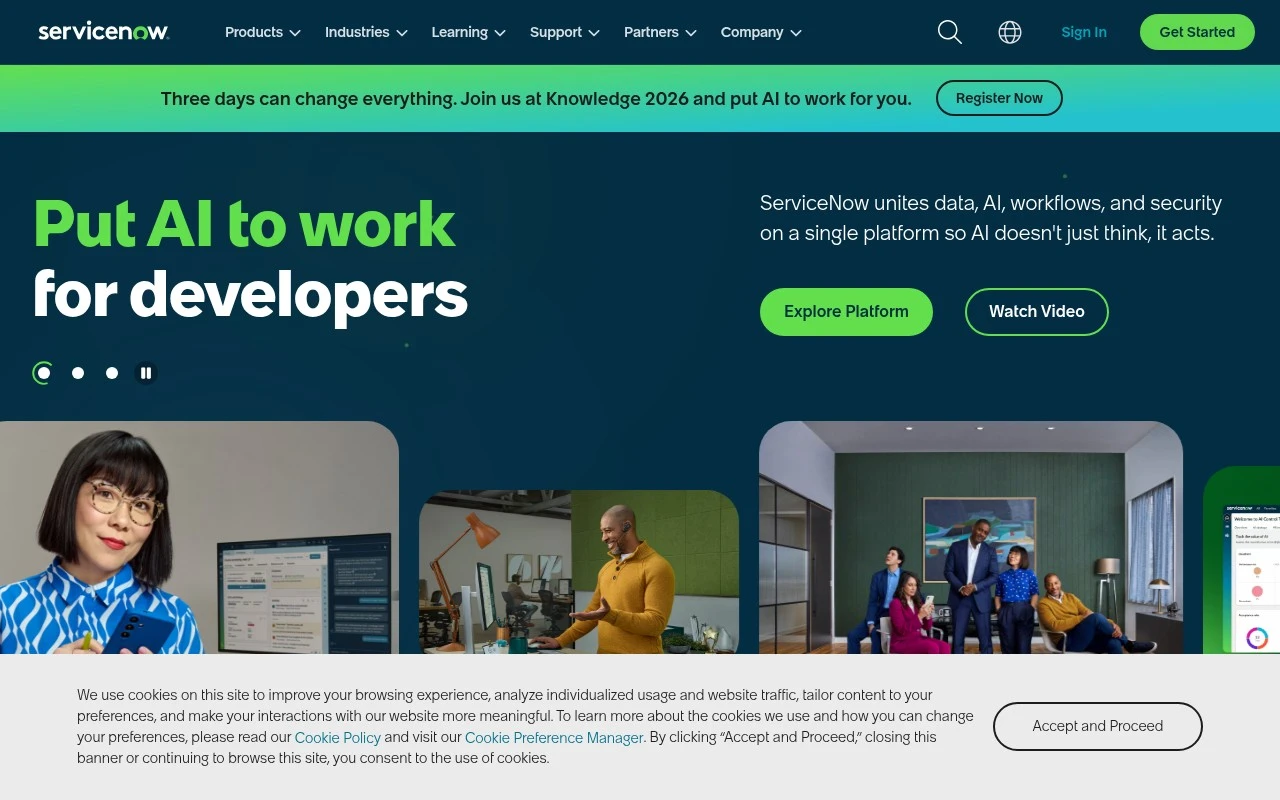
ServiceNow is an enterprise workflow and service management platform best known for IT service management, but used more broadly to digitize and automate internal and customer-facing service processes. It gives organizations a configurable system of record for requests, incidents, cases, approvals, assets, and operational workflows, with AI and automation features layered into the Now Platform.

FYAI Score

7.5 / 10

Based on 6.513 reviews

Pricing:

Paid

Best for:

IT service and operations teams managing enterprise-wide workflows

Score Breakdown

  • Ease of use7.2 / 10
  • Features7.1 / 10
  • Pricing7.0 / 10
  • Integrations9.4 / 10
  • Support7.4 / 10

PRODUCT PREVIEW

What this AI tool does

ServiceNow is a platform used by organizations to manage and coordinate internal services and workflows, such as handling requests, tracking issues, and standardizing routine processes. It is often adopted by IT and operations teams that need a consistent way to route work, capture status updates, and maintain records across departments. On an AI tool page, this entry typically refers to how the platform can support automation and decision support within those workflows—for example, helping users categorize requests, suggest next steps, or surface relevant knowledge while work is being processed. The goal is to make day-to-day service management easier to navigate by reducing manual handoffs and improving the clarity of what needs to happen next. This overview is intended for readers looking for informational context: what the tool is generally used for, where it fits in an organization, and how AI capabilities may be applied within its existing processes without changing the underlying purpose of the platform.

Use cases

Best for

Workflow Automation

ServiceNow automates approvals, tasks, and escalations by routing requests through configurable workflows and rules.

Hr Automation

It automates HR services by using an employee portal, case management, and onboarding workflows with approvals and tasks.

Customer Support Automation

It automates customer support by turning inquiries into cases, applying routing rules, and triggering knowledge and agent tasks.

ANALYSIS

Strengths & limitations

Strengths
  • Strong fit for complex enterprise service management and IT operations environments.
  • Broad platform coverage across IT, HR, customer service, security, and custom workflow use cases.
  • Highly configurable workflow, portal, reporting, and automation capabilities for large organizations.
Limitations
  • Implementation and administration can be complex and usually requires specialized expertise.
  • Often more platform than small teams need if they only require a simple help desk or ticketing tool.
  • Cost, configuration effort, and governance requirements can be significant in enterprise deployments.

Evaluation

FYAI score breakdown

Our structured evaluation across five key criteria

7.5 / 10

Overall score

Based on 6.513 reviews

  • Ease of use7.2 / 10
  • Features7.1 / 10
  • Pricing7.0 / 10
  • Integrations9.4 / 10
  • Support7.4 / 10

What users say

Findings from public reviews, documentation and community sources.

  • Ease of use

    SoftwareAdvice review signals include users saying, “I like ServiceNow interface. It is very intuitive and easy to use so new user with no technical skills do not struggle,” while Reddit discussions show some admins find the out-of-box experience heavy.

  • Features

    G2 reports ServiceNow at 4.4/5 across 6,513 verified reviews and frames ServiceNow as a portfolio of “all ServiceNow solutions.”

  • Pricing

    A Reddit pricing discussion states that “everything is by custom quote,” so buyers should expect enterprise quoting rather than published plan comparison.

  • Integrations

    ServiceNow’s Integration Hub is described as letting users “natively integrate ServiceNow with any external app, platform, or data.” ServiceNow also describes APIs and integration tools for connecting systems inside and outside the enterprise.

  • Support

    G2 reports ServiceNow at 4.4/5 across 6,513 verified reviews.

Who is this for?

Best for enterprises that need conversational AI tied into many internal and external systems, ServiceNow’s Integration Hub is described as letting users “natively integrate ServiceNow with any external app, platform, or data,” and ServiceNow describes APIs and integration tools for connecting systems inside and outside the enterprise. Less suited to teams that need quick budget benchmarking or self-serve plan selection, a Reddit pricing discussion states that “everything is by custom quote,” which means buyers need enterprise quoting rather than public tier comparison.

PRODUCT PREVIEW

Feature highlights

Virtual Agent

Conversational self-service for requests, incidents, and FAQs.

Workflow Automation

Orchestrate approvals and tasks across teams with low-code flows.

CMDB & Asset Tracking

Central system of record for services, assets, and dependencies.

COMPARE

Discover curated alternatives worth comparing

Compare similar AI tools based on features, pricing and use cases

8.1/ 10FYAI score

Helply

Customer Support BotsKnowledge Base Bots
Answers support tickets, drafts replies, and flags churn risk
Best for:
Customer support teams
Pricing
Freemium

8.7/ 10Based on 7.757 reviews

Zoho Desk

Customer Support BotsKnowledge Base Bots
Uses Zia AI to triage tickets, draft replies, and flag issues
Best for:
Customer support teams
Pricing
Freemium

7.8/ 10Based on 31.824 reviews

Zoho

Customer Support Bots
Cloud suite for CRM, finance, HR, and business operations
Best for:
Operations teams
Pricing
Freemium

See why teams choose ServiceNow to resolve issues faster and keep employees productive. Automate support workflows and deliver a smoother service experience.

FAQ

Frequently asked
questions

Everything you need to know about this AI tool,
its features, pricing, use cases, and limitations.

When is ServiceNow Conversational AI a good fit, and when should I pick something else?
ServiceNow is a strong fit if most conversations are tied to ITSM/ESM workflows like incident creation, password resets, approvals, and knowledge search inside the ServiceNow platform. It’s less ideal if you need a standalone customer-support chatbot across many external channels without ServiceNow as the system of record. If your priority is deep automation of internal service requests, it tends to outperform lighter chatbot tools.
Does ServiceNow offer a free plan for Conversational AI, and what are the paid limitations?
ServiceNow typically doesn’t provide a true free plan for Conversational AI; access is generally tied to paid ServiceNow licensing and the specific products you own. Costs and entitlements vary by package, user counts, and whether you need Virtual Agent/Now Assist capabilities. Expect additional licensing for advanced features, higher volumes, or broader enterprise use.
How does ServiceNow compare with tools like Microsoft Copilot, IBM watsonx Assistant, or Salesforce Einstein Bots?
ServiceNow is usually strongest when the goal is automating service operations directly in the ServiceNow ecosystem (IT, HR, facilities, customer service workflows). Microsoft Copilot often wins for M365 productivity scenarios, while Salesforce Einstein Bots is typically more native for CRM-driven customer support. IBM watsonx Assistant can be more platform-agnostic for complex dialog management, but may require more integration work to match ServiceNow’s workflow depth.
How quickly can I get ServiceNow Conversational AI running, and what onboarding effort should I expect?
The biggest trade-off is complexity: customization and workflow alignment can require specialized ServiceNow skills and ongoing governance. Total cost can be high compared with standalone chatbot products, especially for smaller teams. It also tends to be most valuable when ServiceNow is central to your service operations; otherwise you may pay for capabilities you won’t fully use.
What should I check regarding data privacy, security, and compliance with ServiceNow Conversational AI?
Confirm where conversation logs and related records are stored (your ServiceNow instance/region) and how retention is configured, since chats may include sensitive ticket details. Review role-based access controls, audit trails, and how the bot interacts with knowledge articles and user data to avoid overexposure. If you use generative features (e.g., Now Assist), verify what data is sent for processing, whether it’s used for model training, and which compliance attestations (e.g., SOC 2, ISO 27001) apply to your deployment.