Curated ToolThis tool is part of our curated AI directory. We only include tools that meet our standards for relevance, usability and real-world value.

LiveChat

AI chatbots and agent copilot for summaries, tags, and replies

Customer Support BotsChatbots
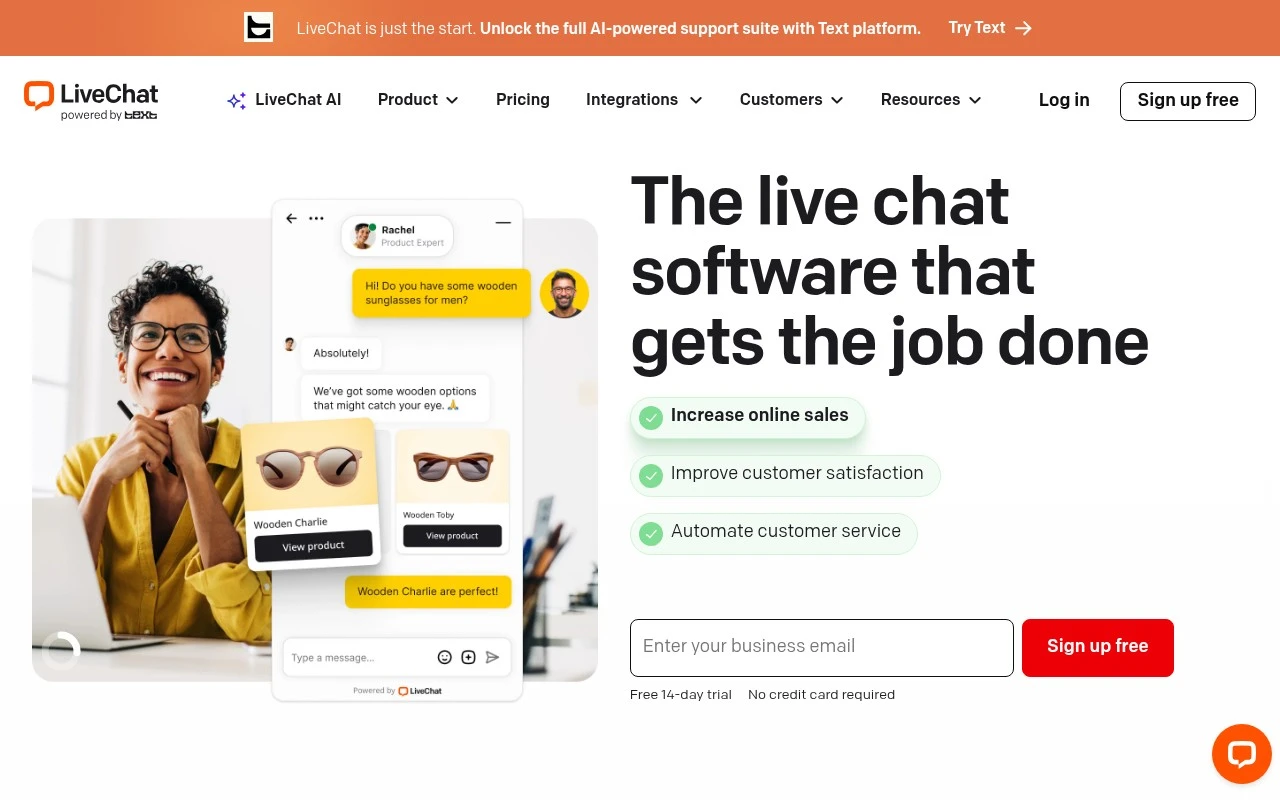
LiveChat is a website live chat platform for businesses that want to support customers and convert visitors while they are browsing. It provides a live chat app for human agents, tools for sales and support workflows, reporting such as sales tracking, and 200+ integrations including ecommerce and website platforms. Its AI features include chatbot-based automation and an in-app Copilot for text enhancement, tag suggestions, chat summaries, and real-time agent assistance.

FYAI Score

8.6 / 10

Based on 1.727 reviews

Pricing:

Paid

Best for:

Support and sales teams helping website visitors in real time

Score Breakdown

  • Ease of use9.3 / 10
  • Features7.8 / 10
  • Pricing8.2 / 10
  • Integrations8.8 / 10
  • Support9.0 / 10

PRODUCT PREVIEW

What this AI tool does

LiveChat is an AI-assisted tool designed to help teams handle real-time conversations with customers or site visitors. It supports common support and sales workflows by helping draft replies, keep context across a thread, and reduce the time spent on repetitive questions while still leaving room for human review and control. In practice, it can be used to triage incoming messages, suggest next steps, and summarize what has already been discussed so handoffs are smoother. This makes it easier to maintain consistent responses across agents, especially during busy periods. The tool is intended for informational use by teams evaluating chat support options and looking for a practical way to combine human agents with AI assistance. It fits best in environments where quick, accurate responses matter and where conversation history needs to stay organized.

Use cases

Best for

Proactive Customer Engagement

Use LiveChat to trigger proactive chat invites on key pages or behaviors so agents can engage visitors while they browse.

Product Recommendations

Agents use live chat to ask needs questions and share product links or carts in real time based on what the visitor is viewing.

Customer Support Automation

Set up chatbot flows to answer FAQs, collect details, and route chats to the right team with tags and summaries for agents.

ANALYSIS

Strengths & limitations

Strengths
  • Focused on real-time website conversations for both sales and customer support.
  • Includes AI-assisted agent features and chatbot automation for repetitive inquiries.
  • Offers a large integration ecosystem, including ecommerce and website tools such as Shopify, BigCommerce, WordPress, Squarespace, and Mailchimp.
Limitations
  • Best suited to businesses with website-based chat needs; the provided material does not establish it as a full replacement for every support channel.
  • Automation is described as support for repetitive tasks and common questions, so complex issues may still require human agents.
  • The value of sales tracking, AI assistance, and integrations depends on proper setup and the team actively using the chat workflow.

Evaluation

FYAI score breakdown

Our structured evaluation across five key criteria

8.6 / 10

Overall score

Based on 1.727 reviews

  • Ease of use9.3 / 10
  • Features7.8 / 10
  • Pricing8.2 / 10
  • Integrations8.8 / 10
  • Support9.0 / 10

What users say

Findings from public reviews, documentation and community sources.

  • Ease of use

    LiveChat describes its product page as “intuitive customer service software,” “Quick to set up,” and “easy for your team to use.” G2 lists 810 reviews for LiveChat and highlights reviewer language that it is “easy and fast” for real-time communication.

  • Features

    LiveChat’s site lists live website support, sales engagement, AI chatbot automation, and Copilot features including “Text enhancement,” “Tag suggestions,” and “Chat summary.” LiveChat’s site positions the product as AI-assisted live chat plus chatbot automation rather than a fully standalone AI-agent platform.

  • Pricing

    LiveChat’s pricing page lists a “Free 14-day trial,” “No credit card required,” and annual per-person prices of $19 Starter, $49 Team, and $79 Business, plus Enterprise via sales contact. LiveChat’s pricing page also references plan limits such as visitor tracking and chat-history caps.

  • Integrations

    LiveChat states that users can “Mix and match from 200+ integrations.” LiveChat specifically names WordPress, Squarespace, Mailchimp, Shopify, and BigCommerce as integrations.

  • Support

    LiveChat’s pricing page lists “24/7/365 Support” on the Starter plan. LiveChat’s site navigation includes Help Center and “Chat with us,” and Capterra’s summary says users find the platform “easy to use, reliable, and very helpful.”

Who is this for?

Best for teams that need live website support with quick rollout. LiveChat describes the product as “Quick to set up” and “easy for your team to use.” Best for teams that rely on ecommerce or site-tool connections, since LiveChat states that users can “Mix and match from 200+ integrations” and names Shopify, BigCommerce, WordPress, Squarespace, and Mailchimp. Less suited to teams seeking a fully standalone AI-agent platform, because LiveChat’s own feature evidence positions it as AI-assisted live chat plus chatbot automation.

PRODUCT PREVIEW

Feature highlights

Live website chat

Chat with visitors instantly to answer questions and drive sales.

Sales & chat reports

Track chat performance and revenue impact with built-in analytics.

Chat While They Browse

Engage visitors in real time to answer questions and close more sales.

COMPARE

Discover curated alternatives worth comparing

Compare similar AI tools based on features, pricing and use cases

8.1/ 10FYAI score

Helply

Customer Support BotsKnowledge Base Bots
Answers support tickets, drafts replies, and flags churn risk
Best for:
Customer support teams
Pricing
Freemium

8.7/ 10Based on 7.757 reviews

Zoho Desk

Customer Support BotsKnowledge Base Bots
Uses Zia AI to triage tickets, draft replies, and flag issues
Best for:
Customer support teams
Pricing
Freemium

7.8/ 10Based on 31.824 reviews

Zoho

Customer Support Bots
Cloud suite for CRM, finance, HR, and business operations
Best for:
Operations teams
Pricing
Freemium

Turn more visitors into happy customers with faster, friendlier support. See why teams choose LiveChat to resolve questions in real time and boost sales.

FAQ

Frequently asked
questions

Everything you need to know about this AI tool,
its features, pricing, use cases, and limitations.

Is LiveChat a good fit for e-commerce support and sales, or is it better for other use cases?
LiveChat tends to fit best when you need real-time conversations to reduce cart abandonment, answer product questions, and route issues quickly to agents. It’s also useful for lead capture via proactive chat on high-intent pages. If your support model is mostly asynchronous (email/tickets) or you need deep ITSM workflows, a help desk–first tool may be a better match.
Does LiveChat have a free plan, and what are the practical limitations compared to paid tiers?
LiveChat is generally positioned as a paid product, with pricing tied to agent seats and feature level rather than a robust free tier. Expect key capabilities—like advanced reporting, staffing/queue controls, and some integrations—to be gated by plan. If you need a long-term free option, you may need to compare against tools that offer a permanent free plan or rely on a basic chat widget.
How does LiveChat compare with Intercom, Zendesk, or Freshchat for a team evaluating multiple options?
LiveChat is often simpler to deploy for live agent chat, while Intercom typically goes deeper on product-led messaging and automation across the customer lifecycle. Zendesk is usually stronger when you need a full ticketing suite and complex support operations, with chat as one channel among many. Freshchat/Freshworks can be cost-effective for teams that want chat tightly bundled with a broader help desk.
How quickly can a team get LiveChat running, and what onboarding effort should we expect?
LiveChat can require dedicated coverage to deliver fast responses, which increases staffing costs compared with more asynchronous channels. If you operate outside standard hours, you may need automation or a separate ticketing workflow to avoid missed chats. Customization and end-to-end case management can feel lighter than in full service-desk suites.
What should we consider about data handling, privacy, and compliance when using LiveChat?
Check where LiveChat stores chat transcripts and metadata, what retention controls are available, and whether you can export or delete data to meet internal policies. Confirm support for DPA/GDPR requirements, role-based access, and audit/security features your team needs. If you handle sensitive data (payments, health, regulated PII), validate redaction options and whether your workflow avoids collecting that data in chat.