Curated ToolThis tool is part of our curated AI directory. We only include tools that meet our standards for relevance, usability and real-world value.

LiveAgent

Generates multilingual support replies and chatbot answers from knowledge base.

Customer Support BotsChatbots
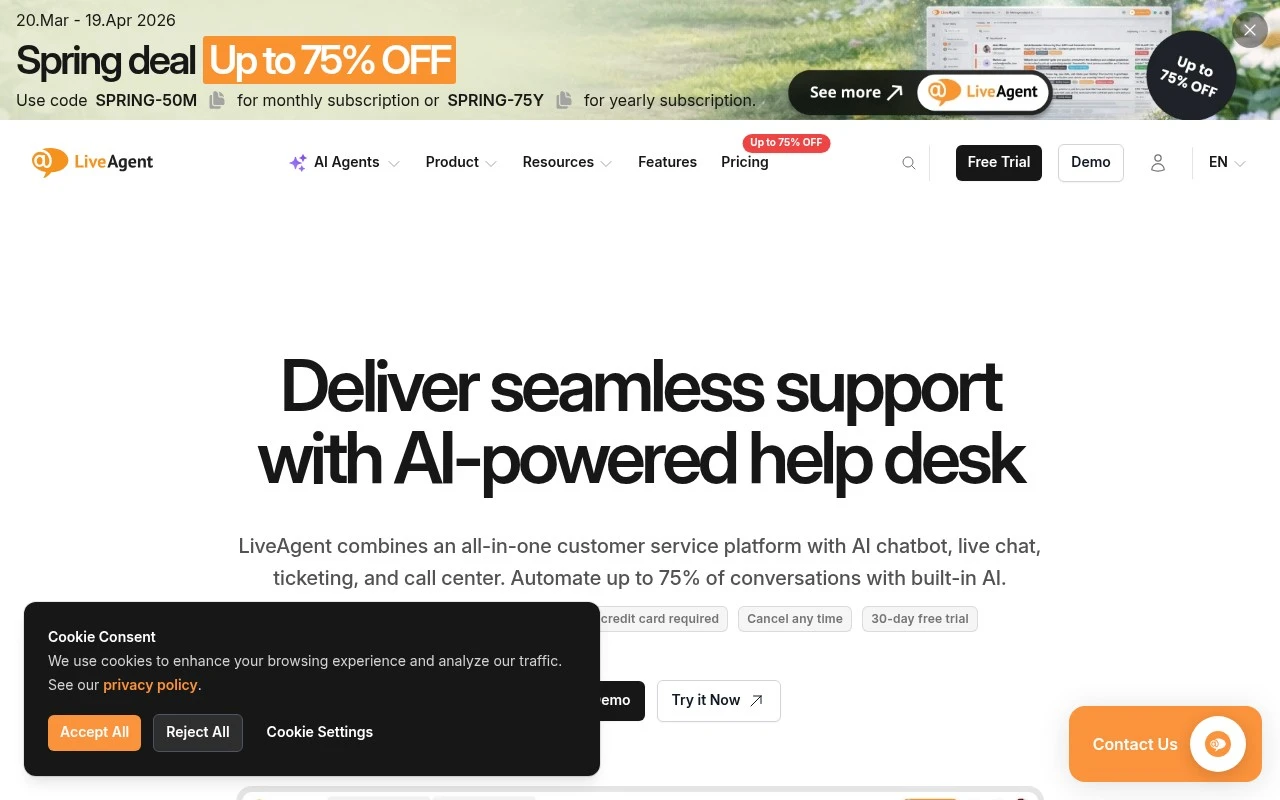
LiveAgent is a customer service help desk for teams that need to centralize support across many communication channels. The product combines ticketing, live chat, a built-in call center, social messaging integrations, WhatsApp and Viber support, and a knowledge base in one dashboard. Its current positioning also emphasizes AI features, including an AI chatbot for 24/7 customer inquiries, an answer improver, and an answer composer that uses knowledge base content to help produce support replies.

FYAI Score

8.8 / 10

Based on 1.786 reviews

Pricing:

Freemium

Best for:

Support teams managing high-volume, multi-channel customer inquiries

Score Breakdown

  • Ease of use8.8 / 10
  • Features8.6 / 10
  • Pricing9.3 / 10
  • Integrations8.5 / 10
  • Support8.7 / 10

PRODUCT PREVIEW

What this AI tool does

LiveAgent is a customer support tool designed to help teams manage conversations with customers in one place. It’s typically used by support and service teams that need a structured way to receive, track, and respond to requests across common communication channels. In practice, it helps organize incoming messages into tickets, route them to the right people, and keep a record of past interactions so responses stay consistent over time. This can be useful for handling day-to-day support questions, following up on unresolved issues, and maintaining visibility into workload and response progress. If you’re comparing help desk software options, liveagent is generally relevant when you want a central system for customer communication and ticket management, with an emphasis on keeping support workflows clear and auditable.

Use cases

Best for

Omnichannel Support

LiveAgent centralizes email, live chat, calls, social messages, WhatsApp, and Viber into one ticketing inbox.

Email Writing

LiveAgent drafts and improves support email replies using its answer composer and your knowledge base content.

Customer Support Automation

LiveAgent uses an AI chatbot to answer common questions 24/7 and create tickets when issues need an agent.

ANALYSIS

Strengths & limitations

Strengths
  • Covers multiple support channels in one product, including email, live chat, phone, social media, WhatsApp, Viber, and knowledge base content.
  • Includes both agent-facing support tools and customer self-service features rather than only live chat or only ticketing.
  • AI features are tied to customer support workflows, including chatbot automation and reply composition for human agents.
Limitations
  • Teams looking for a simple standalone chat widget may find the broader help desk and call center scope more than they need.
  • The official page presents performance improvements and automation percentages as marketing claims, so real results may vary by support volume, setup, and knowledge base quality.
  • The AI reply generation is described as relying on the knowledge base, so accuracy and usefulness likely depend on the quality of the company’s support content.

Evaluation

FYAI score breakdown

Our structured evaluation across five key criteria

8.8 / 10

Overall score

Based on 1.786 reviews

  • Ease of use8.8 / 10
  • Features8.6 / 10
  • Pricing9.3 / 10
  • Integrations8.5 / 10
  • Support8.7 / 10

What users say

Findings from public reviews, documentation and community sources.

  • Ease of use

    Capterra lists LiveAgent at 4.7/5 across 1,786 reviews and says LiveAgent is “very easy to use compared to other similar tools” with a “straightforward and user-friendly experience.”

  • Features

    The LiveAgent homepage describes LiveAgent as an “all-in-one customer service platform with AI chatbot, live chat, ticketing, and call center” and references AI answer tools, a knowledge base, and “175+ features.”

  • Pricing

    The LiveAgent pricing page publishes per-agent tiers with monthly and annual billing, a “30-day free trial,” and “No credit card required.” The LiveAgent pricing page shows plan prices for Small, Medium, Large, and Enterprise tiers.

  • Integrations

    The LiveAgent homepage states that email, live chat, WhatsApp, and Viber are unified in one dashboard with “200+ integrations.” The LiveAgent homepage plan details include channels such as Facebook, Instagram, X, and Telegram.

  • Support

    The LiveAgent homepage states “24/7 Customer service.” The LiveAgent pricing page lists “Dedicated account manager,” “Priority support,” assisted channel integration, and service review calls for the Enterprise tier.

Who is this for?

Best for teams that want to consolidate customer conversations, the LiveAgent homepage states that email, live chat, phone, social media, WhatsApp, Viber, and knowledge base are unified in one dashboard with “200+ integrations.” Less suited to teams that need dedicated account management or priority support without choosing Enterprise, the LiveAgent pricing page lists “Dedicated account manager,” “Priority support,” assisted channel integration, and service review calls for the Enterprise tier.

PRODUCT PREVIEW

Feature highlights

Omnichannel inbox

Centralize email, chat, social, WhatsApp, and Viber in one view.

AI support replies

Draft and improve answers using your knowledge base content.

Built-in call center

Handle calls, route customers, and log conversations as tickets.

COMPARE

Discover curated alternatives worth comparing

Compare similar AI tools based on features, pricing and use cases

8.1/ 10FYAI score

Helply

Customer Support BotsKnowledge Base Bots
Answers support tickets, drafts replies, and flags churn risk
Best for:
Customer support teams
Pricing
Freemium

8.7/ 10Based on 7.757 reviews

Zoho Desk

Customer Support BotsKnowledge Base Bots
Uses Zia AI to triage tickets, draft replies, and flag issues
Best for:
Customer support teams
Pricing
Freemium

7.8/ 10Based on 31.824 reviews

Zoho

Customer Support Bots
Cloud suite for CRM, finance, HR, and business operations
Best for:
Operations teams
Pricing
Freemium

See why support teams choose liveagent to resolve more requests faster. Start delivering quicker, more consistent help today.

FAQ

Frequently asked
questions

Everything you need to know about this AI tool,
its features, pricing, use cases, and limitations.

What types of support teams is liveagent a good fit for?
liveagent fits teams that need a single inbox for email, live chat, social, and other channels with strong ticketing and routing. It’s a practical choice for SMB to mid-market support orgs that want automation rules, canned replies, and SLA-style workflows without heavy engineering. If your priority is deep AI self-service or advanced bot building, you may find other Conversational AI platforms more specialized.
Does liveagent have a free plan, and what are the main limitations compared to paid tiers?
liveagent typically offers a free trial rather than a permanent free plan, so you’ll need a paid subscription for ongoing use. Lower tiers can limit advanced automation, reporting, or channel options, and costs rise as you add agents. When comparing, check which channels (chat, social, call center) and automation features are included at each tier.
How does liveagent compare with Zendesk, Freshdesk, or Intercom for customer support automation?
Compared with Zendesk or Freshdesk, liveagent is often evaluated as a more straightforward, cost-conscious help desk with strong multi-channel ticketing and built-in workflows. Versus Intercom, liveagent is typically more ticket-centric, while Intercom tends to be stronger for messaging-led experiences and broader in-app engagement. Your best choice depends on whether you prioritize classic help desk operations (liveagent) or a messaging platform with deeper customer lifecycle tooling.
How quickly can a team get liveagent running, and what onboarding work is usually required?
liveagent’s automation is useful, but customization for automated responses and brand-specific conversational flows can feel limited compared with more bot-focused tools. Some teams report occasional live chat glitches, which matters if chat is your primary channel. Pricing can also scale quickly as you add agents or need higher-tier features.
What should we verify about liveagent’s data handling, privacy, and compliance before buying?
Confirm where liveagent stores and processes customer data, and whether it offers a Data Processing Agreement and GDPR-ready controls (retention, export, deletion). Review role-based access, audit logs (if available), and how transcripts/attachments are secured in transit and at rest. If you have regulated requirements (e.g., HIPAA/PCI), validate support in writing and check whether integrations could introduce additional compliance scope.