Curated ToolThis tool is part of our curated AI directory. We only include tools that meet our standards for relevance, usability and real-world value.

Landbot

Builds AI chatbots with structured flows, routing, and analytics

Customer Support BotsAgent Builders
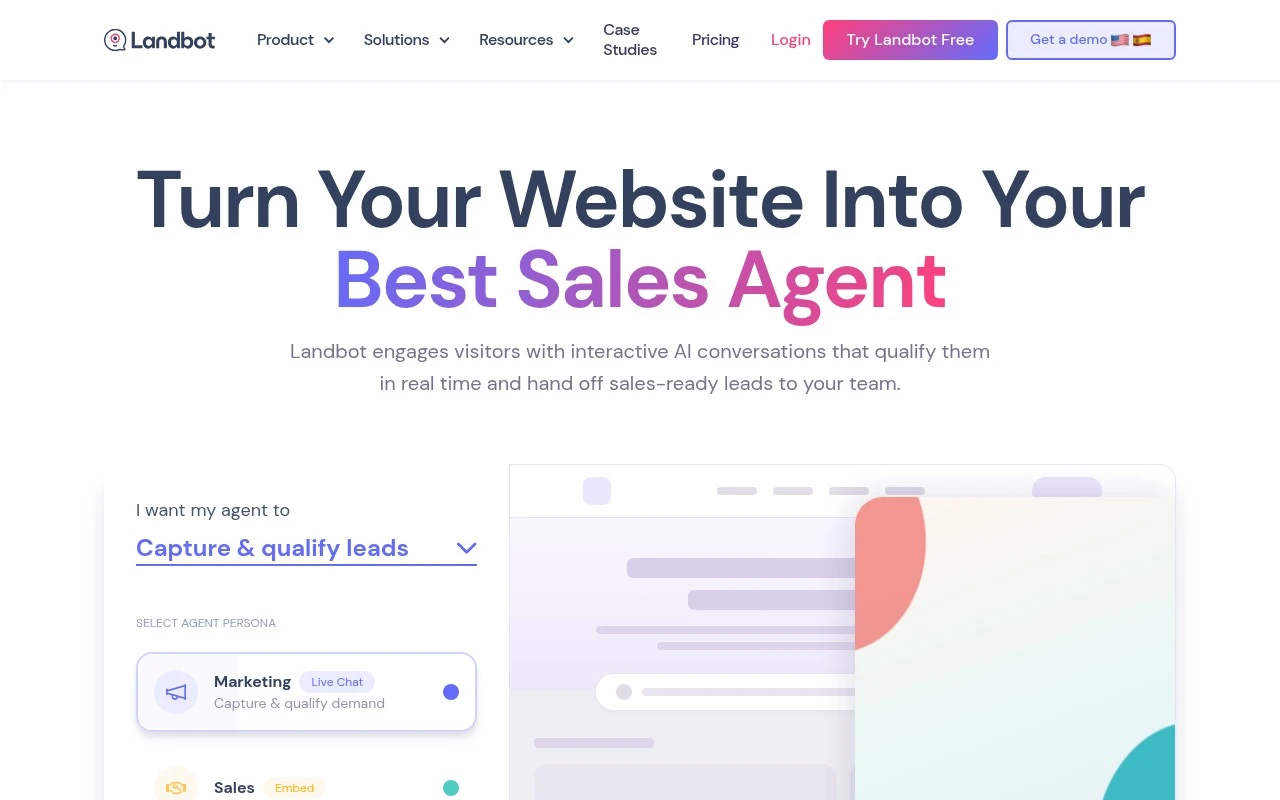
Landbot lets teams build AI agents and chatbots for websites and WhatsApp using a visual, no-code workflow builder. It combines structured conversation flows with AI assistance, branded chat interfaces, rich UI elements such as buttons and forms, and integrations with CRMs, automation tools, AI models, and custom APIs. Its main focus is helping businesses replace static forms and basic chat widgets with interactive conversations that qualify leads, support customers, recommend products, and hand off sales-ready users to the right team.

FYAI Score

8.8 / 10

Based on 334 reviews

Pricing:

Freemium

Best for:

Marketing and sales teams qualifying leads via website and WhatsApp chat

Score Breakdown

  • Ease of use9.4 / 10
  • Features8.6 / 10
  • Pricing8.2 / 10
  • Integrations9.1 / 10
  • Support8.5 / 10

PRODUCT PREVIEW

What this AI tool does

Landbot is a no-code platform for building conversational experiences that can be embedded on a website or shared through common messaging channels. It’s typically used to guide visitors through a structured dialogue, helping collect information, answer routine questions, or route people to the right next step without requiring a custom development project. Teams often use landbot to create interactive flows for lead capture, customer support triage, and simple onboarding or booking journeys. The tool focuses on designing conversations visually, connecting them to forms and basic integrations, and reviewing how users move through each step so the experience can be adjusted over time. For someone researching chatbot builders, it can be a practical option when you want a conversational interface but need to keep setup and maintenance manageable. As with any conversational tool, it works best when the dialogue is kept clear and scoped to specific tasks, with an easy handoff to a human or another channel when requests become complex.

Use cases

Best for

Agent Building

Build website and WhatsApp agents in Landbot using a no-code visual flow builder with AI steps, buttons, forms, and API calls.

Lead Scoring

Score leads by asking qualifying questions in chat and mapping answers to tags, variables, and routing rules in the workflow.

Crm Automation

Automate CRM updates by sending captured chat fields to HubSpot or Salesforce via native integrations, webhooks, or custom APIs.

ANALYSIS

Strengths & limitations

Strengths
  • Supports both AI-driven conversations and controlled rule-based workflows, which helps balance flexibility with predictable outcomes.
  • Designed for non-technical teams, with workflow generation, templates, and an AI Copilot to speed up bot creation.
  • Connects conversations with business systems through integrations such as CRMs, OpenAI, Gemini, Zapier, n8n, and custom APIs.
Limitations
  • Its positioning is mainly around website and WhatsApp chatbots, so teams needing broad omnichannel automation may need to verify channel coverage.
  • Useful production bots still require thoughtful workflow design, data connections, testing, and iteration rather than being fully automatic.
  • The supplied official page mentions a free plan but does not provide enough pricing or plan-limit detail to assess total cost.

Evaluation

FYAI score breakdown

Our structured evaluation across five key criteria

8.8 / 10

Overall score

Based on 334 reviews

  • Ease of use9.4 / 10
  • Features8.6 / 10
  • Pricing8.2 / 10
  • Integrations9.1 / 10
  • Support8.5 / 10

What users say

Findings from public reviews, documentation and community sources.

  • Ease of use

    G2's 334-review product page reports that users “consistently praise Landbot for its intuitive interface and ease of use,” including non-technical users building complex chatbots. Landbot’s own page emphasizes “No Coding required” and “Setup in minutes.”

  • Features

    Landbot’s pricing page lists AI agents, structured flows, website/WhatsApp/Facebook Messenger channels, and human takeover.

  • Pricing

    Landbot’s pricing page lists five tiers, starting with a Free Forever Sandbox plan and reaching Business from €400/mo. Landbot’s pricing page publishes chat, AI chat, seat, and WhatsApp-message limits, with meaningful AI/WhatsApp capacity in higher-priced tiers.

  • Integrations

    Landbot’s pricing page lists integrations including Zapier, Slack, HubSpot, OpenAI, Gemini, Webhooks, WhatsApp/API access, and custom APIs.

  • Support

    Landbot’s pricing page says Pro includes Live Chat Support. Landbot’s pricing page says Business includes Priority Customer Support, a Dedicated Success Manager, bot management services, and documentation review.

Who is this for?

Best for non-technical teams building chatbots for website, WhatsApp, or Facebook Messenger, G2's 334-review product page reports users praise Landbot’s intuitive interface and non-technical users building complex chatbots. Less suited to teams that need meaningful AI/WhatsApp capacity at the lowest prices, Landbot’s pricing page places meaningful AI/WhatsApp capacity in higher-priced tiers, with Business from €400/mo.

PRODUCT PREVIEW

Feature highlights

No-code flow builder

Design structured conversations with a visual drag-and-drop editor.

AI-assisted agents

Add AI to answer questions, qualify leads, and route users smartly.

CRM & API integrations

Sync data to CRMs, automation tools, AI models, and custom APIs.

COMPARE

Discover curated alternatives worth comparing

Compare similar AI tools based on features, pricing and use cases

8.1/ 10FYAI score

Helply

Customer Support BotsKnowledge Base Bots
Answers support tickets, drafts replies, and flags churn risk
Best for:
Customer support teams
Pricing
Freemium

8.7/ 10Based on 7.757 reviews

Zoho Desk

Customer Support BotsKnowledge Base Bots
Uses Zia AI to triage tickets, draft replies, and flag issues
Best for:
Customer support teams
Pricing
Freemium

7.8/ 10Based on 31.824 reviews

Zoho

Customer Support Bots
Cloud suite for CRM, finance, HR, and business operations
Best for:
Operations teams
Pricing
Freemium

Turn more visitors into qualified leads with conversations that feel human. Start building with landbot today and see higher engagement from your website traffic.

FAQ

Frequently asked
questions

Everything you need to know about this AI tool,
its features, pricing, use cases, and limitations.

What use cases is landbot a good fit for, and when is it not the best choice?
landbot works well for lead capture, qualification flows, appointment booking, and marketing or support handoffs on web and WhatsApp. It’s a strong option when you want interactive, form-like conversations without heavy engineering. If you need deep, open-ended AI support, complex routing across many systems, or highly customized back-end logic, you may find it limiting compared with more developer-centric platforms.
How do landbot’s free and paid plans differ in practical terms?
landbot typically offers a free entry point for testing the builder and basic flows, but key production needs (higher usage, channels like WhatsApp, advanced integrations, and team features) usually require a paid plan. Costs can rise as conversations, seats, or premium features increase, so it’s worth estimating volume early. Check whether the features you consider “must-have” are included at your target tier rather than assuming they’re in the base plan.
How does landbot compare with tools like Intercom, Drift, Manychat, or Chatfuel?
Compared with Intercom or Drift, landbot is more focused on building structured conversational flows for conversion rather than being a full customer messaging suite with deep support tooling. Versus Manychat/Chatfuel, landbot is often preferred for web experiences and multi-step lead funnels, while those tools can be stronger for social-first automation depending on channel needs. If your priority is CRM-like inbox workflows and agent productivity, a support-centric platform may fit better than landbot.
How quickly can you launch a working chatbot in landbot, and what onboarding effort should you expect?
landbot is optimized for guided, button-and-field style conversations, so very complex workflows can become harder to maintain as the flow grows. Some advanced capabilities found in enterprise platforms (fine-grained permissions, deep analytics, or highly custom logic) may be limited or require workarounds. Pricing can also scale with usage and premium channels, which matters if you expect high traffic.
What should teams consider about data handling, privacy, and compliance when using landbot?
landbot collects conversation data and any user-provided fields, so you should review where data is stored, retention options, and how exports/deletions are handled. If you’re in a regulated environment, confirm available controls for consent, access management, and any required agreements (e.g., DPA) before going live. Also evaluate how third-party integrations you connect (CRM, email, WhatsApp) affect your overall compliance posture.