Curated ToolThis tool is part of our curated AI directory. We only include tools that meet our standards for relevance, usability and real-world value.

Intercom

AI agent and copilot for ticket routing, scoring, and trends

Customer Support BotsChatbots
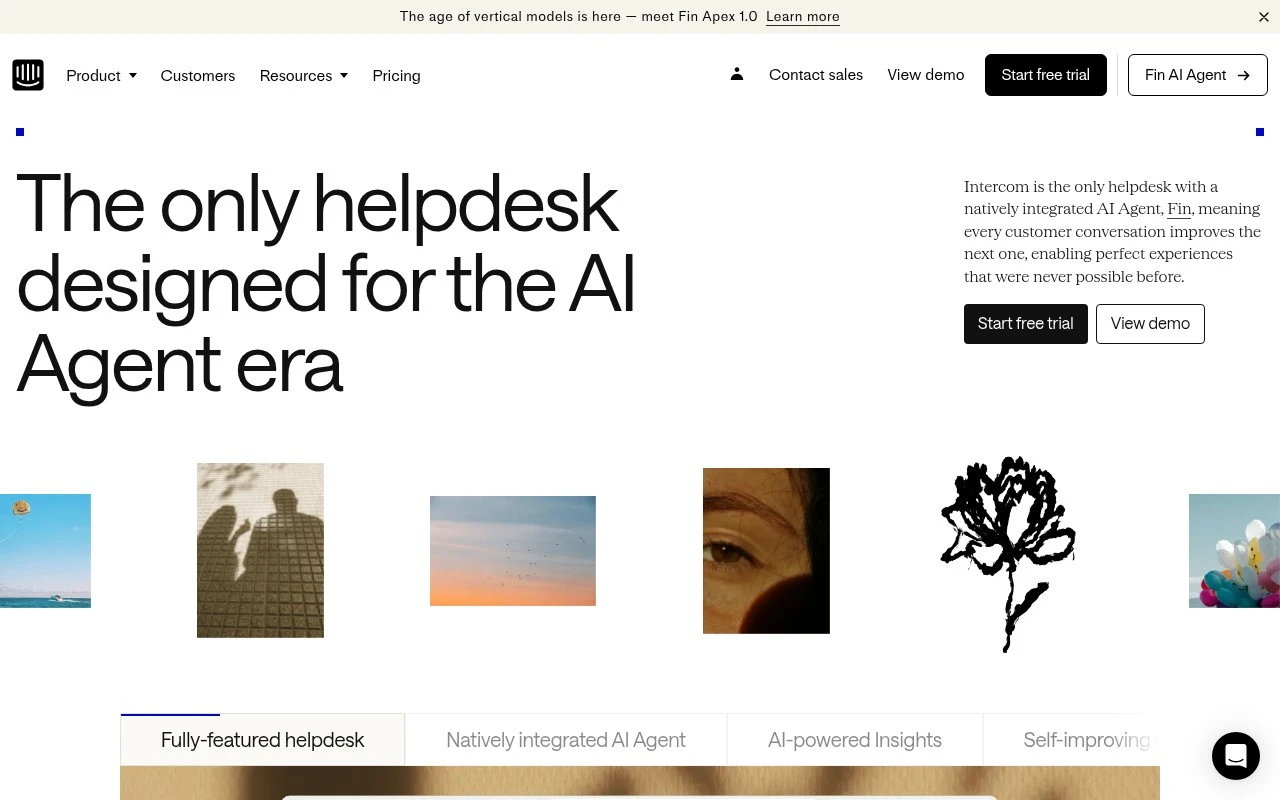
Intercom is a customer support helpdesk built around its AI agent, Fin. It combines an omnichannel inbox, AI-assisted agent workspace, ticketing, no-code automations, customer records, proactive messaging, onboarding tools, integrations, reporting, and AI-powered quality insights so AI and human agents can work from the same customer context.

FYAI Score

8.6 / 10

Based on 3.880 reviews

Pricing:

Freemium

Best for:

Support teams scaling customer service with AI and automation

Score Breakdown

  • Ease of use8.4 / 10
  • Features9.4 / 10
  • Pricing7.9 / 10
  • Integrations9.4 / 10
  • Support7.4 / 10

PRODUCT PREVIEW

What this AI tool does

Intercom is a customer communication platform used by teams to manage conversations with users across common messaging channels. It helps centralize incoming questions and requests so support, sales, and success teams can respond consistently and keep context in one place. A typical use case is handling customer support at scale: messages can be routed to the right people, tracked over time, and tied back to user details to reduce back-and-forth. It’s also used to send targeted messages to users based on their activity, which can be helpful for onboarding, product updates, and follow-ups. For organizations evaluating intercom, it’s generally considered when they need a structured way to run customer messaging without relying on separate inboxes or ad hoc tools. The platform is usually configured to match existing workflows, so teams can decide how conversations are assigned, what information is captured, and how responses are managed.

Use cases

Best for

Customer Support Automation

Automate support by routing messages, applying no code workflows, and letting Fin resolve common issues in the shared inbox.

Report Generation

Generate support reports by exporting inbox and ticket metrics, CSAT, and AI quality insights from Intercom reporting dashboards.

Chatbot Deployment

Deploy a chatbot by configuring Fin to answer from your help content and hand off to human agents with full conversation context.

ANALYSIS

Strengths & limitations

Strengths
  • Fin AI Agent is natively integrated with the helpdesk rather than presented as a separate add-on workflow.
  • Combines support inbox, ticketing, automation, customer context, proactive messaging, and analytics in one system.
  • Includes AI support for both automation and human teams, including Copilot assistance, conversation scoring, trend detection, and recommendations.
Limitations
  • Best suited to teams running structured customer support operations; it may be more system than a very small team needs for basic messaging.
  • AI performance depends on the quality of available support content, customer data, and connected workflows.
  • The official page emphasizes customer support and experience use cases, not general-purpose CRM, sales pipeline management, or internal IT service management.

Evaluation

FYAI score breakdown

Our structured evaluation across five key criteria

8.6 / 10

Overall score

Based on 3.880 reviews

  • Ease of use8.4 / 10
  • Features9.4 / 10
  • Pricing7.9 / 10
  • Integrations9.4 / 10
  • Support7.4 / 10

What users say

Findings from public reviews, documentation and community sources.

  • Ease of use

    Software Advice user reviews describe Intercom as “extremely easy to use,” “straightforward and user-friendly,” and usable without “a deep tech background.”

  • Features

    Intercom's website presents a customer-service suite with a “natively integrated AI Agent,” an omnichannel inbox, AI-powered ticketing, and Copilot.

  • Pricing

    Intercom's pricing page lists Essential, Advanced, and Expert tiers, Fin priced “from $0.99 per Fin outcome,” a free trial, add-ons such as Copilot at “$29 per agent/mo,” and pay-as-you-go channels for email campaigns, SMS, WhatsApp, and Phone.

  • Integrations

    Intercom states it connects to “over 350 integrations out of the box,” naming Salesforce, Stripe, and Jira. Intercom also offers “powerful, flexible APIs for everything else.”

  • Support

    Trustpilot shows a 3/5 rating from 517 reviews for Intercom and includes complaints about slow or unhelpful responses.

Who is this for?

Best for customer-service teams that need AI chat plus helpdesk workflows, Intercom's website lists a “natively integrated AI Agent,” omnichannel inbox, AI-powered ticketing, and no-code automations in one suite. Less suited to teams that need simple flat pricing, Intercom's pricing page lists Essential, Advanced, and Expert tiers, Fin priced “from $0.99 per Fin outcome,” add-ons such as Copilot at “$29 per agent/mo,” and pay-as-you-go channels for email campaigns, SMS, WhatsApp, and Phone, so total cost can depend on usage and add-ons.

PRODUCT PREVIEW

Feature highlights

Fin AI agent

Resolve questions instantly with accurate, on-brand AI answers.

Omnichannel inbox

Manage chat, email, and more in one shared workspace.

No-code workflows

Automate triage, routing, and follow-ups to cut handle time.

COMPARE

Discover curated alternatives worth comparing

Compare similar AI tools based on features, pricing and use cases

8.1/ 10FYAI score

Helply

Customer Support BotsKnowledge Base Bots
Answers support tickets, drafts replies, and flags churn risk
Best for:
Customer support teams
Pricing
Freemium

8.7/ 10Based on 7.757 reviews

Zoho Desk

Customer Support BotsKnowledge Base Bots
Uses Zia AI to triage tickets, draft replies, and flag issues
Best for:
Customer support teams
Pricing
Freemium

7.8/ 10Based on 31.824 reviews

Zoho

Customer Support Bots
Cloud suite for CRM, finance, HR, and business operations
Best for:
Operations teams
Pricing
Freemium

Join teams delivering faster, more personal support. Start using intercom to resolve more conversations automatically and keep customers coming back.

FAQ

Frequently asked
questions

Everything you need to know about this AI tool,
its features, pricing, use cases, and limitations.

When is intercom a good fit, and when should I consider another tool?
intercom fits best for SaaS and online businesses that want a single place for live chat, help center, proactive in-app messaging, and AI-assisted support workflows. It’s a strong choice if your team needs routing, SLAs, and agent tooling alongside automation. If you only need a lightweight website chatbot or a simple ticketing system, a narrower tool may be cheaper and easier to maintain.
Does intercom have a free plan, and what are the main limitations of lower tiers?
intercom is primarily a paid platform, and any free access is typically limited (often via trials or restricted entry-level offerings that vary by region and packaging). Lower tiers usually cap advanced automation, reporting depth, and certain channels or add-ons. Expect costs to rise with more seats, higher conversation volume, and premium features like advanced AI and analytics.
How does intercom compare with Zendesk, Freshdesk, and Drift for customer support automation?
Compared with Zendesk or Freshdesk, intercom is often more messaging-first and tightly integrated with in-product experiences, while traditional helpdesks can be stronger for complex ticketing and IT-style workflows. Versus Drift, intercom is generally more support-oriented (inbox, help center, routing) rather than sales-led conversational marketing. The best choice depends on whether your priority is ticket governance, in-app support, or pipeline-driven chat.
How quickly can I get intercom running, and what onboarding work should I expect?
Pricing can scale quickly as you add seats, channels, and automation/AI add-ons, so it’s important to model total cost at your expected volume. Some teams find bot handling less effective for nuanced, multi-step issues without careful content and workflow design. You’ll also need ongoing maintenance to keep articles, intents, and routing aligned with product changes.
What should I check about data privacy, retention, and compliance when using intercom?
Review intercom’s data processing terms, sub-processors, and where data is stored to ensure it matches your regulatory needs (e.g., GDPR). Confirm what conversation data is retained, how deletion requests are handled, and whether you can configure retention policies that fit your internal requirements. If you enable AI features, verify what content is used for model processing and whether it’s used for training, then align that with your security and legal policies.