Curated ToolThis tool is part of our curated AI directory. We only include tools that meet our standards for relevance, usability and real-world value.

Groove

Resolves support tickets, drafts replies, and extracts signals.

Customer Support Bots
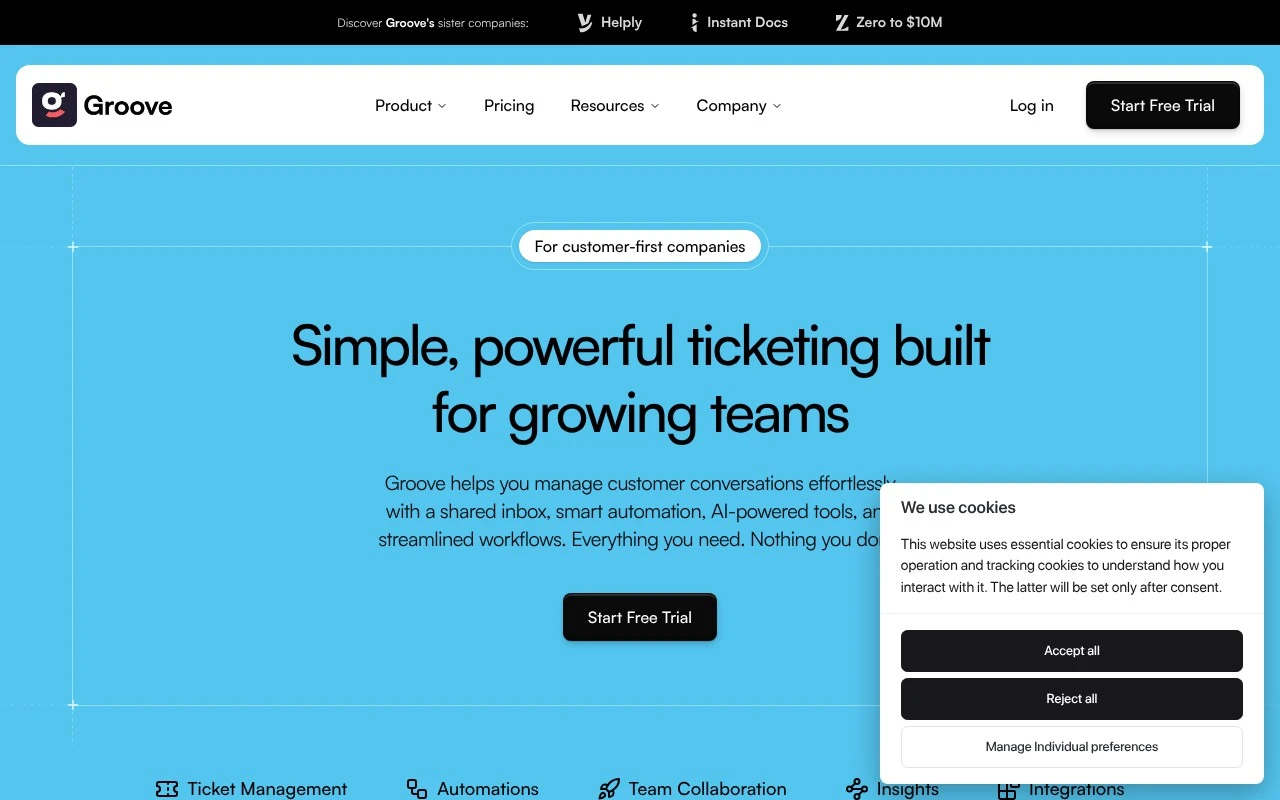
Groovehq.com currently presents the product as Helply rather than the older Groove branding. Based on the official site, it is an AI-native B2B support platform with a free seat-based support layer and outcome-based AI pricing. It combines omnichannel ticket handling, AI resolution and drafting, account context, and revenue-signal detection so support conversations can feed customer success, sales, and product workflows.

FYAI Score

8.3 / 10

Based on 195 reviews

Pricing:

Paid

Best for:

B2B support teams handling high-volume, multi-channel tickets

Score Breakdown

  • Ease of use8.5 / 10
  • Features7.8 / 10
  • Pricing8.4 / 10
  • Integrations8.0 / 10
  • Support9.1 / 10

PRODUCT PREVIEW

What this AI tool does

Groove is an AI tool designed to help people work with text and ideas in a more structured way. It can assist with drafting, rewriting, summarizing, and organizing content so you can move from a rough input to a clearer output with less manual effort. You can use it when you need a quick first draft, a cleaner version of something you already wrote, or a concise summary of longer material. It’s intended for informational use cases where clarity and consistency matter, such as preparing notes, refining explanations, or turning scattered points into a coherent paragraph. Because the tool’s output depends on what you provide, results are best when you include context, constraints, and examples of the tone you want. As with any AI system, it’s a good idea to review and edit the final text for accuracy, completeness, and appropriateness for your audience.

Use cases

Best for

Customer Support Automation

Groove uses AI to draft replies and suggest resolutions from ticket history and account context inside the support workflow.

Churn Prediction

It flags churn risk by detecting negative sentiment and revenue signals in support conversations and linking them to account context.

Omnichannel Support

It centralizes email, chat, and other channels into one ticket queue so agents can manage conversations in a single workspace.

ANALYSIS

Strengths & limitations

Strengths
  • Built around B2B account context rather than only individual ticket handling, with stated connections to systems such as knowledge bases, ticket history, Slack, Stripe, Gong, PostHog, HubSpot, and Attio.
  • Combines support automation with revenue intelligence, including churn detection, upsell opportunity surfacing, competitor monitoring, feature-request routing, and support ROI reporting.
  • The official positioning emphasizes unlimited free seats for the support platform and charging only for specific AI outcomes rather than per-agent licensing.
Limitations
  • The current official site uses the Helply name, so listings or buyers looking specifically for the legacy Groove product may need to verify branding, migration status, and product continuity.
  • The site’s claims are strongly AI- and outcome-pricing focused, but the scrape does not provide enough detail to independently verify pricing thresholds, implementation requirements, or limits.
  • The product is explicitly focused on B2B companies, so it may be less suitable for consumer support teams, ecommerce help desks, or organizations that only need a simple shared inbox.

Evaluation

FYAI score breakdown

Our structured evaluation across five key criteria

8.3 / 10

Overall score

Based on 195 reviews

  • Ease of use8.5 / 10
  • Features7.8 / 10
  • Pricing8.4 / 10
  • Integrations8.0 / 10
  • Support9.1 / 10

What users say

Findings from public reviews, documentation and community sources.

  • Ease of use

    G2 lists GrooveHQ at 4.6/5 from 195 reviews, and G2’s review summary says users “consistently praise the ease of use” and that GrooveHQ “simplifies email management.” Groove’s page describes “hands-on, one-to-one onboarding.”

  • Features

    Groove’s site positions Groove as an “AI-native B2B Support Platform” with “omnichannel support,” an “AI knowledge base,” an “AI agent,” and an “AI assistant.” Groove’s site also references co-pilot drafting, account context, churn detection, upsell opportunities, support intelligence, and article creation.

  • Pricing

    Groove’s pricing page presents “$0 per seat” with “free support platform, forever” and “pay only for AI outcomes.” Groove’s pricing page also states “No seat fees. No credit card. No time limit.”

  • Integrations

    Groove’s site lists support channels including “Email, chat widget, in-app, Slack Connect, WhatsApp.” Groove’s site lists data connections including “Slack, Stripe, Gong, PostHog, HubSpot, Attio,” and also references an “AI agent for Zendesk.”

  • Support

    G2’s review summary says users praise GrooveHQ’s “responsive support.” Groove’s product page includes the quote “Getting started with Helply was effortless thanks to the hands-on, one-to-one onboarding.”

Who is this for?

Best for B2B support teams that want AI-assisted customer support across multiple channels, Groove’s site positions it as an “AI-native B2B Support Platform” and lists “Email, chat widget, in-app, Slack Connect, WhatsApp.” Less suited to teams looking for a general-purpose conversational-AI platform outside support, Groove’s site frames the product around B2B support workflows.

PRODUCT PREVIEW

Feature highlights

AI ticket resolution

Resolve more tickets with AI answers and suggested next actions.

Omnichannel inbox

Manage email and chat tickets in one place with shared visibility.

Revenue signal alerts

Spot upsell risk and expansion cues from support conversations.

COMPARE

Discover curated alternatives worth comparing

Compare similar AI tools based on features, pricing and use cases

8.1/ 10FYAI score

Helply

Customer Support BotsKnowledge Base Bots
Answers support tickets, drafts replies, and flags churn risk
Best for:
Customer support teams
Pricing
Freemium

8.7/ 10Based on 7.757 reviews

Zoho Desk

Customer Support BotsKnowledge Base Bots
Uses Zia AI to triage tickets, draft replies, and flag issues
Best for:
Customer support teams
Pricing
Freemium

7.8/ 10Based on 31.824 reviews

Zoho

Customer Support Bots
Cloud suite for CRM, finance, HR, and business operations
Best for:
Operations teams
Pricing
Freemium

Deliver faster, more consistent support with Groove. Turn every customer question into a smooth, trackable conversation your team can handle with confidence.

FAQ

Frequently asked
questions

Everything you need to know about this AI tool,
its features, pricing, use cases, and limitations.

What types of support teams is Groove a good fit for?
Groove tends to work best for small to mid-sized teams that want a straightforward shared inbox, solid ticket workflows, and light automation to speed up replies. It’s a practical choice for email-first support and teams that need visibility across customer conversations without heavy enterprise complexity. If you need advanced omnichannel routing, complex SLAs, or deep customization, you may outgrow it.
Does Groove have a free plan, and what are the limitations compared to paid tiers?
Groove is generally positioned as a paid product, with pricing tied to team usage and feature access rather than a robust free tier. Compared with tools that offer free plans, expect limits to show up around automation, reporting, and collaboration features unless you’re on a higher tier. If budget is tight, confirm total cost at your expected agent count before committing.
How does Groove compare to Zendesk, Freshdesk, or Intercom for customer support?
Groove is typically simpler to run day-to-day than Zendesk or Freshdesk, but it may offer fewer enterprise-grade controls and customization options. Versus Intercom, Groove is more centered on ticketing and email-style support than real-time messaging and in-app engagement. If your priority is a unified CRM-style view via integrations, Groove can be competitive; if you need extensive omnichannel and advanced workflows, the larger suites often win.
How quickly can a team get Groove set up and onboarded?
Groove can be less scalable for large organizations that need complex permissions, highly customized workflows, or sophisticated SLA management. Some of its more advanced capabilities may require training and process discipline to get consistent results. Pricing can also become a factor as you add agents and need higher-tier features.
What should I check about Groove’s data handling, privacy, and compliance before buying?
Review Groove’s security documentation for encryption, access controls, auditability, and how it handles customer data in tickets and integrations. Confirm whether it supports your required compliance needs (for example, GDPR processes, retention controls, or DPA availability) and where data is hosted. If you’re in a regulated industry, validate SSO options and any admin-level controls for limiting data exposure.