Curated ToolThis tool is part of our curated AI directory. We only include tools that meet our standards for relevance, usability and real-world value.

Gladly

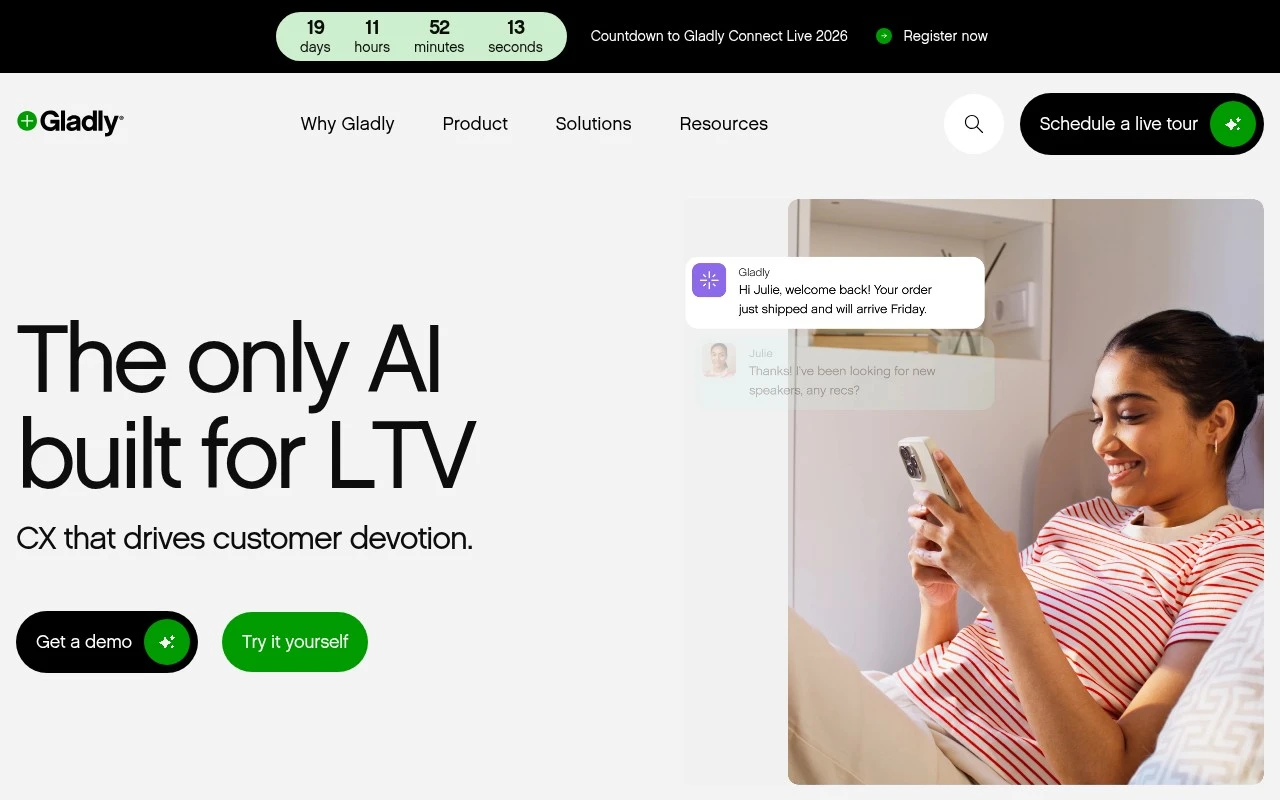
AI handles service chats with customer context and agent handoff

Customer Support BotsChatbots
Gladly is a CX AI platform built for customer service teams that want automation without treating support as simple ticket deflection. It combines AI conversation handling, escalation to human agents, and cross-channel customer history so brands can serve customers through voice, chat, SMS, email, and social with more continuity.

FYAI Score

8.5 / 10

Based on 1.113 reviews

Pricing:

Paid

Best for:

Customer service teams needing unified, AI-assisted support

Score Breakdown

  • Ease of use9.1 / 10
  • Features9.1 / 10
  • Pricing7.0 / 10
  • Integrations9.1 / 10
  • Support8.0 / 10

PRODUCT PREVIEW

What this AI tool does

Gladly is an AI tool designed to help teams handle written information more efficiently. It can be used to draft, rewrite, and refine text, making it easier to produce clear, consistent content without starting from scratch each time. In practice, it fits into everyday workflows where people need quick, readable outputs—such as summarizing notes, improving the tone of a message, or turning rough ideas into a structured paragraph. The tool is best understood as a writing and editing assistant that supports human review, rather than a replacement for subject-matter judgment. Because it generates text based on prompts, results can vary depending on the input and context provided. Users typically get the best outcomes by supplying specific instructions, checking for accuracy, and adjusting the final wording to match their audience and requirements.

Use cases

Best for

Omnichannel Support

Gladly unifies voice, chat, SMS, email, and social into one customer timeline so agents can continue conversations across channels.

Customer Support Automation

It uses AI to handle common support conversations and escalates to human agents with full context when needed.

Chatbot Deployment

You can deploy AI chatbots that answer questions, collect details, and route customers to the right agent inside Gladly.

ANALYSIS

Strengths & limitations

Strengths
  • Supports omnichannel customer conversations while carrying customer history across channels.
  • Can automatically resolve common conversations or hand off to human agents for more complex issues.
  • Designed for CX business users, with plain-English Guides for configuring brand voice, escalation behavior, and service rules.
Limitations
  • The official site content is marketing-heavy and does not provide detailed pricing, plan limits, or deployment requirements.
  • Best suited to customer support and CX operations, not general-purpose AI automation outside service conversations.
  • Effective use likely depends on preparing customer service guidance, product catalog data, and escalation rules.

Evaluation

FYAI score breakdown

Our structured evaluation across five key criteria

8.5 / 10

Overall score

Based on 1.113 reviews

  • Ease of use9.1 / 10
  • Features9.1 / 10
  • Pricing7.0 / 10
  • Integrations9.1 / 10
  • Support8.0 / 10

What users say

Findings from public reviews, documentation and community sources.

  • Ease of use

    Capterra’s review snippet says, “Gladly is a very easy to use software and at the same time is a powerful software.” Gladly says its Guides can be set up in “plain English.”

  • Features

    Gladly says its CX AI platform can “automatically resolve most conversations,” hand off to agents, and work across “voice, chat, SMS, email, or social.” Gladly also describes lifelong conversation history and use of product-catalog data.

  • Pricing

    Gladly’s pricing page presents pricing through a demo/try-it flow rather than visible public tiers. A Reddit comparison says Gladly is “usually on the pricier side.”

  • Integrations

    Gladly’s integrations page lists “ready-to-install apps” across ecommerce, subscriptions, order management, AI/chatbots, WFM, CSAT and shipping, with named integrations including AWS EventBridge, Ada, AfterShip, Aircall and Amazon Connect. Gladly’s integrations page says teams can “build custom integrations with our App Platform.”

  • Support

    G2 reports Gladly is rated “4.7 stars by 1113 verified reviews.”

Who is this for?

Best for CX teams that need AI-assisted service across several channels, Gladly says it works across “voice, chat, SMS, email, or social” and can hand off to agents. Best for teams with existing commerce and operations systems to connect, since Gladly’s integrations page lists “ready-to-install apps” and says teams can “build custom integrations with our App Platform.” Less suited to buyers who need to compare costs upfront, Gladly’s pricing page uses a demo/try-it flow rather than visible public tiers, and a Reddit comparison says Gladly is “usually on the pricier side.”

PRODUCT PREVIEW

Feature highlights

AI Conversations

Automate common requests and hand off to agents when needed.

Customer Timeline

One continuous customer history across voice, chat, email, and SMS.

Omnichannel Support

Serve customers in one place across social, SMS, chat, and voice.

COMPARE

Discover curated alternatives worth comparing

Compare similar AI tools based on features, pricing and use cases

8.1/ 10FYAI score

Helply

Customer Support BotsKnowledge Base Bots
Answers support tickets, drafts replies, and flags churn risk
Best for:
Customer support teams
Pricing
Freemium

8.7/ 10Based on 7.757 reviews

Zoho Desk

Customer Support BotsKnowledge Base Bots
Uses Zia AI to triage tickets, draft replies, and flag issues
Best for:
Customer support teams
Pricing
Freemium

7.8/ 10Based on 31.824 reviews

Zoho

Customer Support Bots
Cloud suite for CRM, finance, HR, and business operations
Best for:
Operations teams
Pricing
Freemium

Deliver faster, more personal support across every channel. See why customer-first teams choose Gladly to turn every conversation into loyalty.

FAQ

Frequently asked
questions

Everything you need to know about this AI tool,
its features, pricing, use cases, and limitations.

What types of support teams and workflows is Gladly a good fit for?
Gladly tends to fit customer support orgs that want a single agent workspace for email, chat, SMS, social, and voice with a customer-centric view. It’s most useful when you need consistent handling across channels and want automation for high-volume, repeatable requests. If your primary need is a lightweight chatbot without deeper agent tooling, other options may be simpler.
Does Gladly offer a free plan, and what should I expect from pricing?
Gladly is typically sold as a paid, contract-based platform rather than a self-serve freemium tool. You should expect pricing to depend on seats, channels, and add-ons (for example, voice or automation features). If you need a free tier for small teams or quick trials, you may want to compare against tools with self-serve plans.
How does Gladly compare with Zendesk, Intercom, or Salesforce Service Cloud?
Compared with Zendesk, Gladly emphasizes a unified, customer-threaded conversation across channels rather than a ticket-first workflow. Versus Intercom, Gladly is often chosen for broader omnichannel agent operations (including voice), while Intercom can be stronger for in-product messaging and growth workflows. Against Salesforce Service Cloud, Gladly can be faster to operate for support teams, but Salesforce may win when deep CRM customization and enterprise-wide workflows are the priority.
How long does it take to implement Gladly, and what onboarding work is involved?
Gladly can require upfront integration effort before you see the full benefit of a unified customer view. Some teams find customization constraints compared with highly configurable enterprise suites, especially for niche workflows. AI-driven responses may still need human review for complex or policy-sensitive cases.
What should I check about data handling, privacy, and compliance before choosing Gladly?
Confirm what customer data Gladly stores, how long it’s retained, and whether you can control retention and deletion to meet your policies. Review available security features (SSO, role-based access, audit logs) and the vendor’s compliance posture relevant to your industry and regions. If you plan to use AI features, ask how conversation data is used for model improvement and what opt-out controls are available.