Curated ToolThis tool is part of our curated AI directory. We only include tools that meet our standards for relevance, usability and real-world value.

Dialogflow

Build, test, and deploy conversational agents across channels

Customer Support BotsChatbots
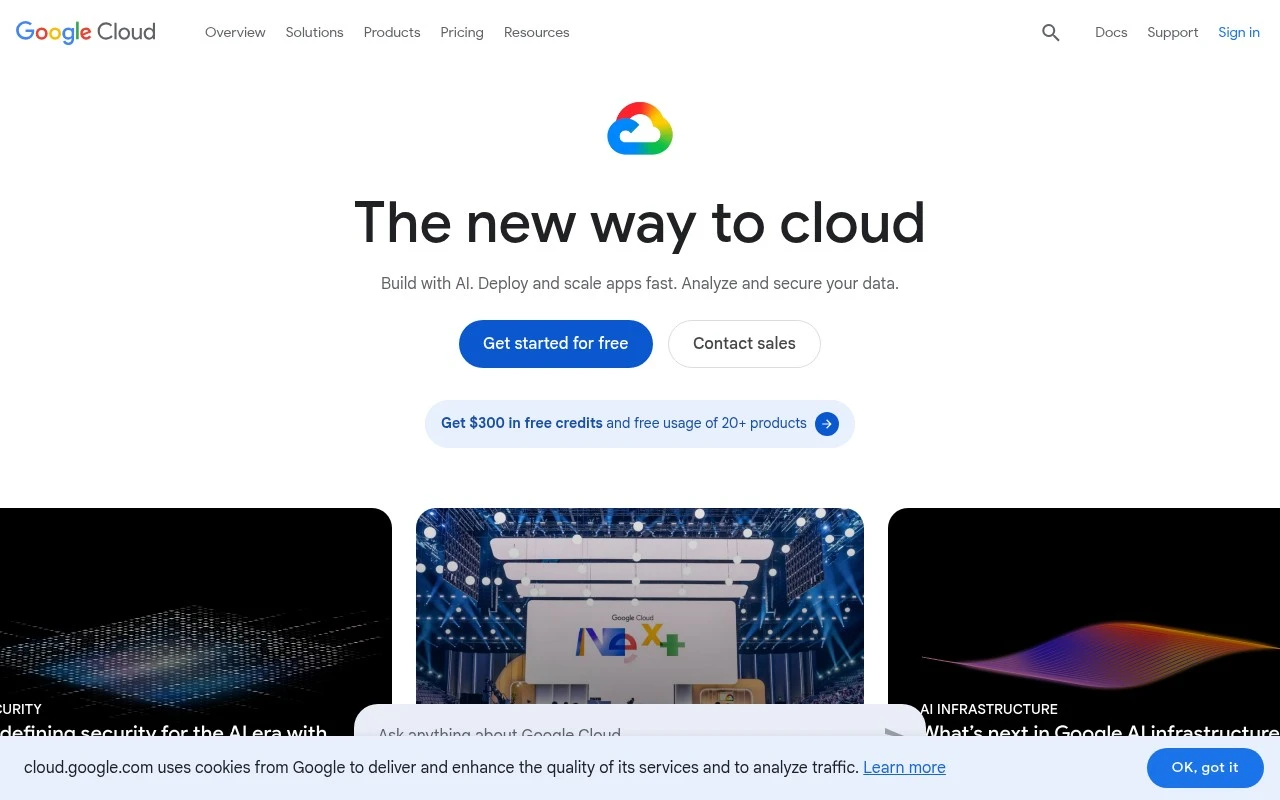
Dialogflow’s official Google Cloud page now describes Customer Experience Agent Studio: a next-generation conversational agent development platform powered by Gemini. It is used to rapidly create, evaluate, and deploy personalized AI agents for customer support and service automation, with support for chat, voice, images, multilingual interactions, omnichannel delivery, and integrations with backend systems.

FYAI Score

8.4 / 10

Based on 134 reviews

Pricing:

Freemium

Best for:

CX and contact center teams automating support with AI agents

Score Breakdown

  • Ease of use8.4 / 10
  • Features9.0 / 10
  • Pricing7.7 / 10
  • Integrations8.6 / 10
  • Support8.2 / 10

PRODUCT PREVIEW

What this AI tool does

Dialogflow is a tool for designing conversational experiences that can understand user messages and respond in a structured way. It’s commonly used to build chatbots and voice assistants that handle questions, guide users through tasks, or route requests to the right place. Teams typically use it to define intents, manage conversation flows, and connect the assistant to external systems through integrations or webhooks. This makes it suitable for customer support, internal help desks, and other scenarios where automated, consistent responses are useful. Because it supports multiple channels, the same conversational logic can be deployed across different platforms while keeping behavior consistent. It can also be paired with analytics and testing workflows to refine how the assistant responds over time.

Use cases

Best for

Agent Building

Build conversational agents by defining intents, entities, and flows, then connect to backend APIs for actions and data.

Customer Support Automation

Dialogflow automates support chats by routing user intents to knowledge answers or webhook calls and handing off to agents.

Call Automation

Automate phone calls with voice bots that use speech recognition and text to speech to complete IVR tasks and capture data.

ANALYSIS

Strengths & limitations

Strengths
  • Combines agent building, simulation, evaluation, tracing, and deployment in one visual development environment.
  • Supports multimodal and multilingual customer interactions, including chat, voice, images, and human-like voices in over 40 languages.
  • Includes prebuilt agent templates, omnichannel delivery, out-of-the-box connectors, and MCP support for connecting agents to business systems.
Limitations
  • The official Dialogflow URL now emphasizes Customer Experience Agent Studio, so organizations looking for legacy Dialogflow-specific product details may need to review Google Cloud documentation carefully.
  • Pricing is session-based for chat and voice, with listed limits, so costs may depend heavily on usage patterns.
  • It is positioned for Google Cloud customer experience deployments, which may require cloud configuration, system integration, and operational setup.

Evaluation

FYAI score breakdown

Our structured evaluation across five key criteria

8.4 / 10

Overall score

Based on 134 reviews

  • Ease of use8.4 / 10
  • Features9.0 / 10
  • Pricing7.7 / 10
  • Integrations8.6 / 10
  • Support8.2 / 10

What users say

Findings from public reviews, documentation and community sources.

  • Ease of use

    G2 reports a 4.4/5 rating across 134 reviews and says users “consistently praise the ease of use” and “intuitive interface,” while Capterra characterizes setup as easy for simple chatbots.

  • Features

    The Dialogflow product page describes CX Agent Studio with a low-code visual builder, a multimodal conversation simulator, 35 pre-built agent templates, and human-like voices in 40+ languages.

  • Pricing

    The Dialogflow pricing page lists usage-based pricing, with the product page showing Voice and Chat at “$0.50/session” and the pricing page surfacing per-unit chat and voice rates.

  • Integrations

    Dialogflow CX documentation states that Dialogflow provides “several built-in integrations with other conversation platforms,” and the product page describes omnichannel deployment across web, mobile, voice, email, social channels and apps. The Dialogflow product page also references out-of-the-box connectors and MCP support.

  • Support

    The Dialogflow product page links documentation and quickstarts for creating, evaluating, and deploying an agent, plus tutorials and marketplace resources.

Who is this for?

Best for teams building conversational agents across multiple channels, the Dialogflow product page lists chat/voice/images, human-like voices in 40+ languages, and omnichannel deployment. Less suited to teams that need predictable fixed subscription costs, the pricing page lists usage-based pricing and the product page shows Voice and Chat at “$0.50/session,” so costs depend on session and unit usage.

PRODUCT PREVIEW

Feature highlights

Voice + chat routing

Deploy to voice and chat with intent handling and flow control.

Backend integrations

Connect to APIs and systems to resolve requests and take actions.

COMPARE

Discover curated alternatives worth comparing

Compare similar AI tools based on features, pricing and use cases

8.1/ 10FYAI score

Helply

Customer Support BotsKnowledge Base Bots
Answers support tickets, drafts replies, and flags churn risk
Best for:
Customer support teams
Pricing
Freemium

8.7/ 10Based on 7.757 reviews

Zoho Desk

Customer Support BotsKnowledge Base Bots
Uses Zia AI to triage tickets, draft replies, and flag issues
Best for:
Customer support teams
Pricing
Freemium

7.8/ 10Based on 31.824 reviews

Zoho

Customer Support Bots
Cloud suite for CRM, finance, HR, and business operations
Best for:
Operations teams
Pricing
Freemium

Launch a smarter support experience with Dialogflow. Build assistants that resolve more questions automatically and keep customers happy—starting today.

FAQ

Frequently asked
questions

Everything you need to know about this AI tool,
its features, pricing, use cases, and limitations.

Is Dialogflow a good fit for customer support automation, or is it better for other conversational use cases?
Dialogflow fits well for customer support chatbots that need intent-based routing, FAQ deflection, and handoff to agents across web, mobile, and messaging channels. It’s also commonly used for voice experiences when paired with telephony or voice integrations. If you need highly bespoke, long-form conversational behavior or a strongly branded persona, you may find other platforms more flexible.
What’s the difference between Dialogflow’s free options and paid usage, and where do costs typically increase?
Dialogflow pricing depends on edition and usage, with costs generally tied to request volume and enabled features. Spend tends to rise when you scale to high traffic, add telephony/contact-center integrations, or use advanced capabilities in the CX edition. For predictable budgeting, estimate monthly interactions and test peak loads before committing.
How does Dialogflow compare with Amazon Lex, Microsoft Bot Framework, and Rasa for production bots?
Dialogflow is often chosen when you want tight Google Cloud integration and a managed NLU workflow with less infrastructure to run yourself. Amazon Lex can be a closer fit for AWS-native stacks, while Microsoft Bot Framework offers more developer control but typically requires more assembly. Rasa is attractive if you need on-prem deployment and deeper customization, but it shifts more responsibility to your team for hosting and maintenance.
How quickly can a team get a Dialogflow agent live, and what onboarding effort should you expect?
Dialogflow can require technical expertise for complex fulfillment logic, multi-system integrations, and advanced conversation design. Costs may become less favorable at high volumes or when layering on enterprise features. Some teams also find persona/tone customization and fine-grained control less flexible than platforms built for fully custom dialog management.
What should we know about data handling, privacy, and compliance when using Dialogflow?
Dialogflow runs on Google Cloud, so data handling is tied to your Google Cloud project settings, including region choices, IAM access controls, and logging configuration. You’ll want to review what conversation transcripts, audio (if applicable), and logs are stored, and set retention/redaction policies accordingly. For regulated use cases, confirm contractual terms, encryption, and whether your required compliance standards are supported in your deployment model.