Curated ToolThis tool is part of our curated AI directory. We only include tools that meet our standards for relevance, usability and real-world value.

Customerly

AI chatbot that routes intents, runs workflows, and escalates

Customer Support BotsChatbots
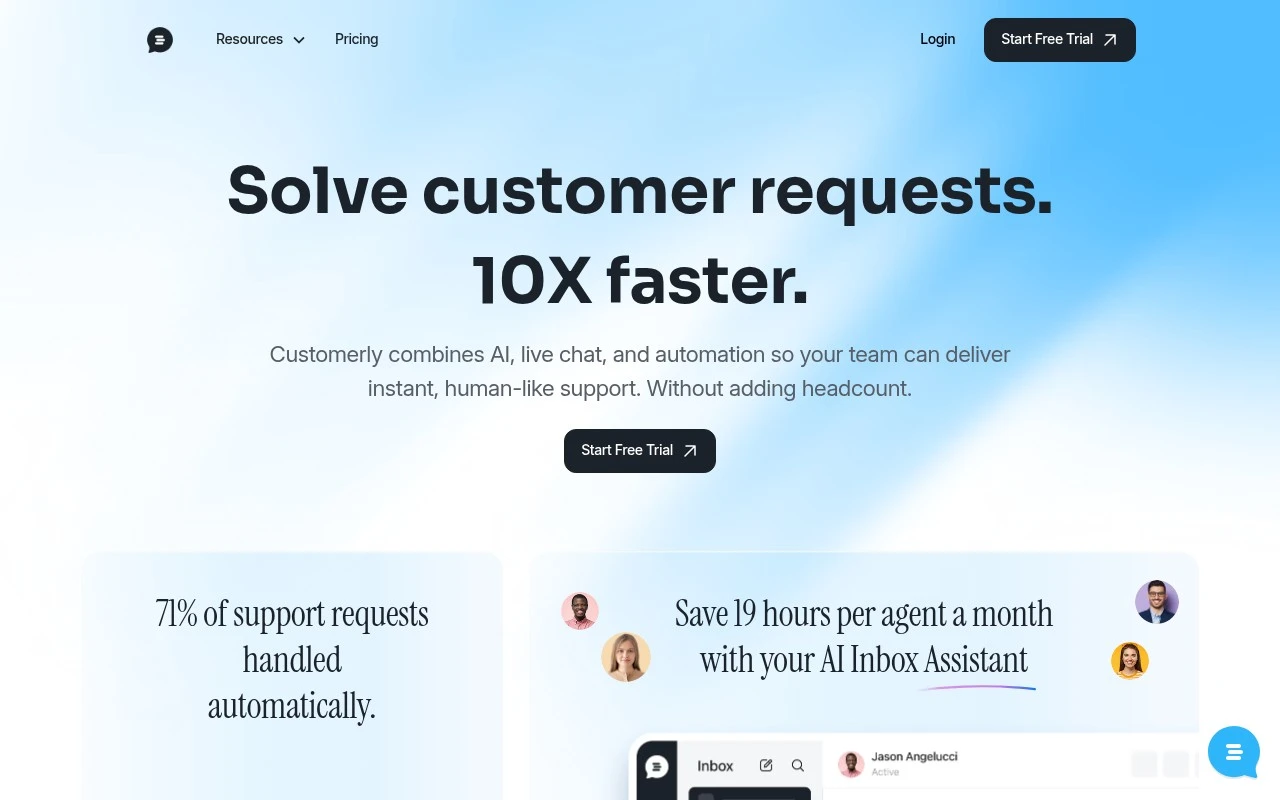
Customerly provides an AI agent for Zendesk-focused customer support teams. The product is positioned around ticket resolution rather than simple answer generation: it can use connected knowledge, billing, product, and customer systems to decide what action to take, complete multi-step support workflows, and escalate when it reaches its limits. The official site emphasizes use cases such as reducing support workload, qualifying inbound leads, handling refunds or churn recovery, and managing conversations across multiple customer channels.

FYAI Score

8.3 / 10

Based on 70 reviews

Pricing:

Freemium

Best for:

Zendesk support teams automating ticket resolution and workflows

Score Breakdown

  • Ease of use8.2 / 10
  • Features7.8 / 10
  • Pricing8.6 / 10
  • Integrations7.8 / 10
  • Support9.1 / 10

PRODUCT PREVIEW

What this AI tool does

Customerly is a customer support and communication tool designed to help teams manage conversations with website visitors and existing customers in one place. It typically combines live chat with shared inbox-style workflows so support, sales, or success teams can respond consistently and keep context across interactions. In practice, it’s used to handle common support questions, follow up on leads, and coordinate replies across multiple team members without losing track of who said what. It can be a fit for small to mid-sized businesses that want a straightforward way to centralize customer messages and improve response handling. If you’re comparing options, customerly is generally evaluated based on how well it fits your current support process, how easily it integrates with your site or apps, and whether its reporting and collaboration tools match the level of visibility your team needs.

Use cases

Best for

Customer Support Automation

Customerly resolves Zendesk tickets by pulling customer, billing, and knowledge data, taking actions, and escalating when needed.

Workflow Automation

It runs multi-step support workflows like refunds, churn recovery, and lead qualification by triggering actions in connected systems.

Chatbot Deployment

Deploy an AI chat agent across customer channels to answer, collect details, and create or update Zendesk tickets automatically.

ANALYSIS

Strengths & limitations

Strengths
  • Designed to take actions using connected business systems rather than only suggesting FAQ-style replies.
  • Supports escalation to human agents when the AI cannot or should not complete a request.
  • Covers multiple support channels, including live chat, email, WhatsApp, Facebook Messenger, and mobile apps.
Limitations
  • The official positioning is heavily tied to Zendesk, so fit may be less clear for teams not using Zendesk.
  • Effective rollout appears to require setup work, including connecting core systems and defining how different request categories should be handled.
  • Performance claims and savings figures on the site are customer examples and marketing claims, not independently verifiable from the provided source.

Evaluation

FYAI score breakdown

Our structured evaluation across five key criteria

8.3 / 10

Overall score

Based on 70 reviews

  • Ease of use8.2 / 10
  • Features7.8 / 10
  • Pricing8.6 / 10
  • Integrations7.8 / 10
  • Support9.1 / 10

What users say

Findings from public reviews, documentation and community sources.

  • Ease of use

    G2 says Customerly users “consistently praise the ease of use and intuitive design” and says Customerly “simplifies customer interactions and support management.”

  • Features

    Customerly says its AI agent “accesses all your data,” can use “knowledge base, billing, and customer data,” and escalate to humans. Customerly also lists live chat, help center, NPS, and workflow automation.

  • Pricing

    Customerly’s pricing page lists Core at “$19 per seat/monthly,” Growth at “$69,” Ultimate at “$99,” a 14-day trial, and AI-only usage at “$0.45 per AI conversation no seats required.”

  • Integrations

    Zapier states Customerly “integrates with 9000 other apps on Zapier.”

  • Support

    GetApp reports that among reviewers commenting on assistance, “94% feel positive,” and users say Customerly makes it easy to manage tickets and track customer history. Customerly’s pricing page lists response tiers including “48h reply” and “<30mins reply.”

Who is this for?

Best for teams that want AI-assisted customer support across several channels, Customerly says its AI agent can work across “live chat, email, WhatsApp, Facebook Messenger, and your mobile apps.” Less suited to teams that need predictable AI costs at higher usage, Customerly’s pricing page lists AI-only usage at “$0.45 per AI conversation no seats required,” so conversation volume can add usage-based cost.

PRODUCT PREVIEW

Feature highlights

Ticket-Resolving AI

Decides actions, completes steps, and resolves tickets end to end.

Connected Systems

Uses knowledge, billing, product, and customer data to act.

Smart Escalations

Hands off complex cases with context when it hits its limits.

COMPARE

Discover curated alternatives worth comparing

Compare similar AI tools based on features, pricing and use cases

8.1/ 10FYAI score

Helply

Customer Support BotsKnowledge Base Bots
Answers support tickets, drafts replies, and flags churn risk
Best for:
Customer support teams
Pricing
Freemium

8.7/ 10Based on 7.757 reviews

Zoho Desk

Customer Support BotsKnowledge Base Bots
Uses Zia AI to triage tickets, draft replies, and flag issues
Best for:
Customer support teams
Pricing
Freemium

7.8/ 10Based on 31.824 reviews

Zoho

Customer Support Bots
Cloud suite for CRM, finance, HR, and business operations
Best for:
Operations teams
Pricing
Freemium

Turn more visitors into happy customers with faster, more personal support. See why growing teams choose Customerly to boost satisfaction and retention.

FAQ

Frequently asked
questions

Everything you need to know about this AI tool,
its features, pricing, use cases, and limitations.

What types of teams and use cases is Customerly a good fit for?
Customerly tends to work best for small to mid-sized teams that want a combined live chat + chatbot setup for sales and support on a website or in-app. It’s a practical choice for handling common questions, routing conversations, and capturing leads without heavy engineering involvement. If you need deeply customized conversational flows or complex automation across many channels, you may find it limiting compared to more enterprise-focused platforms.
Does Customerly have a free plan, and what are the main limitations compared to paid tiers?
Customerly typically offers a trial or entry-level options, but the most useful capabilities (more advanced automation, higher usage limits, and additional features) are usually reserved for paid plans. Expect constraints around seats, conversation volume, and feature access on lower tiers. If you’re cost-sensitive, compare the total price once you add the features you actually need.
How does Customerly compare with Intercom, Drift, or Zendesk chat tools?
Customerly is generally simpler to deploy and operate than Intercom or Zendesk’s broader suites, which can be heavier but more configurable. Compared with Drift, it’s often less focused on enterprise-grade sales workflows and more on straightforward support and engagement. If your priority is deep integrations, advanced bot logic, or highly tailored experiences, the larger platforms may offer more headroom.
How fast can you get Customerly running, and what onboarding effort should you expect?
Customerly can feel restrictive if you need advanced chatbot customization, unique branding control, or complex conversation logic. Some users find the AI handling is better for straightforward queries than nuanced, multi-step support issues. Pricing can also climb as you add features or scale usage, so it’s worth modeling costs against your expected volume.
What should I check regarding data privacy, security, and compliance when using Customerly?
Review where Customerly stores and processes conversation data, what sub-processors are involved, and whether it supports a DPA for your organization. Confirm how long chat transcripts are retained, how exports/deletions work, and what access controls are available for agents. If you operate in regulated environments, verify GDPR/consent tooling and whether the plan you’re considering meets your compliance requirements.