Curated ToolThis tool is part of our curated AI directory. We only include tools that meet our standards for relevance, usability and real-world value.

Crisp

AI chat agents for support, reply drafting, and chat summaries

Customer Support BotsChatbots
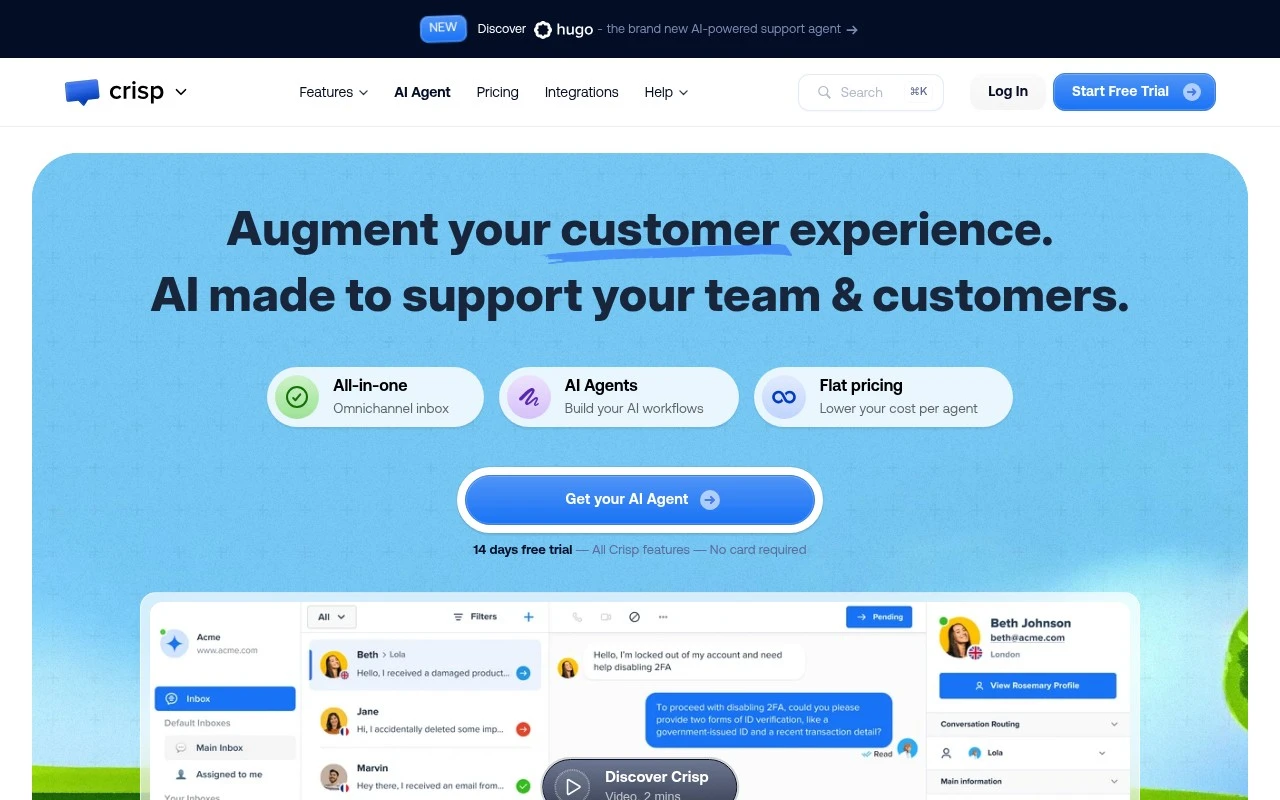
Crisp is a customer communication platform for businesses that want to handle support, sales, and customer messaging from one system. It provides a web and app chat widget, shared inbox, AI agents, no-code automations, a knowledge base, built-in support CRM, and analytics. Its AI features focus on customer support automation, including training agents on existing content, deploying them across messaging channels, reviewing conversations, and refining answers over time.

FYAI Score

9.0 / 10

Based on 396 reviews

Pricing:

Freemium

Best for:

Support and sales teams managing high-volume customer messaging

Score Breakdown

  • Ease of use8.7 / 10
  • Features8.8 / 10
  • Pricing9.3 / 10
  • Integrations9.1 / 10
  • Support9.3 / 10

PRODUCT PREVIEW

What this AI tool does

Crisp is an AI tool page entry intended to help readers understand what the tool is and how it might fit into a workflow. Because the available context does not specify an introduction or a main use case, this description focuses on setting expectations and explaining what information you would typically look for when evaluating an AI tool. In general, an AI tool page should clarify the problem the tool is meant to solve, the kind of inputs it works with, and the type of outputs it produces. It should also note any practical considerations such as where the tool runs (web, desktop, or API), who it is designed for, and what data or permissions it may require. If you share the intended use case for crisp (for example, writing assistance, customer support, analytics, or automation), this description can be updated to reflect the specific tasks it supports and the scenarios where it is most useful, while keeping the tone informational and avoiding unnecessary claims.

Use cases

Best for

Omnichannel Support

Route website chat, email, and social messages into a shared Crisp inbox so agents reply with one conversation history.

Customer Support Automation

Deploy Crisp AI agents trained on your docs to answer common questions, suggest replies, and hand off to humans when needed.

Knowledge Base Search

Let customers search your Crisp knowledge base from the chat widget to surface relevant articles before creating a ticket.

ANALYSIS

Strengths & limitations

Strengths
  • Combines live chat, shared inbox, AI agents, knowledge base, CRM, automations, and analytics in one customer support platform.
  • Supports multiple customer messaging channels, including website chat, email, WhatsApp, Messenger, Instagram, and mobile apps.
  • AI agents can be trained on existing business resources and deployed through no-code workflows.
Limitations
  • Best suited to customer messaging and support workflows, not a full general-purpose CRM or enterprise contact center suite.
  • Effective AI automation depends on the quality of the imported website content, PDFs, and knowledge base articles.
  • Teams still need to review AI conversations and refine workflows when answers are invalid or incomplete.

Evaluation

FYAI score breakdown

Our structured evaluation across five key criteria

9.0 / 10

Overall score

Based on 396 reviews

  • Ease of use8.7 / 10
  • Features8.8 / 10
  • Pricing9.3 / 10
  • Integrations9.1 / 10
  • Support9.3 / 10

What users say

Findings from public reviews, documentation and community sources.

  • Ease of use

    G2 reports that users “consistently praise the product for its excellent customer support and ease of use.” Crisp’s own onboarding emphasizes a “14 days free trial” with “No card required.”

  • Features

    Crisp’s site describes an all-in-one platform with “Omnichannel inbox,” “AI Agents,” “AI workflows,” and “Knowledge Base.” Crisp’s site also references smart replies, auto-summaries, and a support copilot trained on company content.

  • Pricing

    Crisp’s pricing page publishes a “Free Forever” plan, Mini at “$45 per month, per workspace,” Essentials at “$95,” and Plus at “$295.” Crisp’s pricing page states a “flat pricing per workspace” model with included seats and AI credits.

  • Integrations

    Crisp’s pricing page lists e-commerce integrations including “Shopify, Adobe, WooCommerce, and Prestashop,” omnichannel connections such as “WhatsApp Business, Instagram DMs, SMS, Line, Viber,” and “100+ integrations” on the Plus plan. Crisp’s site also references Chat SDKs and a Developer Hub.

  • Support

    G2’s review summary says users praise Crisp’s “excellent customer support” and describe the team as “responsive and helpful.” Crisp’s site navigation surfaces support resources such as a Help Center and system status.

Who is this for?

Best for support teams that want AI-assisted omnichannel customer conversations in one workspace, Crisp’s site lists “Omnichannel inbox,” “AI Agents,” “AI workflows,” and channels including “WhatsApp Business, Instagram DMs, SMS, Line, Viber.” Less suited to teams that need seat-by-seat purchasing flexibility, Crisp’s pricing page states a “flat pricing per workspace” model, so budgeting is tied to workspace tiers such as Mini at “$45 per month, per workspace” and Plus at “$295.”

PRODUCT PREVIEW

Feature highlights

Shared Inbox

Handle chat, email, and messaging from one collaborative inbox.

AI Support Agents

Train AI on your content to answer customers and improve over time.

No-code Automation

Route, tag, and follow up automatically to keep SLAs on track.

COMPARE

Discover curated alternatives worth comparing

Compare similar AI tools based on features, pricing and use cases

8.1/ 10FYAI score

Helply

Customer Support BotsKnowledge Base Bots
Answers support tickets, drafts replies, and flags churn risk
Best for:
Customer support teams
Pricing
Freemium

8.7/ 10Based on 7.757 reviews

Zoho Desk

Customer Support BotsKnowledge Base Bots
Uses Zia AI to triage tickets, draft replies, and flag issues
Best for:
Customer support teams
Pricing
Freemium

7.8/ 10Based on 31.824 reviews

Zoho

Customer Support Bots
Cloud suite for CRM, finance, HR, and business operations
Best for:
Operations teams
Pricing
Freemium

Turn more chats into happy customers. Start using Crisp today to respond faster, reduce support load, and keep shoppers moving to checkout.

FAQ

Frequently asked
questions

Everything you need to know about this AI tool,
its features, pricing, use cases, and limitations.

Is Crisp a good fit for e-commerce support, or is it better for SaaS and sales chat?
Crisp tends to fit e-commerce teams that need fast, real-time customer support and a shared inbox to handle multiple conversations. It’s also workable for SaaS, but if your priority is complex lead routing, deep CRM workflows, or heavy automation, you may find other tools more specialized. Choose Crisp when chat-based support and straightforward team collaboration matter more than highly customized flows.
What are the practical differences between Crisp’s free plan and paid plans?
Crisp’s free tier is usually enough to test the widget and basic live chat, but it’s limited for teams that need advanced routing, automation, or deeper reporting. Paid plans are where you typically unlock more robust features and controls that matter in production support. If you expect multiple agents, higher volume, or want analytics to guide staffing and performance, budget for a paid plan early.
How does Crisp compare with Intercom, Zendesk Chat, or Tidio for customer messaging?
Compared with Intercom, Crisp is often simpler and can be more cost-predictable, but Intercom usually wins on advanced automation and enterprise-grade workflows. Versus Zendesk Chat, Crisp can be easier to deploy as a standalone chat tool, while Zendesk is stronger if you’re already committed to the Zendesk ticketing ecosystem. Against Tidio, Crisp is competitive for team inbox and integrations, but you should compare chatbot depth and widget customization if branding and automation are key.
How quickly can you set up Crisp on an online store, and what onboarding effort should you expect?
Crisp can require some training for agents to use all features consistently, especially around workflows and reporting. Smaller teams may feel pricing pressure if they need advanced capabilities rather than basic chat. Also, chat widget customization can be more limited than some competitors, which may matter if strict brand alignment is a requirement.
What should I check about Crisp’s data handling, privacy, and compliance before rolling it out?
Review where Crisp stores and processes conversation data, how long it retains messages, and what admin controls exist for exports and deletions. Confirm whether it supports your compliance needs (for example, GDPR-related features like data access/deletion requests) and whether you can configure consent messaging on the widget. If you handle sensitive data, validate encryption, access controls, and any third-party integrations that could expand your data footprint.