Curated ToolThis tool is part of our curated AI directory. We only include tools that meet our standards for relevance, usability and real-world value.

Comm100

AI chat automation, agent assist, QA scoring, and training sims

Customer Support BotsChatbots
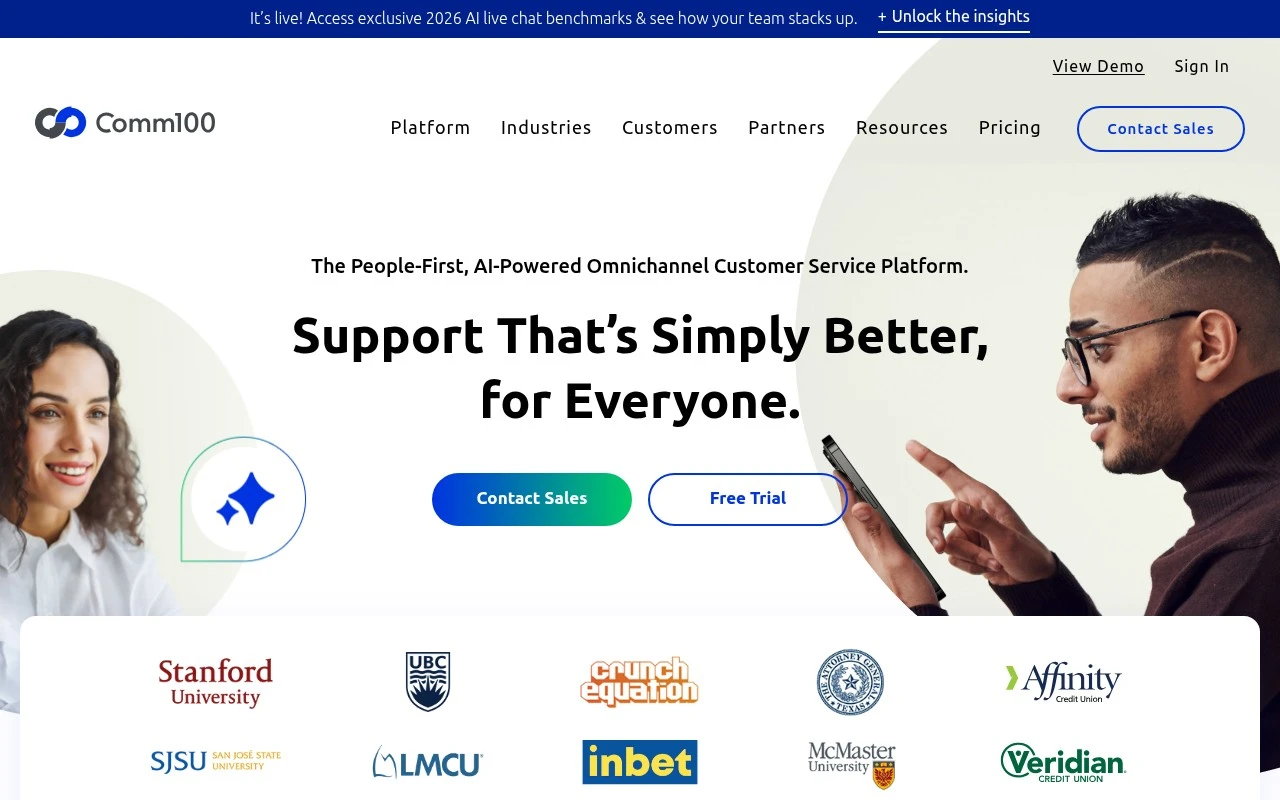
Comm100 provides a service platform for organizations that need to answer inquiries across live chat, email, SMS, social channels, messaging apps, voice, and self-service knowledge content. Its AI suite includes an AI Agent for automated responses, AI Copilot for agent assistance, AI Insights, AI Knowledge, AI QA, and AI Training. The product is positioned for sectors such as higher education, iGaming, technology, government, banking, finance, and healthcare, with emphasis on secure deployment, onboarding support, and configurable channel bundles.

FYAI Score

8.3 / 10

Based on 108 reviews

Pricing:

Paid

Best for:

Support teams handling high-volume, multi-channel customer inquiries

Score Breakdown

  • Ease of use8.0 / 10
  • Features8.6 / 10
  • Pricing7.9 / 10
  • Integrations7.7 / 10
  • Support9.2 / 10

PRODUCT PREVIEW

What this AI tool does

Comm100 is a customer communication platform designed to help organizations manage conversations with website visitors and customers in one place. It is typically used by support and service teams that need to respond to questions, guide users through issues, and keep interactions consistent across channels. In practice, the tool supports real-time and asynchronous messaging workflows, allowing teams to handle multiple inquiries, route chats to the right people, and maintain context over time. It can also be used to capture basic customer details during a conversation and connect those interactions to internal processes. For teams evaluating comm100, the main consideration is how it fits into existing support operations, staffing, and reporting needs. It is often reviewed as part of a broader customer support stack, where ease of use, integration requirements, and conversation history management are important for day-to-day work.

Use cases

Best for

Omnichannel Support

Comm100 routes and manages conversations across chat, email, SMS, social, messaging apps, voice, and self service in one workspace.

Customer Support Automation

Comm100 AI Agent automates replies to common inquiries by using configured intents and knowledge content before handing off to agents.

Knowledge Base Search

Comm100 AI Knowledge lets users search and surface relevant help articles from your knowledge base for self service and agent responses.

ANALYSIS

Strengths & limitations

Strengths
  • Unifies multiple support channels, including live chat, ticketing, messaging, voice, knowledge base, queue management, and booking.
  • Includes several AI functions beyond chatbot automation, such as agent assistance, analytics, QA scoring, knowledge improvement, and training.
  • Targets regulated or complex organizations with stated data center coverage in the US, Canada, Europe, and APAC and a focus on security and privacy.
Limitations
  • Pricing appears to be customized and sales-led rather than fully self-serve or publicly simple.
  • The platform may be more extensive than needed for small teams that only need a basic chat widget or shared inbox.
  • Performance claims such as AI resolution rate and CSAT are vendor-reported and may vary by implementation, knowledge quality, and support volume.

Evaluation

FYAI score breakdown

Our structured evaluation across five key criteria

8.3 / 10

Overall score

Based on 108 reviews

  • Ease of use8.0 / 10
  • Features8.6 / 10
  • Pricing7.9 / 10
  • Integrations7.7 / 10
  • Support9.2 / 10

What users say

Findings from public reviews, documentation and community sources.

  • Ease of use

    Comm100's platform page says channels are placed into “one unified agent console,” and Comm100's service section says the training team can “Launch in 2 Weeks” with tailored training for agents, supervisors, and stakeholders. Capterra lists Comm100 Live Chat at 4.7/5 across 108 reviews.

  • Features

    Comm100's product page lists AI Agent, AI Copilot, AI Insights, and AI Knowledge, alongside live chat, ticketing, messaging, and voice. Comm100's product page claims support across “12+ channels” and an “80% AI Resolution Rate.”

  • Pricing

    Comm100's pricing page lists Live Chat Startup at “$39 USD /agent/month” or “$31 USD /agent/month, billed annually,” Live Chat Plus at “$69” or “$55” annually, and a “Free 30 Day Trial.” Comm100's pricing page lists AI Agent and several advanced AI modules as “Contact Sales” or “Custom quote.”

  • Integrations

    Comm100's pricing page says Ticketing & Messaging manages messages from “12 channels,” including Email, SMS, Facebook, Instagram, X, Telegram, WhatsApp, LINE, Signal, WeChat, Secure Messaging, and Comm100 Anytime Chat.

  • Support

    Comm100's website states that “dedicated AI architects, trainers, and customer success managers” help tailor solutions, with onboarding training and ongoing guidance after deployment.

Who is this for?

Best for support teams that want AI-assisted service across many customer channels, Comm100's product page lists AI Agent and AI Copilot, and the pricing page says Ticketing & Messaging manages messages from “12 channels.” Less suited to buyers who need self-serve pricing for the full AI suite, Comm100's pricing page lists AI Agent and several advanced AI modules as “Contact Sales” or “Custom quote,” so budget planning may require a sales conversation.

PRODUCT PREVIEW

Feature highlights

AI Agent Automation

Auto-resolve common questions with guided, on-brand AI replies.

Omnichannel Inbox

Manage chat, email, SMS, social, voice, and messaging in one place.

Secure Deployment

Enterprise-grade controls with configurable channel bundles and support.

COMPARE

Discover curated alternatives worth comparing

Compare similar AI tools based on features, pricing and use cases

8.1/ 10FYAI score

Helply

Customer Support BotsKnowledge Base Bots
Answers support tickets, drafts replies, and flags churn risk
Best for:
Customer support teams
Pricing
Freemium

8.7/ 10Based on 7.757 reviews

Zoho Desk

Customer Support BotsKnowledge Base Bots
Uses Zia AI to triage tickets, draft replies, and flag issues
Best for:
Customer support teams
Pricing
Freemium

7.8/ 10Based on 31.824 reviews

Zoho

Customer Support Bots
Cloud suite for CRM, finance, HR, and business operations
Best for:
Operations teams
Pricing
Freemium

See how Comm100 helps you resolve more customer questions faster with AI-assisted chat. Deliver smoother support experiences and free agents for high-value work.

FAQ

Frequently asked
questions

Everything you need to know about this AI tool,
its features, pricing, use cases, and limitations.

What types of support teams is Comm100 a good fit for?
Comm100 tends to fit mid-sized to enterprise support teams that need a mix of AI automation and live agent chat across multiple channels. It’s a practical choice if you already run a helpdesk/CRM and want chat, routing, and reporting to connect to existing workflows. If your needs are limited to a simple website chat widget, lighter tools may be easier and cheaper.
Does Comm100 have a free plan, and what are the typical limitations?
Comm100 is generally positioned as a paid platform, and any trial access is usually time-limited rather than a long-term free tier. Expect key capabilities—advanced analytics, automation depth, and enterprise controls—to sit behind paid plans. If you need a permanently free plan for basic chat, you’ll likely need to compare other vendors.
How does Comm100 compare with Intercom, Zendesk, or Freshchat for customer support chat?
Compared with Intercom, Comm100 is often evaluated more as a support-focused chat and automation layer rather than a full customer engagement suite. Versus Zendesk or Freshchat, Comm100 can work well when you want multi-channel chat plus reporting and integrations, but pricing and setup effort may be higher than simpler add-ons. The best choice usually depends on whether you want chat to be the primary system or an extension of an existing helpdesk.
How quickly can Comm100 be implemented, and what onboarding effort should you expect?
Comm100 can require meaningful configuration to match your support processes, which may slow time-to-value compared to plug-and-play chat tools. AI responses may still need human escalation for nuanced or account-specific issues, so staffing and handoff design matter. Cost can also be a deciding factor if you only need basic chat and not multi-channel management and analytics.
What should I check about Comm100’s data handling, privacy, and compliance before buying?
Confirm where Comm100 stores and processes conversation data, and whether data residency options match your requirements. Review available security controls (SSO, role-based access, audit logs) and the terms around data retention and deletion. If you’re in a regulated industry, verify the specific compliance commitments in Comm100’s documentation and contract rather than assuming coverage.