Curated ToolThis tool is part of our curated AI directory. We only include tools that meet our standards for relevance, usability and real-world value.

Chaport

Chatbot and FAQ bot for answering questions and routing chats

Customer Support BotsChatbots
Chaport is an all-in-one customer messaging tool for businesses that want to talk with website visitors and customers across several channels. Its official site describes live chat, chatbots, a shared multi-channel inbox, a knowledge base with FAQ bot suggestions, mobile and desktop apps, widget customization, saved replies, reports, Zapier integrations, and an API.

FYAI Score

8.4 / 10

Based on 63 reviews

Pricing:

Freemium

Best for:

Support and sales teams handling website and multi-channel customer chats

Score Breakdown

  • Ease of use9.0 / 10
  • Features7.2 / 10
  • Pricing9.2 / 10
  • Integrations8.0 / 10
  • Support9.0 / 10

PRODUCT PREVIEW

What this AI tool does

Chaport is a customer communication tool designed to help teams manage conversations with website visitors and customers in one place. It’s typically used by support and sales teams that want a straightforward way to respond to questions, follow up on requests, and keep track of ongoing chats without switching between multiple channels. In practice, chaport fits best when you need a simple workflow for handling inbound messages and maintaining context across conversations. It can support day-to-day customer support by making it easier to see what a person asked previously, coordinate replies across team members, and maintain a consistent response process. If you’re comparing options, this tool is generally relevant for organizations looking for a live chat and helpdesk-style setup that’s easy to adopt and doesn’t require a complex implementation. It’s most useful for informational evaluation when you want to understand how a chat-based support tool might fit into your existing customer service process.

Use cases

Best for

Omnichannel Support

Handle website chat, email, and social messages in a shared inbox so agents can reply from one place.

Lead Capture

Use Chaport chat widgets and pre-chat forms to collect visitor contact details and route them to your team.

Customer Support Automation

Automate replies with chatbots, FAQ suggestions, and saved replies to answer common questions without an agent.

ANALYSIS

Strengths & limitations

Strengths
  • Combines live chat, chatbots, multi-channel messaging, and knowledge base features in one product.
  • Supports multiple operator apps, including web, iOS, Android, Windows, and macOS.
  • Includes practical support and sales features such as auto-invitations, saved replies, typing insights, file sharing, customer details, reports, Zapier connections, and API access.
Limitations
  • The official page presents automation mainly as chatbots and FAQ article suggestions, not as a fully autonomous generative AI support agent.
  • Channel support is described for live chat, email, Facebook, Telegram, and Viber; other messaging channels are not confirmed in the provided source.
  • The provided site text does not give enough detail to assess pricing limits, enterprise controls, analytics depth, or chatbot sophistication.

Evaluation

FYAI score breakdown

Our structured evaluation across five key criteria

8.4 / 10

Overall score

Based on 63 reviews

  • Ease of use9.0 / 10
  • Features7.2 / 10
  • Pricing9.2 / 10
  • Integrations8.0 / 10
  • Support9.0 / 10

What users say

Findings from public reviews, documentation and community sources.

  • Ease of use

    G2 lists Chaport at 4.7/5 and says users “consistently praise the ease of use,” while Capterra lists Chaport at 4.9/5. Chaport’s page highlights a “simple interface” and quotes customers describing the product as “Plug and play. Intuitive. Fast. Clean.”

  • Features

    Chaport’s pricing page describes “multi-channel live chat, chatbots, knowledge base,” plus auto-invitations. Chaport’s pricing page lists an FAQ bot and assignment rules, which frames the bot tools around support/FAQ automation.

  • Pricing

    Chaport’s pricing page publishes Free, Pro, and Unlimited tiers, a “Free 14-day trial,” “No credit card required,” and a “25% discount for the annual subscription.” Chaport’s pricing page says the Free plan includes 2 operators and unlimited chats/websites, while paid tiers list monthly prices and included operators.

  • Integrations

    Chaport’s pricing page lists email, Facebook, Telegram, and Viber connectivity. Chaport’s pricing page also lists “Zapier integration” for “4,000+ apps” and “REST & JavaScript API.”

  • Support

    G2 says users “consistently praise” Chaport’s “efficient customer support,” and Chaport’s product page quotes a user saying, “Great customer support! Easy to use, cool user interface.” Capterra’s snippet says support can be “a little slow to respond.”

Who is this for?

Best for small support teams that want live chat with simple setup, Chaport’s Free plan includes 2 operators and unlimited chats/websites, and G2 says users “consistently praise the ease of use.” Less suited to teams seeking advanced AI-agent functionality, Chaport’s listed bot features include chatbots and an FAQ bot, which points to support/FAQ automation.

PRODUCT PREVIEW

Feature highlights

Live chat widget

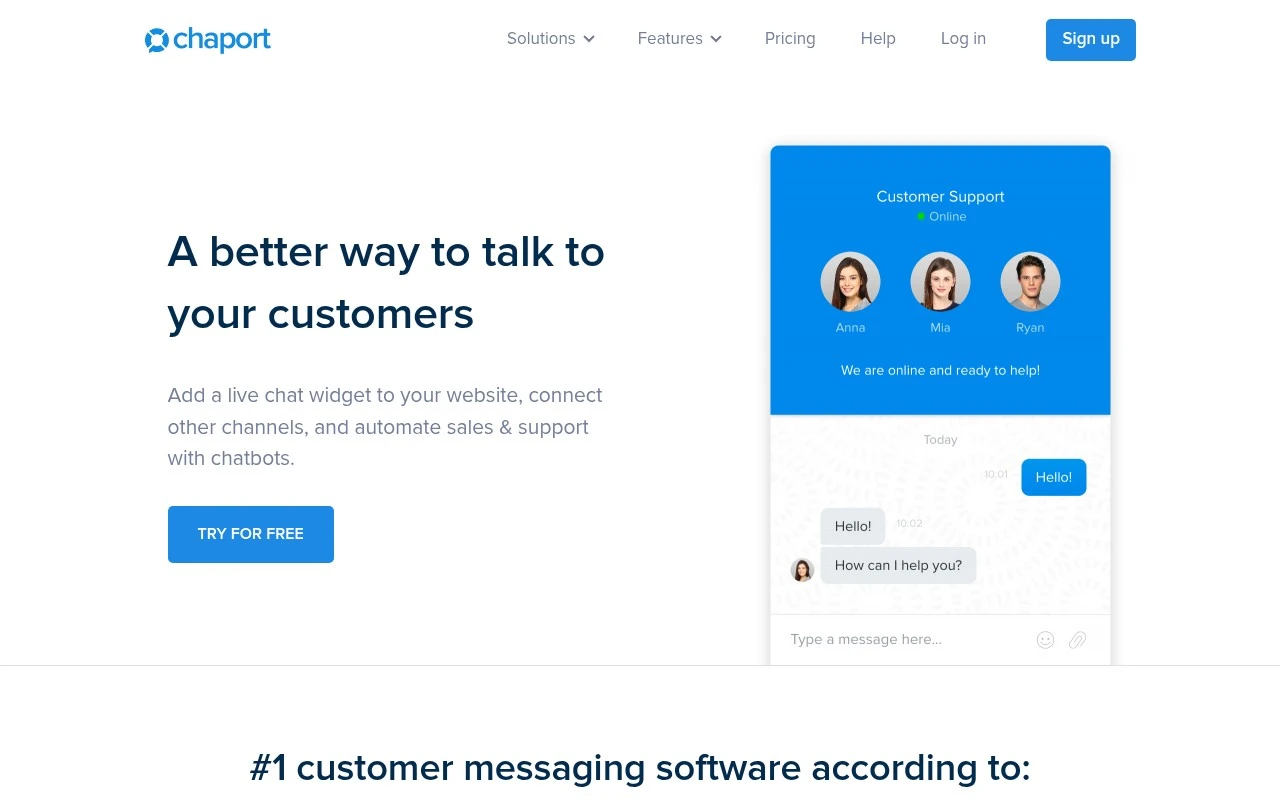
Chat with website visitors in real time with a customizable widget.

Chatbots & FAQ bot

Automate answers and suggest help articles to reduce repetitive tickets.

Shared team inbox

Manage multi-channel messages together with assignments and saved replies.

COMPARE

Discover curated alternatives worth comparing

Compare similar AI tools based on features, pricing and use cases

8.1/ 10FYAI score

Helply

Customer Support BotsKnowledge Base Bots
Answers support tickets, drafts replies, and flags churn risk
Best for:
Customer support teams
Pricing
Freemium

8.7/ 10Based on 7.757 reviews

Zoho Desk

Customer Support BotsKnowledge Base Bots
Uses Zia AI to triage tickets, draft replies, and flag issues
Best for:
Customer support teams
Pricing
Freemium

7.8/ 10Based on 31.824 reviews

Zoho

Customer Support Bots
Cloud suite for CRM, finance, HR, and business operations
Best for:
Operations teams
Pricing
Freemium

Turn more visitors into customers with faster, friendlier support. See why growing stores choose chaport to boost satisfaction and sales.

FAQ

Frequently asked
questions

Everything you need to know about this AI tool,
its features, pricing, use cases, and limitations.

Is chaport a good fit for e-commerce support, or is it better for other use cases?
chaport fits best when you need fast, real-time chat for sales and support on an online store, especially with proactive outreach via visitor tracking. It’s typically less compelling for teams that need deep ticketing workflows, complex routing, or heavy CRM automation. If your main goal is reducing pre-purchase friction and answering common questions quickly, it’s a strong contender.
What’s the difference between chaport’s free plan and paid plans, and what are the common limitations?
chaport’s free tier is usually enough to validate the widget and basic live chat, but it tends to be limited on advanced features like automation, reporting, and team/usage controls. Paid plans are where you’ll typically get more robust chatbot/automation options and higher limits for agents or conversations. If you expect growth, compare plan caps and add-on costs early to avoid surprises.
How does chaport compare with Intercom, Zendesk Chat, or Tidio for a buyer choosing between them?
Compared with Intercom, chaport is generally simpler to run day-to-day but may offer fewer advanced automation and lifecycle messaging capabilities. Versus Zendesk Chat, chaport can be easier to deploy if you don’t need a full helpdesk suite and tight ticketing integration. Against Tidio, chaport is competitive for live chat and basic automation, but you should compare chatbot flexibility and widget customization if branding and flows are critical.
How quickly can a team set up chaport, and what onboarding effort should we expect?
The chat widget has limited customization, which can be a drawback if you need strict brand alignment. Chatbot performance depends heavily on how well you configure intents and fallback paths, so complex inquiries may still require agent coverage. Costs can rise as you add seats or need higher usage limits, which matters for smaller teams scaling up.
What should we check about data handling, privacy, and compliance before using chaport?
Confirm what customer data chaport stores (chat transcripts, visitor metadata, IP/device info) and how long it’s retained, especially if you operate under GDPR/UK GDPR or similar rules. Review whether chaport offers a DPA, supports data export/deletion requests, and provides controls for access management. If you plan to use chatbot features, verify how training data is handled and whether transcripts are used beyond your account.