Curated ToolThis tool is part of our curated AI directory. We only include tools that meet our standards for relevance, usability and real-world value.

Botpress

Builds AI chatbots with knowledge retrieval and workflow actions

Customer Support BotsAgent Builders
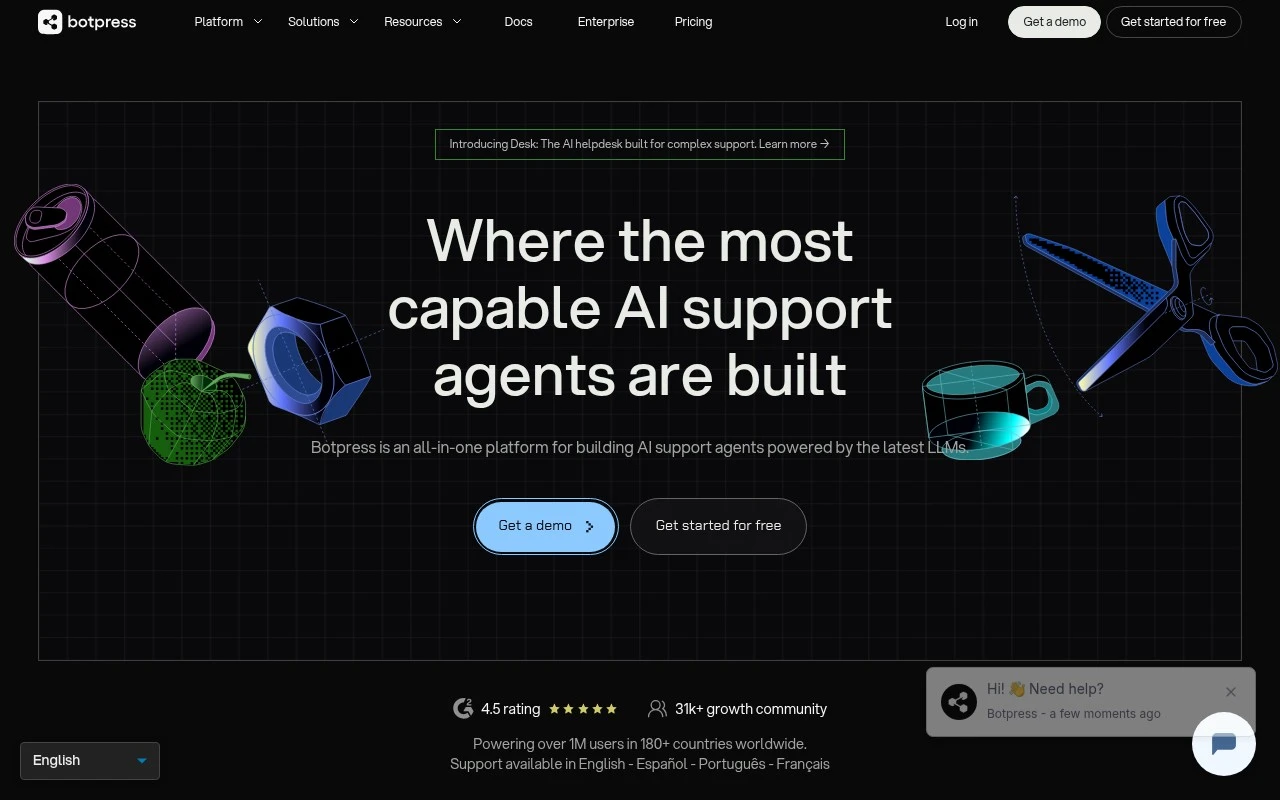
Botpress is a conversational AI builder for teams that want to create AI chatbots and agents with both visual design tools and technical extensibility. It is used to build assistants that can follow conversation flows, use uploaded or connected knowledge, integrate with external systems, and be deployed across chat channels. Its distinguishing angle is the combination of a structured bot-building studio with LLM-based responses and developer-oriented customization.

FYAI Score

8.4 / 10

Based on 503 reviews

Pricing:

Freemium

Best for:

Product and support teams building deployable AI assistants

Score Breakdown

  • Ease of use8.0 / 10
  • Features8.6 / 10
  • Pricing8.4 / 10
  • Integrations8.0 / 10
  • Support8.8 / 10

PRODUCT PREVIEW

What this AI tool does

Botpress is a platform for building and managing chatbots and other conversational AI experiences. It’s typically used by teams that want to design automated conversations, connect them to business systems, and deploy them across common messaging channels or websites. In practice, it helps you structure conversation flows, handle user inputs, and integrate with external APIs or data sources so the bot can answer questions or complete simple tasks. It can fit both lightweight support scenarios and more customized assistants where you need control over how the conversation behaves. If you’re evaluating botpress, it’s useful to consider how it fits into your existing stack, what level of customization you need, and how you plan to monitor and improve conversations over time. The tool is generally aimed at developers and product teams who want a practical way to build, test, and iterate on conversational experiences.

Use cases

Best for

Agent Building

Use Botpress to build AI agents with visual conversation flows, knowledge sources, and custom actions via APIs and code hooks.

Workflow Automation

Use Botpress to automate workflows by triggering webhooks and calling external APIs from chat steps to create tickets, update CRM, or run tasks.

Internal Search

Use Botpress to answer internal questions by grounding responses in connected docs and knowledge bases and returning cited snippets in chat.

ANALYSIS

Strengths & limitations

Strengths
  • Combines visual conversation design with options for more technical customization and integrations.
  • Supports knowledge-based AI assistants, making it suitable for documentation, support, and internal knowledge use cases.
  • Better suited to complex chatbot workflows than a basic no-code FAQ bot.
Limitations
  • Teams with very simple chatbot needs may find it more complex than lightweight helpdesk chat widgets.
  • Advanced implementations can require technical setup, API work, and ongoing maintenance.
  • As with other LLM-based chatbot platforms, answer quality depends heavily on the underlying knowledge sources, prompt design, and testing.

Evaluation

FYAI score breakdown

Our structured evaluation across five key criteria

8.4 / 10

Overall score

Based on 503 reviews

  • Ease of use8.0 / 10
  • Features8.6 / 10
  • Pricing8.4 / 10
  • Integrations8.0 / 10
  • Support8.8 / 10

What users say

Findings from public reviews, documentation and community sources.

  • Ease of use

    G2 summarizes that users “consistently praise Botpress for its ease of use and powerful customization options.” Capterra also notes a “steep learning curve” for beginners.

  • Features

    Botpress pricing page describes an enterprise AI-agent platform with AI helpdesk, visual Studio + developer toolkit, knowledge bases, and workflows. Botpress pricing page also lists escalation logic, analytics, RBAC, and channels including webchat, WhatsApp, and voice on higher tiers.

  • Pricing

    Botpress pricing page lists Free at $0 with 100 conversations, Plus at $150/month annually billed with 250 conversations, and Team at $750/month with 1,500 conversations. Botpress pricing page states AI usage is included, there are no per-user costs, and automatic conversation bundles apply when limits are reached.

  • Integrations

    Botpress site states users can connect a helpdesk via OAuth with Zendesk or Intercom and deploy through webchat, WhatsApp, and voice. Botpress site also references workflows connected to an existing stack, plus Hub, Integrations, Channels, LLMs, and API reference resources.

  • Support

    Botpress pricing page lists Free with “Community-ondersteuning” via Discord plus documentation, Botpress Academy, and YouTube. Botpress pricing page lists Plus with technical live-chat support and Enterprise with dedicated support, SLA, and security review.

Who is this for?

Best for teams building AI agents for support workflows, Botpress pricing page lists AI helpdesk, knowledge bases, workflows, escalation logic, analytics, and channels including webchat, WhatsApp, and voice on higher tiers. Less suited to beginners who need a frictionless rollout, Capterra notes a “steep learning curve” for beginners. Less suited to teams that need high conversation volume on the free plan, Botpress pricing page lists Free at $0 with 100 conversations, while Plus is $150/month annually billed with 250 conversations.

PRODUCT PREVIEW

Feature highlights

Visual Flow Builder

Design structured conversation flows with a drag-and-drop studio.

LLM + Knowledge

Ground answers on uploaded docs and connected sources to stay accurate.

Developer Extensibility

Add custom logic, APIs, and integrations for real workflows.

COMPARE

Discover curated alternatives worth comparing

Compare similar AI tools based on features, pricing and use cases

8.1/ 10FYAI score

Helply

Customer Support BotsKnowledge Base Bots
Answers support tickets, drafts replies, and flags churn risk
Best for:
Customer support teams
Pricing
Freemium

8.7/ 10Based on 7.757 reviews

Zoho Desk

Customer Support BotsKnowledge Base Bots
Uses Zia AI to triage tickets, draft replies, and flag issues
Best for:
Customer support teams
Pricing
Freemium

7.8/ 10Based on 31.824 reviews

Zoho

Customer Support Bots
Cloud suite for CRM, finance, HR, and business operations
Best for:
Operations teams
Pricing
Freemium

Launch a support chatbot that resolves more questions automatically and keeps customers happy. See why teams choose botpress to scale conversations without scaling headcount.

FAQ

Frequently asked
questions

Everything you need to know about this AI tool,
its features, pricing, use cases, and limitations.

Is botpress a good fit for customer support, lead gen, or internal helpdesk bots?
botpress is typically a strong fit for customer support automation where you need custom conversation flows, handoff to agents, and control over bot behavior. It can also work for lead capture and internal helpdesk use cases, but you’ll want to confirm your required channels and integrations are supported without heavy custom work. If your priority is a quick, template-driven bot with minimal configuration, some competitors may get you live faster.
What’s the difference between botpress free and paid plans, and what are the common limitations?
botpress usually offers a way to try the platform, but the practical limits tend to show up around usage, advanced features, and production-grade needs (like team controls or higher volumes). Before choosing, check whether the plan you’re considering includes the channels you need and any required analytics or collaboration features. If you expect rapid scaling, compare pricing based on conversations/messages rather than just “seats.”
How does botpress compare with tools like Dialogflow, Rasa, or Intercom-style chatbots?
Compared with Dialogflow, botpress often gives more control over end-to-end bot building and deployment, but you should validate NLU quality and multilingual needs for your domain. Versus Rasa, botpress can be easier for teams that want a more guided builder experience, while Rasa may appeal more to engineering-heavy teams optimizing deeply. Compared to Intercom-style bots, botpress is generally more customizable, but may require more setup and integration work.
How quickly can a team get a botpress chatbot into production?
botpress can require more upfront effort to design, connect systems, and tune behavior than tools that rely on prebuilt templates. Out-of-the-box integrations may be narrower than some competitors, which can push you toward custom connectors or middleware. Performance and responsiveness can vary with complex flows, heavy context, or high traffic, so load testing matters.
What should we check about data privacy, retention, and compliance when using botpress?
Review where botpress hosts data for your plan, what conversation logs are stored by default, and how long they’re retained. Confirm whether you can control PII handling (masking/redaction), export/delete requests, and access controls for agents and admins. If you have GDPR or industry requirements, validate subprocessors, regional hosting options, and whether your integration stack also meets the same standards.