Curated ToolThis tool is part of our curated AI directory. We only include tools that meet our standards for relevance, usability and real-world value.

Zed

AI agents in-editor inspect code, edit files, and run tools

Code Generation & CompletionDebugging
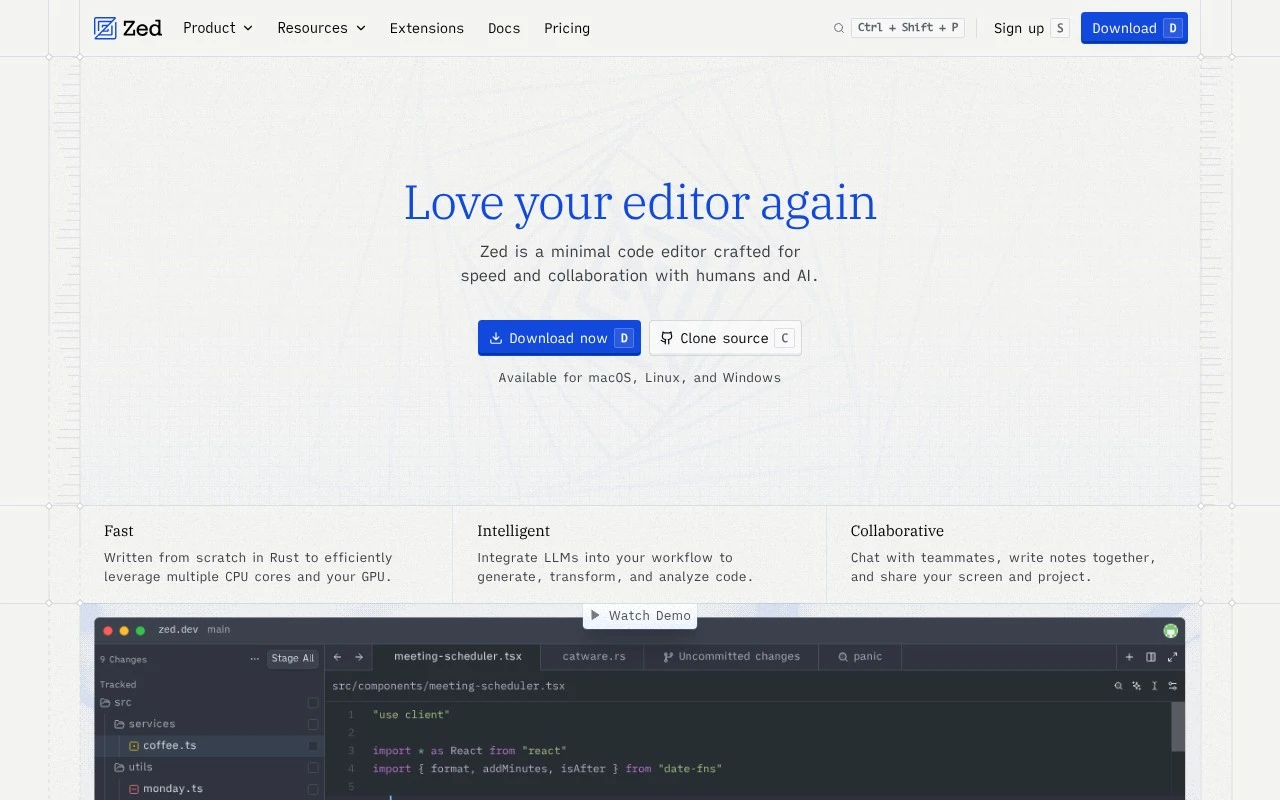
Zed is a native code editor from the creators of Atom and Tree-sitter. It is positioned as a minimal, high-performance editor written in Rust, with GPU and multicore support, real-time team collaboration, and AI-agent workflows for editing and navigating code. It is available for macOS, Linux, and Windows.

FYAI Score

8.0 / 10

Based on 44 reviews

Pricing:

Freemium

Best for:

Developers who want a fast, minimal editor with modern collaboration

Score Breakdown

  • Ease of use8.5 / 10
  • Features7.1 / 10
  • Pricing9.1 / 10
  • Integrations7.5 / 10
  • Support7.6 / 10

PRODUCT PREVIEW

What this AI tool does

Zed is an AI tool page entry intended to help readers understand what the tool is and how it may fit into a workflow. It provides a straightforward overview aimed at informational search intent, focusing on clarity rather than promotional claims. Because the intro and main use case are not defined, this description stays general and avoids assumptions about specific capabilities or target users. If you share what zed-dev is designed to do (for example, the type of tasks it supports, who it’s for, and where it runs), the page text can be refined to describe its purpose and typical usage more precisely.

Use cases

Best for

Code Refactoring

Use Zed to refactor code with AI agent edits and Tree-sitter syntax awareness for safe, project-wide changes.

Generate Code

Generate code by prompting Zed’s AI agent to insert functions, tests, or boilerplate directly into the active buffer.

Debug Code

Debug code by navigating symbols and references with Tree-sitter parsing and collaborating in real time to inspect fixes.

ANALYSIS

Strengths & limitations

Strengths
  • Built from scratch in Rust with an emphasis on speed and efficient use of CPU cores and GPU.
  • Combines local code editing with multiplayer collaboration features such as chat, shared coding, and screen/project sharing.
  • Supports agentic AI workflows that can run in parallel to edit files, navigate code, and run tools.
Limitations
  • It is a desktop code editor, so it is not aimed at users looking for a fully browser-based IDE.
  • Its minimal editor positioning may require verification for teams that depend on heavier IDE-specific workflows.
  • The official page describes AI-agent capabilities at a high level, so exact model support, setup requirements, and limits are not fully established from the provided source.

Evaluation

FYAI score breakdown

Our structured evaluation across five key criteria

8.0 / 10

Overall score

Based on 44 reviews

  • Ease of use8.5 / 10
  • Features7.1 / 10
  • Pricing9.1 / 10
  • Integrations7.5 / 10
  • Support7.6 / 10

What users say

Findings from public reviews, documentation and community sources.

  • Ease of use

    A Reddit user said they used Zed because they “liked the speed” and because Zed felt less intrusive around AI. Product Hunt reviewers describe Zed as “fast, lightweight” and “simpler and less bloated than VS Code.”

  • Features

    Zed’s own page positions Zed as a “high-performance, multiplayer code editor” with speed, collaboration, and agentic AI. A Reddit post says “Zed is lacking many features.”

  • Pricing

    Zed’s pricing page lists Personal as “$0 forever,” Pro as “$10 per month” with “$5 of tokens included,” and Business as “$30 per seat, per month.” Zed’s pricing page includes a free editor, a bring-your-own-key option, and hosted AI usage-based billing beyond included credits.

  • Integrations

    Zed’s extensions page says users can “Choose from the hundreds of community-created extensions.”

  • Support

    Zed’s pricing FAQ directs users to “LLM providers docs” for setup and lists [email protected] for larger-team discussions.

Who is this for?

Best for developers who want a fast, lightweight code editor with collaboration and AI, Zed’s own page calls Zed a “high-performance, multiplayer code editor,” and Product Hunt reviewers describe Zed as “fast, lightweight.” Less suited to users who need a mature, feature-complete coding editor, a Reddit post says “Zed is lacking many features,” which can mean missing workflows for teams depending on established editor capabilities.

PRODUCT PREVIEW

Feature highlights

Blazing performance

Native Rust editor with GPU + multicore for smooth, fast editing.

Live collaboration

Work together in real time with shared editing and navigation.

AI agent workflows

Use AI to edit, refactor, and move through code with less friction.

COMPARE

Discover curated alternatives worth comparing

Compare similar AI tools based on features, pricing and use cases

8.3/ 10Based on 68 reviews

Gemini Code Assist

Code Generation & CompletionTesting & Refactoring
AI coding assistant for code completion, edits, and explanations
Best for:
Software developers
Pricing
Freemium

9.1/ 10Based on 46 reviews

GitHub Copilot

Code Generation & CompletionTesting & Refactoring
AI coding assistant for code suggestions, chat, and reviews
Best for:
Software developers
Pricing
Freemium

8.9/ 10Based on 6 reviews

Cline

Code Generation & CompletionDebugging
Agentic coding runtime that edits files and runs commands
Best for:
Software developers
Pricing
Free

Write and ship code faster with Zed. Join teams using a lightning-fast editor built for modern workflows and start building with less friction today.

FAQ

Frequently asked
questions

Everything you need to know about this AI tool,
its features, pricing, use cases, and limitations.

What types of teams and workflows is Zed a good fit for?
Zed fits teams that want a fast, modern code editor with strong collaboration and a tight feedback loop while coding. It’s especially useful for product teams doing frequent PRs and needing consistent formatting, navigation, and shared context across a codebase. If your workflow depends heavily on highly customized editor setups or niche plugins, you may find other editors more flexible.
Does Zed have a free plan, and what are the practical limitations versus paid options?
Zed is free to download and use as an editor, so you can evaluate performance and core editing features without a subscription. Some collaboration or cloud-backed features may be gated or evolve over time, so confirm what’s included for your team size and usage. If you’re comparing against tools that bundle enterprise controls, budget for potential add-ons around team management and policy needs.
How does Zed compare with VS Code, JetBrains IDEs, or other modern editors?
Compared with VS Code, Zed tends to prioritize speed and a more integrated collaboration experience, but it has a smaller extension ecosystem. Versus JetBrains IDEs, Zed is lighter-weight and faster to start, while JetBrains typically offers deeper language-specific refactoring and inspections out of the box. If your team relies on a particular plugin or advanced IDE refactors, validate parity before switching.
How quickly can a team get Zed set up and onboarded?
Zed’s ecosystem is still smaller than long-established editors, so you may not find every language tool, linter integration, or niche workflow supported. Teams that need extensive customization or deeply tailored automation may hit constraints sooner. Also factor in a learning curve if your developers are used to a different command palette, keymap, or project navigation model.
What should we consider about data handling, privacy, and compliance when using Zed?
Review which Zed features send data off-device (for example, collaboration or any cloud-backed services) and what metadata is collected during usage. For regulated environments, confirm where data is processed/stored, retention policies, and whether you can disable networked features. If you need formal compliance assurances (SOC 2/ISO, DPAs, SSO/SCIM), verify what Zed provides before standardizing across the org.