Curated ToolThis tool is part of our curated AI directory. We only include tools that meet our standards for relevance, usability and real-world value.

Tabnine

Provides context-aware code completions and suggestions inside IDEs.

Code Generation & CompletionTesting & Refactoring

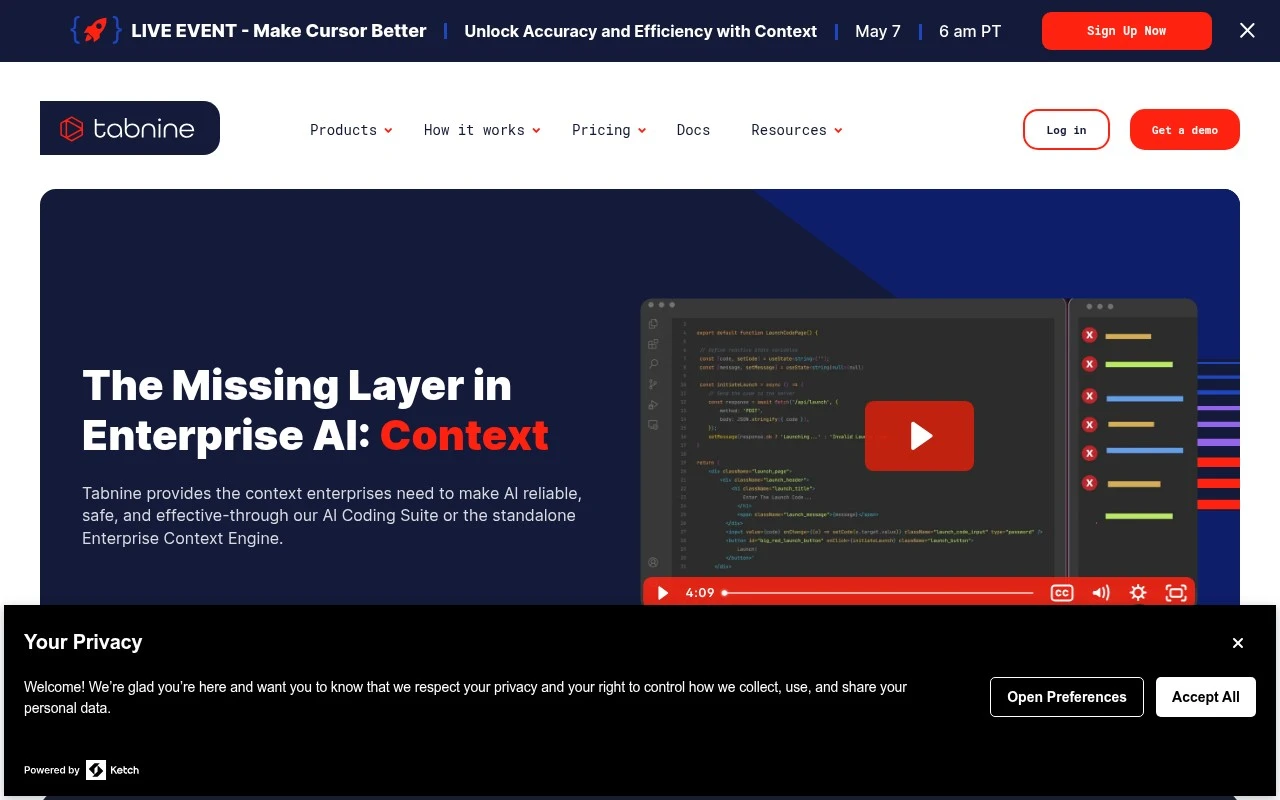
Tabnine is an AI code assistant for developers and engineering organizations. It integrates with IDEs to provide code completions and coding assistance, and its enterprise offering adds a context engine that learns from an organization’s repositories, architecture, frameworks, and coding standards. The product is positioned especially for enterprises that want AI coding support while maintaining privacy, security, compliance controls, and flexible deployment options including SaaS, on-premises, and air-gapped environments.

FYAI Score

8.3 / 10

Based on 53 reviews

Pricing:

Freemium

Best for:

Enterprise engineering teams needing secure AI coding assistance

Score Breakdown

  • Ease of use8.2 / 10
  • Features8.4 / 10
  • Pricing7.2 / 10
  • Integrations8.8 / 10
  • Support9.1 / 10

PRODUCT PREVIEW

What this AI tool does

Tabnine is an AI-assisted coding tool designed to help developers write code more efficiently by suggesting completions as they type. It fits into everyday programming workflows by working inside popular code editors, where it can propose relevant snippets based on the current file and surrounding context. In practice, it’s most useful for reducing repetitive typing, speeding up common patterns, and helping maintain consistency across a codebase. Developers typically use it while implementing functions, working with APIs, or refactoring, treating suggestions as optional guidance rather than automatic changes. For teams and individuals evaluating tabnine for informational purposes, it can be helpful to consider how it aligns with your preferred languages, editor setup, and privacy requirements. Like other AI coding assistants, its value depends on the quality of its suggestions and how well it integrates into your existing development habits.

Use cases

Best for

Generate Code

Tabnine generates code by predicting and inserting context aware completions in your IDE from surrounding files and patterns.

Code Review

Use Tabnine during code review to flag inconsistent patterns and suggest fixes based on your repo context and coding standards.

Code Refactoring

Use Tabnine for code refactoring by proposing rewritten functions and safer patterns that match your architecture and frameworks.

ANALYSIS

Strengths & limitations

Strengths
  • Focused on enterprise privacy and control, including on-premises and air-gapped deployment options.
  • Uses organization-specific codebase context to make coding suggestions more aligned with internal patterns and standards.
  • Works in the developer workflow through IDE integrations and supports common AI coding tasks such as completion, explanation, fixing, testing, and documentation.
Limitations
  • The official positioning is heavily enterprise-oriented, so smaller teams may not need its governance and deployment controls.
  • Its usefulness depends on the quality of available codebase context and how well it is integrated into a team’s IDE and repositories.
  • The provided official page does not give detailed information about pricing, model behavior, or exact IDE and language coverage.

Evaluation

FYAI score breakdown

Our structured evaluation across five key criteria

8.3 / 10

Overall score

Based on 53 reviews

  • Ease of use8.2 / 10
  • Features8.4 / 10
  • Pricing7.2 / 10
  • Integrations8.8 / 10
  • Support9.1 / 10

What users say

Findings from public reviews, documentation and community sources.

  • Ease of use

    Tabnine's homepage cites that the product is “stable and mature, works well out of the box and integrates well with the codebase,” and G2’s review snippet says Tabnine provides “accurate, context-aware code suggestions” that speed development. Tabnine’s enterprise deployment options may add setup complexity for teams configuring the product.

  • Features

    The Tabnine pricing page lists “AI code completions,” “AI-powered chat in the IDE,” secure deployment options, and an Agentic Platform with autonomous agents, CLI, and a Context Engine.

  • Pricing

    The Tabnine pricing page lists $39/user/month for Code Assistant and $59/user/month for Agentic Platform on annual subscriptions. The Tabnine pricing page also uses “Get a quote” flows and references additional payment for reserved token consumption when using Tabnine-provided LLM access.

  • Integrations

    The Tabnine pricing page says Tabnine “works in all major IDEs,” includes Jira Cloud and Data Center, supports SSO, and connects to Bitbucket, GitHub, GitLab and Perforce P4. The Tabnine pricing page also says Tabnine can use MCP tools including Confluence, databases, APIs, Docker, package managers, and CI/CD systems.

  • Support

    The Tabnine pricing page includes “Priority ticket-based support during business hours” plus training. The Tabnine homepage quotes a Gartner Peer Insights user saying support responds “within hours” and documentation is “comprehensive.”

Who is this for?

Best for enterprise development teams that need private-code and governed deployment options, the Tabnine pricing page lists secure deployment options, governance controls, analytics, and SSO. Less suited to teams seeking a low-entry-price coding assistant, the Tabnine pricing page lists $39/user/month for Code Assistant and $59/user/month for Agentic Platform on annual subscriptions, with “Get a quote” flows and additional payment for reserved token consumption when using Tabnine-provided LLM access.

PRODUCT PREVIEW

Feature highlights

IDE Code Completion

Predictive completions and suggestions as you code in your IDE.

Org Context Engine

Learns your repos, patterns, and standards for relevant suggestions.

Private Deployment

Run SaaS, on-prem, or air-gapped with security and compliance controls.

COMPARE

Discover curated alternatives worth comparing

Compare similar AI tools based on features, pricing and use cases

8.3/ 10Based on 68 reviews

Gemini Code Assist

Code Generation & CompletionTesting & Refactoring
AI coding assistant for code completion, edits, and explanations
Best for:
Software developers
Pricing
Freemium

9.1/ 10Based on 46 reviews

GitHub Copilot

Code Generation & CompletionTesting & Refactoring
AI coding assistant for code suggestions, chat, and reviews
Best for:
Software developers
Pricing
Freemium

8.9/ 10Based on 6 reviews

Cline

Code Generation & CompletionDebugging
Agentic coding runtime that edits files and runs commands
Best for:
Software developers
Pricing
Free

Write code faster with fewer mistakes using AI suggestions that fit your project context. See why teams choose Tabnine to stay in flow and ship sooner.

FAQ

Frequently asked
questions

Everything you need to know about this AI tool,
its features, pricing, use cases, and limitations.

What types of teams or projects is Tabnine a good fit for?
Tabnine tends to work best for teams that want faster day-to-day coding through inline completions across common languages and IDEs. It’s a practical choice when consistency and speed matter (e.g., product teams shipping frequently) and when you want suggestions influenced by your existing codebase. If your priority is chat-style assistance for planning, debugging, or long-form refactors, you may prefer tools that focus more on conversational workflows.
How do Tabnine’s free and paid plans differ in practice?
The free tier is typically sufficient to evaluate basic code completions in your IDE, but it’s limited compared with paid options. Paid plans generally add stronger team features and administrative controls, and may include more advanced completion capabilities depending on the offering. If you need centralized management, policy controls, or broader organizational rollout, you’ll likely end up on a paid plan.
How does Tabnine compare with GitHub Copilot and Codeium for code completion?
Tabnine is often evaluated as a completion-first tool, while GitHub Copilot and Codeium commonly emphasize broader assistant features and ecosystem integrations. In practice, differences show up in suggestion quality for your specific stack, latency, and how well each tool adapts to your repo patterns. The most reliable way to choose is to run the same tasks (new file scaffolding, repetitive edits, test writing) across tools in your primary IDE for a week.
How quickly can a developer get Tabnine working, and what onboarding is involved?
Tabnine’s suggestions can be wrong or stylistically inconsistent, so it still requires careful review and solid tests. Some developers find there’s a short adjustment period to avoid over-accepting completions that compile but don’t match intent. Cost can also be a deciding factor for small teams if you need paid features for governance or collaboration.
What should we know about Tabnine’s data handling, privacy, and compliance before adopting it?
Before rollout, confirm whether Tabnine processes code locally or sends snippets to a remote service in the plan you’re considering, and what controls exist to limit data sharing. Review available enterprise options for access control, auditability, and contractual terms (e.g., DPA) if you handle sensitive code. If you have strict compliance requirements, involve security early to validate deployment mode, retention policies, and any model-training implications.