Curated ToolThis tool is part of our curated AI directory. We only include tools that meet our standards for relevance, usability and real-world value.

Sweep AI

AI code autocomplete and codebase-aware edits in JetBrains IDEs

Code Generation & Completion
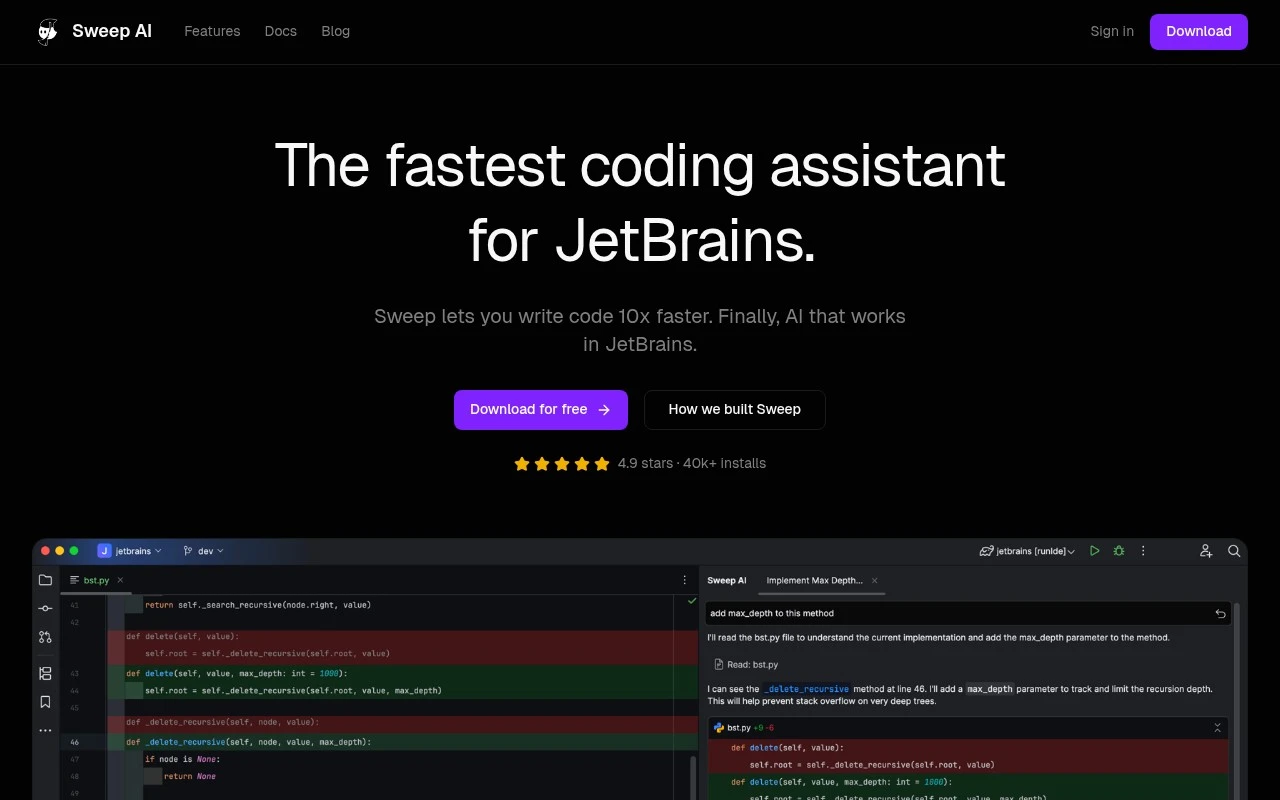
Sweep AI is a JetBrains-focused AI coding assistant. Its official site positions it as a plugin for JetBrains IDEs with custom autocomplete, next-edit predictions, and an AI agent that can use indexed project context. It is aimed at developers who want Cursor-like AI coding assistance while staying in JetBrains tools.

FYAI Score

8.1 / 10

Based on 38 reviews

Pricing:

Freemium

Best for:

JetBrains developers who want AI help with real project context

Score Breakdown

  • Ease of use9.1 / 10
  • Features7.6 / 10
  • Pricing8.3 / 10
  • Integrations7.4 / 10
  • Support7.6 / 10

PRODUCT PREVIEW

What this AI tool does

Sweep AI is an AI-assisted tool designed to help teams make code changes more efficiently by turning natural-language requests into proposed updates in a repository. It’s typically used in workflows where developers want a faster path from an issue or task description to a concrete pull request, while still keeping humans in control of review and approval. In practice, it can be useful for routine maintenance work such as small refactors, fixing straightforward bugs, updating documentation, or making repetitive edits across files. The tool aims to reduce the time spent on manual search-and-edit steps by suggesting targeted changes that can be inspected, adjusted, and merged through normal version control processes. For informational use, it’s best understood as a helper that complements existing engineering practices rather than replacing them. Results will depend on how clearly the request is written, the structure of the codebase, and the project’s conventions, so teams often get the best outcomes when they provide context and review the proposed changes carefully.

Use cases

Best for

Ide Code Autocomplete

Generates context-aware autocomplete and next-edit suggestions inline in JetBrains IDEs as you type.

In-Ide AI Agent

Uses Sweep AI as an in-IDE agent in JetBrains to propose and apply code changes using your project context.

Project Codebase Indexing

Indexes your project so suggestions can reference definitions, files, and services from the codebase context.

ANALYSIS

Strengths & limitations

Strengths
  • Built specifically for JetBrains IDEs rather than presented as a generic editor extension.
  • Combines low-latency autocomplete with an AI agent and codebase indexing.
  • The site emphasizes privacy and enterprise readiness, including SOC 2 compliance and zero data retention claims.
Limitations
  • The official page mainly describes JetBrains support; it does not establish Sweep as a general-purpose coding assistant for non-JetBrains editors.
  • Detailed pricing, plan limits, and enterprise deployment terms are not included in the provided page text.
  • Performance claims such as writing code 10x faster and unmatched speed are vendor claims from the site, not independently verified here.

Evaluation

FYAI score breakdown

Our structured evaluation across five key criteria

8.1 / 10

Overall score

Based on 38 reviews

  • Ease of use9.1 / 10
  • Features7.6 / 10
  • Pricing8.3 / 10
  • Integrations7.4 / 10
  • Support7.6 / 10

What users say

Findings from public reviews, documentation and community sources.

  • Ease of use

    Sweep's homepage says users can “Download for free,” “Install and start coding faster in minutes,” and use autocomplete by “Just hit tab.” Sweep's homepage cites “4.9 stars” and “40k+ installs.”

  • Features

    Sweep's features page lists an “AI Agent,” custom “Tab” autocomplete, whole-project indexing that “indexes your entire project,” and AI code review. Sweep's features page also references privacy mode, SOC 2 compliance, and zero data retention.

  • Pricing

    Sweep's pricing page lists a Free Trial with “1,000 Autocompletes” and “$5 API credits,” plus Basic at “$10/mo,” Pro at “$20/mo,” and Ultra at “$60/mo.” Sweep's pricing page says paid plans offer unlimited autocomplete, while API credits and top-ups apply to AI features like chat, code generation, and advanced completions.

  • Integrations

    Sweep's integrations page says Sweep “works with all JetBrains IDEs,” including IntelliJ IDEA, PyCharm, Android Studio, WebStorm, PhpStorm, Rider, and more. Sweep's integrations page also mentions “Remote MCP Servers - Full OAuth 2.0/2.1 support.”

  • Support

    Sweep's pricing page presents support through documentation links, “Contact Sales,” a team email for student/open-source discounts, and “priority support” on the Pro plan. Sweep's pricing page ties “priority support” to the Pro plan.

Who is this for?

Best for developers who work in JetBrains IDEs, Sweep's integrations page says Sweep “works with all JetBrains IDEs,” including IntelliJ IDEA, PyCharm, Android Studio, WebStorm, PhpStorm, Rider, and more. Less suited to teams that need broad coding-environment coverage, Sweep's stated integration coverage is centered on JetBrains, so non-JetBrains workflows have less cited coverage.

PRODUCT PREVIEW

Feature highlights

JetBrains Autocomplete

Custom code completions tuned for your IDE and coding patterns.

Next-Edit Predict

Predicts your next change and applies multi-line edits in place.

Indexed Repo Context

Agent uses indexed project context to make safer, relevant changes.

COMPARE

Discover curated alternatives worth comparing

Compare similar AI tools based on features, pricing and use cases

8.3/ 10Based on 68 reviews

Gemini Code Assist

Code Generation & CompletionTesting & Refactoring
AI coding assistant for code completion, edits, and explanations
Best for:
Software developers
Pricing
Freemium

9.1/ 10Based on 46 reviews

GitHub Copilot

Code Generation & CompletionTesting & Refactoring
AI coding assistant for code suggestions, chat, and reviews
Best for:
Software developers
Pricing
Freemium

8.9/ 10Based on 6 reviews

Cline

Code Generation & CompletionDebugging
Agentic coding runtime that edits files and runs commands
Best for:
Software developers
Pricing
Free

Ship cleaner code faster in JetBrains with an AI copilot that feels instant and stays in your flow. See why teams choose Sweep AI for everyday coding.

FAQ

Frequently asked
questions

Everything you need to know about this AI tool,
its features, pricing, use cases, and limitations.

When is Sweep AI a good fit, and when should I pick something else?
Sweep AI is best if your team primarily codes in JetBrains IDEs and wants autocomplete, next-edit suggestions, and an in-IDE agent in one workflow. It’s a strong fit for large, multi-module projects where project-aware suggestions and indexing matter. If you need the same assistant across VS Code, Neovim, or multiple editors, a cross-editor tool may be a better match.
Does Sweep AI have a free plan, and what limits should I expect on paid tiers?
Sweep AI’s public materials don’t clearly spell out a full pricing matrix or exact usage caps, so you’ll likely need to check the current plan page or request details. In practice, expect paid tiers to differ by seats, feature access (agent/indexing), and monthly usage limits. If predictable budgeting is important, confirm rate limits, overage behavior, and whether indexing is included before committing.
How does Sweep AI compare with GitHub Copilot or JetBrains AI Assistant?
Compared with GitHub Copilot, Sweep AI is positioned as JetBrains-native and bundles autocomplete plus next-edit predictions and an agent-like workflow inside the IDE. Versus JetBrains AI Assistant, the main decision points are feature depth, model behavior, and how well project indexing and edits fit your team’s coding style. If you’re evaluating side-by-side, test on the same repo and measure acceptance rate, latency, and how often suggestions match your codebase conventions.
How fast can I get Sweep AI running in a JetBrains IDE?
Sweep AI is centered on JetBrains, so it may not suit teams that standardize on multiple editors. Public documentation is relatively light on detailed agent workflows and hard limits, which can make procurement and rollout planning harder. Like other coding assistants, you’ll still need code review and tests because suggestions can be incorrect or inconsistent with internal patterns.
What should I know about Sweep AI’s data handling, privacy, and compliance?
Sweep AI states it is privacy-focused, uses its own LLMs, does not retain code with third parties, and is SOC 2 compliant, but you should validate the current policy for your environment. Ask specifically what data is sent from the IDE, how long it’s stored, whether telemetry can be disabled, and how indexing data is handled. If you’re in a regulated setting, request a DPA, SOC 2 report details, and clarification on data residency and access controls.