Curated ToolThis tool is part of our curated AI directory. We only include tools that meet our standards for relevance, usability and real-world value.

Sourcegraph Cody

Answers questions, explains code, and suggests edits using repo contex

Code Generation & CompletionDebugging
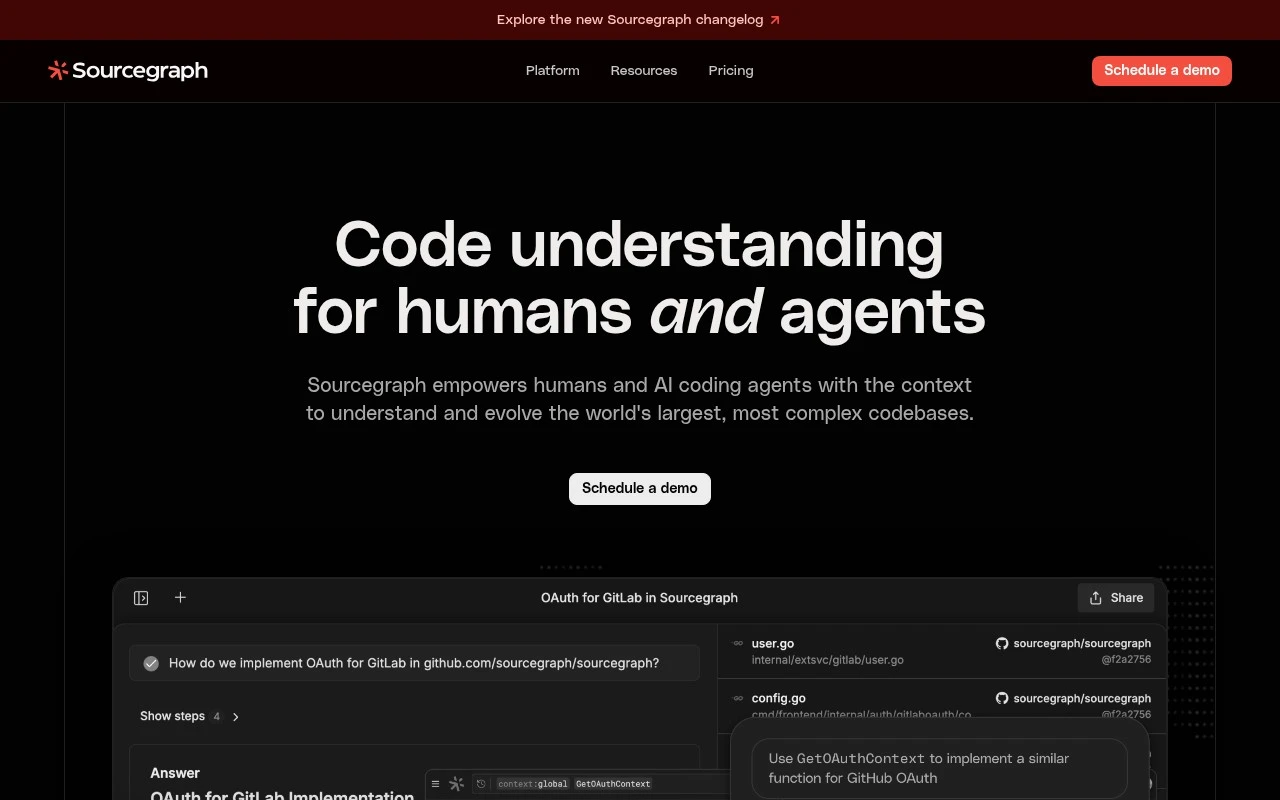
Sourcegraph Cody Cody is Sourcegraph’s AI coding assistant for developers. Its main distinction is that it is tied to Sourcegraph’s broader code understanding infrastructure, so it can use indexed repository context rather than relying only on the files currently open in an editor. The current Sourcegraph site content emphasizes codebase context, search, MCP, oversight, and large-scale code evolution rather than describing Cody by name, so Cody should be understood as part of Sourcegraph’s code-intelligence and AI-assisted development ecosystem.

FYAI Score

7.9 / 10

Industry standard in Coding

Pricing:

Freemium

Best for:

Engineering teams working across large, multi-repo codebases

Score Breakdown

  • Ease of use7.1 / 10
  • Features8.0 / 10
  • Pricing7.2 / 10
  • Integrations8.5 / 10
  • Support9.1 / 10

PRODUCT PREVIEW

What this AI tool does

Sourcegraph Cody is a code search and navigation tool designed to help developers understand and work with large codebases. It provides a way to look across repositories and quickly trace how symbols, functions, and references connect, which can be especially useful when joining a new project or reviewing unfamiliar parts of an application. In practice, it supports common engineering workflows like investigating bugs, assessing the impact of a change, and exploring dependencies before refactoring. By making it easier to locate relevant code and follow relationships between files and services, it can reduce the time spent manually searching and switching between tools. Teams often use it to improve visibility across monorepos or multi-repo environments, where understanding ownership and usage patterns can be difficult. It fits best for organizations that need consistent, searchable access to code and want a clearer view of how changes may affect the broader system.

Use cases

Best for

Codebase Chat

Chat with your codebase using indexed repo context to answer questions about symbols, call paths, and usage across projects.

Code Refactoring

Sourcegraph Cody suggests refactors by finding related code via search and applying consistent edits across files with context-aware diffs.

Generate Code

Generate new functions, tests, or boilerplate by prompting with requirements and letting repo-indexed context guide imports and APIs.

ANALYSIS

Strengths & limitations

Strengths
  • Designed around codebase-aware assistance rather than generic prompt-only coding help.
  • Fits teams working with large monorepos or many repositories where broader context matters.
  • Benefits from Sourcegraph’s established code search and enterprise code intelligence focus.
Limitations
  • The provided current Sourcegraph homepage does not explicitly describe Cody by name, so some Cody-specific details are based on established product knowledge rather than the supplied scrape.
  • Most valuable for teams with enough codebase complexity to justify Sourcegraph-style indexing and context.
  • Enterprise positioning may be heavier than needed for individual developers or very small projects.

Evaluation

FYAI score breakdown

Our structured evaluation across five key criteria

7.9 / 10

Overall score

Industry standard in Coding

  • Ease of use7.1 / 10
  • Features8.0 / 10
  • Pricing7.2 / 10
  • Integrations8.5 / 10
  • Support9.1 / 10

What users say

Findings from public reviews, documentation and community sources.

  • Ease of use

    Sourcegraph docs present onboarding paths such as Quickstart, Sourcegraph 101, Sourcegraph Tour, and Cody docs. A Reddit user said they were “annoyed by its useless responses” when trying Cody as a new user.

  • Features

    Sourcegraph docs describe Cody AI assistant, Code Search, Deep Search, and large-codebase context across repositories.

  • Pricing

    Sourcegraph pricing page lists an enterprise starting point of “$16K” with contact-sales scaling, included AI credits, org-wide credit pooling, rollover on renewal, and volume buckets.

  • Integrations

    Sourcegraph pricing page lists “All major code hosts,” “Full MCP Server, API, and CLI access,” GraphQL and REST APIs, and compatibility with “Claude Code, Cursor, Codex, Amp, and more.”

  • Support

    Sourcegraph pricing page references “24×5 support,” optional Premium support, a customer success manager, and dedicated account/support engineering.

Who is this for?

Best for larger engineering teams working across repositories, Sourcegraph docs describe Cody AI assistant, Code Search, Deep Search, and large-codebase context across repositories. Less suited to low-friction individual or small-team adoption, Sourcegraph pricing starts at “$16K” with contact-sales scaling, which means buying and setup are oriented around enterprise procurement.

PRODUCT PREVIEW

Feature highlights

Codebase context

Answers and edits grounded in indexed repos, not just open files.

Search + AI assist

Find the right code fast, then generate changes with relevant context.

Enterprise oversight

Built for org-wide adoption with controls and visibility for teams.

COMPARE

Discover curated alternatives worth comparing

Compare similar AI tools based on features, pricing and use cases

8.3/ 10Based on 68 reviews

Gemini Code Assist

Code Generation & CompletionTesting & Refactoring
AI coding assistant for code completion, edits, and explanations
Best for:
Software developers
Pricing
Freemium

9.1/ 10Based on 46 reviews

GitHub Copilot

Code Generation & CompletionTesting & Refactoring
AI coding assistant for code suggestions, chat, and reviews
Best for:
Software developers
Pricing
Freemium

8.9/ 10Based on 6 reviews

Cline

Code Generation & CompletionDebugging
Agentic coding runtime that edits files and runs commands
Best for:
Software developers
Pricing
Free

Move faster in any codebase with Sourcegraph Cody. Get confident answers, reduce ramp-up time, and ship with clarity.

FAQ

Frequently asked
questions

Everything you need to know about this AI tool,
its features, pricing, use cases, and limitations.

What types of teams and codebases is Sourcegraph Cody a good fit for?
Sourcegraph Cody tends to fit best for teams working in large, multi-repo codebases where understanding cross-repository context matters. It’s especially useful when developers frequently need to find relevant code, trace dependencies, or answer “where is this implemented?” across services. If your work is mostly in a single small repo, simpler IDE assistants or basic code search may be enough.
How do Sourcegraph Cody’s free and paid options differ in practice?
The free experience is typically sufficient to evaluate core workflows, but it may limit usage, model access, or advanced features depending on the plan and deployment. Paid tiers generally add higher usage limits, stronger admin controls, and enterprise features needed for larger organizations. When comparing, check whether your must-haves (SSO, audit logs, on-prem/self-host, policy controls) are gated behind enterprise licensing.
How does Sourcegraph Cody compare with GitHub Copilot, Codeium, or IDE-native assistants?
Sourcegraph Cody is often chosen when codebase-wide context and search across many repositories is a priority, whereas Copilot-style tools are frequently evaluated for inline code completion inside the IDE. If your main need is “write code faster in-editor,” an IDE-first assistant may feel more immediate; if your need is “understand and navigate a complex codebase,” Cody’s Sourcegraph-backed context can be a differentiator. Compare how each tool handles multi-repo context, permissions, and retrieval quality on your own code.
How quickly can a team set up Sourcegraph Cody and get value from it?
Teams may face a learning curve if they aren’t used to advanced code search and cross-repo navigation. Integration can be more involved than lightweight IDE plugins, particularly when aligning permissions and repository access across systems. Cost can also be higher than simpler assistants, so it’s worth validating that multi-repo context and governance features are actually used.
What should I verify about data privacy, security, and compliance with Sourcegraph Cody?
Confirm where prompts, code context, and outputs are processed and stored, especially if you connect Cody to third-party LLM providers. Check whether your deployment supports enterprise requirements like SSO/SAML, audit logging, role-based access, and strict repository permission enforcement. If you have regulated data, validate options for self-hosting, data retention controls, and whether any training on your code is disabled by default or configurable.