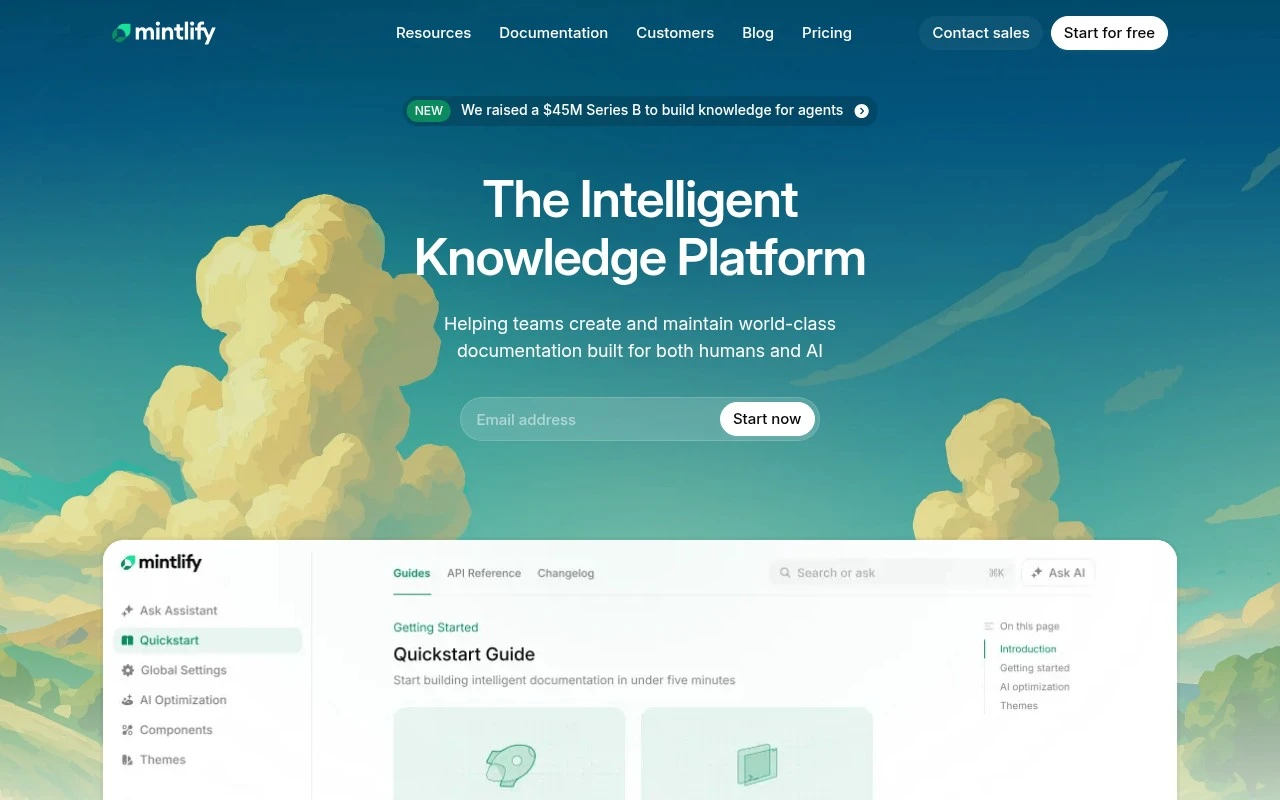
Curated ToolThis tool is part of our curated AI directory. We only include tools that meet our standards for relevance, usability and real-world value.

Mintlify

AI-powered platform for creating and maintaining developer docs

Documentation Generation
Mintlify is a documentation platform positioned as knowledge infrastructure for teams and AI agents. It helps companies publish polished technical documentation, collaborate on updates, control access, connect documentation to existing systems, and use automation to keep content current. It is best suited for organizations that treat documentation as part of their developer experience or AI-readiness strategy rather than as a simple static website.

FYAI Score

8.2 / 10

Based on 78 reviews

Pricing:

Freemium

Best for:

Engineering teams building polished, AI-ready technical documentation

Score Breakdown

  • Ease of use8.5 / 10
  • Features8.2 / 10
  • Pricing7.4 / 10
  • Integrations8.1 / 10
  • Support9.0 / 10

PRODUCT PREVIEW

What this AI tool does

Mintlify is an AI-assisted tool designed to help teams create and maintain technical documentation with less manual effort. It focuses on turning existing engineering knowledge—such as code context, notes, or internal explanations—into readable docs that can be shared with users or kept for internal reference. In practice, it’s useful when documentation needs to stay aligned with a fast-changing product. You can use it to draft new pages, refine wording for clarity, and keep a consistent structure across a documentation site without starting from a blank page each time. For organizations that want a smoother documentation workflow, mintlify can support routine updates and reduce the time spent on formatting and rewriting. It’s best suited for informational and developer-facing content where accuracy, clarity, and consistency matter.

Use cases

Best for

Documentation Generation

Mintlify turns Markdown and API references into a structured docs site with navigation, code blocks, and versioned pages.

Website Hosting

Host your documentation website on Mintlify with a custom domain, SSL, and access controls for public or private docs.

Knowledge Base Search

Provide knowledge base search across your docs with indexed pages and filters so users can find answers by keyword.

ANALYSIS

Strengths & limitations

Strengths
  • Focused specifically on developer and technical documentation rather than generic website publishing.
  • Emphasizes AI- and agent-ready knowledge, including self-updating documentation and agent-accessible content.
  • Supports team collaboration, access control, and integration with existing systems according to the official site.
Limitations
  • It is not a general-purpose CMS or marketing site builder; its value is strongest for technical documentation use cases.
  • The official homepage provides limited detail on exact implementation features, pricing, and integration coverage.
  • AI and automation benefits likely depend on the quality and structure of the team’s existing documentation and source systems.

Evaluation

FYAI score breakdown

Our structured evaluation across five key criteria

8.2 / 10

Overall score

Based on 78 reviews

  • Ease of use8.5 / 10
  • Features8.2 / 10
  • Pricing7.4 / 10
  • Integrations8.1 / 10
  • Support9.0 / 10

What users say

Findings from public reviews, documentation and community sources.

  • Ease of use

    Mintlify’s docs describe the product as “AI-native, beautiful out-of-the-box, and built for developers and teams,” and the site offers direct “Get started” / Google sign-up paths. A Reddit user in r/webdev said they were “impressed” that Mintlify “generates documentation based on the selected code.”

  • Features

    Mintlify’s pricing page lists Web editor, API playground, Git sync, and AI Assistant. Mintlify’s pricing page also lists auth, RBAC, SCIM, audit logs, and self-hosting.

  • Pricing

    Mintlify’s pricing page structures plans into Starter, Pro, and Enterprise tiers with a free start and credit-based usage, including “10,000 / month” credits and “$0.01 per credit for overages.” A Reddit user in r/SaaS said they “tried Mintlify for a few projects but always moved to self-hosted solution usually due to price,” while also noting it seems popular.

  • Integrations

    Mintlify’s integration docs mention connecting to analytics platforms “like Google Analytics, Mixpanel, PostHog, and more.” Mintlify’s pricing page also lists webhooks, websockets, Developer API, and MCP server.

  • Support

    Mintlify’s pricing page lists “Migration services,” “Slack support,” “Dedicated customer success,” and “24/7 Incident monitoring.” Mintlify also provides public documentation.

Who is this for?

Best for developer teams that want documentation tied to code and product workflows. Mintlify lists Git sync, API playground, AI Assistant, and a Web editor, and a Reddit user said it “generates documentation based on the selected code.” Less suited to teams trying to minimize hosted-tool cost, Mintlify uses credit-based pricing with “10,000 / month” credits and “$0.01 per credit for overages,” and a Reddit user said they moved to a self-hosted solution usually due to price.

PRODUCT PREVIEW

Feature highlights

Polished doc sites

Ship beautiful, fast documentation that matches your product and brand.

Team collaboration

Review, update, and standardize docs with workflows built for teams.

Access control

Gate internal docs with permissions so the right people see the right info.

COMPARE

Discover curated alternatives worth comparing

Compare similar AI tools based on features, pricing and use cases

8.3/ 10Based on 68 reviews

Gemini Code Assist

Code Generation & CompletionTesting & Refactoring
AI coding assistant for code completion, edits, and explanations
Best for:
Software developers
Pricing
Freemium

9.1/ 10Based on 46 reviews

GitHub Copilot

Code Generation & CompletionTesting & Refactoring
AI coding assistant for code suggestions, chat, and reviews
Best for:
Software developers
Pricing
Freemium

8.9/ 10Based on 6 reviews

Cline

Code Generation & CompletionDebugging
Agentic coding runtime that edits files and runs commands
Best for:
Software developers
Pricing
Free

Ship docs your users can trust. Start using Mintlify to keep documentation accurate, searchable, and always ready for release.

FAQ

Frequently asked
questions

Everything you need to know about this AI tool,
its features, pricing, use cases, and limitations.

What teams and documentation workflows is Mintlify a good fit for?
Mintlify fits product and engineering teams that maintain docs alongside code and want a modern, searchable documentation site with a smooth authoring experience. It’s especially useful when multiple contributors need to review and update content frequently (e.g., API docs, SDK guides, changelogs, onboarding docs). If your docs are mostly static marketing pages or you need heavy design control, other tools may fit better.
Does Mintlify have a free plan, and what are the typical limitations compared to paid?
Mintlify commonly offers a free tier for getting started, with paid plans adding team and production needs like advanced collaboration controls, higher limits, and organization features. The free option is usually best for small projects or evaluation, while paid is more realistic for multi-repo, multi-writer documentation. Check the current plan page for exact caps (seats, private content, and domain/branding options can be deciding factors).
How does Mintlify compare with GitBook, Docusaurus, or ReadMe for documentation?
Compared with Docusaurus, Mintlify is typically faster to get a polished docs site without managing as much front-end tooling, but you may get less low-level customization. Versus GitBook, Mintlify tends to align more with developer-centric docs and code-adjacent workflows, while GitBook can be more general knowledge-base oriented. Against ReadMe, Mintlify is often chosen for broader product docs, whereas ReadMe is frequently selected when interactive API reference and API key workflows are the core requirement.
How quickly can a team set up Mintlify and migrate existing docs?
Mintlify can involve a learning curve if your team hasn’t used modern docs tooling or a docs-as-code workflow. Layout and theming flexibility may be more constrained than fully custom static-site setups, which can matter for strict brand requirements. Cost can also be a deciding factor for smaller teams if you need multiple seats or advanced features.
What should I evaluate about Mintlify’s data handling, privacy, and compliance?
Confirm where Mintlify hosts your documentation content, how access controls work for private/internal docs, and what audit/logging is available for team activity. If you use AI-assisted features, clarify what data is sent for processing, whether it’s retained, and if it’s used to train models. For regulated environments, review available security documentation (e.g., SSO/SAML, SOC 2 status, and data residency options if applicable) before committing.