Curated ToolThis tool is part of our curated AI directory. We only include tools that meet our standards for relevance, usability and real-world value.

Blackbox AI

Generates and edits code in IDEs, VS Code, CLI, and via API.

Code Generation & CompletionDebugging
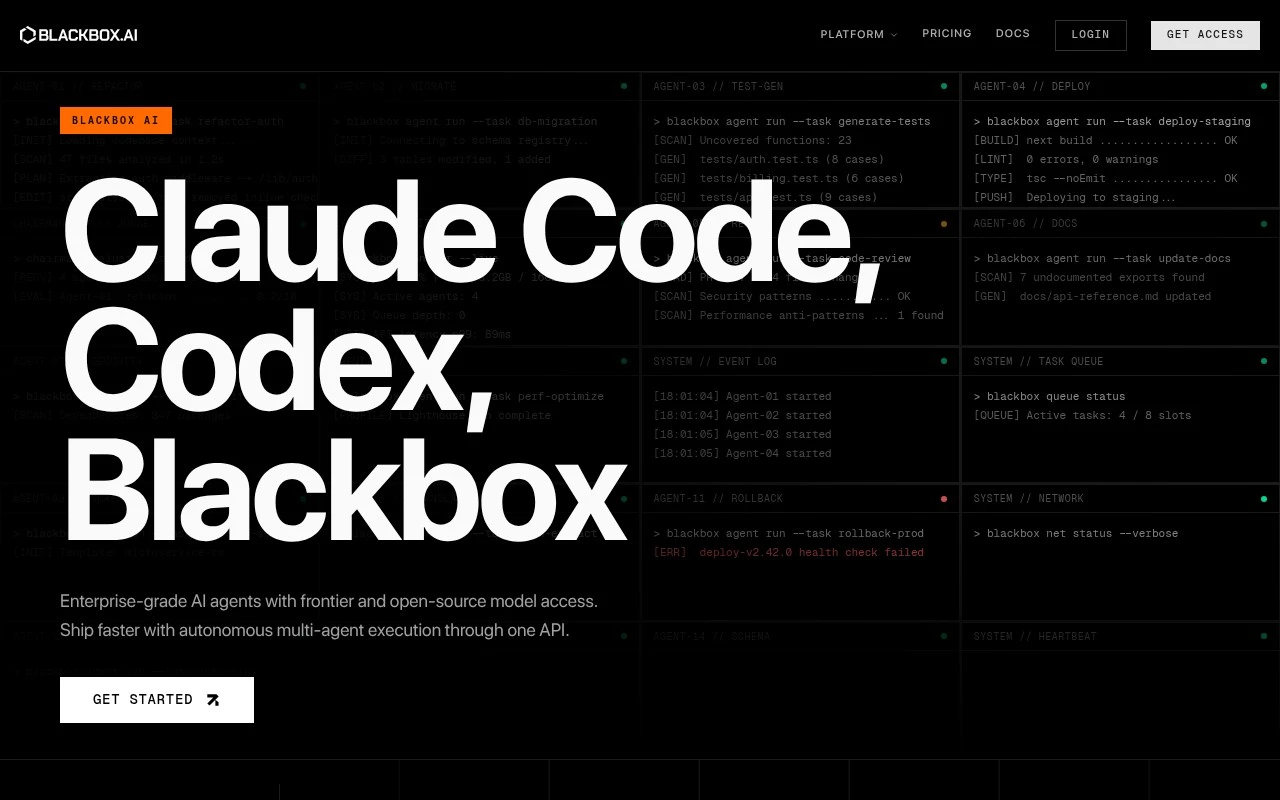
Blackbox AI AI is a software-development AI platform centered on coding agents and model inference. Its official site positions it as a way to build and ship software faster using multi-agent coding, an AI-native IDE, VS Code extension, CLI, and a unified API that routes requests to models such as Claude, Codex, Blackbox, and Grok. The site emphasizes encrypted inference and enterprise-style privacy controls, alongside examples of agents handling refactoring, tests, reviews, documentation, security checks, performance optimization, and deployment tasks.

FYAI Score

8.0 / 10

Based on 101 reviews

Pricing:

Freemium

Best for:

Software engineers building and shipping code faster with AI agents

Score Breakdown

  • Ease of use7.3 / 10
  • Features7.8 / 10
  • Pricing8.9 / 10
  • Integrations8.5 / 10
  • Support7.5 / 10

PRODUCT PREVIEW

What this AI tool does

Blackbox AI is an AI-assisted tool designed to help people work with code more efficiently. It’s typically used when you want quick help understanding a snippet, generating a starting point for a function, or translating logic between languages without having to search through multiple references. In practice, it fits into everyday development tasks such as drafting boilerplate, clarifying what unfamiliar code is doing, and iterating on small changes while you build. It can be useful for both learning and productivity, especially when you need a fast explanation or a second pass on an approach. As with any AI tool, results can vary, so it’s best used alongside normal review and testing. Treat its output as a suggestion to validate rather than a final source of truth, particularly for security-sensitive or production-critical code.

Use cases

Best for

Generate Code

Use Blackbox AI to generate code from prompts in its IDE, VS Code extension, or CLI and insert it into your project files.

Code Review

Run code review with AI agents that scan diffs for bugs, security issues, and style problems and return suggested fixes.

Code Refactoring

Use refactoring agents to rewrite functions, extract modules, and optimize performance while keeping behavior consistent across files.

ANALYSIS

Strengths & limitations

Strengths
  • Covers multiple developer entry points: IDE, VS Code extension, CLI, agents, and API.
  • Focused on practical software engineering tasks rather than only chat-based code help.
  • Official positioning emphasizes encrypted inference, zero data retention, and multi-model access.
Limitations
  • The provided official page is marketing-heavy and does not fully verify how autonomous each listed agent workflow is in real use.
  • Best suited to software development; it is not a general-purpose productivity or content creation tool.
  • Claims around speed, cost, privacy, and model coverage should be checked against current product documentation and terms before enterprise adoption.

Evaluation

FYAI score breakdown

Our structured evaluation across five key criteria

8.0 / 10

Overall score

Based on 101 reviews

  • Ease of use7.3 / 10
  • Features7.8 / 10
  • Pricing8.9 / 10
  • Integrations8.5 / 10
  • Support7.5 / 10

What users say

Findings from public reviews, documentation and community sources.

  • Ease of use

    A Reddit user describes the free version as “pretty solid for casual use” and says it “handles basic coding questions well,” while noting daily limits. BLACKBOX AI is offered across an AI-native IDE, VS Code extension, CLI, and web.

  • Features

    The BLACKBOX AI pricing page presents “multi-agent coding, AI-native IDE, VS Code extension, CLI, and a unified inference API.” The BLACKBOX AI pricing page says paid tiers add App Builder, Multi-Agent Execution, Remote Agent for Data Analysis, and Figma to Code.

  • Pricing

    The BLACKBOX AI pricing page lists Pro $10/month, Pro Plus $20/month, and Pro Max $40/month. The BLACKBOX AI pricing page lists model-credit amounts, unlimited free agent requests on paid tiers, and enterprise contact-sales options.

  • Integrations

    The BLACKBOX AI pricing FAQ states that BLACKBOX AI “integrates with 35+ IDEs, Slack, Figma, and supports a full REST API.” The BLACKBOX AI pricing FAQ states that Enterprise includes custom integration support.

  • Support

    The BLACKBOX AI pricing page states that Pro and Pro Plus include standard support, Pro Max includes priority support, and Enterprise includes dedicated support with custom SLAs and response times “as fast as 4 hours.” Trustpilot lists BLACKBOX AI at 2.5/5 across 101 reviews.

Who is this for?

Best for developers who want coding help across multiple development surfaces, BLACKBOX AI is offered across an AI-native IDE, VS Code extension, CLI, and web. Less suited to heavy free-version users, a Reddit user notes daily limits, so frequent coding help may require a paid tier.

PRODUCT PREVIEW

Feature highlights

Multi-agent coding

Delegate refactors, tests, reviews, docs, and fixes to agents.

IDE + VS Code tools

Code with an AI-native IDE, extension, and CLI in your flow.

Encrypted inference

Run model requests with encryption and enterprise privacy controls.

COMPARE

Discover curated alternatives worth comparing

Compare similar AI tools based on features, pricing and use cases

8.3/ 10Based on 68 reviews

Gemini Code Assist

Code Generation & CompletionTesting & Refactoring
AI coding assistant for code completion, edits, and explanations
Best for:
Software developers
Pricing
Freemium

9.1/ 10Based on 46 reviews

GitHub Copilot

Code Generation & CompletionTesting & Refactoring
AI coding assistant for code suggestions, chat, and reviews
Best for:
Software developers
Pricing
Freemium

8.9/ 10Based on 6 reviews

Cline

Code Generation & CompletionDebugging
Agentic coding runtime that edits files and runs commands
Best for:
Software developers
Pricing
Free

Turn messy marketing data into clear next steps. Start with Blackbox AI today and make faster, smarter decisions with confidence.

FAQ

Frequently asked
questions

Everything you need to know about this AI tool,
its features, pricing, use cases, and limitations.

Is Blackbox AI a good fit for marketing analytics and campaign optimization use cases?
Blackbox AI fits best when your team needs faster analysis of marketing performance data to spot trends and adjust campaigns. It’s typically most useful for teams that want insights without heavy SQL/BI work and that already run multi-channel campaigns. If you need deep, bespoke modeling or highly specialized vertical metrics, you may find it less flexible than more customizable analytics stacks.
Does Blackbox AI have a free plan, and what are the typical limitations compared to paid tiers?
Blackbox AI may offer a free tier or trial depending on current packaging, but free access is usually limited by usage caps, feature access, or data/connectors. Paid plans generally unlock higher limits, more integrations, and team features like collaboration or admin controls. Check the pricing page for current constraints because plan details can change.
How does Blackbox AI compare with BI tools and marketing analytics platforms?
Compared with traditional BI tools, Blackbox AI is typically geared toward quicker insight generation with less manual dashboard building. Versus dedicated marketing analytics platforms, it can be a strong add-on if you want automated analysis across existing tools, but it may not replace purpose-built attribution or advanced experimentation suites. If your priority is custom reporting and data modeling, a BI-first approach may still be better.
How long does it take to set up Blackbox AI, and what onboarding effort should I expect?
Blackbox AI can reduce analysis time, but it may require upfront training to get consistent, trusted outputs. Customization can be limited for niche reporting needs, which matters if you rely on highly specific KPIs or bespoke data transformations. Pricing can also be a deciding factor for smaller teams compared with lighter-weight tools.
How should I evaluate Blackbox AI for data privacy, security, and compliance needs?
Confirm what data Blackbox AI stores, where it’s hosted, and whether it supports your requirements for access controls, audit logs, and data retention. Ask about encryption in transit/at rest, sub-processors, and whether it offers a DPA and supports compliance frameworks relevant to your business (e.g., GDPR). If you handle sensitive customer data, validate connector permissions and whether you can limit or anonymize fields before ingestion.