Curated ToolThis tool is part of our curated AI directory. We only include tools that meet our standards for relevance, usability and real-world value.

OpusClip

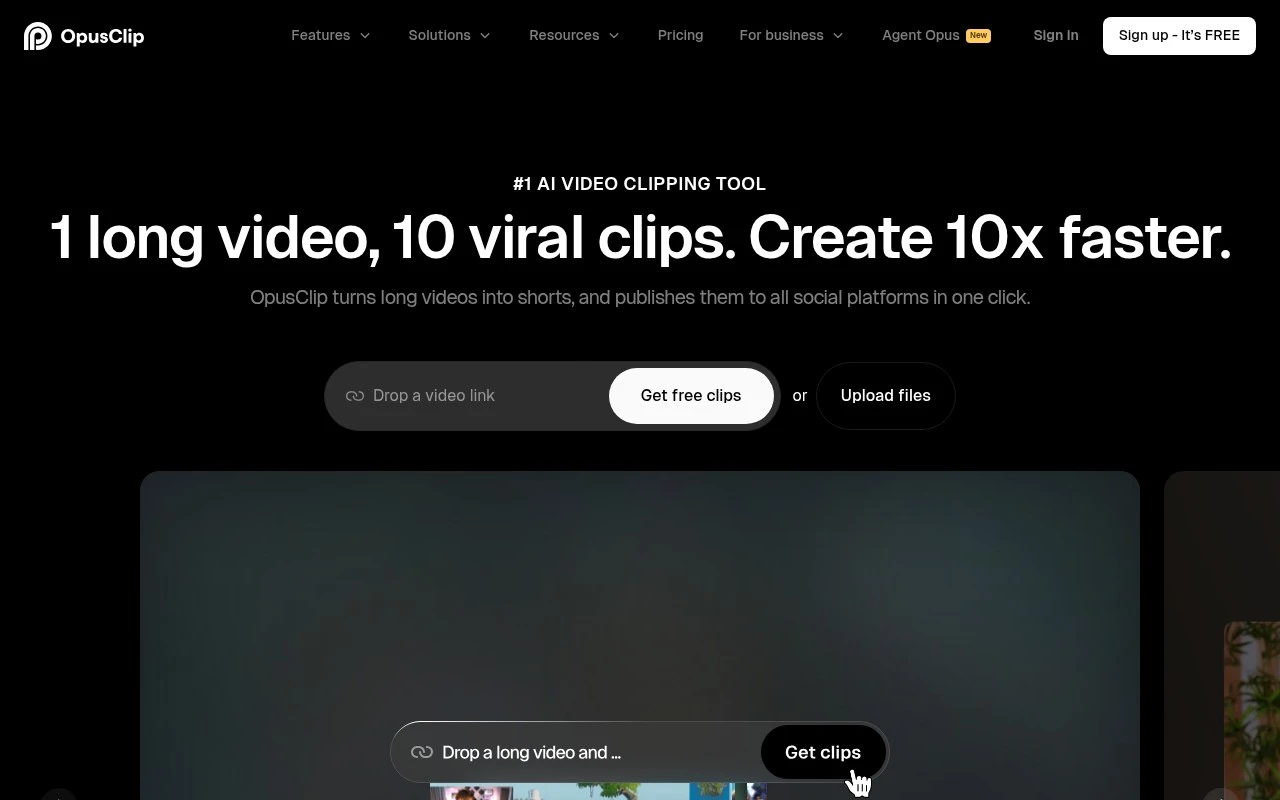
OpusClip is an AI content repurposing tool that turns long-form videos into short, captioned clips for platforms like TikTok, YouTube Shorts, and Instagram Reels. It identifies highlight moments, reframes videos, and generates shareable snippets from webinars, podcasts, and other recorded content.
Content & Social

FYAI Score

8.8 / 10

Based on 450 reviews

Pricing:

Freemium

Best for:

Creators and social teams repurposing long videos into shorts

Score Breakdown

  • Ease of use8.8 / 10
  • Features8.8 / 10
  • Pricing8.9 / 10
  • Integrations9.2 / 10
  • Support8.5 / 10

PRODUCT PREVIEW

What this AI tool does

OpusClip is an AI video clipping and editing platform that turns existing long-form video into short, social-ready clips for content repurposing. OpusClip is built for creators, marketers, agencies, podcasters, media teams, and businesses that already have video assets and want to extract more value from them across platforms such as TikTok, Instagram Reels, YouTube Shorts, and LinkedIn. The product’s core idea is simple: many useful short clips are already hidden inside webinars, interviews, podcasts, livestreams, tutorials, and recorded events. Instead of asking teams to review every minute manually, the platform uses AI to identify moments that are likely to work as standalone short form video content. This makes it especially relevant for teams that publish frequently and need a repeatable way to convert long videos into smaller, audience-friendly pieces. At its best, OpusClip is a content repurposing workflow rather than a full production suite for creating video from scratch. It helps users move from raw or finished long-form footage to edited clips with captions, framing, and pacing suited to social feeds. The emphasis is not on building complex scenes, generating cinematic footage, or replacing a full editor, but on speeding up the process of finding and preparing strong clips from material that already exists. Automatic clipping is only part of the story. The platform also focuses on reframing video for vertical and square formats, using subject tracking to keep speakers or important visual elements in view. For talking-head content, interviews, panel discussions, and educational videos, this helps bridge the gap between horizontal source footage and the formats that perform better on mobile-first channels. For teams, OpusClip is useful because short form video creation often has to stay consistent, not just fast. Brand templates, captions, styling choices, and workflow controls help organizations produce clips that feel aligned across campaigns and channels. This matters for agencies and in-house marketing teams that need to edit video at scale while maintaining a recognizable visual standard. A practical user experience sits underneath the AI positioning. Users can upload or link to a source video, let the system analyze it, review suggested clips, and then refine the output before publishing or downloading. That review step is important because the tool accelerates editorial judgment rather than removing it entirely. Different video genres benefit in different ways. A podcast team might use the platform to pull out sharp exchanges, memorable insights, or guest highlights. A course creator might turn a lesson into educational micro-content, while a B2B marketing team might repurpose a webinar into a sequence of clips for social distribution. Compared with traditional editing software, the value of OpusClip is its focus on speed, selection, and distribution-readiness. A professional editor may still prefer a full non-linear editor for detailed creative control, complex audio work, or custom motion graphics. The platform fits best when the main problem is volume, when teams have more footage than time and need a faster way to find usable moments. The broader character of the tool is pragmatic rather than experimental. It applies AI to a clear production bottleneck: turning long videos into clips that can be reviewed, branded, resized, captioned, and shared. For creators and businesses investing in video, OpusClip offers a focused way to extend the life of existing content without rebuilding the entire production process.

Use cases

Best for

Content Repurposing

OpusClip turns long videos into social-ready clips by detecting highlights and auto-reframing with subject tracking.

Edit Video

Edit video by trimming clips, adding captions, and adjusting framing with automatic subject tracking for vertical formats.

Short Form Video Creation

Create short form video by generating vertical clips from existing footage with AI clipping, captions, and brand templates.

ANALYSIS

Strengths & limitations

Strengths
  • Supports clipping beyond podcast-style videos, with official claims around vlogs, gaming, sports, interviews, and explainer videos.
  • Includes AI reframing and object tracking to resize videos for different platforms while keeping subjects in frame.
  • Offers team-oriented workflow features such as brand templates, team workspaces, and an API for automation.
Limitations
  • The tool depends on having source video to repurpose; it is not primarily described as a tool for generating original video from text.
  • AI-selected clips and reframes may still need human review for context, quality, and brand fit.
  • Official growth and performance claims are testimonial-based and should not be treated as guaranteed results.

Evaluation

FYAI score breakdown

Our structured evaluation across five key criteria

8.8 / 10

Overall score

Based on 450 reviews

  • Ease of use8.8 / 10
  • Features8.8 / 10
  • Pricing8.9 / 10
  • Integrations9.2 / 10
  • Support8.5 / 10

What users say

Findings from public reviews, documentation and community sources.

  • Ease of use

    G2 shows a 4.6/5 rating across 118 reviews, and the G2 review summary says users “consistently praise the ease of use and time-saving capabilities” and the ability to “quickly transform long videos” into clips. OpusClip’s product positioning emphasizes “1 click” clipping and clips taking “minutes” instead of days.

  • Features

    The OpusClip pricing page lists AI clipping, AI copilot, virality score, and animated captions. The OpusClip pricing page also lists multi-language transcription, AI reframe, dubbing, and publishing tools.

  • Pricing

    The OpusClip pricing page lists visible tiers: Free at $0, Starter at $15/mo, Pro at $29/mo, and Business as custom. The OpusClip pricing page compares feature limits, exports, storage, and AI capabilities across plans.

  • Integrations

    The OpusClip pricing page names Video Editing API, Scheduler API, MCP connector, and Zapier integration. Zapier states OpusClip connects with “9000 other apps,” and the OpusClip pricing page names exports to Adobe Premiere Pro and DaVinci Resolve.

  • Support

    The OpusClip pricing page lists “Customer support” and “Discord AI chat” in the plan comparison. The OpusClip pricing page says Business adds “Custom onboarding,” MSA, invoice/ACH options, SSO, SLM, and SOC II Type 2 compliance.

Who is this for?

Best for teams turning long videos into social clips, G2 says users praise the ability to “quickly transform long videos” into clips, and OpusClip positions clipping as “1 click” with clips taking “minutes” instead of days. Best for workflows needing automation and publishing connections, the pricing page names API options and Zapier states OpusClip connects with “9000 other apps.” Less suited to buyers needing fixed enterprise pricing upfront, the pricing page lists Business as custom, so final business costs require a custom quote.

PRODUCT PREVIEW

Feature highlights

AI Clip Finder

Detects key moments and turns long videos into short clips fast

Auto Reframe & Track

Keeps the subject centered with smart reframing for any format

Brand Workflow Tools

Templates and review flows for consistent, team-ready output

COMPARE

Discover curated alternatives worth comparing

Compare similar AI tools based on features, pricing and use cases

8.5/ 10Based on 16 reviews

Wondercraft

Short-form VideoVideo Editing
Creates editable videos and audio from text, prompts, media
Best for:
Video creators
Pricing
Freemium

8.5/ 10Based on 65 reviews

Wisecut

Short-form VideoVideo Editing
Finds highlights, removes pauses, captions and reframes clips
Best for:
Video creators
Pricing
Freemium

8.6/ 10Based on 2,521 reviews

Vizard.ai

Short-form VideoVideo Editing
Extracts short clips, adds captions, and resizes videos
Best for:
Social media managers
Pricing
Freemium

Turn long videos into scroll-stopping clips in minutes. Start posting more consistently and grow engagement with OpusClip today.

FAQ

Frequently asked
questions

Everything you need to know about this AI tool,
its features, pricing, use cases, and limitations.

Is OpusClip a good fit for content repurposing beyond podcasts?
OpusClip is a strong fit if you already have long-form video and want to turn it into short-form clips for social channels. It is suitable for interviews, webinars, vlogs, gaming, sports, and explainers, although each format may still need manual review for pacing and context.
Is the free version of OpusClip enough for regular short form video creation?
The free version of OpusClip is mainly useful for testing clip quality and workflow before committing. Paid plans are more appropriate if you need higher processing limits, watermark-free exports, brand templates, team workspaces, or automation features.
How does OpusClip compare with general video editing tools?
OpusClip is more focused on automated content repurposing than full manual editing. Compared with tools like CapCut, VEED, Descript, or Adobe Premiere Pro, it is better suited to finding clips, reframing subjects, and preparing social formats quickly, but less flexible for detailed timeline edits.
How quickly can a team start using OpusClip?
OpusClip depends on existing source video, so it is not the right choice if you need to generate original video from text. Its AI-selected clips, captions, and reframing can reduce editing time, but humans should still check accuracy, context, brand fit, and platform-specific requirements.
What privacy or compliance checks matter before using OpusClip?
OpusClip requires you to upload or connect video content, so teams should review its data handling terms before using it with confidential material. Check retention settings, access controls, subprocessors, API usage, and whether your plan supports the compliance requirements your organisation needs.