Curated ToolThis tool is part of our curated AI directory. We only include tools that meet our standards for relevance, usability and real-world value.

Quso.ai

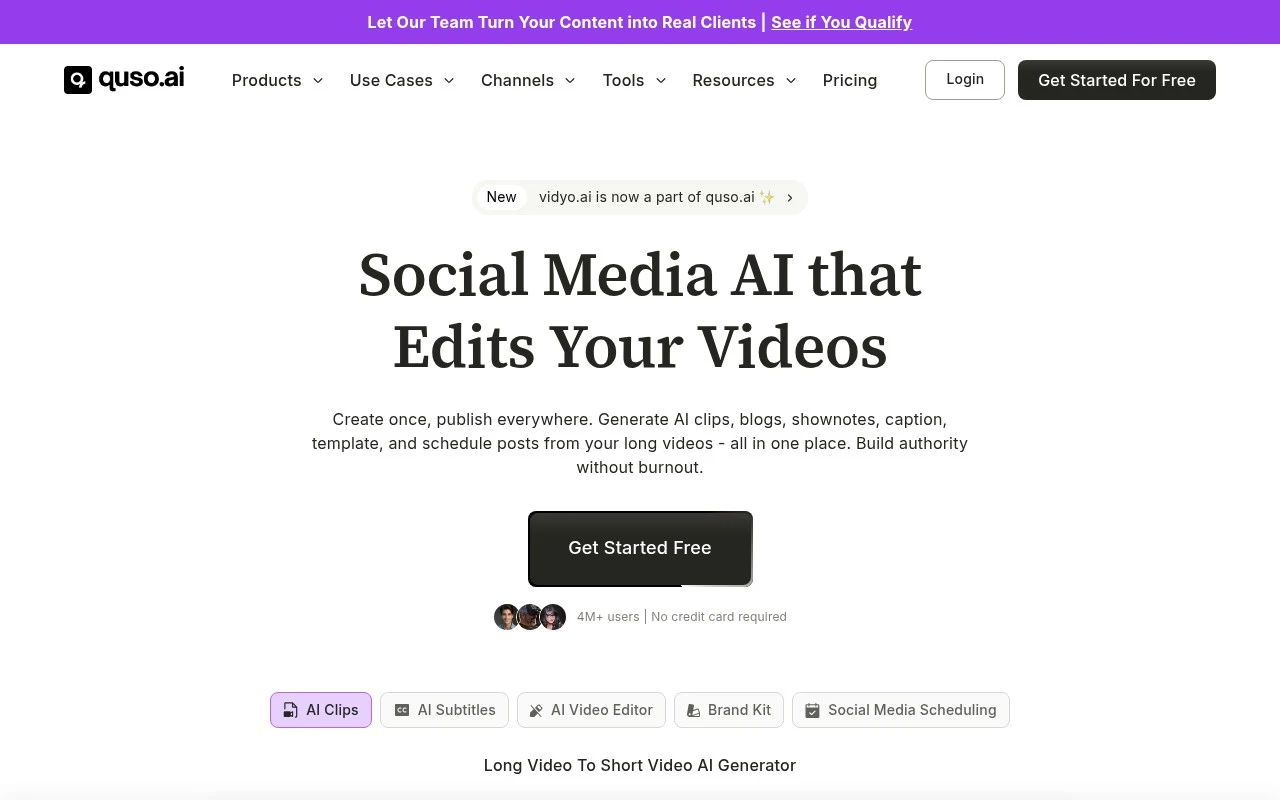
Turns long videos into captioned social clips and schedules publishing.

Content & SocialSocial Media
Quso.ai.ai is an AI video clipper and social content repurposing tool for turning long videos, podcasts, and streams into short, captioned clips. It detects clip-worthy moments, scores them for virality, formats them for platforms such as TikTok, Reels, Shorts, and LinkedIn, and includes editing, captioning, scheduling, brand kit, and analytics features.

FYAI Score

7.9 / 10

Based on 11 reviews + FYAI product analysis

Pricing:

Freemium

Best for:

Creators and marketers repurposing long-form video into short clips

Score Breakdown

  • Ease of use7.8 / 10
  • Features7.6 / 10
  • Pricing8.9 / 10
  • Integrations7.7 / 10
  • Support7.4 / 10

PRODUCT PREVIEW

What this AI tool does

Quso.ai is an AI tool designed to help people work with text and ideas in a more efficient way. It can be used to draft content, refine wording, and turn rough notes into clearer writing, making it useful for everyday communication as well as more structured documents. In practice, you provide a prompt or source material and the tool generates a response you can edit and adapt. It’s best suited for informational tasks where you want a starting point, alternative phrasing, or a quick summary, while still keeping a human review step for accuracy and tone.

Use cases

Best for

Content Repurposing

Quso.ai turns long videos or podcasts into short, captioned clips by detecting key moments and formatting for each platform.

Edit Video

Edit video by trimming detected highlights, adding captions, and applying brand kit styles in a timeline editor.

Social Media Content Creation

Create social posts by generating platform sized clips for TikTok, Reels, Shorts, and LinkedIn, then scheduling and tracking analytics.

ANALYSIS

Strengths & limitations

Strengths
  • Combines clipping, captions, text-based editing, scheduling, analytics, and brand kit tools in one workflow.
  • Designed specifically for repurposing long-form video into short-form social clips.
  • Supports automatic captions/subtitles, filler-word removal, and publishing or scheduling to major social platforms.
Limitations
  • Best suited to users who already have long-form video, podcast, or stream content to repurpose.
  • Virality scoring can help prioritize clips but cannot guarantee social performance.
  • Advanced ongoing use appears tied to paid plans, with the site listing paid pricing from $29 per month.

Evaluation

FYAI score breakdown

Our structured evaluation across five key criteria

7.9 / 10

Overall score

Based on 11 reviews + FYAI product analysis

  • Ease of use7.8 / 10
  • Features7.6 / 10
  • Pricing8.9 / 10
  • Integrations7.7 / 10
  • Support7.4 / 10

What users say

Findings from public reviews, documentation and community sources.

  • Ease of use

    quso.ai says users can upload long videos and get short clips “Done in one click,” and the FAQ says users need “No” video editing skills because quso.ai finds moments, reframes, captions, and applies branding automatically. A Reddit report says planned posts disappeared, which points to a planner workflow reliability concern.

  • Features

    The quso.ai features page lists AI viral-moment detection with Virality ratings, automatic vertical reframing, word-level animated captions, and filler-word removal. The quso.ai features page also lists Brand Kit, scheduling, text-based editing, analytics, and content planning.

  • Pricing

    The quso.ai pricing page lists a Free plan at “75 credits / month” and paid tiers at $29, $39, and $49 per month. The quso.ai pricing page also lists annual discounts and doubled credits, with usage based on credits.

  • Integrations

    The quso.ai integrations page names direct publishing/scheduling connections for YouTube, Pinterest, Facebook, LinkedIn, X, Instagram, and TikTok.

  • Support

    The quso.ai pricing page includes “Priority support” on the Growth plan and provides a contact path for higher volume needs.

Who is this for?

Best for creators or marketing teams turning long videos into short social clips, quso.ai says it can find moments, reframe, caption, and apply branding automatically, and the integrations page names publishing/scheduling connections for YouTube, Instagram, TikTok, and other social channels. Less suited to teams that need a broad API or marketplace ecosystem, the integrations evidence centers on social platform connections rather than a wider integration ecosystem. Less suited to users who rely heavily on scheduled content planning, a Reddit report says planned posts disappeared.

PRODUCT PREVIEW

Feature highlights

Auto Clip Finder

Detects standout moments and turns them into ready-to-post shorts.

Virality Scoring

Ranks clips by predicted performance so you post the best first.

Multi-Platform Formats

Auto-resizes, captions, and exports for Shorts, Reels, TikTok, LinkedIn.

COMPARE

Discover curated alternatives worth comparing

Compare similar AI tools based on features, pricing and use cases

8.5/ 10Based on 16 reviews

Wondercraft

Short-form VideoVideo Editing
Turns text or audio into editable AI-generated videos and audio
Best for:
Video creators
Pricing
Freemium

8.5/ 10Based on 65 reviews

Wisecut

Short-form VideoVideo Editing
Edits long videos by removing pauses and adding captions
Best for:
Video creators
Pricing
Freemium

8.6/ 10Based on 2.521 reviews

Vizard.ai

Short-form VideoVideo Editing
Extracts short clips from long videos and adds captions for social.
Best for:
Social media managers
Pricing
Freemium

Launch smarter campaigns with confidence. Use Quso.ai to turn AI insights into better performance and higher ROI—starting today.

FAQ

Frequently asked
questions

Everything you need to know about this AI tool,
its features, pricing, use cases, and limitations.

What types of marketing teams and campaigns is Quso.ai a good fit for?
Quso.ai tends to fit teams running recurring, multi-channel campaigns where automation and consistent reporting matter. It’s most useful when you need audience segmentation and performance insights to guide budget and messaging decisions. If your marketing is mostly one-off launches or you have limited data volume, a lighter tool may be easier to justify.
Does Quso.ai have a free plan, and what are the typical limitations compared to paid tiers?
Quso.ai may offer a free tier or trial, but it’s usually constrained by usage caps (such as number of campaigns, audiences, or reporting depth). Paid plans typically unlock more automation, advanced segmentation, and broader integrations. Before choosing, confirm whether the free option supports the channels and data connections you need for a fair evaluation.
How does Quso.ai compare with other marketing automation and analytics tools?
Compared with classic marketing automation platforms, Quso.ai is positioned more around automated campaign workflows plus insight-driven decision support. Versus pure analytics tools, it’s typically more action-oriented (campaign execution) rather than only dashboards. If you already have a strong automation suite, Quso.ai may overlap unless its segmentation and insight features clearly improve outcomes.
How quickly can a team get Quso.ai running, and what onboarding effort should you expect?
Quso.ai’s results are sensitive to data quality, so inconsistent tracking or incomplete customer profiles can lead to weak recommendations. There can be a learning curve for teams new to AI-driven workflows, which may slow early adoption. Cost can also be a deciding factor if you’re a small team with limited campaign volume.
What should you check about data handling, privacy, and compliance when evaluating Quso.ai?
Verify what customer data Quso.ai stores, where it’s processed, and how long it’s retained, especially if you operate under GDPR/CCPA or similar rules. Confirm whether it supports role-based access, audit logs, and data deletion requests to match your internal policies. Also review how it handles third-party integrations, since connected platforms often expand the compliance surface area.