Curated ToolThis tool is part of our curated AI directory. We only include tools that meet our standards for relevance, usability and real-world value.

Pipedrive

AI-assisted CRM for managing deals, follow-ups, and sales insights

Sales & OutreachLead Generation
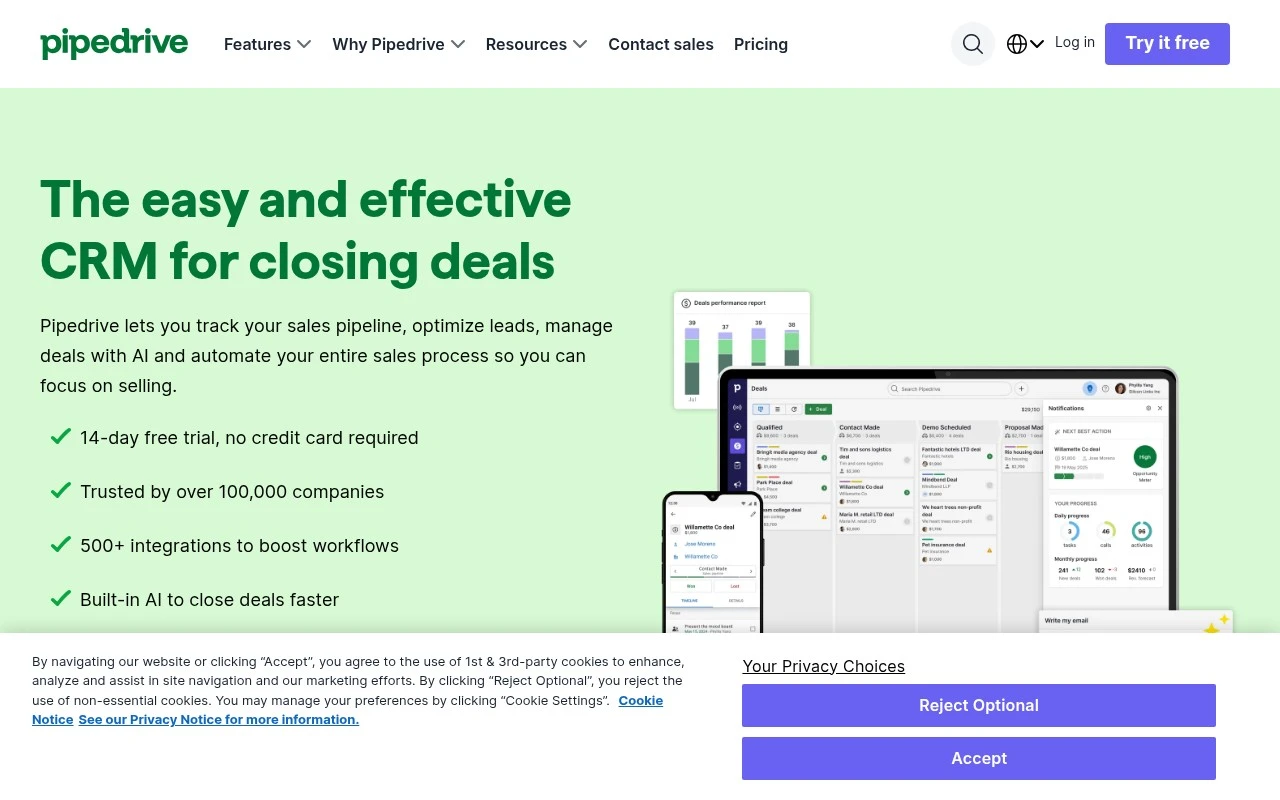
Pipedrive is an easy-to-use CRM built around visual sales pipeline management. It helps sales teams organize customer data, manage deals, sync email and calendar activity, automate repetitive sales work, and use reporting and AI-assisted prompts to focus on likely opportunities.

FYAI Score

8.5 / 10

Based on 3.381 reviews

Pricing:

Free trial

Best for:

Sales teams that need a simple, visual way to manage deals

Score Breakdown

  • Ease of use9.0 / 10
  • Features8.2 / 10
  • Pricing8.5 / 10
  • Integrations9.0 / 10
  • Support7.8 / 10

PRODUCT PREVIEW

What this AI tool does

Pipedrive is a CRM tool designed to help sales teams and small businesses organize leads, track deals, and manage day-to-day sales activity in one place. It focuses on keeping the sales process visible, so users can see what stage each opportunity is in and what actions are coming next. In practice, teams use it to capture new contacts, log emails and calls, schedule follow-ups, and maintain a consistent workflow from first outreach to closing. It can also support reporting and forecasting by summarizing pipeline progress over time, which can be useful for understanding performance and planning next steps.

Use cases

Best for

Pipeline Automation

Automate deal stage updates, task creation, and follow ups using workflow rules triggered by pipeline events.

Revenue Forecasting

Use Pipedrive reports to project revenue from weighted deal values and expected close dates by pipeline and owner.

Crm Automation

Sync email and calendar, log activities automatically, and route new leads into the CRM with rules and integrations.

ANALYSIS

Strengths & limitations

Strengths
  • Strong fit for sales pipeline management, with customizable kanban-style pipelines and deal tracking.
  • Includes sales automation, email and calendar sync, reminders, lead routing, and follow-up workflows in one workspace.
  • Offers reporting, forecasting, dashboards, marketplace integrations, and built-in AI features for sales guidance.
Limitations
  • Primarily focused on sales CRM workflows, so it may not cover broader business functions outside sales without integrations.
  • Teams need to configure pipelines, fields, automations, and reports to match their sales process effectively.
  • Its AI capabilities are positioned around sales assistance and insights rather than being a general-purpose AI platform.

Evaluation

FYAI score breakdown

Our structured evaluation across five key criteria

8.5 / 10

Overall score

Based on 3.381 reviews

  • Ease of use9.0 / 10
  • Features8.2 / 10
  • Pricing8.5 / 10
  • Integrations9.0 / 10
  • Support7.8 / 10

What users say

Findings from public reviews, documentation and community sources.

  • Ease of use

    Trustpilot’s snippet says customers “consistently note positive experiences with user experience,” finding Pipedrive “intuitive” and “clear.” Pipedrive’s product positioning emphasizes an “eenvoudige, intuïtieve werkruimte.”

  • Features

    Pipedrive’s pricing page lists lead, deal, contact, calendar and pipeline management, plus AI reporting, automations and sequences, forecasting, and LeadBooster.

  • Pricing

    Pipedrive’s pricing page shows annual per-seat tiers at €14, €39, €59, and €79 per license/month. Pipedrive’s pricing page also lists a 14-day free trial with “Geen creditcard vereist” and annual savings up to 42%.

  • Integrations

    Pipedrive’s homepage states “500+ integraties,” and Pipedrive’s pricing page says Pipedrive integrates with “meer dan 500 apps zoals Zapier, Zoom en Lemlist.” Pipedrive’s homepage references a Pipedrive Marketplace and names workflow connections including Gmail, Outlook, Google Meet, Zoom, and Microsoft Teams.

  • Support

    Pipedrive’s Ultimate plan includes “Uitgebreide telefonische ondersteuning” with call requests Monday to Friday from 7:00 to 23:00 CET/CEST. A Reddit user complaint says Pipedrive has “become a software without live support” compared with earlier chat response times.

Who is this for?

Best for sales and marketing teams that want CRM workflow coverage, Pipedrive’s pricing page lists lead, deal, contact, calendar and pipeline management, plus automations and sequences. Less suited to teams that need consistent live support access, Pipedrive’s Ultimate plan includes phone support call requests Monday to Friday from 7:00 to 23:00 CET/CEST, while a Reddit user complaint says Pipedrive has “become a software without live support.”

PRODUCT PREVIEW

Feature highlights

Visual deal pipeline

Drag-and-drop deals through stages to keep every opportunity moving.

Email & calendar sync

Track conversations and meetings automatically, right on each deal.

Sales automation

Automate follow-ups and tasks so reps spend more time selling.

COMPARE

Discover curated alternatives worth comparing

Compare similar AI tools based on features, pricing and use cases

7.5/ 10Based on 12.890 reviews

Zoominfo

Lead GenerationCRM & Segmentation
Find and enrich B2B leads with firmographic and contact data
Best for:
Sales teams
Pricing
Paid only

8.6/ 10Based on 6.982 reviews

Zoho CRM

Sales & OutreachAnalytics & Reporting
AI assists CRM tasks: rewrite emails, detect anomalies, predict
Best for:
Sales teams
Pricing
Freemium

8.0/ 10Based on 1.041 reviews

Zoho Campaigns

Lead GenerationCRM & Segmentation
Create, automate, and analyze email and SMS marketing campaigns
Best for:
Marketing teams
Pricing
Freemium

Join teams closing more deals with a clearer pipeline. Start building momentum, staying on top of follow-ups, and hitting your sales goals with Pipedrive.

FAQ

Frequently asked
questions

Everything you need to know about this AI tool,
its features, pricing, use cases, and limitations.

Who is Pipedrive the best fit for, and when should you pick something else?
Pipedrive is a strong fit for small to mid-sized teams that need a clear, customizable sales pipeline, activity tracking, and straightforward reporting. It works well when your priority is managing deals and forecasting rather than running complex multi-channel campaigns. If you need advanced marketing automation, deep customer journey orchestration, or a full-service marketing suite, you’ll likely rely on integrations or choose a more marketing-centric platform.
Does Pipedrive have a free plan, and what are the practical limits of paid tiers?
Pipedrive typically does not offer a permanent free plan, but it commonly provides a time-limited trial. Paid plans vary mainly by automation, reporting depth, and advanced features (e.g., lead capture add-ons, more granular permissions, and enhanced integrations). Costs can rise as you add users and optional modules, so compare total price based on your required features, not just the entry tier.
How does Pipedrive compare with HubSpot, Salesforce, and Zoho for marketing-adjacent needs?
Compared with HubSpot, Pipedrive is usually simpler for pipeline execution but less comprehensive for built-in marketing automation. Versus Salesforce, it’s faster to adopt and lighter to administer, but it’s not as extensible for complex enterprise workflows. Against Zoho, Pipedrive often wins on ease of use, while Zoho can be more suite-oriented if you want CRM plus broader marketing apps under one vendor.
How quickly can a team get Pipedrive running, and what onboarding work should you expect?
Pipedrive is sales-first, so marketing automation and campaign management are limited compared to dedicated marketing platforms. Reporting is solid for pipeline and activity metrics, but deeper attribution or multi-touch marketing analytics often requires external tools. Also, pricing can become less attractive as you scale users and add feature bundles or paid integrations.
What should I check about Pipedrive’s data privacy, security, and compliance before buying?
Review Pipedrive’s security and compliance documentation for items like GDPR support, data processing terms, and available security controls (e.g., SSO on certain plans). Confirm where your data is hosted, how backups and retention are handled, and what audit logs or admin controls you’ll need for internal governance. If you’ll connect ad platforms, email providers, or enrichment tools, validate what data is shared through each integration and whether you can restrict access by role.