Curated ToolThis tool is part of our curated AI directory. We only include tools that meet our standards for relevance, usability and real-world value.

Pictory

Turns scripts and recordings into edited videos with captions

Content & SocialAd Creation
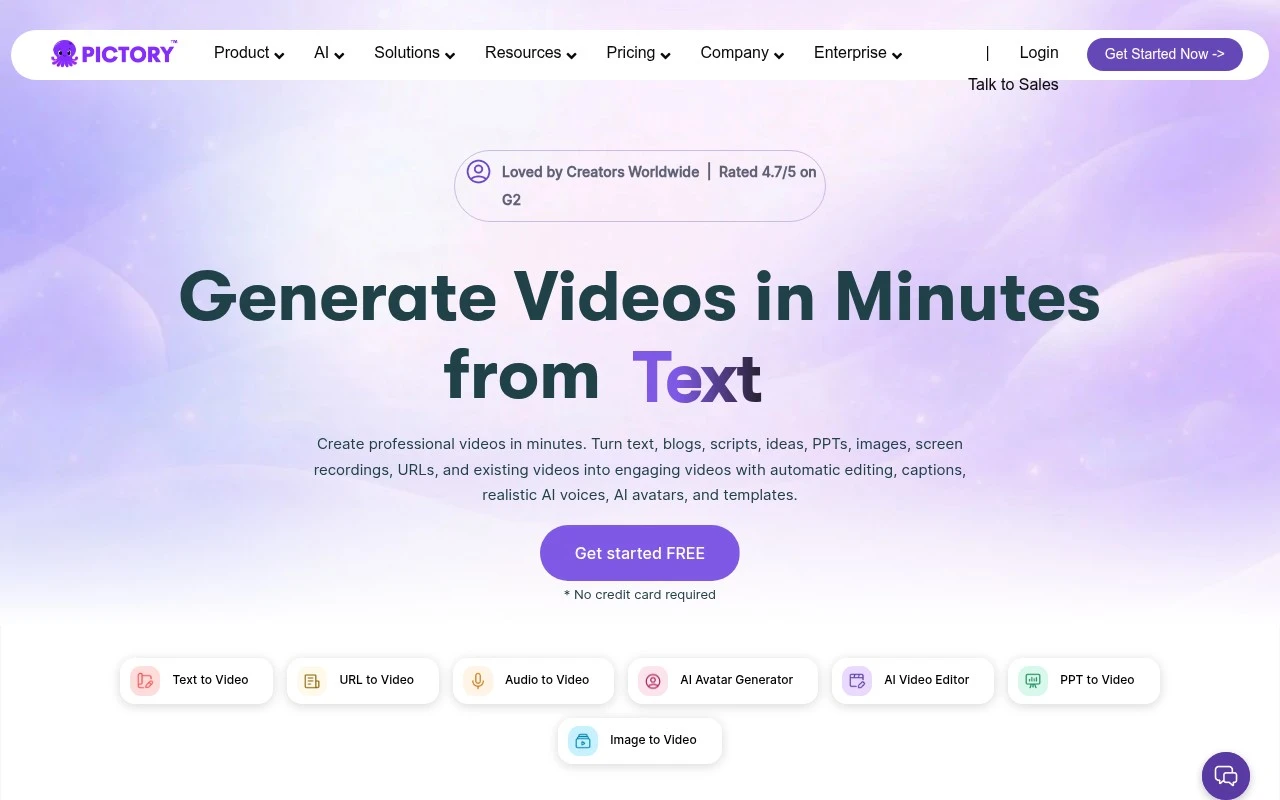
Pictory is a text-to-video and AI video editing platform for producing videos from existing content sources such as scripts, URLs, presentations, images, audio, and recordings. It builds a storyboard-style video, adds captions and visuals, supports brand styling, and provides tools for voiceovers, templates, image-to-video generation, and prompt-based visual creation. The product is best understood as a fast video repurposing and generation workflow rather than a traditional full manual video editor.

FYAI Score

8.9 / 10

Based on 589 reviews

Pricing:

Free trial

Best for:

Marketers and creators repurposing content into videos fast

Score Breakdown

  • Ease of use9.1 / 10
  • Features8.6 / 10
  • Pricing9.0 / 10
  • Integrations8.9 / 10
  • Support8.9 / 10

PRODUCT PREVIEW

What this AI tool does

Pictory is an AI-assisted video creation tool designed to help turn written content into short, shareable videos. It’s commonly used when you have a script, article, or summary and want to produce a video without doing full manual editing from scratch. In practice, you provide text and the tool helps assemble a video draft by pairing it with visuals, pacing, and captions, which you can then review and adjust. This can be useful for informational content such as explainers, social posts, or internal updates where speed and consistency matter. The workflow is generally aimed at people who need a straightforward way to go from text to video, even if they don’t have advanced editing experience. As with most AI tools, results typically improve when the input text is clear and when you take time to refine the output before publishing.

Use cases

Best for

Content Repurposing

Turn scripts, URLs, or slides into storyboard videos with captions and stock visuals for quick content repurposing.

Text to Speech

Pictory generates AI voiceovers from your script and syncs the narration to scenes for text to speech videos.

Edit Video

Edit video by trimming scenes, swapping visuals, applying brand styles, and auto adding captions in a storyboard timeline.

ANALYSIS

Strengths & limitations

Strengths
  • Supports many input types, including text, URLs, PPTs, images, audio, screen recordings, and existing videos.
  • Combines video generation with practical publishing features such as captions, templates, brand styling, voiceovers, and visual replacement.
  • Useful for repurposing existing content into social clips, explainers, training videos, and marketing assets.
Limitations
  • The homepage presents AI avatars as a feature but also says they are launching soon, so avatar availability may need verification.
  • AI-selected or AI-generated visuals and captions still require human review before publishing.
  • It appears optimized for fast template- and storyboard-based creation, not for users who need detailed frame-level professional editing control.

Evaluation

FYAI score breakdown

Our structured evaluation across five key criteria

8.9 / 10

Overall score

Based on 589 reviews

  • Ease of use9.1 / 10
  • Features8.6 / 10
  • Pricing9.0 / 10
  • Integrations8.9 / 10
  • Support8.9 / 10

What users say

Findings from public reviews, documentation and community sources.

  • Ease of use

    SoftwareAdvice shows a 4.8/5 rating from 163 reviews, and its review snippet says Pictory is “incredibly easy to use,” with an “intuitive interface” that works “even for beginners.” G2’s summarized signal says users praise Pictory’s “ease of use and time-saving capabilities.”

  • Features

    Pictory’s site says it turns “text, blogs, scripts, ideas, PPTs, images, screen recordings, URLs, and existing videos” into videos. Pictory’s site lists “automatic editing, captions, realistic AI voices, AI avatars, and templates,” along with AI Studio, script generation, brand styling, and stock libraries.

  • Pricing

    Pictory’s pricing page shows Starter, Professional, Team, and Enterprise tiers, with monthly and annual amounts shown, a free trial, and limits for video minutes, storage, brand kits, AI credits, stock media access, and AI voice minutes. Pictory’s pricing page says Starter begins at $25/month billed annually or $29 monthly.

  • Integrations

    Pictory’s API integrations page says Pictory “connects with thousands of apps” to bring AI video creation into existing workflows. Pictory’s API integrations page also points to scalable automated video creation.

  • Support

    Pictory’s pricing page says annual plans include a “consultation with our video-creation expert,” Team includes “Professional onboarding and team training,” and Enterprise includes a “Dedicated success manager” plus “Expert video consulting.”

Who is this for?

Best for teams turning written or existing content into videos, Pictory’s site says it turns “text, blogs, scripts, ideas, PPTs, images, screen recordings, URLs, and existing videos” into videos with captions, realistic AI voices, AI avatars, and templates. Less suited to users who need the strongest support on the lowest tier, Pictory’s pricing page places “Professional onboarding and team training” in Team and a “Dedicated success manager” plus “Expert video consulting” in Enterprise.

PRODUCT PREVIEW

Feature highlights

Text-to-video

Convert scripts, posts, and ideas into ready-to-share videos.

URL-to-video

Paste a link and generate a storyboard video from your article.

Brand-ready styling

Apply logos, colors, and fonts for consistent on-brand videos.

COMPARE

Discover curated alternatives worth comparing

Compare similar AI tools based on features, pricing and use cases

8.5/ 10Based on 16 reviews

Wondercraft

Short-form VideoVideo Editing
Turns text or audio into editable AI-generated videos and audio
Best for:
Video creators
Pricing
Freemium

8.5/ 10Based on 65 reviews

Wisecut

Short-form VideoVideo Editing
Edits long videos by removing pauses and adding captions
Best for:
Video creators
Pricing
Freemium

8.6/ 10Based on 2.521 reviews

Vizard.ai

Short-form VideoVideo Editing
Extracts short clips from long videos and adds captions for social.
Best for:
Social media managers
Pricing
Freemium

Turn scripts and posts into polished videos in minutes. Start creating content that grabs attention and drives results with Pictory today.

FAQ

Frequently asked
questions

Everything you need to know about this AI tool,
its features, pricing, use cases, and limitations.

When is Pictory a good fit for marketing teams, and when should I choose a different tool?
Pictory is best when you need to turn blog posts, scripts, or long-form content into short marketing videos quickly for social, ads, or email. It’s a strong choice for teams without dedicated video editors who still need consistent, on-brand output. If you require complex motion graphics, frame-level control, or heavy compositing, a traditional editor (or a more advanced video tool) will be a better fit.
Does Pictory have a free plan, and what are the main limitations compared to paid tiers?
Pictory typically offers a trial rather than a fully featured free plan, so you can test workflows before committing. The biggest differences on paid plans are usually video length/volume limits, export options, and access to premium assets like stock media and voices. If you’re producing videos weekly, check monthly caps and whether branding controls (logos, colors, templates) are included at your tier.
How does Pictory compare with tools like InVideo, Lumen5, or Canva for video creation?
Pictory is particularly strong for text-to-video workflows (e.g., turning articles into scenes with captions and stock visuals) and for fast repurposing. Canva is often better for teams already designing everything in one place and needing broader creative assets, while InVideo can feel more flexible for template-heavy social edits. If you care most about fine-grained editing and timelines, you may find Pictory more constrained than some alternatives.
How quickly can I get a usable video out of Pictory, and what onboarding effort should I expect?
Pictory prioritizes speed and simplicity, so advanced editing controls (detailed keyframing, complex transitions, layered effects) are limited. Output quality depends heavily on your input text; weak structure or unclear messaging can produce awkward scene choices. Subscription pricing can also be a deciding factor if you only need occasional videos.
What should I consider about data privacy and compliance when using Pictory?
If you’re uploading scripts, voiceovers, or customer-related content, review Pictory’s terms for how content is stored, processed, and retained. Confirm whether your plan supports any required controls (e.g., team access management) and whether the vendor offers a DPA or compliance documentation relevant to your industry. For regulated use cases, avoid including sensitive personal data unless you’ve validated contractual and security requirements with pictory.ai.