Curated ToolThis tool is part of our curated AI directory. We only include tools that meet our standards for relevance, usability and real-world value.

Creatify

Generates ad videos from URLs, product shots, and variations

Ad Creation
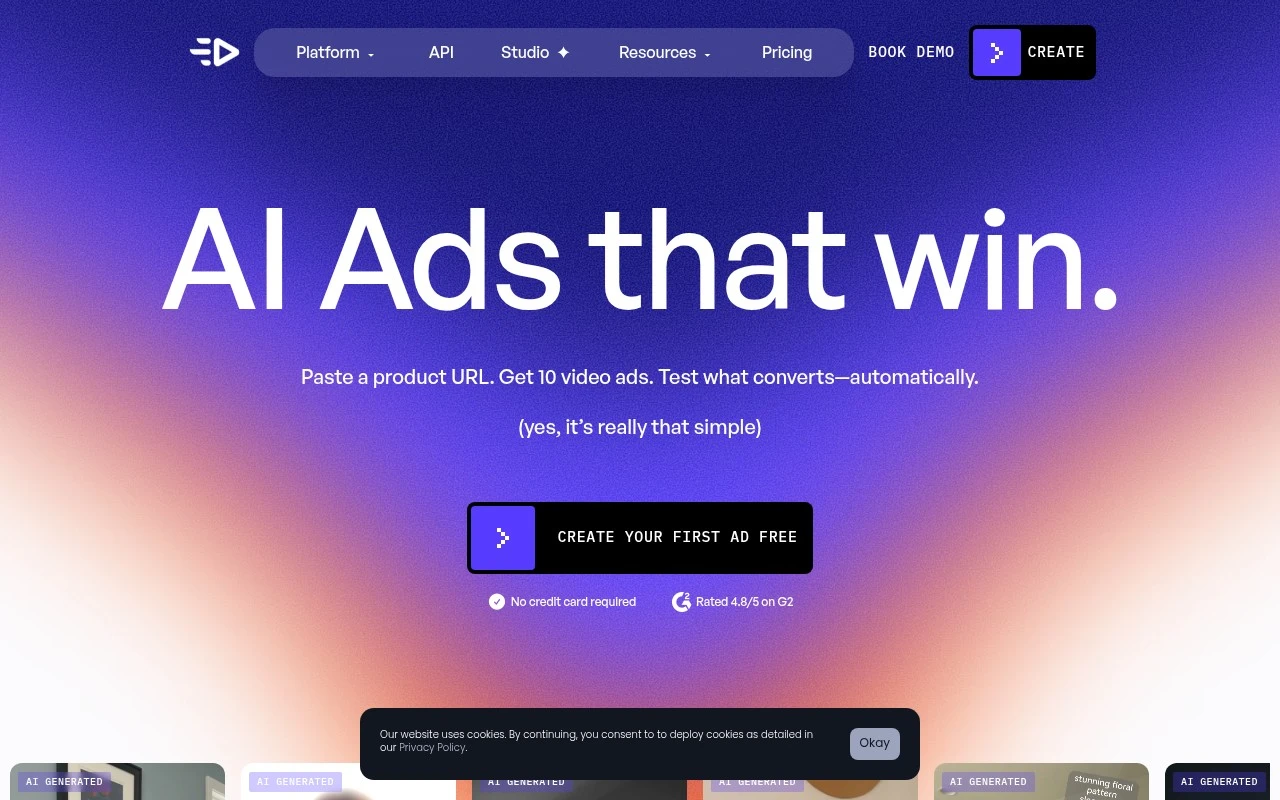
Creatify is an AI advertising platform focused on generating performance-oriented image and video ads at scale. Its site describes tools for turning product pages or links into video ads, browsing and remixing winning ad templates, cloning or adapting competitor-style creatives, batch-generating variations, and launching ads to connected social channels. It also includes analytics-oriented features such as tracking spend, ROAS, CTR, and variant performance.

FYAI Score

8.1 / 10

Based on 1.598 reviews

Pricing:

Freemium

Best for:

Performance marketers scaling paid social creatives

Score Breakdown

  • Ease of use7.4 / 10
  • Features8.3 / 10
  • Pricing7.9 / 10
  • Integrations8.6 / 10
  • Support8.6 / 10

PRODUCT PREVIEW

What this AI tool does

Creatify is an AI tool designed to help people turn ideas into usable content with less manual effort. It can support common writing and drafting tasks by generating text from prompts, offering alternative phrasing, and helping structure information into a clearer format. In practice, it’s useful when you need a starting point for a document, want to explore different ways to express the same message, or need help refining tone and clarity. Because outputs depend on the input you provide, it works best when you give specific context and then review and edit the results to match your goals. For informational use, creatify can also assist with summarizing or reorganizing existing material, making it easier to prepare notes, outlines, or first drafts. As with any AI-generated text, it’s a good idea to verify important details and ensure the final content meets your accuracy and style requirements.

Use cases

Best for

Video Ad Creation

Creatify turns a product page URL into performance-focused video ad creatives using remixable templates and batch variations.

Generate Images

Generate ad images by remixing proven templates and producing multiple creative variants for A B testing across social channels.

Generate Video

Generate video ads from product links, then batch-create variations and track CTR and ROAS by creative variant.

ANALYSIS

Strengths & limitations

Strengths
  • Built specifically for ad creative workflows rather than general-purpose video generation.
  • Supports high-volume variation creation, including batch generation of up to 50 video variants according to the site.
  • Combines creative generation with discovery, launch, A/B testing, and performance analytics features.
Limitations
  • Best suited to advertising use cases; it is not positioned as a general video editor or broad creative suite.
  • Many performance claims on the site are benchmark or case-study based and may not generalize to every advertiser.
  • The provided site text does not give enough detail to verify pricing, platform coverage, or the exact limits of integrations.

Evaluation

FYAI score breakdown

Our structured evaluation across five key criteria

8.1 / 10

Overall score

Based on 1.598 reviews

  • Ease of use7.4 / 10
  • Features8.3 / 10
  • Pricing7.9 / 10
  • Integrations8.6 / 10
  • Support8.6 / 10

What users say

Findings from public reviews, documentation and community sources.

  • Ease of use

    A longer-use Reddit review says the “first few weeks were hit or miss,” “some outputs needed work,” and “pacing mattered a lot,” indicating Creatify may require tuning and iteration for ad creation.

  • Features

    Creatify’s pricing page lists ad-video tools including URL-to-video, AI avatars, batch generation, and ad cloning. Creatify’s pricing page also lists “1500 Realistic AI Actors,” “500+ AI Ad Templates,” “100+ Premium Image, Video, and Audio Models,” and “75+ Languages” on Pro.

  • Pricing

    Creatify’s pricing page lists a free plan with “10 monthly credits,” Starter at “$39 / month” for “100 Credits / mo,” Pro at “$99 / month” starting at “300 credits / mo,” and custom Enterprise. Creatify’s pricing page uses a credit-based model across the listed plans.

  • Integrations

    Make lists a Creatify AI integration to “sync data between apps” and “integrate over 3000 apps.” Make positions the Creatify AI integration for automation workflows between apps.

  • Support

    Creatify’s pricing comparison includes “24/7 Customer Support,” and Enterprise adds a “Dedicated Account Manager.” A public review-site signal mentions “flexible and welcoming customer service.”

Who is this for?

Best for ad teams that need to generate and iterate video ads, Creatify’s pricing page lists URL-to-video, AI avatars, batch generation, ad cloning, and performance analytics. Less suited to users expecting a near-zero learning curve, a longer-use Reddit review says the “first few weeks were hit or miss,” “some outputs needed work,” and “pacing mattered a lot,” so ad creation may require tuning and iteration.

PRODUCT PREVIEW

Feature highlights

Link-to-video ads

Turn product pages into ready-to-run video ads in minutes.

Batch ad variations

Generate many creative versions fast to test hooks, offers, and styles.

Creative analytics

Track ROAS, CTR, spend, and variant performance to scale winners.

COMPARE

Discover curated alternatives worth comparing

Compare similar AI tools based on features, pricing and use cases

8.5/ 10Based on 16 reviews

Wondercraft

Short-form VideoVideo Editing
Turns text or audio into editable AI-generated videos and audio
Best for:
Video creators
Pricing
Freemium

8.5/ 10Based on 65 reviews

Wisecut

Short-form VideoVideo Editing
Edits long videos by removing pauses and adding captions
Best for:
Video creators
Pricing
Freemium

8.6/ 10Based on 2.521 reviews

Vizard.ai

Short-form VideoVideo Editing
Extracts short clips from long videos and adds captions for social.
Best for:
Social media managers
Pricing
Freemium

Launch more campaigns in less time with Creatify. Turn ideas into polished marketing content fast and keep your team moving from draft to publish.

FAQ

Frequently asked
questions

Everything you need to know about this AI tool,
its features, pricing, use cases, and limitations.

What types of marketing work is Creatify a good fit for?
Creatify is best for teams that need to produce high volumes of marketing copy quickly—such as ad variations, social captions, landing page sections, and email drafts. It’s a practical choice when you want template-driven outputs and trend-aligned suggestions rather than highly bespoke brand storytelling. If your content requires strict regulatory language or a very distinctive voice, expect more manual review.
Does Creatify have a free plan, and what are the typical limitations compared to paid tiers?
Creatify commonly offers a free or trial option, but it’s usually constrained by usage limits (credits/outputs), fewer templates or features, and reduced export or collaboration options. Paid plans tend to expand generation volume and unlock more customization and workflow features. Check whether the tier you’re considering includes the channels you need (ads, email, social) and sufficient output limits for your cadence.
How does Creatify compare with other AI marketing content tools?
Creatify leans toward guided, template-based marketing generation, which can be faster for routine campaigns than more general-purpose writing tools. Compared with broader platforms, you may trade off deeper brand controls, advanced integrations, or long-form editorial workflows. If your priority is speed and structured marketing formats, Creatify can be a better fit than tools optimized for general writing or full-suite marketing automation.
How quickly can a team get set up with Creatify, and what onboarding effort should I expect?
Creatify’s outputs often need editing to match a specific brand voice, especially for nuanced positioning or regulated industries. Integration options can be limited, so you may rely on manual copy/paste or lightweight exports rather than a fully connected stack. It’s strongest for first drafts and variations, not final, publication-ready copy without review.
What should I know about data handling, privacy, and compliance when using Creatify?
Before adopting Creatify, review its terms for how prompts and generated content are stored, whether they’re used to improve models, and what retention controls exist. Avoid entering sensitive personal data or confidential customer information unless the plan and contract explicitly support it. If you have compliance requirements (e.g., GDPR/CCPA, SOC 2), confirm available documentation, data processing agreements, and account-level controls.