Curated ToolThis tool is part of our curated AI directory. We only include tools that meet our standards for relevance, usability and real-world value.

Colossyan

Turns documents into multilingual training videos with AI avatars.

Marketing
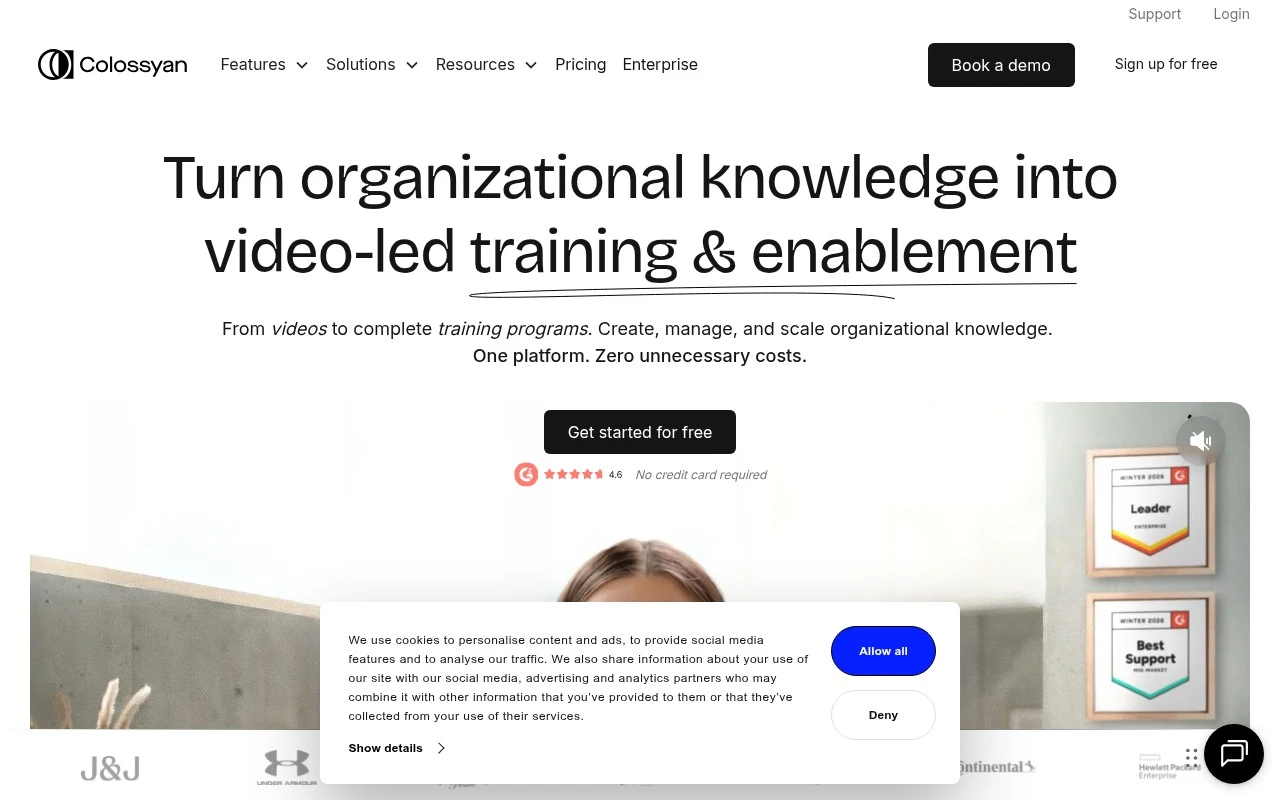
Colossyan is an AI video and training-content platform for organizations. It focuses on turning existing knowledge into AI-avatar videos, interactive courses, and localized enablement materials, rather than only generating standalone marketing videos. The platform is positioned for teams that need to create, deliver, update, and scale training content across departments and languages.

FYAI Score

8.5 / 10

Based on 492 reviews

Pricing:

Free trial

Best for:

L&D teams scaling training content across departments and languages

Score Breakdown

  • Ease of use8.7 / 10
  • Features8.6 / 10
  • Pricing8.6 / 10
  • Integrations7.7 / 10
  • Support8.4 / 10

PRODUCT PREVIEW

What this AI tool does

Colossyan is an AI tool designed to help users turn written content into video-style presentations using synthetic presenters. It’s typically used when you need a consistent on-screen narrator without filming, such as for internal training, product walkthroughs, or short informational updates. In practice, you provide a script, choose a presenter style, and generate a video that can be shared with a team or embedded in learning materials. This approach can be useful for organizations that want to standardize messaging, update content quickly, or produce multilingual versions without coordinating live shoots. As with any AI-generated video workflow, it’s worth reviewing outputs for accuracy, tone, and pronunciation, especially for names or specialized terms. If you’re evaluating colossyan, consider how well it fits your content approval process, accessibility needs (like captions), and the level of realism you require for your audience.

Use cases

Best for

Create Avatar Video

Use Colossyan to turn a script into an AI avatar video for training, with scenes, on screen text, and branding.

Video Translation

Translate existing training videos by generating localized avatar speech and updating on screen text for each language.

Generate Voiceover

Generate voiceovers from text using AI voices and export audio or sync it to a training video timeline.

ANALYSIS

Strengths & limitations

Strengths
  • Combines AI video generation, course structure, interactivity, localization, collaboration, and delivery workflows in one platform.
  • Supports training-specific formats such as quizzes, branching scenarios, structured courses, and SCORM export for LMS use.
  • Uses AI avatars, voiceovers, and translation features to reduce the need for filmed presenters, reshoots, and separate localization workflows.
Limitations
  • The product is mainly framed around organizational training and enablement, so it may be less suitable for users seeking broad creative video production or social-first video editing.
  • AI-avatar presentation may not replace custom filmed video when authentic human presence, brand-specific cinematography, or live demonstrations are required.
  • Some positioning around long-term content maintenance is described as evolving, so buyers should verify which update and versioning capabilities are currently available in their plan.

Evaluation

FYAI score breakdown

Our structured evaluation across five key criteria

8.5 / 10

Overall score

Based on 492 reviews

  • Ease of use8.7 / 10
  • Features8.6 / 10
  • Pricing8.6 / 10
  • Integrations7.7 / 10
  • Support8.4 / 10

What users say

Findings from public reviews, documentation and community sources.

  • Ease of use

    G2 rates Colossyan Creator 4.6/5 across 492 reviews, and the G2 review summary states that “Users love the ease of use… allowing quick and engaging content creation effortlessly.” Colossyan’s own positioning says users can create AI videos “in less than 5 minutes.”

  • Features

    Colossyan’s pricing page lists “300+ AI avatars,” “700+ Stock Voices,” PPT/PDF import, course creation, interactive videos, auto-translations, SCORM export, analytics, branded/custom avatars, and API access. Colossyan’s listed capabilities cover course authoring, localization, delivery, and maintenance workflows for AI video training.

  • Pricing

    Colossyan’s pricing page lists a free Starter plan, Professional at “$59/mo” annually, additional members at “$30/mo,” and usage limits such as 20–30 video minutes/month. Colossyan’s pricing page lists Enterprise as quote-based and includes published SCORM/export and translation allowances.

  • Integrations

    Colossyan’s pricing page references “SCORM export for LMS delivery,” HTML embedding, SSO/SAML, and API access on higher tiers. Colossyan’s documented connectivity is focused on training and LMS delivery rather than a broad app marketplace.

  • Support

    Colossyan’s pricing table includes a “Knowledgebase” for all plans. Colossyan’s Enterprise plan adds “Priority support 24/7” and a “Dedicated CSM.”

Who is this for?

Best for training teams that need AI video courses rather than only avatar clips, Colossyan’s pricing page lists PPT/PDF import, course creation, interactive videos, auto-translations, SCORM export, and analytics. Less suited to teams that need a broad app marketplace, Colossyan’s documented connectivity centers on “SCORM export for LMS delivery,” HTML embedding, SSO/SAML, and API access on higher tiers.

PRODUCT PREVIEW

Feature highlights

AI avatar training

Create presenter-led training videos from scripts and existing docs.

Interactive courses

Build modules with quizzes and branching for better knowledge retention.

Localization at scale

Translate and version content fast for global enablement rollouts.

COMPARE

Discover curated alternatives worth comparing

Compare similar AI tools based on features, pricing and use cases

8.5/ 10Based on 16 reviews

Wondercraft

Short-form VideoVideo Editing
Turns text or audio into editable AI-generated videos and audio
Best for:
Video creators
Pricing
Freemium

8.5/ 10Based on 65 reviews

Wisecut

Short-form VideoVideo Editing
Edits long videos by removing pauses and adding captions
Best for:
Video creators
Pricing
Freemium

8.6/ 10Based on 2.521 reviews

Vizard.ai

Short-form VideoVideo Editing
Extracts short clips from long videos and adds captions for social.
Best for:
Social media managers
Pricing
Freemium

Turn scripts into polished videos in minutes. See why marketing teams choose Colossyan to ship more campaigns, faster.

FAQ

Frequently asked
questions

Everything you need to know about this AI tool,
its features, pricing, use cases, and limitations.

What marketing use cases is Colossyan a good fit for?
Colossyan works best for teams producing repeatable, on-brand videos such as product explainers, onboarding clips, internal updates, and localized campaign variants. It’s a strong choice when speed and consistency matter more than cinematic editing. If your workflow depends on heavy motion graphics or frame-level control, you may find it limiting.
Does Colossyan have a free plan, and what are the typical limitations vs paid tiers?
Colossyan usually offers a way to try the platform, but free/trial access tends to restrict exports (watermarks, limited minutes, or fewer features). Paid plans generally expand video minutes, remove branding, and unlock more avatars, languages, and collaboration options. Check the current plan page for exact caps because limits can change by region and billing cycle.
How does Colossyan compare with Synthesia, HeyGen, or VEED for marketing teams?
Compared with avatar-first tools like Synthesia or HeyGen, Colossyan is similarly geared toward script-to-video with templates, but the best choice depends on avatar quality, language coverage, and team workflow features you prioritize. Versus editor-centric tools like VEED, Colossyan is typically faster for templated presenter videos but offers less hands-on editing control. If you need lots of custom motion design, a traditional editor may win; if you need scalable variants, Colossyan can be more efficient.
How fast can a team get Colossyan running, and what onboarding effort should you expect?
Colossyan can feel template-driven, so videos may look similar unless you invest time in customization and brand elements. Advanced editing options are more limited than pro video suites, which can be a blocker for teams that need complex animations or precise timing. Also factor in per-minute pricing and usage caps if you plan high-volume production.
What should we know about data handling, privacy, and compliance with Colossyan?
If you’re using Colossyan for marketing content, confirm how scripts, uploaded assets, and generated videos are stored and whether they’re used to improve models. Review available security documentation (e.g., DPA, GDPR support, data retention, and sub-processors) and whether SSO or enterprise controls are offered on your plan. For regulated industries, validate where data is hosted and what admin/audit features exist before rolling it out broadly.