Curated ToolThis tool is part of our curated AI directory. We only include tools that meet our standards for relevance, usability and real-world value.

Zebracat

Turns ideas or content into short social videos with editing tools

Content & SocialSocial Media
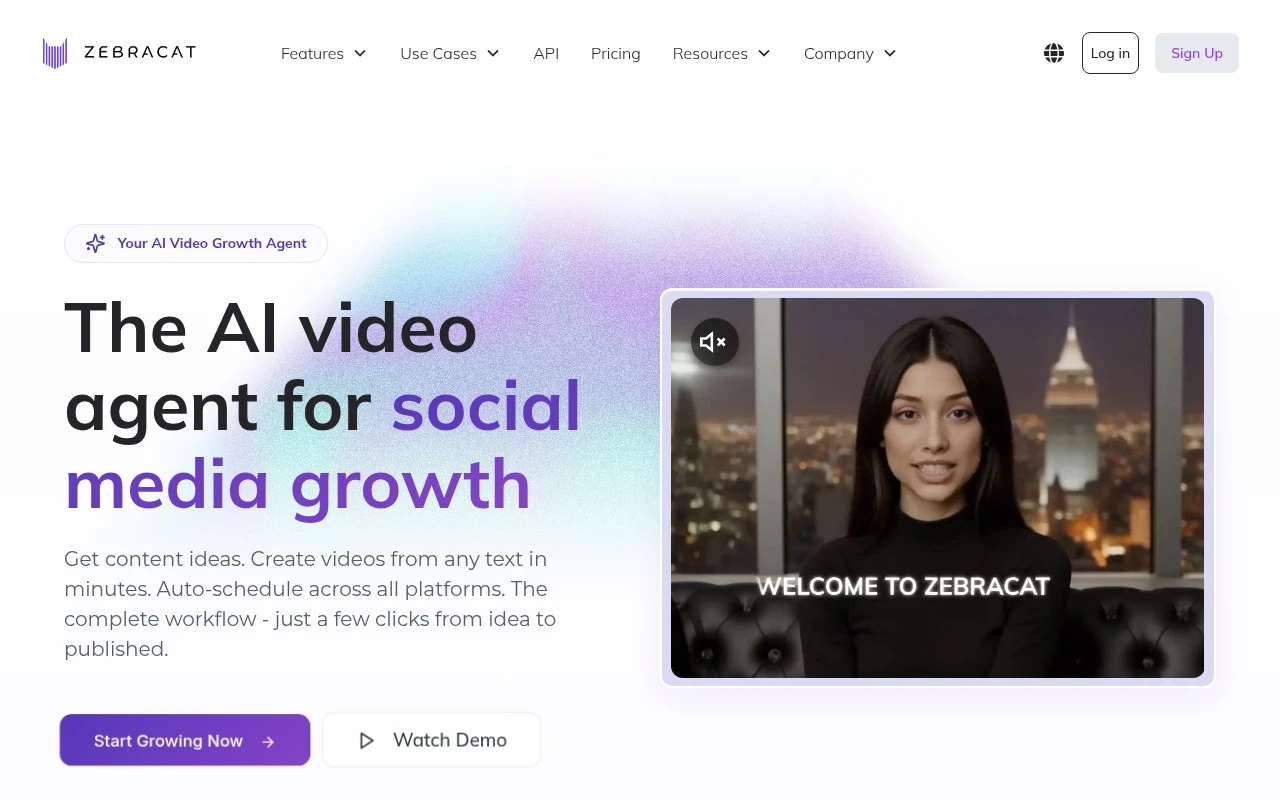
Zebracat is positioned as an AI video growth agent for social media. Its official site describes a workflow that starts with a website, prompt, script, URL, or audio file, then creates editable short-form videos with AI-generated visuals, text, voice, and pacing. It also claims to support content strategy, scheduling, posting, and learning from performance data, making it more than a simple text-to-video generator.

FYAI Score

8.8 / 10

Based on 296 reviews

Pricing:

Freemium

Best for:

Social media marketers scaling short-form video output

Score Breakdown

  • Ease of use9.2 / 10
  • Features8.6 / 10
  • Pricing8.8 / 10
  • Integrations8.5 / 10
  • Support8.5 / 10

PRODUCT PREVIEW

What this AI tool does

Zebracat is an AI tool designed to help people create and refine content with less manual effort. It’s typically used when you need a quick starting point for writing, editing, or reorganizing text, while still keeping a human in control of the final result. In practice, you can use it to turn rough notes into clearer drafts, adjust tone and wording for different audiences, or summarize longer material into something easier to scan. It can also support brainstorming by suggesting alternative phrasing or directions when you’re not sure how to proceed. As with most AI writing tools, the output is best treated as a draft: it may need fact-checking, context, and final edits to match your goals and standards. If you work with sensitive or proprietary information, it’s also worth reviewing the tool’s data handling and privacy terms before using it in a production workflow.

Use cases

Best for

Short Form Video Creation

Zebracat turns a prompt, script, URL, or audio into an editable short video with AI visuals, captions, voice, and pacing.

Social Media Content Creation

It creates social posts by generating short videos and can schedule and publish them while learning from performance data.

Generate Video

Upload a script, URL, or audio and it will generate a video with AI scenes, text overlays, and voiceover you can edit.

ANALYSIS

Strengths & limitations

Strengths
  • Supports several input types, including prompts, scripts, URLs, websites, and audio.
  • Focused on the full social video workflow, from content ideas and strategy to creation and scheduling.
  • Designed for fast production of short-form videos for platforms such as TikTok, YouTube Shorts, and other social channels.
Limitations
  • The official page does not provide detailed evidence for its performance optimization claims.
  • The platform list, posting integrations, and scheduling limitations are not fully specified in the provided site text.
  • It appears mainly focused on short-form social and marketing videos rather than advanced professional video editing or long-form production.

Evaluation

FYAI score breakdown

Our structured evaluation across five key criteria

8.8 / 10

Overall score

Based on 296 reviews

  • Ease of use9.2 / 10
  • Features8.6 / 10
  • Pricing8.8 / 10
  • Integrations8.5 / 10
  • Support8.5 / 10

What users say

Findings from public reviews, documentation and community sources.

  • Ease of use

    G2 summarizes that users “consistently praise the ease of use and speed,” noting they can create videos “without technical expertise.” Zebracat’s own page emphasizes a workflow from idea to published video in “just a few clicks.”

  • Features

    Zebracat’s pricing page says the tool can create videos from “prompts, scripts, URLs, or audio files,” analyze a website for strategy, and schedule/post to social channels. Zebracat’s pricing page says paid tiers add custom avatars, voice clones, translation into 25+ languages, and enterprise API access.

  • Pricing

    Zebracat’s pricing page lists monthly tiers at $39, $99, $199, and Enterprise from $599+/mo, with stated video counts, AI-credit allocations, avatar/voice-clone limits, and a “7-day money-back guarantee.” Zebracat’s pricing page states that higher-capacity generation depends on credit and tier limits.

  • Integrations

    Zebracat’s API page snippet states that Zebracat offers a “REST API,” “MCP connectors for AI agents,” and no-code integrations with “Zapier, Make, and n8n.”

  • Support

    Zebracat’s pricing page includes “Priority support” on the Unlimited tier and a “Dedicated success manager” for Enterprise. Zebracat’s site includes a customer quote describing support as “lightning-fast.”

Who is this for?

Best for marketing teams that need to turn existing inputs into social video. Zebracat can create videos from “prompts, scripts, URLs, or audio files” and schedule/post to social channels. Less suited to teams that need unrestricted high-capacity generation on lower tiers, Zebracat’s pricing page states that higher-capacity generation depends on credit and tier limits, with Enterprise from $599+/mo.

PRODUCT PREVIEW

Feature highlights

Prompt-to-shorts

Create editable short videos from prompts, URLs, scripts, or audio.

AI visuals & pacing

Auto-generates visuals, text, voice, and timing for each scene.

Growth agent workflow

Plan, schedule, post, and learn from performance to iterate faster.

COMPARE

Discover curated alternatives worth comparing

Compare similar AI tools based on features, pricing and use cases

7.5/ 10Based on 12.890 reviews

Zoominfo

Lead GenerationCRM & Segmentation
Find and enrich B2B leads with firmographic and contact data
Best for:
Sales teams
Pricing
Paid only

8.6/ 10Based on 6.982 reviews

Zoho CRM

Sales & OutreachAnalytics & Reporting
AI assists CRM tasks: rewrite emails, detect anomalies, predict
Best for:
Sales teams
Pricing
Freemium

8.0/ 10Based on 1.041 reviews

Zoho Campaigns

Lead GenerationCRM & Segmentation
Create, automate, and analyze email and SMS marketing campaigns
Best for:
Marketing teams
Pricing
Freemium

Turn your marketing ideas into scroll-stopping videos in minutes. See why teams choose Zebracat to ship more campaigns, faster.

FAQ

Frequently asked
questions

Everything you need to know about this AI tool,
its features, pricing, use cases, and limitations.

What marketing use cases is Zebracat a good fit for?
Zebracat is best for teams that need to produce lots of short-form marketing videos quickly—such as paid social variations, product promos, and personalized campaign creatives. It’s a strong fit when you’re optimizing for speed, consistency, and versioning across audiences. If your workflow depends on frame-level control or complex motion design, you may want a more traditional editor.
Does Zebracat have a free plan, and what are the typical limitations vs paid?
Zebracat commonly offers a free or trial option, but it’s usually constrained by export limits, watermarks, or restricted features (like higher-quality exports or advanced personalization). Paid tiers generally unlock more renders, better output settings, and team/workspace capabilities. Check the current plan page on zebracat.ai since limits can change by region and promotion.
How does Zebracat compare with similar AI video tools like Synthesia, Pictory, or Canva?
Compared with avatar-first tools like Synthesia, Zebracat is typically more oriented toward fast marketing video production and variations rather than presenter-led training content. Versus Pictory-style “text-to-video” repurposing, Zebracat tends to emphasize automated creation plus personalization for campaigns. Against Canva, Zebracat is usually better when you need automation at scale, while Canva can be stronger for hands-on design control and broader creative assets.
How quickly can a team get Zebracat into a working marketing workflow?
Zebracat can be less suitable if you need advanced, manual editing features found in professional NLEs (e.g., deep timeline control and complex compositing). Output quality and brand precision may require iteration, especially for strict brand guidelines. Cost can also be a factor if you only need occasional videos rather than high-volume production.
What should we consider about data handling, privacy, and compliance with Zebracat?
If you plan to use customer data for personalization, confirm what Zebracat stores, how long it’s retained, and whether you can delete data on request. Review their DPA, subprocessors, and where data is processed to ensure it aligns with your GDPR/CCPA and internal security requirements. For regulated industries, validate access controls, auditability, and whether enterprise security features are available on your plan.