Curated ToolThis tool is part of our curated AI directory. We only include tools that meet our standards for relevance, usability and real-world value.

Vista Social

AI-assisted social media management with content and analytics

Analytics & ReportingSocial Media
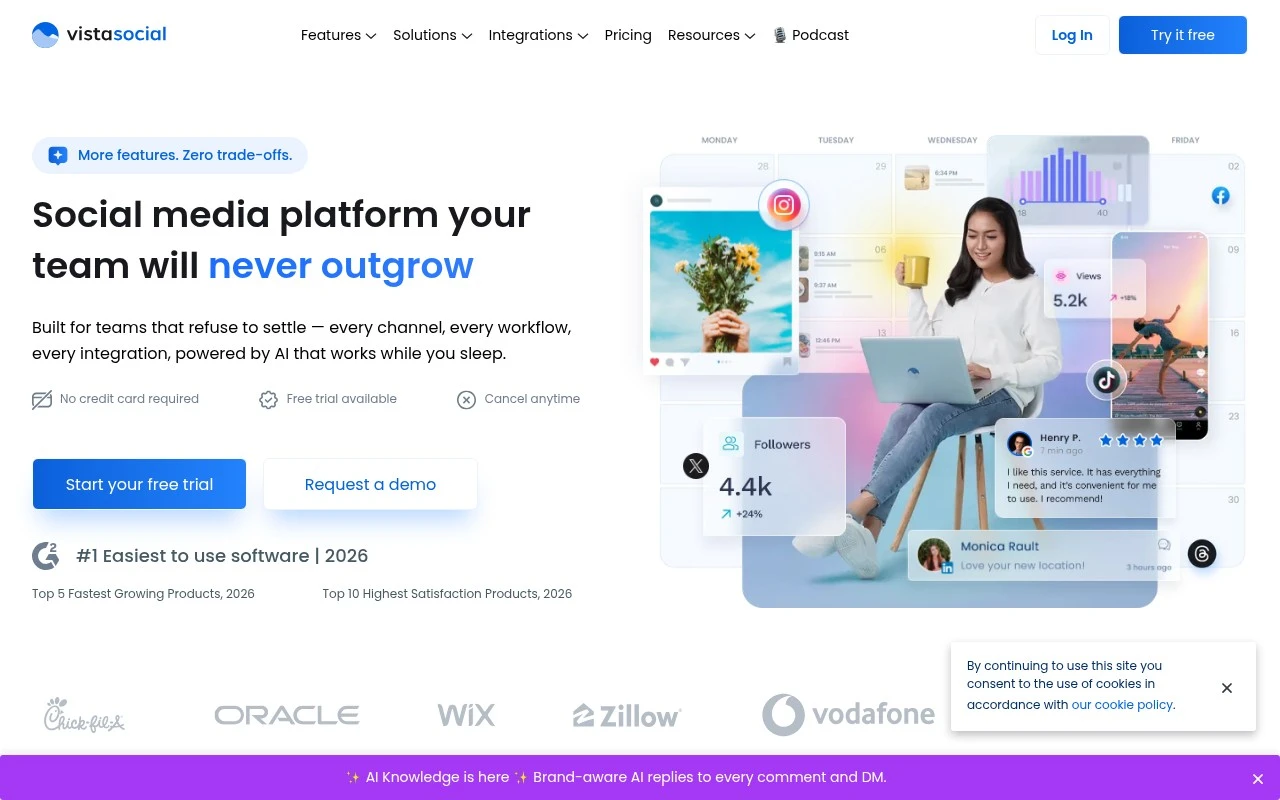
Vista Social is an AI-powered social media management command center for teams. Its official site positions it as a broad platform covering publishing, analytics, engagement, DM automation, listening, review management, employee advocacy, AI knowledge, integrations, browser extensions, mobile and desktop apps, white labeling, and link-in-bio pages.

FYAI Score

9.1 / 10

Based on 1.110 reviews

Pricing:

Freemium

Best for:

Social media teams managing multiple brands and channels

Score Breakdown

  • Ease of use9.4 / 10
  • Features9.3 / 10
  • Pricing9.0 / 10
  • Integrations9.2 / 10
  • Support8.5 / 10

PRODUCT PREVIEW

What this AI tool does

Vista Social is an AI-assisted social media management tool designed to help teams plan, write, and organize content across multiple channels. It focuses on streamlining common publishing workflows by supporting content creation and scheduling in one place, which can be useful for marketers, agencies, and small businesses that manage several accounts. The tool typically fits an informational need when you’re comparing platforms for day-to-day social media operations and want help generating post ideas or improving copy without switching between separate writing and planning tools. By combining AI writing support with publishing workflows, vista-social aims to reduce repetitive work while keeping content review and collaboration more structured.

Use cases

Best for

Report Generation

Generate scheduled social media reports by exporting analytics dashboards for selected profiles, date ranges, and KPIs.

Sentiment Analysis

Vista Social analyzes mentions and comments from social listening streams and labels them by sentiment for triage.

Review Management

Manage and respond to Google Business Profile reviews in one inbox, with assignments and response templates.

ANALYSIS

Strengths & limitations

Strengths
  • Covers many core social media management functions in one platform, including publishing, analytics, engagement, listening, and review management.
  • Supports a wide range of social network integrations, including Facebook, Instagram, LinkedIn, Reddit, Snapchat, Threads, TikTok, X, and YouTube.
  • Includes AI-oriented features and positioning, including an AI command center, AI knowledge, and site references to AI image and video generation.
Limitations
  • The provided official page is marketing-heavy and does not explain detailed workflow mechanics or feature limits.
  • Pricing, plan restrictions, and usage limits are not visible in the supplied page text and would need separate verification.
  • Its breadth and team-oriented positioning may be more than a solo creator or very small account needs.

Evaluation

FYAI score breakdown

Our structured evaluation across five key criteria

9.1 / 10

Overall score

Based on 1.110 reviews

  • Ease of use9.4 / 10
  • Features9.3 / 10
  • Pricing9.0 / 10
  • Integrations9.2 / 10
  • Support8.5 / 10

What users say

Findings from public reviews, documentation and community sources.

  • Ease of use

    Capterra lists Vista Social at 4.9/5 from 907 reviews, and Capterra’s snippet says Vista Social is “very easy to use,” “beginner friendly,” and “very easy to connect your accounts.”

  • Features

    Vista Social’s site lists DM Automations, Listening, Review Management, and AI Knowledge, alongside publishing and analytics workflows.

  • Pricing

    Vista Social’s pricing page states “Pricing starts at $64 per month,” offers a 14-day free trial, and says annual billing can “save 20%.” Vista Social’s pricing page lists Professional with 15 social profiles/3 users, Advanced with 30 profiles/6 users, Listening starting at $75/month, and Employee Advocacy starting at $199/month.

  • Integrations

    Vista Social’s integrations page describes one hub for “social networks, reviews, analytics, BI, DAM, helpdesk, automations and AI,” and lists Facebook, Instagram, LinkedIn, Pinterest, Reddit, Snapchat, Threads, TikTok, X, YouTube, Bluesky, Tumblr, and Google Business. Vista Social’s pricing page names Zapier, Make.com, and MCP for external workflow connectivity.

  • Support

    Vista Social’s pricing page surfaces a “Help center” with step-by-step walkthroughs and feature breakdowns, plus “Tutorial videos,” “Product updates,” “Contact us,” and demo scheduling.

Who is this for?

Best for social media teams that need more than scheduling, Vista Social’s site lists DM Automations, Listening, Review Management, and AI Knowledge alongside publishing and analytics workflows. Best for teams managing multiple connected channels, because Vista Social’s integrations page lists Facebook, Instagram, LinkedIn, Pinterest, Reddit, Snapchat, Threads, TikTok, X, YouTube, Bluesky, Tumblr, and Google Business. Less suited to teams that need Listening or Employee Advocacy inside the base plan, Vista Social’s pricing page lists Listening starting at $75/month and Employee Advocacy starting at $199/month.

PRODUCT PREVIEW

Feature highlights

Smart Publishing

Plan, approve, and schedule posts across networks with team workflows.

Analytics & Reports

Track performance and deliver client-ready reports with clear insights.

Inbox & DM Automation

Manage comments and messages in one inbox with automated replies.

COMPARE

Discover curated alternatives worth comparing

Compare similar AI tools based on features, pricing and use cases

7.5/ 10Based on 12.890 reviews

Zoominfo

Lead GenerationCRM & Segmentation
Find and enrich B2B leads with firmographic and contact data
Best for:
Sales teams
Pricing
Paid only

8.6/ 10Based on 6.982 reviews

Zoho CRM

Sales & OutreachAnalytics & Reporting
AI assists CRM tasks: rewrite emails, detect anomalies, predict
Best for:
Sales teams
Pricing
Freemium

8.0/ 10Based on 1.041 reviews

Zoho Campaigns

Lead GenerationCRM & Segmentation
Create, automate, and analyze email and SMS marketing campaigns
Best for:
Marketing teams
Pricing
Freemium

Start posting with confidence and stay on top of every channel. See why growing teams choose Vista Social to save time and drive engagement.

FAQ

Frequently asked
questions

Everything you need to know about this AI tool,
its features, pricing, use cases, and limitations.

Who is Vista Social the best fit for, and when should I choose a different tool?
Vista Social is a strong fit for small to mid-sized teams that need straightforward scheduling, inbox-style engagement, and clear performance reporting across common social networks. It works well for agencies managing multiple client profiles and for brands that want approvals and consistent publishing workflows. If your workflow depends on many niche platform integrations or highly specialized enterprise governance, you may find other tools more suitable.
Does Vista Social have a free plan, and what are the practical limits compared to paid tiers?
Vista Social offers a free option, but it’s typically best for testing the workflow rather than running a full team process long-term. Paid plans generally expand the number of social profiles, users, and available features like more advanced analytics and collaboration controls. Before committing, confirm whether the free tier includes the networks and posting volume you need.
How does Vista Social compare with alternatives like Buffer, Hootsuite, Sprout Social, or Later?
Compared with Buffer, Vista Social often provides deeper analytics and engagement tooling, while Buffer can feel simpler for pure scheduling. Against Hootsuite and Sprout Social, Vista Social is usually more budget-friendly but may offer fewer enterprise-grade integrations and governance features. Versus Later, Vista Social is generally more balanced across platforms, while Later can be stronger for highly visual, Instagram-first workflows.
How quickly can I get Vista Social set up, and what onboarding effort should I expect?
Vista Social may have fewer integrations with niche or less common social platforms than some competitors, which can matter if your channel mix is unusual. Some higher-end capabilities can take time to learn, especially for teams new to structured approval workflows and reporting. Support responsiveness can be inconsistent, so time-sensitive teams may want to evaluate support expectations during a trial.
What should I know about data handling, privacy, and compliance when using Vista Social?
Vista Social requires access to your connected social accounts and will store content, media, and performance data needed to publish and report. If you have compliance requirements, review its data retention, user access controls, and any available security documentation before rollout. For regulated industries, confirm whether it supports your needs around audit trails, account permissions, and vendor risk assessments.