Curated ToolThis tool is part of our curated AI directory. We only include tools that meet our standards for relevance, usability and real-world value.

Taplio

AI tool for drafting LinkedIn posts and tracking engagement

Marketing AutomationSocial Media
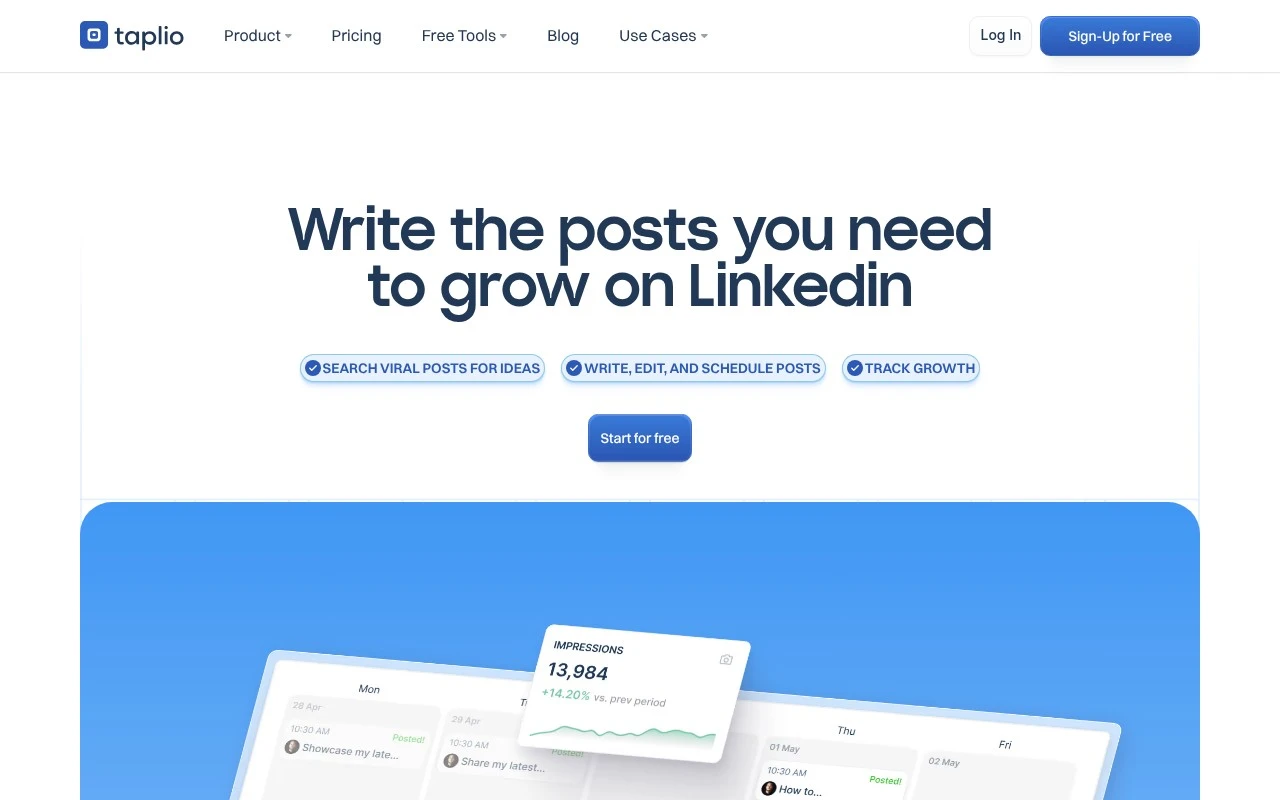
Taplio is a LinkedIn growth tool built around content creation, publishing, engagement, and analytics. It helps users discover high-performing posts by topic, generate LinkedIn posts with AI, schedule content, organize drafts in a Kanban-style workflow, and track views, engagement, top posts, and follower growth. It also offers engagement features, lead/comment automation claims, and a Chrome extension that adds LinkedIn profile, network, and content insights while browsing LinkedIn.

FYAI Score

7.7 / 10

Based on 14 reviews + FYAI product analysis

Pricing:

Freemium

Best for:

Creators and founders growing on LinkedIn with consistent content

Score Breakdown

  • Ease of use7.5 / 10
  • Features7.4 / 10
  • Pricing8.0 / 10
  • Integrations8.3 / 10
  • Support7.6 / 10

PRODUCT PREVIEW

What this AI tool does

Taplio is an AI-assisted tool designed to help people plan, write, and manage content for LinkedIn. It’s aimed at users who want a more structured workflow for turning ideas into posts, keeping a consistent publishing cadence, and reducing the time spent staring at a blank page. In practice, it supports drafting and refining post copy, organizing content ideas, and scheduling posts so they go out at the right time. It can be useful for individuals building a professional presence as well as teams coordinating social content, especially when you need a repeatable process for creating and reviewing LinkedIn updates. For anyone researching taplio, the main value is in combining writing assistance with content planning in one place. It’s best suited to informational needs around how AI can fit into a LinkedIn content workflow, rather than replacing your voice or strategy.

Use cases

Best for

Social Media Content Creation

Taplio generates LinkedIn post drafts with AI, surfaces top posts by topic, and schedules publishing from a Kanban workflow.

Marketing Automation

Taplio automates LinkedIn publishing and engagement workflows by scheduling posts and tracking views, comments, and follower growth.

ANALYSIS

Strengths & limitations

Strengths
  • Combines LinkedIn content ideation, AI writing, scheduling, engagement, and analytics in one platform.
  • Uses a large database of high-performing LinkedIn posts to surface niche-specific inspiration.
  • Offers a Chrome extension for LinkedIn stats, profile insights, and top-post discovery while browsing LinkedIn.
Limitations
  • The product is specifically centered on LinkedIn, so it is not a general multi-platform social media management tool based on the provided information.
  • Some enhanced LinkedIn functions, such as retrieving certain profile/post views, company page posting, and tagging people, require the Chrome extension.
  • The free trial requires creating an account and choosing a plan before accessing the full feature set.

Evaluation

FYAI score breakdown

Our structured evaluation across five key criteria

7.7 / 10

Overall score

Based on 14 reviews + FYAI product analysis

  • Ease of use7.5 / 10
  • Features7.4 / 10
  • Pricing8.0 / 10
  • Integrations8.3 / 10
  • Support7.6 / 10

What users say

Findings from public reviews, documentation and community sources.

  • Ease of use

    Taplio's homepage says it “guides you through every step” and helps users grow on LinkedIn in “10 min/day.” G2 calls Taplio “a very easy AI,” while Product Hunt says Taplio can be “a bit clunky for multi-user/teams.”

  • Features

    Taplio's pricing page lists LinkedIn workflow features including “AI Post Generator,” “AI Carousel Generator,” “Post Scheduling,” and “Automate lead outreach.”

  • Pricing

    Taplio's pricing page lists monthly plans of Starter at $39/mo, Growth at $69/mo, and Pro at $199/mo, with yearly pricing shown as $32/$49/$149 per month. Taplio's pricing page also lists a 7-day free trial, “30 day money back guarantee,” and “Cancel anytime.”

  • Integrations

    Zapier states that Taplio “integrates with 9000 other apps on Zapier.”

  • Support

    Taplio's homepage says users can “Contact our support team,” offers live group demos, and notes a 30-day money-back policy if users “reach out to support from the app.” Taplio's pricing page reserves “Priority support & access” for Pro.

Who is this for?

Best for LinkedIn-focused users who want a guided workflow, Taplio's homepage says it “guides you through every step” and helps users grow on LinkedIn in “10 min/day.” Less suited to multi-user/teams that need a smooth team workflow, Product Hunt says Taplio can be “a bit clunky for multi-user/teams.” Less suited to buyers that require priority support on lower plans, because Taplio's pricing page reserves “Priority support & access” for Pro.

PRODUCT PREVIEW

Feature highlights

AI post generator

Turn ideas into LinkedIn-ready posts in your voice, fast.

Schedule & Kanban drafts

Plan, write, and publish with a Kanban workflow and scheduler.

LinkedIn analytics

Track views, engagement, top posts, and follower growth over time.

COMPARE

Discover curated alternatives worth comparing

Compare similar AI tools based on features, pricing and use cases

7.5/ 10Based on 12.890 reviews

Zoominfo

Lead GenerationCRM & Segmentation
Find and enrich B2B leads with firmographic and contact data
Best for:
Sales teams
Pricing
Paid only

8.6/ 10Based on 6.982 reviews

Zoho CRM

Sales & OutreachAnalytics & Reporting
AI assists CRM tasks: rewrite emails, detect anomalies, predict
Best for:
Sales teams
Pricing
Freemium

8.0/ 10Based on 1.041 reviews

Zoho Campaigns

Lead GenerationCRM & Segmentation
Create, automate, and analyze email and SMS marketing campaigns
Best for:
Marketing teams
Pricing
Freemium

See why teams choose Taplio to publish consistently and grow faster. Start creating posts that spark replies and keep your pipeline warm.

FAQ

Frequently asked
questions

Everything you need to know about this AI tool,
its features, pricing, use cases, and limitations.

What types of teams and workflows is Taplio the best fit for?
Taplio is a strong fit for marketing teams and founders who publish frequently on LinkedIn and want a single place to draft, schedule, and review performance. It works well for workflows built around content ideas, post templates, and a recurring publishing cadence. If your priority is multi-channel creative production (heavy design, video, or complex approvals), you may find it less aligned than broader social suites.
Does Taplio have a free plan, and what are the practical limitations of paid tiers?
Taplio typically focuses on paid plans rather than a fully capable free tier, so expect meaningful limits without a subscription. The main value in paid tiers is unlocking more scheduling capacity, AI-assisted writing features, and analytics depth. If you only need occasional posts or basic scheduling, lower-cost or free alternatives may cover the essentials.
How does Taplio compare with tools like Buffer, Hootsuite, or Later for social scheduling?
Compared with Buffer, Taplio leans more into LinkedIn-first content creation and post ideation rather than being a lightweight scheduler. Versus Hootsuite, Taplio is usually simpler to operate but less enterprise-oriented for governance, team permissions, and broad channel coverage. If you need Instagram/TikTok-first planning and visual calendars, Later may be a better match than Taplio.
How quickly can you get Taplio running, and what onboarding work is required?
Taplio can feel restrictive if your brand relies on highly customized templates or distinctive visual design systems. Its analytics are useful for day-to-day decisions but may not replace specialized reporting tools for deeper attribution or cross-channel insights. Pricing can also be a factor for freelancers or very small teams comparing against simpler schedulers.
What should we consider about data handling, privacy, and compliance when using Taplio?
Taplio will need access to your social accounts to publish and pull performance data, so review the permissions it requests and who on your team can manage them. If you operate under strict compliance (e.g., regulated industries), confirm whether Taplio supports your requirements for audit trails, data retention, and user access controls. Also verify how any AI writing features handle prompts and stored content before using sensitive or client-confidential information.