Curated ToolThis tool is part of our curated AI directory. We only include tools that meet our standards for relevance, usability and real-world value.

Sprout Social

Analyzes social signals to guide content, engagement, and decisions

Analytics & ReportingMarket Research
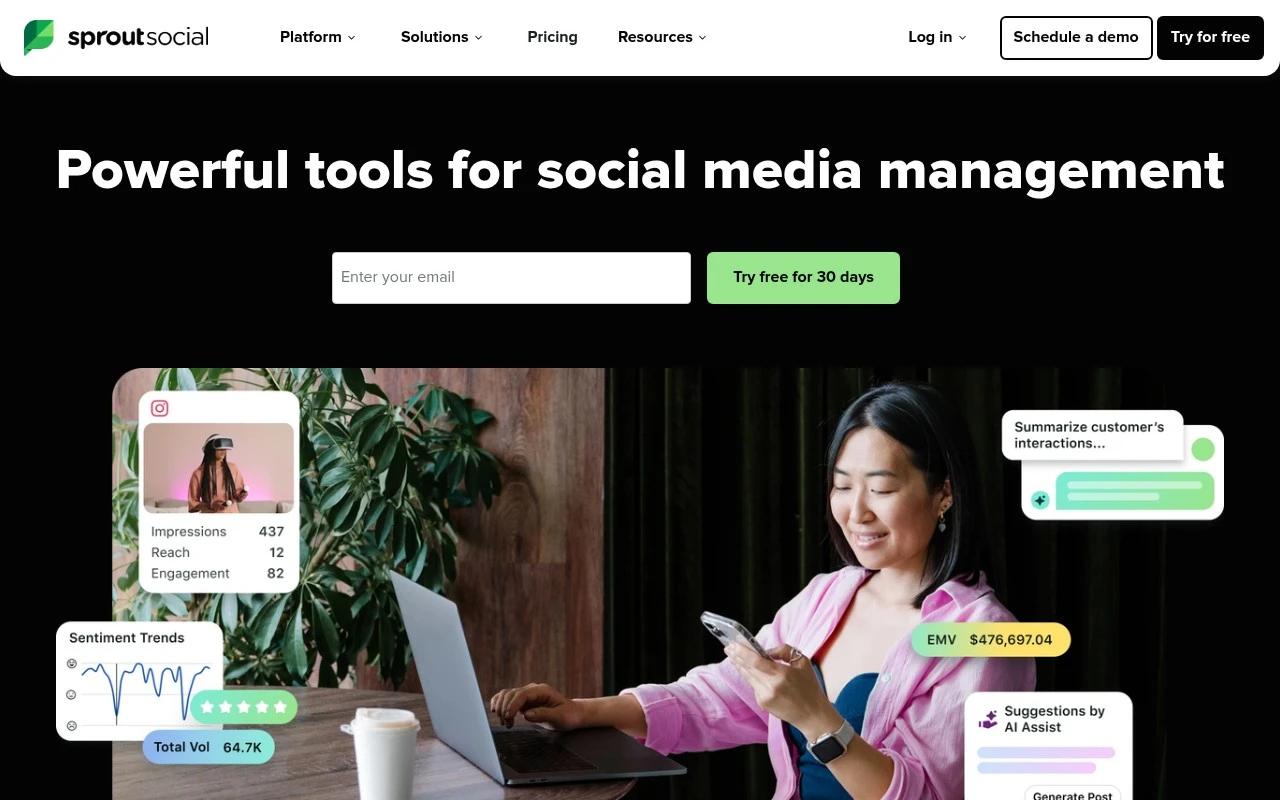
Sprout Social is a social media management and AI-powered social intelligence platform. It combines publishing, engagement, analytics, social listening-style insight, influencer marketing, employee advocacy, and media monitoring capabilities so teams can manage social channels and use real-time conversation data to guide decisions. Its positioning is strongest for businesses and larger teams that need shared workflows, multi-profile management, reporting, and cross-team visibility rather than a lightweight tool for occasional posting.

FYAI Score

8.4 / 10

Based on 6.448 reviews

Pricing:

Paid

Best for:

Social media teams managing multiple brands and channels

Score Breakdown

  • Ease of use8.6 / 10
  • Features9.3 / 10
  • Pricing7.5 / 10
  • Integrations8.6 / 10
  • Support7.5 / 10

PRODUCT PREVIEW

What this AI tool does

Sprout Social is a social media management platform designed to help teams organize day-to-day publishing, engagement, and reporting across multiple social networks from one place. It’s commonly used by marketing, communications, and customer care teams that need a consistent workflow for handling posts and messages without switching between separate native apps. In practice, the tool supports planning and scheduling content, monitoring conversations, and reviewing performance data to understand what’s working over time. It can also help teams collaborate by centralizing approvals and keeping a record of interactions, which is useful when multiple people manage the same accounts. For anyone researching social media management software, sproutsocial is typically evaluated for how well it fits existing processes, the networks it supports, and the level of analytics and governance needed. It’s most useful when you want a structured way to manage social activity at scale while keeping reporting and collaboration in one system.

Use cases

Best for

Report Generation

Generate scheduled social performance reports from cross-profile analytics, including engagement, audience growth, and post metrics.

Business Intelligence

Sprout Social turns social conversations into dashboards using listening topics, sentiment, and trends to inform business decisions.

Competitor Analysis

Compare competitor profiles by tracking their posting cadence, engagement rates, and share of voice from monitored keywords and mentions.

ANALYSIS

Strengths & limitations

Strengths
  • Covers several connected social workflows in one platform, including publishing, engagement, analytics, influencer marketing, employee advocacy, and real-time monitoring.
  • Emphasizes social intelligence, including detecting spikes in conversation, interpreting what matters, and helping teams act on live signals.
  • Supports team and enterprise use cases with shared views, cross-functional workflows, platform integrations, and plans for teams managing many profiles or high engagement.
Limitations
  • Pricing shown on the official site starts at $199 per seat per month, which may be high for individuals, creators, or very small teams.
  • Advanced cross-functional workflows and enterprise needs may require higher-tier or custom plans.
  • The official page describes broad platform capabilities but does not provide enough detail there to evaluate every feature depth, supported network behavior, or implementation requirement.

Evaluation

FYAI score breakdown

Our structured evaluation across five key criteria

8.4 / 10

Overall score

Based on 6.448 reviews

  • Ease of use8.6 / 10
  • Features9.3 / 10
  • Pricing7.5 / 10
  • Integrations8.6 / 10
  • Support7.5 / 10

What users say

Findings from public reviews, documentation and community sources.

  • Ease of use

    G2 shows Sprout Social at 4.4/5 across 6,448 reviews, and a quoted reviewer says Sprout is "intuitive, fast" and makes "managing our social media accounts in one location" efficient.

  • Features

    The Sprout Social pricing page lists review management, AI Assist, sentiment, and add-ons for Premium Analytics.

  • Pricing

    The Sprout Social pricing page lists Essentials at $79 per seat/month annually, while Standard, Professional and Advanced are $199, $299 and $399 per seat/month. The Sprout Social pricing page also lists a 30-day free trial and several advanced capabilities handled as add-ons or custom plans.

  • Integrations

    The Sprout Social pricing page says the Advanced plan includes "The Sprout API and Helpdesk integrations." The Sprout Social pricing page says review management covers Apple App Store, Google Play Store, Facebook, Google My Business, Yelp and more, and Employee Advocacy mentions Slack and mobile alerts.

  • Support

    The Sprout Social pricing page lists Enterprise "white-glove onboarding and implementation," "Dedicated service" for SSO setup, and "Priority customer support." Trustpilot includes complaints about Sprout Social support.

Who is this for?

Best for teams managing multiple social media accounts in one place, a G2 reviewer says Sprout is "intuitive, fast" and makes "managing our social media accounts in one location" efficient. Less suited to teams minimizing per-seat software costs, the Sprout Social pricing page lists Essentials at $79 per seat/month annually and Advanced at $399 per seat/month, with several advanced capabilities handled as add-ons or custom plans.

PRODUCT PREVIEW

Feature highlights

Unified Publishing

Plan, schedule, and manage posts across multiple profiles in one place.

Smart Inbox

Centralize messages and comments with team workflows and assignments.

Social Intelligence

Analyze conversations and trends to guide strategy and reporting.

COMPARE

Discover curated alternatives worth comparing

Compare similar AI tools based on features, pricing and use cases

7.5/ 10Based on 12.890 reviews

Zoominfo

Lead GenerationCRM & Segmentation
Find and enrich B2B leads with firmographic and contact data
Best for:
Sales teams
Pricing
Paid only

8.6/ 10Based on 6.982 reviews

Zoho CRM

Sales & OutreachAnalytics & Reporting
AI assists CRM tasks: rewrite emails, detect anomalies, predict
Best for:
Sales teams
Pricing
Freemium

8.0/ 10Based on 1.041 reviews

Zoho Campaigns

Lead GenerationCRM & Segmentation
Create, automate, and analyze email and SMS marketing campaigns
Best for:
Marketing teams
Pricing
Freemium

See why teams choose Sprout Social to stay on top of every channel and turn social data into smarter decisions. Start improving results today.

FAQ

Frequently asked
questions

Everything you need to know about this AI tool,
its features, pricing, use cases, and limitations.

What types of teams is Sprout Social a good fit for?
Sprout Social tends to fit mid-sized to enterprise teams that need centralized publishing, inbox management, and reporting across multiple social profiles. It’s especially useful when you have multiple stakeholders who need approvals, shared workflows, and consistent analytics. If you only manage one or two accounts with light reporting needs, cheaper tools may cover the basics.
Does Sprout Social have a free plan, and what are the limitations of trials?
Sprout Social is primarily a paid product and typically offers a time-limited free trial rather than a free-forever tier. During a trial, you can evaluate core features, but access can be constrained by plan-level limits like users, profiles, and advanced reporting. Expect to choose a paid plan to keep using it after the trial ends.
How does Sprout Social compare with Hootsuite, Buffer, and Later?
Compared with Buffer and Later, Sprout Social generally goes deeper on analytics, team workflows, and a unified engagement inbox, but it usually costs more. Versus Hootsuite, Sprout Social is often preferred for reporting and usability, while Hootsuite can be more flexible for broad integrations depending on your stack. The best choice often comes down to whether you prioritize advanced reporting and collaboration (Sprout Social) or lower cost and simpler scheduling.
How quickly can a team get Sprout Social up and running?
Pricing is a common blocker for small teams, especially once you add more users and profiles. Reporting is strong, but some teams find customization and highly tailored report layouts more limited than they want. A few users also report occasional slowdowns during heavy usage, which can matter for real-time engagement.
What should I know about data handling, privacy, and compliance with Sprout Social?
Sprout Social stores and processes social account data you connect, so you’ll want to review its security documentation, data retention options, and any available enterprise controls before rollout. For regulated teams, confirm whether the plan you’re considering supports requirements like SSO/SAML, audit trails, and contractual terms (e.g., a DPA). Also verify how permissions are managed for connected social profiles to reduce the risk of overbroad access.