Curated ToolThis tool is part of our curated AI directory. We only include tools that meet our standards for relevance, usability and real-world value.

Sender

Email marketing platform for campaigns, automation, and newsletters

Marketing AutomationContent & Social
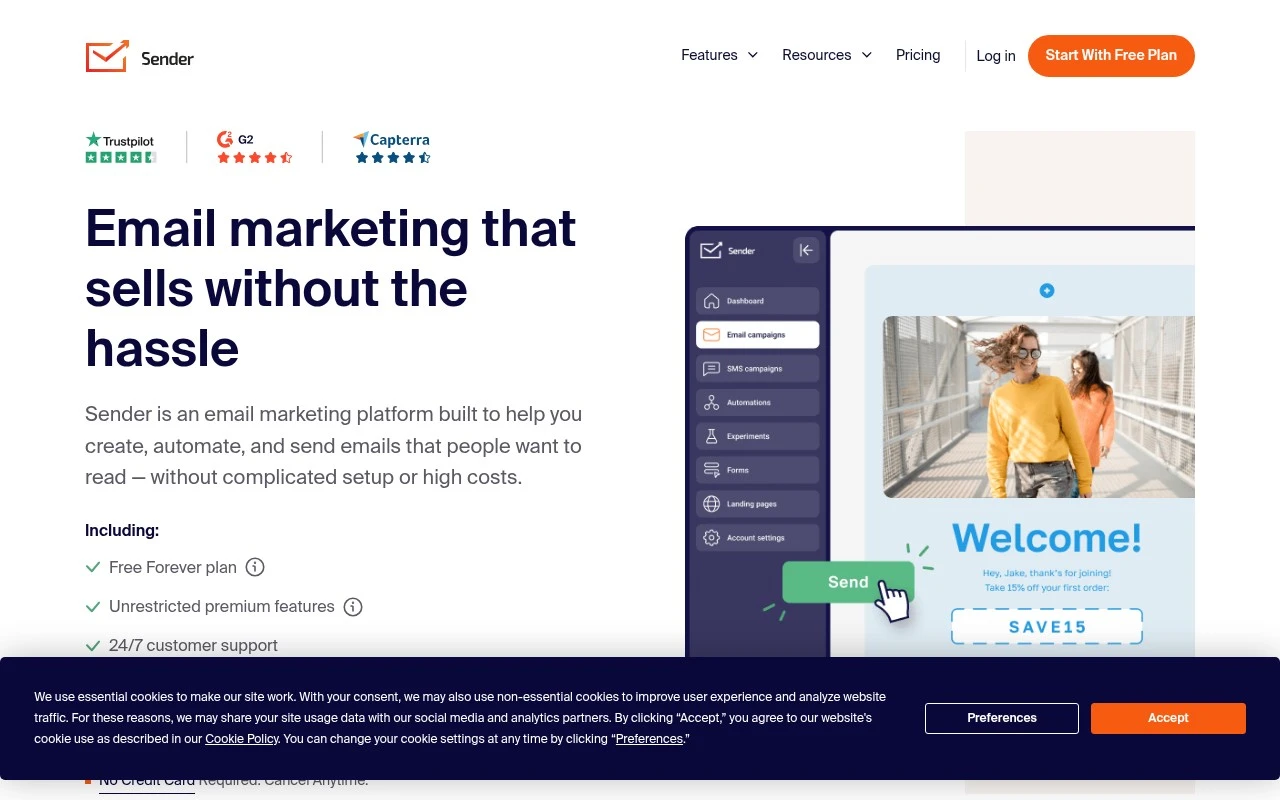
Sender is a business email marketing service focused on campaign creation, email automation, transactional email sending, landing pages, templates, deliverability, and live support. Its official site positions it as a lower-cost option for growing businesses, with a free plan that includes up to 2,500 contacts and 15,000 emails per month.

FYAI Score

8.7 / 10

Based on 1.284 reviews

Pricing:

Freemium

Best for:

Growing SMBs running email campaigns and automated customer journeys

Score Breakdown

  • Ease of use9.2 / 10
  • Features8.3 / 10
  • Pricing8.6 / 10
  • Integrations7.7 / 10
  • Support9.4 / 10

PRODUCT PREVIEW

What this AI tool does

Sender is an AI tool designed to help you draft and refine messages before you send them. It focuses on making your writing clearer and more consistent, whether you are preparing a quick note, a longer email, or a message that needs a specific tone. You can use sender to turn rough ideas into readable text, adjust wording for different audiences, and reduce common issues like unclear phrasing or unnecessary repetition. It is intended for informational use in everyday communication workflows, where you want a clean final message without spending extra time on edits.

Use cases

Best for

Create Email Campaign

Use Sender to build and send email campaigns with templates, a drag and drop editor, and deliverability tools.

Customer Segmentation

Segment subscribers by list fields and engagement data so each campaign targets the right audience.

Marketing Automation

Set up automated email workflows triggered by signups, clicks, or purchases, including transactional messages.

ANALYSIS

Strengths & limitations

Strengths
  • Includes a free plan with stated limits of 2,500 contacts and 15,000 emails per month, with no daily sending limits according to the official site.
  • Supports core email marketing needs including templates, newsletters, A/B testing, HTML editing, automation, transactional emails, landing pages, and campaign analytics.
  • Emphasizes deliverability infrastructure, GDPR and CAN-SPAM compliance support, monitored IP reputation, integrations, free migration, onboarding assistance, and 24/7 live support.
Limitations
  • The provided official page does not describe AI-specific features, so it should not be treated as an AI-native marketing tool based on this source alone.
  • Detailed limits for advanced automation, segmentation, reporting, and transactional email usage are not clear from the supplied page.
  • Claims such as 99.98% inbox placement, 10-second support response time, and 99% satisfaction rate are vendor-stated and not independently verified in the provided source.

Evaluation

FYAI score breakdown

Our structured evaluation across five key criteria

8.7 / 10

Overall score

Based on 1.284 reviews

  • Ease of use9.2 / 10
  • Features8.3 / 10
  • Pricing8.6 / 10
  • Integrations7.7 / 10
  • Support9.4 / 10

What users say

Findings from public reviews, documentation and community sources.

  • Ease of use

    G2’s snippet says Sender’s “the interface is easy to use” and “AI chat is helpful if I get stuck.” Capterra summarizes Sender as “easy to set up and use.”

  • Features

    Sender’s features page describes campaigns, automation, transactional emails, and SMS. Sender’s features page also describes landing pages, signup forms/popups, A/B testing, analytics, deliverability monitoring, and templates.

  • Pricing

    Sender’s pricing page states a “Free Forever” plan with “Up to 2,500 subscribers” and “Up to 15,000 emails/month.” Sender’s pricing page also states “no contracts, obligations or setup fees.”

  • Integrations

    Sender’s site lists common marketing/ecommerce connections including “WordPress, PrestaShop, WooCommerce, Zapier,” plus Shopify and Jumpseller.

  • Support

    Sender’s pricing page advertises “24/7 live support,” “10 sec Avg. response time,” “99% Satisfaction rate,” onboarding assistance, a knowledge base, and free migration service. G2’s review snippet highlights “very swift, excellent customer service response.”

Who is this for?

Best for teams starting email marketing with a free subscriber and send allowance, Sender’s pricing page states a “Free Forever” plan with “Up to 2,500 subscribers” and “Up to 15,000 emails/month.” Best for users who want accessible help during setup, Sender advertises “24/7 live support” and onboarding assistance. Less suited to teams that need a documented broad integration marketplace, Sender’s site lists “WordPress, PrestaShop, WooCommerce, Zapier,” plus Shopify and Jumpseller, so integration planning should be checked against those named connections.

PRODUCT PREVIEW

Feature highlights

Drag-and-drop emails

Build polished campaigns fast with templates and an easy editor.

Email automation

Trigger welcome, nurture, and win-back flows based on behavior.

Transactional sending

Deliver receipts, alerts, and confirmations reliably at scale.

COMPARE

Discover curated alternatives worth comparing

Compare similar AI tools based on features, pricing and use cases

7.5/ 10Based on 12.890 reviews

Zoominfo

Lead GenerationCRM & Segmentation
Find and enrich B2B leads with firmographic and contact data
Best for:
Sales teams
Pricing
Paid only

8.6/ 10Based on 6.982 reviews

Zoho CRM

Sales & OutreachAnalytics & Reporting
AI assists CRM tasks: rewrite emails, detect anomalies, predict
Best for:
Sales teams
Pricing
Freemium

8.0/ 10Based on 1.041 reviews

Zoho Campaigns

Lead GenerationCRM & Segmentation
Create, automate, and analyze email and SMS marketing campaigns
Best for:
Marketing teams
Pricing
Freemium

Start sending emails that convert with Sender. Build stronger customer relationships, boost engagement, and drive more sales with automated campaigns that run on their own.

FAQ

Frequently asked
questions

Everything you need to know about this AI tool,
its features, pricing, use cases, and limitations.

Is Sender a good fit for small eCommerce shops, agencies, or SaaS newsletters?
Sender tends to fit SMB teams that want straightforward newsletters, basic segmentation, and automated sequences like welcome, abandoned cart, or re-engagement. It’s usually a practical choice for agencies managing simpler client programs where speed and cost matter more than deep customization. If you need complex lifecycle orchestration across many channels, you may outgrow it.
How do Sender’s free and paid plans differ, and what limitations should I expect?
Sender’s free tier is typically enough to test list import, templates, and basic automations, but it’s constrained by subscriber and sending limits. Paid plans mainly expand monthly sends, contact limits, and access to more advanced automation and support options. If you’re comparing tools, check whether the features you need (automation depth, reporting, and integrations) are included at your plan level.
How does Sender compare with Mailchimp, Brevo (Sendinblue), or MailerLite?
Sender is often more cost-effective for core email automation, but it can feel lighter on advanced reporting and enterprise-grade features than Mailchimp or Brevo. MailerLite is a closer match in simplicity; your decision usually comes down to which UI, templates, and automation builder you prefer. If deliverability monitoring and analytics depth are top priorities, compare those areas carefully across vendors.
How quickly can I get Sender running, and what onboarding work is required?
Sender may not cover advanced needs like highly granular attribution, complex multi-step branching, or enterprise governance features. Some users report occasional deliverability variability, so you may need to watch bounces, spam complaints, and authentication settings more closely. The analytics are usable for day-to-day decisions but can be less detailed than higher-end platforms.
What should I check about data privacy, security, and compliance when using Sender?
Confirm whether Sender supports your required compliance workflows (e.g., consent capture, unsubscribe management, and data export/deletion requests) and where data is processed or stored. Review available security controls such as role-based access and auditability if multiple teammates or clients will use the account. If you operate under GDPR/CCPA or regulated industries, verify the DPA terms and any subprocessor disclosures before migrating lists.