Curated ToolThis tool is part of our curated AI directory. We only include tools that meet our standards for relevance, usability and real-world value.

Salesforge

AI SDR for prospecting, personalized outreach, follow-ups, meetings

Sales & Outreach
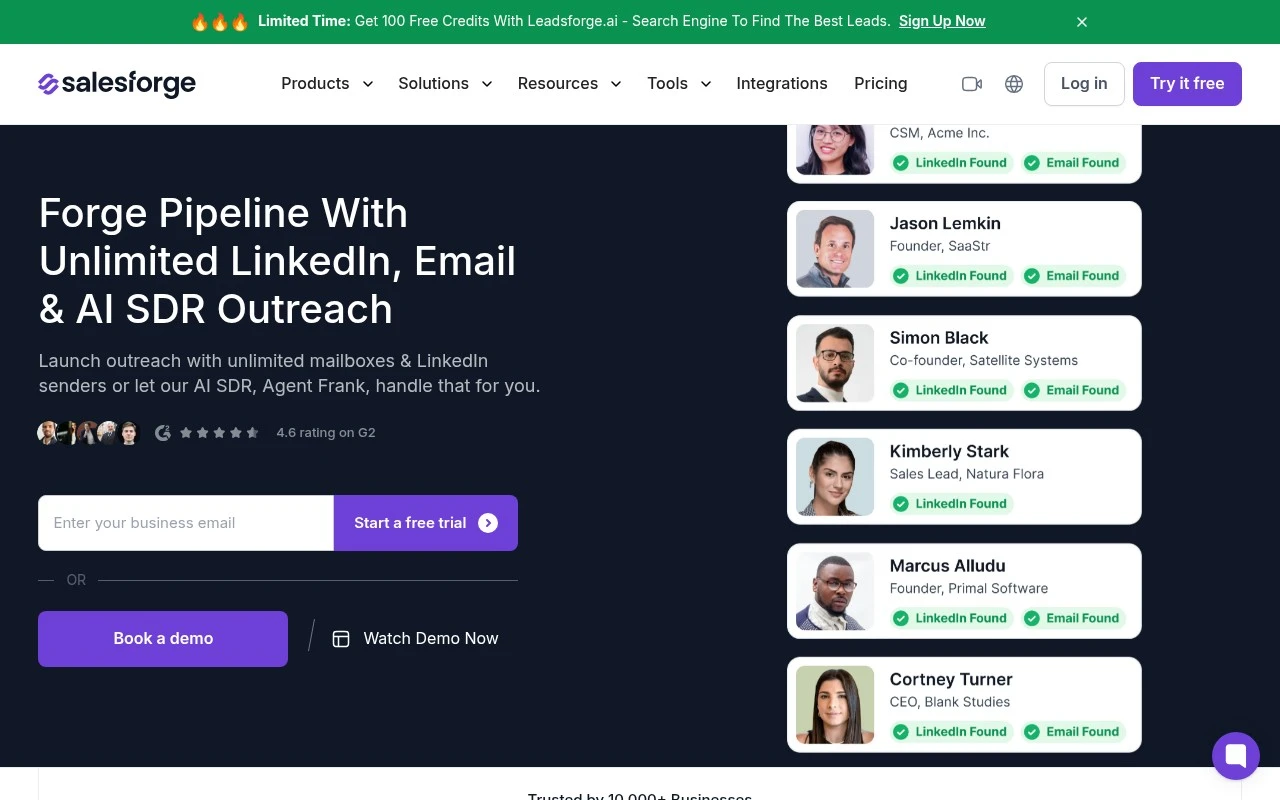
Salesforge is a sales outreach platform focused on high-volume outbound prospecting through email and LinkedIn. It supports unlimited mailboxes and LinkedIn senders, centralized reply handling through Primebox, free mailbox warm-up via Warmforge, multilingual messaging, and an optional AI SDR, Agent Frank, that can assist with or run outreach from prospecting to booked meetings.

FYAI Score

8.8 / 10

Based on 323 reviews

Pricing:

Freemium

Best for:

Outbound sales teams scaling high-volume email and LinkedIn prospecting

Score Breakdown

  • Ease of use8.7 / 10
  • Features8.9 / 10
  • Pricing9.2 / 10
  • Integrations7.8 / 10
  • Support9.1 / 10

PRODUCT PREVIEW

What this AI tool does

Salesforge is an AI tool designed to support sales teams with everyday tasks that take time away from customer conversations. It helps turn scattered information—like notes, emails, and CRM details—into usable outputs that can guide outreach and follow-up, while keeping the workflow focused on practical sales needs. In typical use, it can assist with drafting messages, summarizing interactions, and organizing next steps so reps can stay consistent across accounts. It’s intended for informational use by teams evaluating how AI might fit into their sales process, especially where speed and clarity matter. Because salesforge is used within real customer contexts, it’s most effective when paired with clear internal guidelines on tone, data handling, and review. That way, the tool can help streamline routine work without replacing the judgment and context that sales professionals bring to each deal.

Use cases

Best for

Conditional Outreach Sequences

Build multi-step sequences that branch on opens, clicks, and replies across cold email and LinkedIn outreach.

Unified Reply Inbox

Salesforge consolidates replies from multiple email mailboxes and LinkedIn accounts into one inbox for triage and follow-up.

Deliverability and AI Outreach

Run mailbox warm-up, track deliverability metrics, and use AI-assisted prospecting and messaging to execute outbound campaigns.

ANALYSIS

Strengths & limitations

Strengths
  • Supports both cold email and LinkedIn outreach with unlimited mailboxes and LinkedIn senders rather than seat-based limits.
  • Includes reply management and mailbox warm-up features as part of the outreach workflow.
  • Offers an AI SDR option for teams that want automated prospecting, messaging, follow-up, and meeting booking support.
Limitations
  • The product is primarily built for outbound sales teams, so it is not a general-purpose CRM or marketing automation suite.
  • Several surrounding capabilities are tied to the broader Forge Stack, which may require understanding related products such as Warmforge, Mailforge, Infraforge, or Leadsforge.
  • Results such as reply rates, inbox placement, and booked meetings are presented through case studies and should not be treated as guaranteed outcomes.

Evaluation

FYAI score breakdown

Our structured evaluation across five key criteria

8.8 / 10

Overall score

Based on 323 reviews

  • Ease of use8.7 / 10
  • Features8.9 / 10
  • Pricing9.2 / 10
  • Integrations7.8 / 10
  • Support9.1 / 10

What users say

Findings from public reviews, documentation and community sources.

  • Ease of use

    G2 lists Salesforge at 4.5/5 across 132 reviews and says users describe a “clean UI/UX” and “onboarding is straightforward.”

  • Features

    Salesforge’s own page lists “unlimited mailboxes & LinkedIn senders,” “conditional multi-channel sequences,” Primebox reply management, and AI SDR Agent Frank.

  • Pricing

    Salesforge’s pricing page lists Pro at “$40 / Month” and Growth at “$80 / Month,” with a “14-Day Free Trial.” The pricing page also references an annual billing discount, unlimited mailboxes, and detailed monthly credit/contact/email allowances.

  • Integrations

    Salesforge’s own page lists LinkedIn senders, mailbox connections, Warmforge, “Integrated with CRMs,” and “API / MCP / CLI.”

  • Support

    Salesforge’s product page states “Superior Customer Support” and says the team helps with issues and “optimizing your strategy and outreach.” Salesforge’s pricing page includes “Live Chat Support,” and G2 summarizes support positively alongside its 4.5/5 review signal.

Who is this for?

Best for outbound teams that want email and LinkedIn outreach in one workflow, Salesforge’s own page lists “unlimited mailboxes & LinkedIn senders” and “conditional multi-channel sequences.” Less suited to teams that require a named app-by-app integration catalog, Salesforge’s own page lists connectivity categories such as “Integrated with CRMs” and “API / MCP / CLI,” so specific connections may need verification before adoption.

PRODUCT PREVIEW

Feature highlights

Scale outbound fast

Run high-volume email + LinkedIn outreach with unlimited senders.

Primebox replies

Centralize replies to manage conversations and handoffs in one place.

AI SDR Agent Frank

Automate prospecting to booked meetings, with AI assistance or autopilot.

COMPARE

Discover curated alternatives worth comparing

Compare similar AI tools based on features, pricing and use cases

7.5/ 10Based on 12.890 reviews

Zoominfo

Lead GenerationCRM & Segmentation
Find and enrich B2B leads with firmographic and contact data
Best for:
Sales teams
Pricing
Paid only

8.6/ 10Based on 6.982 reviews

Zoho CRM

Sales & OutreachAnalytics & Reporting
AI assists CRM tasks: rewrite emails, detect anomalies, predict
Best for:
Sales teams
Pricing
Freemium

8.0/ 10Based on 1.041 reviews

Zoho Campaigns

Lead GenerationCRM & Segmentation
Create, automate, and analyze email and SMS marketing campaigns
Best for:
Marketing teams
Pricing
Freemium

Start turning cold prospects into qualified opportunities with Salesforge. Launch smarter outreach today and watch your pipeline fill with leads that convert.

FAQ

Frequently asked
questions

Everything you need to know about this AI tool,
its features, pricing, use cases, and limitations.

What types of teams and sales motions is Salesforge a good fit for?
Salesforge tends to fit outbound-focused teams that need consistent lead sourcing, enrichment, and qualification at scale. It’s most useful when you already have a defined ICP and want automated scoring to help reps prioritize outreach. If your pipeline is mostly inbound or relationship-driven enterprise selling, you may get less value than with tools centered on intent signals or account planning.
Does Salesforge offer a free plan, and what are the typical limitations compared to paid tiers?
Salesforge is generally positioned as a paid product; if a trial is available, it’s usually time- or usage-limited rather than a full free tier. The main constraints you’ll see on lower tiers are caps on lead volume, enrichment/verification, scoring depth, and integrations. When comparing plans, check whether key features (CRM sync, automation rules, and advanced scoring) are included or gated.
How does Salesforge compare with other lead generation and qualification tools?
Compared with database-first tools, Salesforge is more focused on automating lead workflows and prioritization rather than just providing contact lists. Versus sales engagement platforms, it’s typically stronger on lead scoring and qualification but may be lighter on multichannel sequencing and deliverability controls. If you already have a strong data provider, Salesforge can be evaluated as the layer that scores and routes leads into your CRM.
How quickly can Salesforge be set up, and what onboarding work should you expect?
Salesforge’s results depend heavily on the quality and consistency of your input data; messy CRM records can reduce scoring accuracy. Automated prioritization can also create blind spots if the scoring model doesn’t reflect your real conversion drivers, so ongoing tuning is required. Cost can be a factor for small teams if you need higher lead volumes or premium integrations.
What should I verify about data handling, privacy, and compliance before choosing Salesforge?
Confirm what data Salesforge stores (contacts, engagement signals, enrichment attributes), where it’s processed, and how long it’s retained. If you operate under GDPR/CCPA or have strict procurement requirements, check for DPA availability, subprocessors, and options for deletion/export. Also review how CRM sync permissions are scoped to avoid pulling in unnecessary personal data.