
Curated ToolThis tool is part of our curated AI directory. We only include tools that meet our standards for relevance, usability and real-world value.
Planable
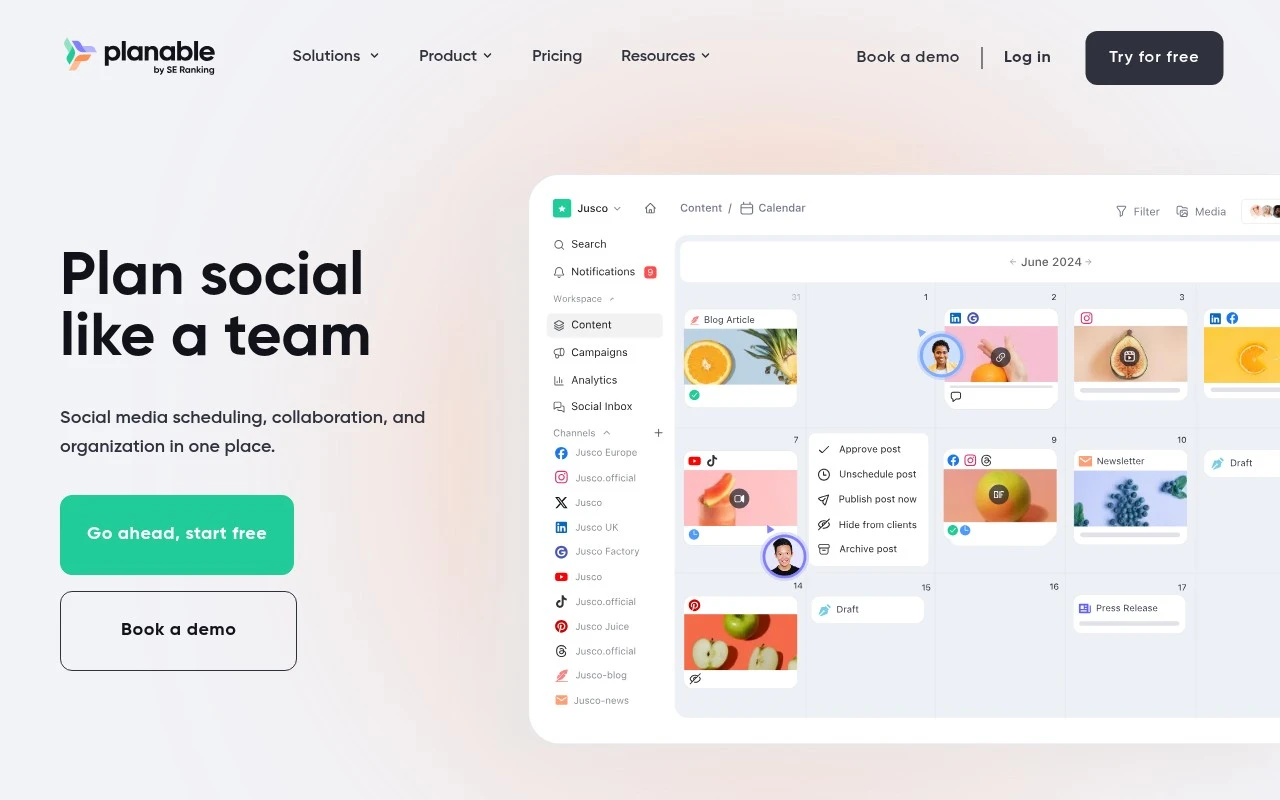
Planable is a social media collaboration platform for planning, previewing, approving, and scheduling content across social channels. It provides shared calendars, post mockups, comments, and approval workflows for marketing teams and clients.
Social Media

FYAI Score
8.4 / 10
Based on 1,062 reviews
Pricing:
Freemium
Best for:
Agencies and marketing teams managing multi-stakeholder social content
Score Breakdown
- Ease of use9.2 / 10
- Features7.7 / 10
- Pricing8.6 / 10
- Integrations8.7 / 10
- Support7.6 / 10
 | Strengths |
-
 Best suited to collaborative social media teams because drafts, previews, comments, approvals, scheduling, and performance review sit in one shared workspace.
 -
Strong fit for agencies and client-facing teams because feedback and stakeholder decisions are captured beside the content being reviewed.
-
Useful for multi-brand or distributed marketing teams because multiple planning views and structured approvals help keep social content organised before publishing.
 | Limitations |
-
 Less suitable for solo creators or very small teams because its main benefits come from collaborative planning, approvals, and stakeholder review workflows.
 -
Less suitable for teams that want AI content generation as the central capability because its strongest role is social content review, governance, scheduling, and coordination.
-
The freemium model can become restrictive for growing teams because heavier collaboration, approval, and publishing needs are likely to require a paid plan.
 | 7.2/ 10Based on 177 reviews |
Arcads
Ad Creation
Creates short-form video ads with AI actors and avatars
Best for: | Marketing teams |
Pricing | Paid |
 | 9.0/ 10Based on 72 reviews |
HeyReach
Sales & OutreachMarketing Automation
Automates LinkedIn outreach, rotates senders, centralizes replies
Best for: | Marketing teams |
Pricing | Freemium |
 | 7.5/ 10Based on 12,890 reviews |
Zoominfo
Lead GenerationCRM & Segmentation
Finds prospects, enriches accounts, and flags buyer signals
Best for: | Sales teams |
Pricing | Paid only |