Curated ToolThis tool is part of our curated AI directory. We only include tools that meet our standards for relevance, usability and real-world value.

Mailshake

AI generates and varies cold email copy for outreach sequences

Sales & OutreachLead Generation
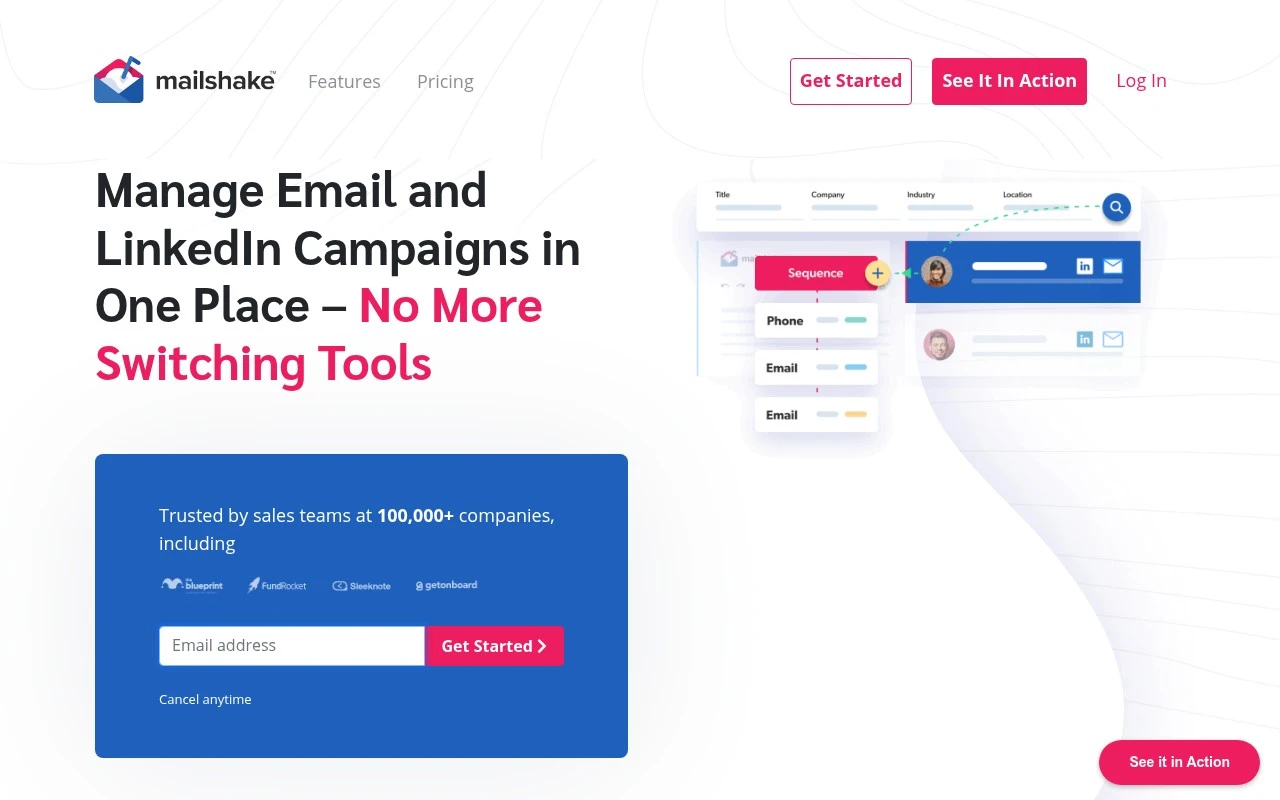
Mailshake helps B2B teams run outbound sales outreach by combining cold email automation, follow-ups, phone and social touchpoints, prospect data tools, analytics, and deliverability features. Its AI writer, SHAKEspeare, generates and rewrites email copy for campaigns, while built-in reporting helps teams track opens, replies, clicks, and rep performance.

FYAI Score

8.5 / 10

Based on 375 reviews

Pricing:

Paid only

Best for:

B2B sales teams scaling outbound prospecting and follow-ups

Score Breakdown

  • Ease of use8.6 / 10
  • Features7.9 / 10
  • Pricing9.0 / 10
  • Integrations8.2 / 10
  • Support9.2 / 10

PRODUCT PREVIEW

What this AI tool does

Mailshake is an email outreach tool designed to help individuals and teams send and manage personalized email sequences at scale. It’s commonly used for sales outreach, link building, recruiting, and other scenarios where you need to contact many people while keeping messages consistent and trackable. The platform typically supports creating templates, scheduling follow-ups, and monitoring engagement metrics such as opens and replies, so you can understand what’s working and adjust your approach. It also aims to reduce manual work by organizing conversations and helping you keep outreach efforts structured over time. For teams, mailshake can fit into a broader workflow by supporting collaboration and connecting with other tools you may already use. If you’re researching outreach software, it’s best evaluated based on how well it matches your sending volume, personalization needs, and reporting requirements.

Use cases

Best for

Cold Email Sequences

Build automated cold email sequences with follow-ups, personalization fields, A/B tests, and reusable campaign templates.

Prospect Engagement Tracking

Import and clean prospect lists, track opens and clicks, and use Lead Catcher to surface and prioritize engaged leads.

Outbound Deliverability Setup

Mailshake helps set up domains and mailboxes, warm up email, clean lists, and flag spam words to protect deliverability.

ANALYSIS

Strengths & limitations

Strengths
  • Combines email, phone, and social outreach steps in a single sales sequence workflow.
  • Includes deliverability-focused tools such as warm-up, list cleaning, spam-word analysis, and domain or mailbox setup assistance.
  • Provides AI-assisted cold email writing, templates, A/B variations, and analytics for improving replies and meetings booked.
Limitations
  • It is primarily focused on outbound sales engagement, not full CRM, inbound marketing automation, or broad customer lifecycle management.
  • The provided site content does not establish advanced depth for phone or social selling beyond adding those channels to outreach sequences.
  • Successful results still depend on list quality, compliant outreach practices, domain reputation, and campaign strategy.

Evaluation

FYAI score breakdown

Our structured evaluation across five key criteria

8.5 / 10

Overall score

Based on 375 reviews

  • Ease of use8.6 / 10
  • Features7.9 / 10
  • Pricing9.0 / 10
  • Integrations8.2 / 10
  • Support9.2 / 10

What users say

Findings from public reviews, documentation and community sources.

  • Ease of use

    Capterra lists Mailshake at 4.6/5 across 161 reviews, and the supplied Capterra review snippet says Mailshake is “easy to use” and “efficient for managing outreach campaigns.” Mailshake’s own page says “you can have a new rep sending campaigns on their first day.”

  • Features

    Mailshake’s site lists sales-outreach features including AI Email Writer, Data Finder, Lead Catcher, and multi-channel outreach.

  • Pricing

    Mailshake’s pricing page publishes Starter at $29/mo, Email Outreach at $49/mo, and Sales Engagement at $99/mo, with annual discounts shown and plan limits for email addresses, sends, Data Finder credits, warmup, campaigns, and verification. Mailshake’s pricing page lists unlimited campaigns, uploaded contacts, warmup, and verification, while Data Finder and mailboxes are offered as paid add-ons.

  • Integrations

    Mailshake’s pricing page lists integrations with Gmail/G Suite, Office 365, Outlook/Exchange via SMTP/IMAP, Salesforce, Pipedrive, HubSpot, and “1,000+ integrations via Zapier.” Mailshake’s site navigation includes an API link.

  • Support

    Mailshake’s pricing page says “concierge onboarding, deliverability training, and support resources” are available. Mailshake’s homepage lists “dedicated onboarding and campaign review sessions, open office hours, and personalized copy and campaign feedback on weekly live trainings,” and customer quotes on the page call the support team “spectacular and very knowledgeable.”

Who is this for?

Best for sales and marketing teams that want outreach reps launched quickly, Mailshake’s page says “you can have a new rep sending campaigns on their first day,” and the product includes multi-channel outreach, AI Email Writer, Data Finder, and Lead Catcher. Less suited to teams that need a full enterprise sales-engagement suite. Mailshake is positioned more as streamlined outreach than a full enterprise sales-engagement suite.

PRODUCT PREVIEW

Feature highlights

Automated Follow-ups

Send personalized sequences that stop when prospects reply.

AI Email Writer

SHAKEspeare drafts and rewrites outreach copy in seconds.

Outreach Analytics

Track opens, clicks, replies, and rep performance by campaign.

COMPARE

Discover curated alternatives worth comparing

Compare similar AI tools based on features, pricing and use cases

7.5/ 10Based on 12.890 reviews

Zoominfo

Lead GenerationCRM & Segmentation
Find and enrich B2B leads with firmographic and contact data
Best for:
Sales teams
Pricing
Paid only

8.6/ 10Based on 6.982 reviews

Zoho CRM

Sales & OutreachAnalytics & Reporting
AI assists CRM tasks: rewrite emails, detect anomalies, predict
Best for:
Sales teams
Pricing
Freemium

8.0/ 10Based on 1.041 reviews

Zoho Campaigns

Lead GenerationCRM & Segmentation
Create, automate, and analyze email and SMS marketing campaigns
Best for:
Marketing teams
Pricing
Freemium

Start booking more meetings with outreach that feels personal at scale. See why sales teams choose Mailshake to turn cold leads into real conversations.

FAQ

Frequently asked
questions

Everything you need to know about this AI tool,
its features, pricing, use cases, and limitations.

Who is Mailshake a good fit for, and when should I pick something else?
Mailshake fits outbound-focused sales teams, agencies, and B2B marketers who need multi-step cold email sequences, personalization at scale, and performance tracking. It’s less ideal if your priority is newsletter-style marketing, complex customer journeys across many channels, or deep CRM-native workflows. If deliverability controls and inbox management are your main needs, you may prefer a tool built specifically around inbox rotation and warm-up.
Does Mailshake have a free plan, and what are the practical limitations of paid tiers?
Mailshake is typically a paid product and may not offer a permanent free tier, so budgeting is part of the decision. Paid plans generally unlock core sequencing, personalization, and reporting, with higher tiers adding more advanced features and team controls. Expect limits to show up around user seats, sending accounts, and feature access rather than basic usage.
How does Mailshake compare with Outreach, Salesloft, Apollo, or Lemlist for outbound email?
Mailshake is usually simpler and more focused on email outreach than full sales engagement platforms like Outreach or Salesloft, which can be heavier but deeper for enterprise workflows. Compared with Apollo, Mailshake is more about sequencing and execution than being an all-in-one database + dialer + engagement suite. Versus Lemlist, Mailshake tends to emphasize straightforward sequencing and analytics, while others may differentiate more on multichannel or creative personalization options.
How quickly can I get Mailshake running, and what onboarding effort should I expect?
Mailshake can be limiting if you need native integrations with a specific CRM or a highly customized workflow across many tools. New users may face a learning curve around best practices (segmentation, personalization, and deliverability), which affects results more than the software itself. Pricing can also be a constraint for very small teams that want a lightweight or free option.
What should I check about data handling, privacy, and compliance before using Mailshake?
Confirm how Mailshake stores contact lists, email content, and tracking data, and whether it supports your requirements for data retention and access controls. Review its compliance posture for regulations relevant to your outreach (e.g., GDPR/CCPA) and ensure your team can manage consent, opt-outs, and suppression lists appropriately. Also verify what email tracking features are used (opens/clicks) and whether they align with your legal and deliverability policies.