Curated ToolThis tool is part of our curated AI directory. We only include tools that meet our standards for relevance, usability and real-world value.

Mailmodo

Creates interactive emails and automated journeys, plus campaign reports.

Sales & OutreachEmail Marketing & Deliverability

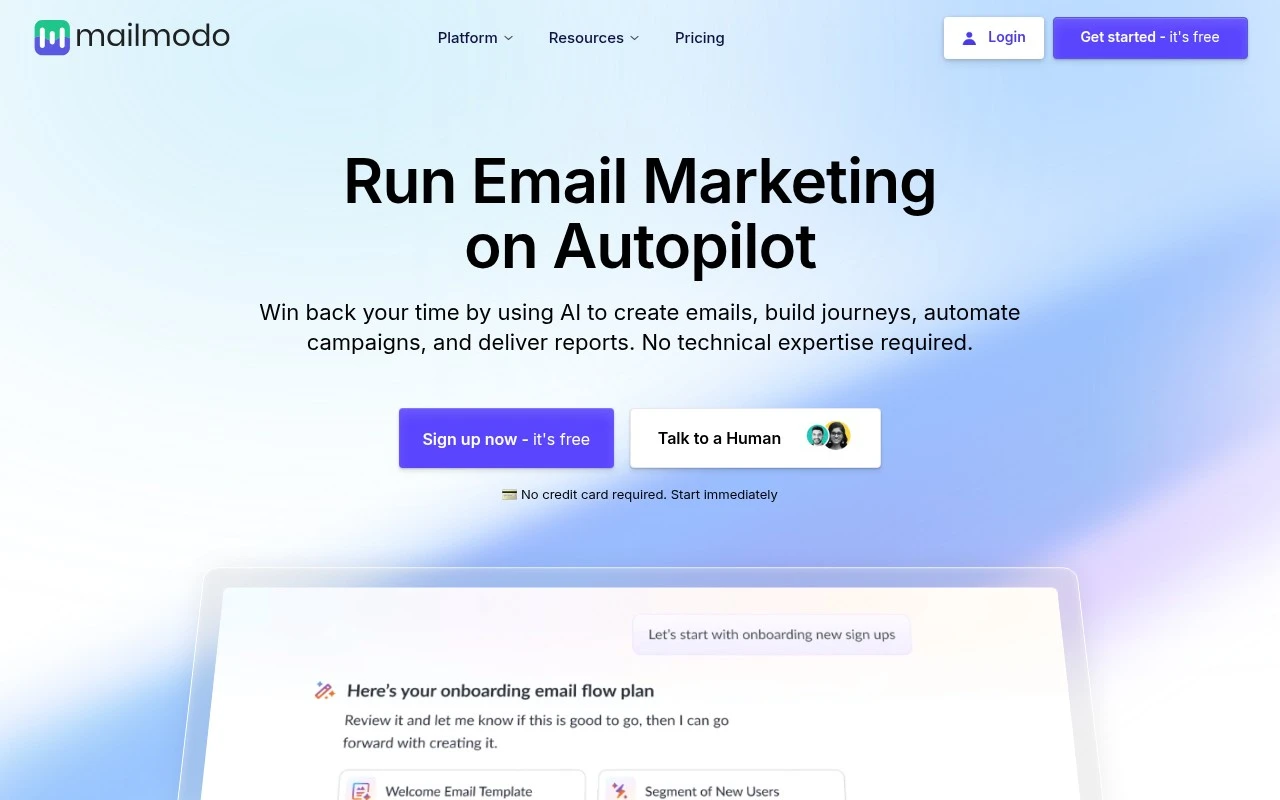
Mailmodo is an AI email marketing tool focused on automating campaign creation and making emails interactive. It lets users create emails, build journeys, automate campaigns, add in-email actions like forms, polls, quizzes, surveys, games, carousels, and calendar booking flows, and generate reports. Its main distinction is the emphasis on actionable emails that let recipients respond or complete steps inside the email rather than being sent to a separate landing page.

FYAI Score

8.3 / 10

Based on 148 reviews

Pricing:

Freemium

Best for:

Lifecycle marketers running automated email campaigns and journeys

Score Breakdown

  • Ease of use8.7 / 10
  • Features8.3 / 10
  • Pricing7.5 / 10
  • Integrations8.7 / 10
  • Support8.6 / 10

PRODUCT PREVIEW

What this AI tool does

Mailmodo is an email marketing tool designed to help teams create and send interactive emails that let recipients take actions without leaving their inbox. It’s typically used by marketers and product teams who want to improve engagement in campaigns such as newsletters, onboarding flows, and product updates. The platform focuses on building emails with embedded forms and other interactive elements, then tracking how people respond. It can fit into a broader workflow by supporting templates, audience segmentation, and automation for recurring or behavior-based messages. For organizations evaluating email marketing software, mailmodo is relevant when the goal is to reduce friction between reading an email and completing a task. It’s best suited for use cases where quick in-email responses matter, such as collecting feedback, capturing leads, or confirming preferences.

Use cases

Best for

Create Email Campaign

Use Mailmodo to build interactive email campaigns with in-email forms, polls, quizzes, carousels, and calendar booking blocks.

Marketing Automation

Set up automated journeys in Mailmodo to trigger sends and follow ups based on subscriber actions and in-email responses.

Report Generation

Generate campaign reports in Mailmodo to track opens, clicks, and in-email interaction submissions from forms, polls, and surveys.

ANALYSIS

Strengths & limitations

Strengths
  • Supports interactive email formats including forms, surveys, polls, quizzes, games, carousels, and calendars.
  • Combines email creation, journey automation, campaign automation, and reporting in one workflow.
  • Positioned for non-technical users, with no technical expertise required according to the official site.
Limitations
  • The provided official page does not give detailed information about pricing tiers beyond mentioning a free start and no credit card requirement.
  • The excerpt does not specify integrations, deliverability controls, list management depth, or compliance tooling.
  • Performance claims are presented as customer examples on the site and are not enough to predict results for every sender or audience.

Evaluation

FYAI score breakdown

Our structured evaluation across five key criteria

8.3 / 10

Overall score

Based on 148 reviews

  • Ease of use8.7 / 10
  • Features8.3 / 10
  • Pricing7.5 / 10
  • Integrations8.7 / 10
  • Support8.6 / 10

What users say

Findings from public reviews, documentation and community sources.

  • Ease of use

    Software Advice summarizes users saying Mailmodo is “easy to use” and “simple to make great-looking email templates.” Product Hunt mentions an “intuitive drag-and-drop editor” and visual journey builder, and the Mailmodo product page says users need “No technical expertise required.”

  • Features

    Mailmodo’s features page lists campaigns, automation, segmentation, analytics, deliverability, newsletters, and transactional emails. Mailmodo’s features page also lists interactive AMP emails, surveys, quizzes, polls, forms, games, and AI template/automation tools.

  • Pricing

    Mailmodo’s pricing page lists Lite, Pro, and Max tiers, with contact limits, sending credits, team seats, journey limits, API-rate limits, support channels, and annual billing shown. Mailmodo’s pricing page says “Get started for free” and “No credit card,” and lists the entry paid tier at $149/month billed annually for 500 contacts and 2,000 sending credits.

  • Integrations

    Mailmodo’s pricing page lists integrations including Zapier, Make, Google Sheets, and Webhook/API. Mailmodo’s features page highlights Zapier connection to “3000+ tools” and transactional/event APIs.

  • Support

    Mailmodo’s features page lists “1:1 support with migration and onboarding,” “Helpful Guides,” and ongoing campaign ideas. Mailmodo’s pricing page includes chat and email support on paid tiers and dedicated chat, email, and call support on Max.

Who is this for?

Best for teams that want interactive email campaigns, Mailmodo’s features page lists interactive AMP emails, surveys, quizzes, polls, forms, and games. Best for teams that need workflow connections, Mailmodo’s features page highlights Zapier connection to “3000+ tools” and transactional/event APIs. Less suited to teams seeking a low entry paid plan, Mailmodo’s pricing page lists the entry paid tier at $149/month billed annually for 500 contacts and 2,000 sending credits.

PRODUCT PREVIEW

Feature highlights

Interactive emails

Add forms, polls, quizzes, and bookings inside the email.

Journey automation

Build automated flows and trigger campaigns based on user actions.

Performance reports

Track engagement and conversions with clear campaign analytics.

COMPARE

Discover curated alternatives worth comparing

Compare similar AI tools based on features, pricing and use cases

7.5/ 10Based on 12.890 reviews

Zoominfo

Lead GenerationCRM & Segmentation
Find and enrich B2B leads with firmographic and contact data
Best for:
Sales teams
Pricing
Paid only

8.6/ 10Based on 6.982 reviews

Zoho CRM

Sales & OutreachAnalytics & Reporting
AI assists CRM tasks: rewrite emails, detect anomalies, predict
Best for:
Sales teams
Pricing
Freemium

8.0/ 10Based on 1.041 reviews

Zoho Campaigns

Lead GenerationCRM & Segmentation
Create, automate, and analyze email and SMS marketing campaigns
Best for:
Marketing teams
Pricing
Freemium

Turn emails into conversion moments. Launch interactive campaigns with Mailmodo and let subscribers take action instantly—right inside the inbox.

FAQ

Frequently asked
questions

Everything you need to know about this AI tool,
its features, pricing, use cases, and limitations.

What types of teams and campaigns is Mailmodo a good fit for?
Mailmodo is a strong fit if you want interactive emails (e.g., forms, surveys, RSVP/lead capture) to reduce clicks and collect responses directly in the inbox. It’s also well-suited for lifecycle and product-led campaigns where automation and segmentation matter. If your program is mostly simple newsletters, a lighter tool may be easier and cheaper.
Does Mailmodo have a free plan, and what are the main limitations compared to paid tiers?
Mailmodo typically offers a free or trial option, but key capabilities like higher sending limits, advanced automation, and some interactive/AMP features are usually gated behind paid plans. Expect constraints around contacts, monthly sends, and access to premium templates or reporting depth. Check the current pricing page because limits can change by region and plan.
How does Mailmodo compare with tools like Mailchimp, Klaviyo, or HubSpot for email marketing?
Mailmodo differentiates most on interactive/AMP email experiences, while Mailchimp often wins on simplicity and broad template familiarity. Klaviyo is usually stronger for ecommerce-native data and deep event-driven flows, and HubSpot is more compelling if you need email tightly tied to CRM and sales workflows. If interactivity is a core requirement, Mailmodo is often the more direct match.
How quickly can you get Mailmodo running, and what onboarding effort should you expect?
Interactive elements won’t render in every email client, so you’ll need fallbacks and testing to avoid inconsistent experiences. The editor and workflow builder can feel more complex than traditional tools, especially if you’re not used to interactive design patterns. Pricing can also be higher than basic email platforms once you scale contacts and sends.
What should I know about Mailmodo’s data handling, privacy, and compliance before adopting it?
Confirm where Mailmodo stores and processes customer data, and whether it offers a DPA and supports GDPR/CCPA requirements for your use case. Review how tracking (opens/clicks) and form responses from interactive emails are collected and retained, and whether you can configure retention or deletion. If you operate in regulated industries, validate access controls, audit logs, and sub-processor disclosures before committing.