Curated ToolThis tool is part of our curated AI directory. We only include tools that meet our standards for relevance, usability and real-world value.

LeadMagic

Enriches prospect data via AI agents using verified company contacts

Lead Generation
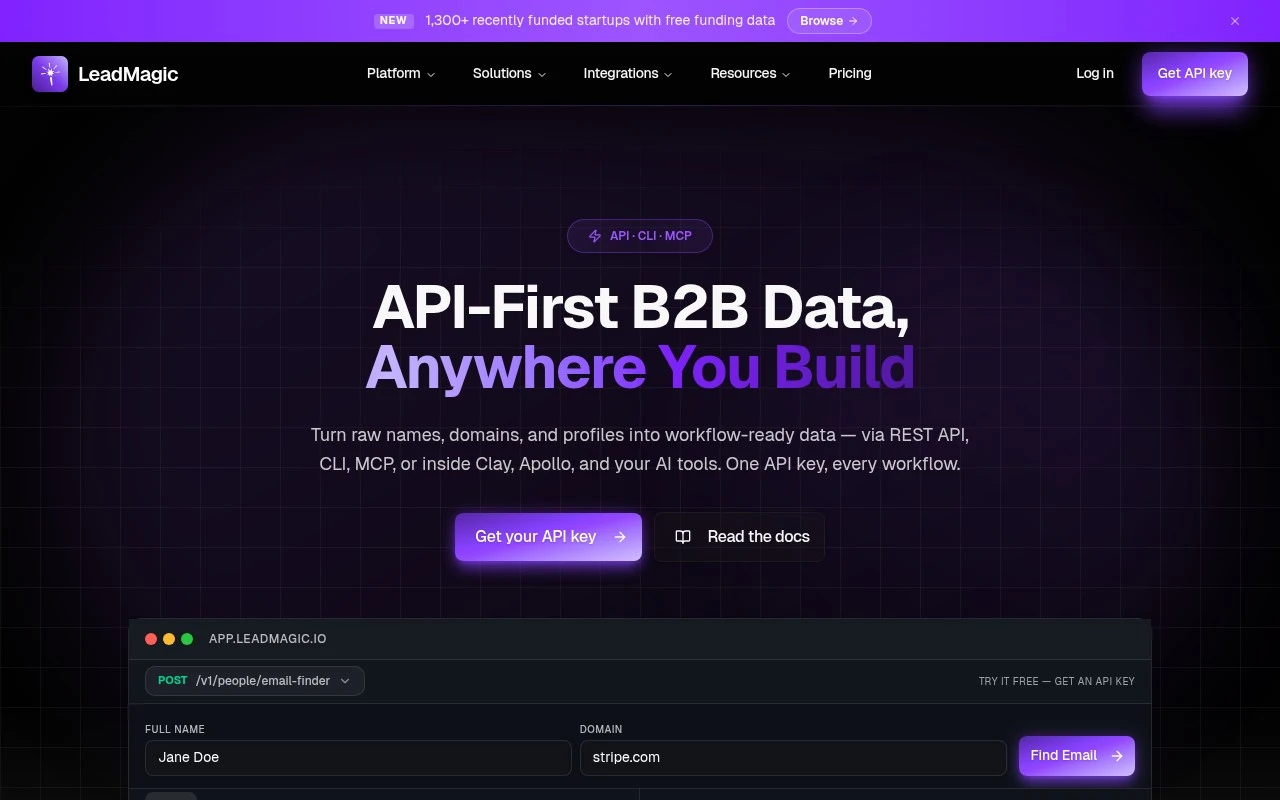
LeadMagic provides B2B data enrichment for go-to-market workflows. It exposes endpoints for email finding, mobile finding, email validation, catch-all validation, company enrichment, profile search, personal email lookup, and jobs or intent signals. The same credit pool works across its REST API, CLI, MCP integration, and chat-based prospecting interface, with charging positioned around valid enrichment results.

FYAI Score

8.5 / 10

Based on 20 reviews

Pricing:

Paid

Best for:

Sales and RevOps teams enriching leads for outbound and routing

Score Breakdown

  • Ease of use7.7 / 10
  • Features8.2 / 10
  • Pricing9.3 / 10
  • Integrations9.0 / 10
  • Support8.5 / 10

PRODUCT PREVIEW

What this AI tool does

LeadMagic is an AI tool designed to help teams work with lead information more efficiently. It focuses on turning raw contact or company data into something easier to review and act on, which can be useful when you’re trying to understand who to reach out to and why. In practice, it can support common lead management tasks such as organizing incoming leads, enriching records with additional context, and helping prioritize outreach based on the information available. This makes it relevant for sales and marketing workflows where data quality and speed matter. If you’re researching leadmagic, it’s best viewed as a way to streamline how lead data is collected and prepared for follow-up, rather than a replacement for your existing CRM or sales process. The exact fit will depend on where your current workflow slows down—data gathering, cleanup, or deciding which leads to contact first.

Use cases

Best for

Contact Email Validation

LeadMagic finds and verifies work emails, mobile numbers, and personal emails for target contacts via API, CLI, or chat.

Company Record Enrichment

Enrich company and profile records with firmographic, technographic, funding, job, and account context from LeadMagic data.

Data Delivery to Workflows

Send verified contact, company, and intent signals into APIs, CSV bulk jobs, Clay waterfalls, sequencers, or AI agents.

ANALYSIS

Strengths & limitations

Strengths
  • Covers multiple enrichment needs in one product, including emails, mobile numbers, company data, profile search, validation, and hiring or intent signals.
  • Built for technical and automated workflows through REST API, CLI, MCP, and chat access using one shared credit pool.
  • Pricing is credit-based and the site states users are only charged for valid results.
Limitations
  • It is focused on B2B data enrichment rather than being a full CRM, sales engagement platform, or end-to-end prospecting suite.
  • Real-world coverage and accuracy may vary by market, contact type, and data source despite the site’s stated accuracy claims.
  • Teams handling personal contact data still need to manage compliance, consent, and appropriate use for their own jurisdictions and outreach practices.

Evaluation

FYAI score breakdown

Our structured evaluation across five key criteria

8.5 / 10

Overall score

Based on 20 reviews

  • Ease of use7.7 / 10
  • Features8.2 / 10
  • Pricing9.3 / 10
  • Integrations9.0 / 10
  • Support8.5 / 10

What users say

Findings from public reviews, documentation and community sources.

  • Ease of use

    G2’s review summary says users “consistently praise the product for its data accuracy and ease of use,” with a 4.1/5 rating from 20 reviews. LeadMagic is described as developer- and GTM-workflow oriented rather than a near-zero-learning-curve consumer tool.

  • Features

    LeadMagic’s website describes a B2B data platform with verified emails, mobile numbers, catch-all validation, and hiring/intent signals. LeadMagic’s website states every endpoint works through “API, CLI, MCP, and chat.”

  • Pricing

    LeadMagic’s pricing page lists monthly and annual prices, credits, rollover rules, and per-operation credit costs. LeadMagic’s pricing page says users are “only charged on valid results” and offers a free 100-credit trial.

  • Integrations

    LeadMagic’s website lists integrations and workflow connections including Clay, Apollo, ZoomInfo, Instantly, Smartlead, Zapier, Make, ChatGPT, Claude, Cursor, VS Code, n8n, and others. LeadMagic’s website also lists REST API, CLI/TUI, and MCP access.

  • Support

    LeadMagic’s pricing page says Basic includes email support, Essential includes priority email support, and Growth includes a “Dedicated Slack support channel & success rep.” LeadMagic’s website emphasizes docs and developer tooling.

Who is this for?

Best for GTM and developer teams that need B2B enrichment in automated workflows, LeadMagic says every endpoint works through “API, CLI, MCP, and chat.” Less suited to teams seeking a near-zero-learning-curve consumer tool. LeadMagic is described as developer- and GTM-workflow oriented.

PRODUCT PREVIEW

Feature highlights

B2B enrichment API

Enrich people and companies with firmographics and profile data.

Email validation

Validate emails and catch-all status to cut bounce rates.

API, CLI, MCP access

Use one credit pool across API, CLI, MCP, and chat prospecting.

COMPARE

Discover curated alternatives worth comparing

Compare similar AI tools based on features, pricing and use cases

7.5/ 10Based on 12.890 reviews

Zoominfo

Lead GenerationCRM & Segmentation
Find and enrich B2B leads with firmographic and contact data
Best for:
Sales teams
Pricing
Paid only

8.6/ 10Based on 6.982 reviews

Zoho CRM

Sales & OutreachAnalytics & Reporting
AI assists CRM tasks: rewrite emails, detect anomalies, predict
Best for:
Sales teams
Pricing
Freemium

8.0/ 10Based on 1.041 reviews

Zoho Campaigns

Lead GenerationCRM & Segmentation
Create, automate, and analyze email and SMS marketing campaigns
Best for:
Marketing teams
Pricing
Freemium

Fill your pipeline with leads that convert. Start using LeadMagic today to focus your team on the right accounts and move deals faster.

FAQ

Frequently asked
questions

Everything you need to know about this AI tool,
its features, pricing, use cases, and limitations.

What types of teams and workflows is LeadMagic a good fit for?
LeadMagic tends to fit B2B teams that need targeted prospecting plus automated outreach, especially SDR/BDR teams running outbound campaigns. It’s most useful when you already have a defined ICP and want lead scoring to prioritize follow-up. If your motion is mostly inbound or account-based with heavy personalization, you may find parts of the automation less aligned.
Does LeadMagic offer a free plan, and what are the typical limitations compared to paid tiers?
LeadMagic is generally positioned as a paid product, with any trial or limited access mainly intended for evaluation rather than ongoing use. The main constraints you’ll usually hit without a full plan are caps on lead volume, outreach automation features, and scoring/qualification depth. When comparing tools, confirm what’s included for exports, integrations, and the number of seats.
How does LeadMagic compare to other lead generation and outreach tools?
Compared with databases-first tools, LeadMagic is more focused on combining lead qualification (scoring) with automated engagement in one workflow. Versus sales engagement platforms, it may feel lighter on complex sequencing and analytics but more direct for prospect discovery and prioritization. The deciding factor is whether you want a single system for finding + qualifying + initial outreach, or best-of-breed tools connected via integrations.
How quickly can a team get LeadMagic running, and what onboarding effort should you expect?
LeadMagic’s results depend heavily on data quality; weak or outdated firmographic/contact data can reduce targeting accuracy and waste outreach. There’s also a learning curve in configuring scoring and automation so it supports, rather than replaces, human judgment. Cost can be a constraint for smaller teams if you need higher lead volumes or multiple users.
What should I check regarding data handling, privacy, and compliance when using LeadMagic?
Verify what data LeadMagic stores (contacts, enrichment fields, email activity) and whether it acts as a processor or controller for your use case. Confirm options for consent management, suppression lists, and retention/deletion to support GDPR/CCPA and your internal policies. If you operate in regulated industries, review where data is hosted, access controls, and audit/export capabilities before committing.