Curated ToolThis tool is part of our curated AI directory. We only include tools that meet our standards for relevance, usability and real-world value.

Instapage

AI generates landing page copy, variants, and runs experiments

Lead GenerationConversion Optimization

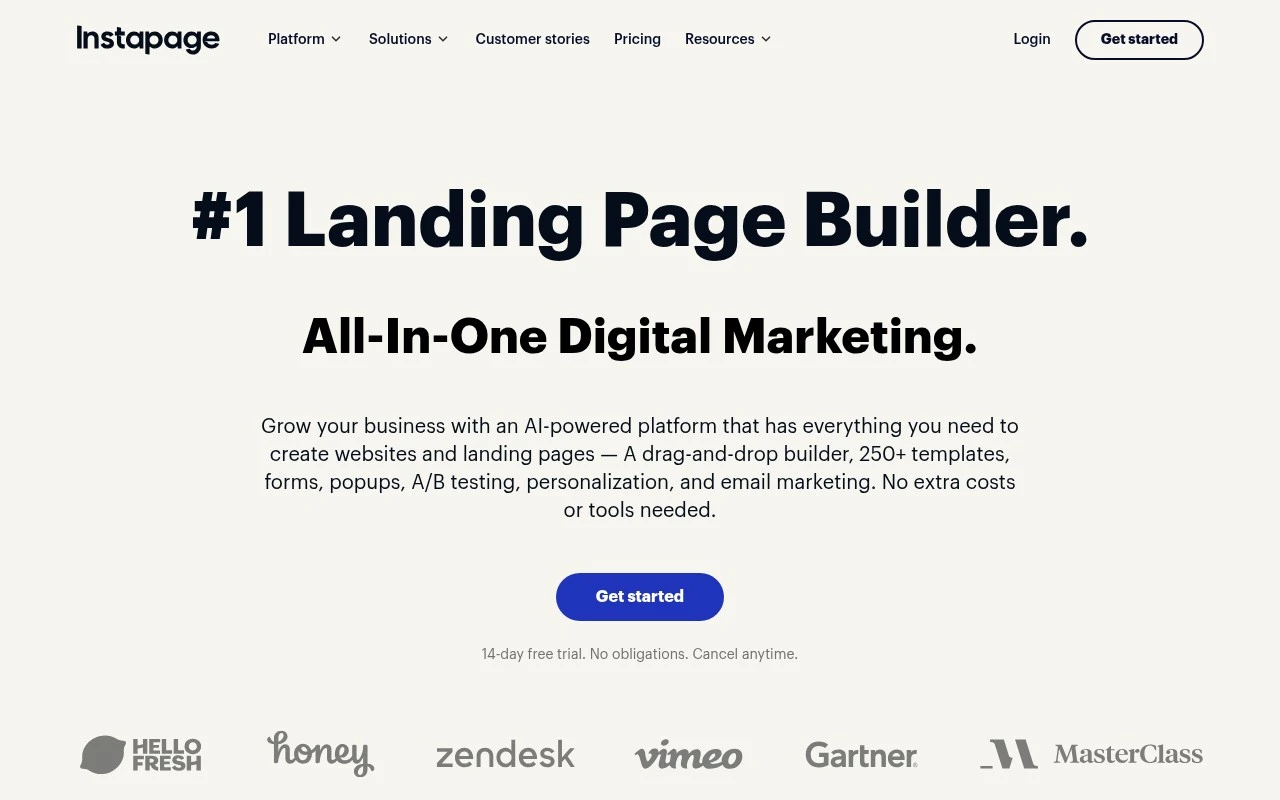
Instapage is a landing page builder and conversion optimization platform focused on turning advertising traffic into leads or customers. It combines a drag-and-drop page editor, 250+ templates, forms, popups, AI content generation, personalization, A/B testing, heatmaps, analytics, collaboration tools, and reusable page blocks. Its distinct angle is not just page creation, but managing ad-to-landing-page relevance at scale through features such as AdMap, Global Blocks, Collections, and AI-assisted content and experimentation.

FYAI Score

8.5 / 10

Based on 521 reviews

Pricing:

Paid only

Best for:

Performance marketing teams scaling post-click conversions

Score Breakdown

  • Ease of use9.2 / 10
  • Features9.1 / 10
  • Pricing7.2 / 10
  • Integrations7.5 / 10
  • Support9.2 / 10

PRODUCT PREVIEW

What this AI tool does

Instapage is a web-based tool for creating and publishing landing pages without needing to write code. It’s typically used by marketing and growth teams who want a straightforward way to build pages for campaigns, product launches, or lead generation, then connect those pages to existing analytics and advertising workflows. The platform focuses on helping you move from an idea to a live page quickly, with templates and a visual editor that supports common page elements like forms and calls to action. It also supports testing and performance measurement so you can compare variations and understand which page version is working better. In practice, instapage fits best when you need dedicated campaign pages that are separate from a main website, or when you want a repeatable process for creating pages across multiple campaigns. It can be used alongside other marketing tools, but it’s most useful when you have a clear goal for each page and want to track results over time.

Use cases

Best for

Build Landing Page

Build a landing page in Instapage using the drag and drop editor, templates, forms, and reusable blocks for fast publishing.

Conversion Rate Optimization

Run conversion rate optimization with A B tests, heatmaps, and analytics to compare variants and identify drop off points.

Generate Headlines

Generate headlines with Instapage AI content tools that draft and rewrite copy variants for your landing page sections.

ANALYSIS

Strengths & limitations

Strengths
  • Combines landing page creation, personalization, analytics, heatmaps, A/B testing, and collaboration in one workflow.
  • Includes AI features for generating headlines, page copy, CTAs, and test variations directly inside the landing page builder.
  • Built for scaling paid campaign landing pages with reusable Instablocks, Global Blocks, Collections, and AdMap campaign visualization.
Limitations
  • Its strongest fit is landing pages and advertising conversion workflows, not general-purpose website management or a full CMS.
  • The AI capabilities described are focused mainly on landing page copy, variations, personalization, and experiments rather than broad autonomous marketing strategy.
  • Teams that only need a simple one-off page may not need its larger optimization, collaboration, and ad-campaign management feature set.

Evaluation

FYAI score breakdown

Our structured evaluation across five key criteria

8.5 / 10

Overall score

Based on 521 reviews

  • Ease of use9.2 / 10
  • Features9.1 / 10
  • Pricing7.2 / 10
  • Integrations7.5 / 10
  • Support9.2 / 10

What users say

Findings from public reviews, documentation and community sources.

  • Ease of use

    G2 reports that users “consistently praise the ease of use and intuitive design,” and Instapage’s own page describes an “intuitive drag-and-drop builder” for building pages “without tech expertise.”

  • Features

    Instapage lists features including a drag-and-drop builder, 250+ templates, A/B testing, and analytics with heatmaps.

  • Pricing

    Instapage’s pricing page emphasizes a “14-day free trial,” “cancel anytime,” and an all-in-one landing-page platform. A Reddit thread characterizes Instapage as “not cheap.”

  • Integrations

    Instapage’s site navigation surfaces dedicated “Integrations” and “API” sections, and Instapage’s product description mentions support for Javascript, HTML/CSS, and third-party scripts.

  • Support

    Capterra review signals include users saying “Customer service is always SO helpful,” and Trustpilot highlights “Great product, even better service.”

Who is this for?

Best for marketing teams that need to build and optimize landing pages without technical help. Instapage describes an “intuitive drag-and-drop builder” for building pages “without tech expertise” and lists A/B testing and analytics with heatmaps. Less suited to buyers who need clear public pricing before evaluation, Instapage’s pricing page emphasizes a “14-day free trial” and “cancel anytime,” while a Reddit thread characterizes Instapage as “not cheap.”

PRODUCT PREVIEW

Feature highlights

Drag-and-drop pages

Build pixel-perfect landing pages fast with templates and blocks.

Ad-to-page relevance

Map ads to pages and personalize experiences to match intent.

A/B testing & insights

Run experiments with heatmaps and analytics to boost conversions.

COMPARE

Discover curated alternatives worth comparing

Compare similar AI tools based on features, pricing and use cases

7.5/ 10Based on 12.890 reviews

Zoominfo

Lead GenerationCRM & Segmentation
Find and enrich B2B leads with firmographic and contact data
Best for:
Sales teams
Pricing
Paid only

8.6/ 10Based on 6.982 reviews

Zoho CRM

Sales & OutreachAnalytics & Reporting
AI assists CRM tasks: rewrite emails, detect anomalies, predict
Best for:
Sales teams
Pricing
Freemium

8.0/ 10Based on 1.041 reviews

Zoho Campaigns

Lead GenerationCRM & Segmentation
Create, automate, and analyze email and SMS marketing campaigns
Best for:
Marketing teams
Pricing
Freemium

Join marketing teams turning more clicks into customers. Launch faster, improve ROI, and keep optimizing until your campaigns convert.

FAQ

Frequently asked
questions

Everything you need to know about this AI tool,
its features, pricing, use cases, and limitations.

What types of teams and campaigns is Instapage the best fit for?
Instapage is a strong fit for performance marketing teams running paid campaigns where landing-page speed, A/B testing, and collaboration matter. It works well for lead-gen funnels, webinar signups, and product-specific pages that need frequent iteration. If you mainly need a full website builder or content-heavy pages, a broader CMS may be a better match.
Does Instapage have a free plan, and what are the practical limits of trying it?
Instapage typically offers a free trial rather than a permanent free tier, and core capabilities are gated behind paid plans. Trial users can build and publish pages, but long-term use requires a subscription and may involve limits tied to traffic, workspaces, or advanced experimentation features. If you need an always-free option, you’ll likely need to compare against lighter landing page tools.
How does Instapage compare with Unbounce, Leadpages, and Webflow for landing pages?
Instapage is often chosen for optimization workflows—especially A/B testing, collaboration, and integrations—over pure template-driven speed. Unbounce is similarly conversion-focused and may be more flexible for certain dynamic features, while Leadpages tends to be simpler and more budget-oriented. Webflow offers deeper design control but usually requires more build time and doesn’t focus as tightly on landing-page experimentation.
How quickly can a team get Instapage live, and what onboarding effort should you expect?
Instapage can be expensive relative to simpler landing page builders, which matters if you’re not running enough traffic to justify ongoing testing. Design flexibility is good for most marketing pages, but highly custom or complex layouts may feel constrained compared with a full web design platform. Some teams also find that getting the most value requires committing to its experimentation and collaboration features.
What should I check about data handling, privacy, and compliance when using Instapage?
Confirm where Instapage hosts pages and stores form submissions, and whether it supports your required data residency and retention policies. Review its DPA, subprocessors list, and options for consent management and tracking scripts, especially if you operate under GDPR/CCPA. If you collect sensitive data, validate encryption, access controls, and how data flows into connected CRMs and analytics tools.