Curated ToolThis tool is part of our curated AI directory. We only include tools that meet our standards for relevance, usability and real-world value.

Flick

Plans social content and writes captions for social accounts

Marketing AutomationAnalytics & Reporting

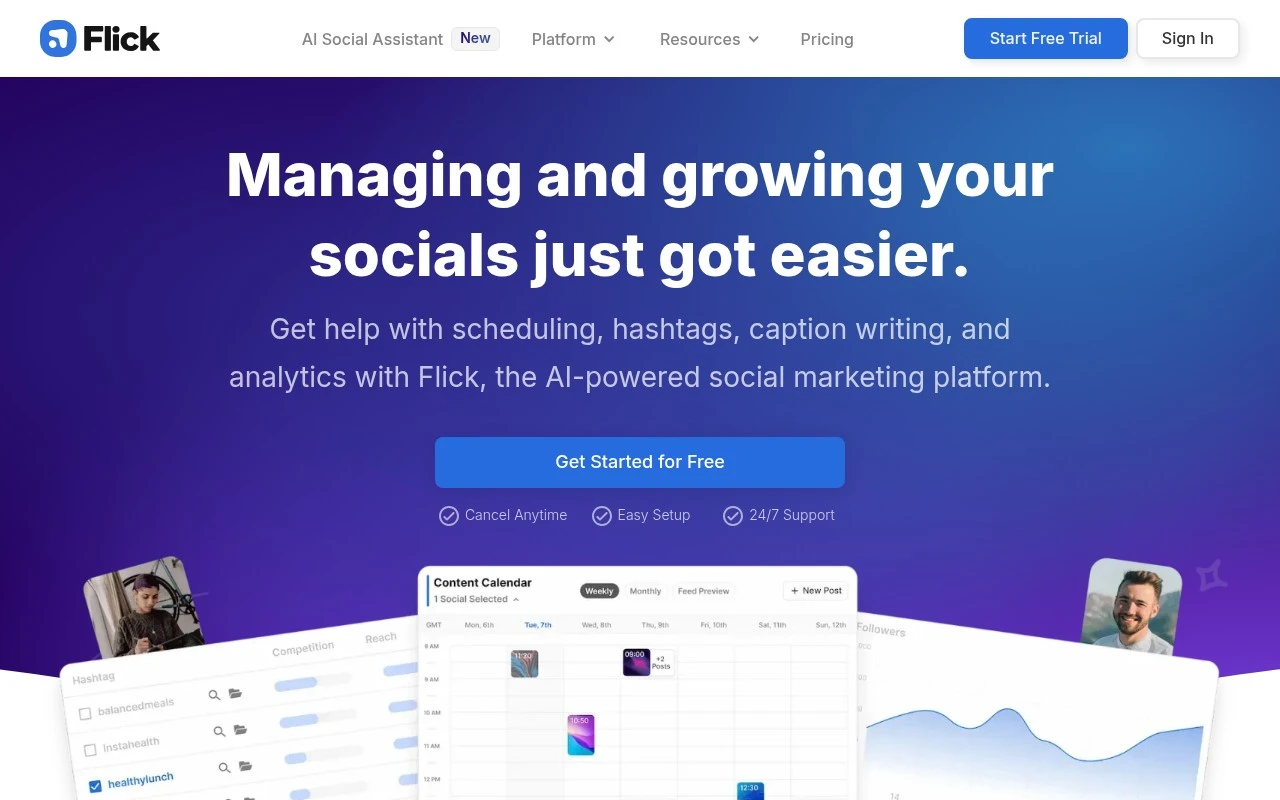
Flick is an all-in-one social media marketing platform focused on helping users manage social content more consistently. It combines a post scheduler, hashtag tools, analytics and reporting, and an AI social media assistant called Iris for strategy, planning, and content creation support. The product is aimed at creators, brands, marketers, small business owners, and social media managers who want to save time while managing social accounts.

FYAI Score

8.1 / 10

Based on 137 reviews

Pricing:

Freemium

Best for:

Creators and social media managers staying consistent across accounts

Score Breakdown

  • Ease of use8.7 / 10
  • Features7.4 / 10
  • Pricing8.3 / 10
  • Integrations7.3 / 10
  • Support8.5 / 10

PRODUCT PREVIEW

What this AI tool does

Flick is an AI tool designed to help users work with text and content more efficiently. It can support common writing tasks such as drafting, rewriting, and refining language, making it useful when you need a clearer version of something you’ve already written or a starting point for a new piece. Because the main use case isn’t specified, the best way to approach flick is as a general-purpose assistant for everyday content workflows. You can provide a prompt, a rough draft, or a set of requirements, then review and edit the output to match your voice and accuracy needs. This makes it suitable for informational use, where clarity and correctness matter more than stylistic flair.

Use cases

Best for

Social Media Content Creation

Use Flick Iris to draft captions and content ideas, then save them to a content plan for scheduled posting.

Marketing Automation

Automate social posting by scheduling posts in advance and publishing them to connected accounts at set times.

Report Generation

Generate social performance reports by exporting analytics on post reach, engagement, and follower growth over time.

ANALYSIS

Strengths & limitations

Strengths
  • Combines scheduling, hashtag research, analytics, reporting, and AI writing support in one workflow.
  • Supports visual planning and scheduling for Instagram, Facebook, TikTok, and LinkedIn.
  • Uses the official Instagram API for publishing, analytics, and hashtags according to the official site.
Limitations
  • The official site positions Instagram strongly, so users focused on other platforms should verify feature depth for each channel.
  • It is a social media management tool, not a full marketing suite for ads, CRM, email marketing, or sales workflows.
  • The site describes a 7-day free trial, so ongoing use appears to require a paid plan after the trial.

Evaluation

FYAI score breakdown

Our structured evaluation across five key criteria

8.1 / 10

Overall score

Based on 137 reviews

  • Ease of use8.7 / 10
  • Features7.4 / 10
  • Pricing8.3 / 10
  • Integrations7.3 / 10
  • Support8.5 / 10

What users say

Findings from public reviews, documentation and community sources.

  • Ease of use

    G2 reports that users “consistently praise the product for its ease of use,” and Flick’s own page emphasizes “Easy setup” plus a “reliable and easy-to-use Scheduler.”

  • Features

    Flick’s site describes a social marketing workflow spanning “scheduling, hashtags, caption writing, and analytics.” Flick’s site also lists Iris, an “AI Social Media Assistant,” hashtag tools, scheduler, and analytics/reporting.

  • Pricing

    Flick’s pricing page lists Solo, Pro, and Agency plans at £11/mo, £24/mo, and £55/mo billed yearly, each with a 7-day free trial. Flick’s pricing page states add-ons such as extra socials at £4/mo and extra users at £8/mo, and says tax is added separately.

  • Integrations

    Flick’s pricing page says Flick supports publishing/scheduling for Instagram, Facebook, TikTok, and LinkedIn. Flick’s pricing page states Flick uses the official Instagram/Facebook API for account safety and analytics.

  • Support

    Flick’s site advertises “24/7 Support,” links to Help Articles/Help Center, and provides [email protected]. Flick’s site describes access to a private Facebook group plus the ability to “Speak with Flick experts.”

Who is this for?

Best for creators and SMB marketers managing social planning and growth, Flick covers “scheduling, hashtags, caption writing, and analytics” in one workflow. Less suited to teams needing a full enterprise marketing suite or broad marketplace/API ecosystem, the cited integrations are publishing/scheduling for Instagram, Facebook, TikTok, and LinkedIn, plus official Instagram/Facebook API use.

PRODUCT PREVIEW

Feature highlights

Post Scheduler

Plan and schedule posts ahead of time to keep content consistent.

Hashtag Research

Find, organize, and track hashtags to improve reach and discovery.

Iris AI Assistant

Get strategy, content ideas, and captions tailored to your goals.

COMPARE

Discover curated alternatives worth comparing

Compare similar AI tools based on features, pricing and use cases

7.5/ 10Based on 12.890 reviews

Zoominfo

Lead GenerationCRM & Segmentation
Find and enrich B2B leads with firmographic and contact data
Best for:
Sales teams
Pricing
Paid only

8.6/ 10Based on 6.982 reviews

Zoho CRM

Sales & OutreachAnalytics & Reporting
AI assists CRM tasks: rewrite emails, detect anomalies, predict
Best for:
Sales teams
Pricing
Freemium

8.0/ 10Based on 1.041 reviews

Zoho Campaigns

Lead GenerationCRM & Segmentation
Create, automate, and analyze email and SMS marketing campaigns
Best for:
Marketing teams
Pricing
Freemium

Plan posts with confidence and stay consistently visible. See why teams choose Flick to grow engagement and keep social work on track.

FAQ

Frequently asked
questions

Everything you need to know about this AI tool,
its features, pricing, use cases, and limitations.

Who is Flick a good fit for, and when should you pick another tool?
Flick fits marketing teams and creators who need reliable content scheduling, a clear content calendar, and straightforward performance tracking—especially for Instagram-focused workflows. It’s a practical choice if you value an easy planning process and basic-to-mid analytics over deep customization. If you need broad channel coverage, heavy automation, or complex reporting across many networks, a more enterprise-oriented platform may suit you better.
Does Flick have a free plan, and what are the main limits compared to paid tiers?
Flick typically offers paid plans, and any trial access is mainly to evaluate core features rather than run long-term for free. The biggest differences across tiers are usually the number of social accounts, scheduled posts, and access to analytics and collaboration features. If you’re comparing tools, check whether the plan you’re considering includes the channels and reporting depth you need.
How does Flick compare with tools like Later, Buffer, or Hootsuite?
Compared with Buffer, Flick tends to emphasize Instagram-centric planning and analytics rather than broad, lightweight multi-network publishing. Versus Later, Flick is often chosen for workflow simplicity and performance tracking, while Later can be stronger for visual planning and commerce-oriented features depending on your setup. Against Hootsuite, Flick is generally less enterprise-heavy (and may have fewer integrations), but can be easier to adopt for smaller teams.
How quickly can a team get Flick up and running?
Flick can be limiting if you rely on niche social platforms or need extensive third-party integrations. Some users find the analytics sufficient for routine optimization but not deep enough for advanced attribution or highly customized reporting. Pricing can also be less attractive for very small businesses compared with simpler schedulers.
What should we check about data handling, privacy, and compliance with Flick?
Confirm what data Flick stores (e.g., account identifiers, post content, analytics) and whether it uses official platform APIs for publishing and insights. Review its data retention, export options, and access controls if multiple team members manage accounts. If you have compliance requirements (e.g., GDPR/CCPA, client data processing), verify the availability of a DPA, sub-processor disclosures, and where data is hosted.