Curated ToolThis tool is part of our curated AI directory. We only include tools that meet our standards for relevance, usability and real-world value.

Campaigner

Build email audiences from natural-language segmentation prompts

Marketing AutomationCRM & Segmentation

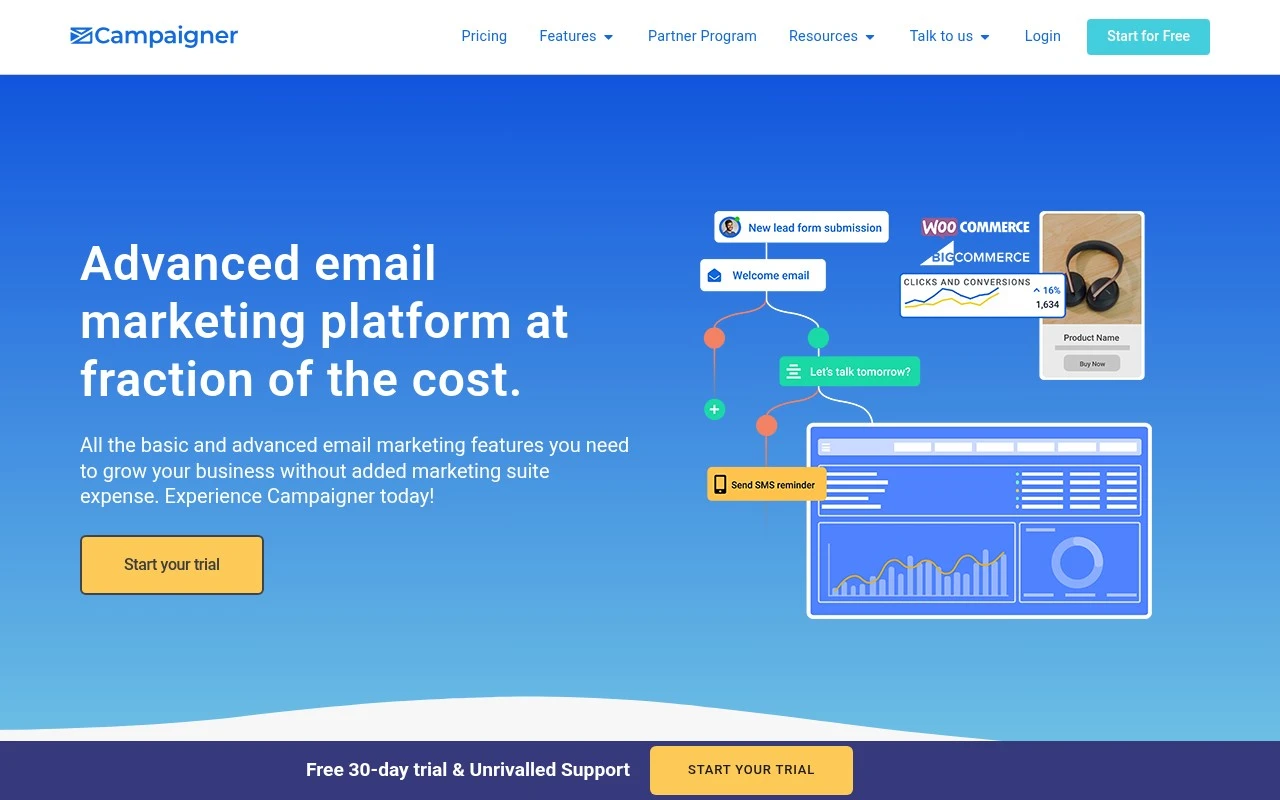
Campaigner is an email marketing platform focused on campaign automation, audience segmentation, personalization, and deliverability support. It includes a visual workflow builder, drag-and-drop email creation, dynamic content and custom-field personalization, ecommerce integrations for WooCommerce and BigCommerce, optional SMS marketing, Audience Insights, an AI Insight Builder for generating mailing lists from natural-language descriptions, and Reputation Defender for list verification.

FYAI Score

7.7 / 10

Based on 428 reviews

Pricing:

Paid

Best for:

Email marketers scaling automated, personalized campaigns

Score Breakdown

  • Ease of use7.3 / 10
  • Features7.4 / 10
  • Pricing8.4 / 10
  • Integrations7.2 / 10
  • Support8.1 / 10

PRODUCT PREVIEW

What this AI tool does

Campaigner is an AI tool page intended to help people understand what the tool does and how it can fit into their workflow. It provides a straightforward overview of the tool’s purpose, typical ways it may be used, and the kind of problems it is designed to address, without assuming prior knowledge. Because the intro and main use case are not defined, this page focuses on giving general context and setting expectations. Readers can use it as a starting point to evaluate whether campaigner is relevant to their needs, what inputs it may require, and what outputs they might receive, before spending time on setup or deeper documentation.

Use cases

Best for

Marketing Automation

Build automated email and SMS journeys using Campaigner’s visual workflow builder with triggers, delays, and conditional branching.

Customer Segmentation

Segment audiences using custom fields, behavior, and ecommerce data, then target each segment with dynamic content blocks.

Create Email Campaign

Create and send a branded email using the drag and drop editor, templates, and custom field personalization tokens.

ANALYSIS

Strengths & limitations

Strengths
  • Combines email creation, automation workflows, segmentation, personalization, and campaign tracking in one platform.
  • Includes audience intelligence features, including demographic dashboards and an AI Insight Builder for creating targeted mailing lists from natural-language criteria.
  • Supports growing email programs with list verification through Reputation Defender and ecommerce-triggered campaigns via WooCommerce and BigCommerce integrations.
Limitations
  • The site positions Campaigner as an advanced email marketing platform rather than a complete all-in-one marketing suite.
  • SMS workflow support appears to require being a Campaigner SMS customer, so it may not be included in every setup.
  • The ecommerce integrations specifically highlighted are WooCommerce and BigCommerce, so other store platforms are not confirmed from the provided source.

Evaluation

FYAI score breakdown

Our structured evaluation across five key criteria

7.7 / 10

Overall score

Based on 428 reviews

  • Ease of use7.3 / 10
  • Features7.4 / 10
  • Pricing8.4 / 10
  • Integrations7.2 / 10
  • Support8.1 / 10

What users say

Findings from public reviews, documentation and community sources.

  • Ease of use

    Capterra describes Campaigner as an “Accessible and intuitive platform” with “89% positive reviews,” and lists an overall 3.9/5 rating.

  • Features

    Campaigner’s pricing page lists an AI subject-line generator, A/B and multivariate testing, dynamic and conditional content, and transactional email via SMTP relay.

  • Pricing

    Campaigner’s pricing page shows 1,000 contacts at “Essentials $14 / mo” and “Advanced $35 / mo,” with a Custom tier handled through sales; Campaigner’s homepage promotes a “30-Day Full-Feature Free Trial.”

  • Integrations

    Campaigner’s homepage names “WooCommerce & BigCommerce Integrations” with free plugins that connect store activity to Campaigner.

  • Support

    Campaigner’s homepage states that “expert phone, chat and email support” is included with all plans, and Campaigner’s Custom tier adds “Dedicated Account Management” and “Deliverability Consulting.”

Who is this for?

Best for email marketers that need testing and personalization, Campaigner’s pricing page lists A/B and multivariate testing, dynamic and conditional content, and advanced workflows. Less suited to teams that need a broad marketing-suite marketplace, Campaigner’s homepage names “WooCommerce & BigCommerce Integrations,” so teams centered on other store connections should verify fit before choosing.

PRODUCT PREVIEW

Feature highlights

Visual Automation

Build multi-step email workflows with an easy drag-and-drop builder.

Segmentation & Personal

Target audiences with dynamic content and custom-field personalization.

Deliverability Defense

Verify lists and protect sender reputation to reach more inboxes.

COMPARE

Discover curated alternatives worth comparing

Compare similar AI tools based on features, pricing and use cases

7.5/ 10Based on 12.890 reviews

Zoominfo

Lead GenerationCRM & Segmentation
Find and enrich B2B leads with firmographic and contact data
Best for:
Sales teams
Pricing
Paid only

8.6/ 10Based on 6.982 reviews

Zoho CRM

Sales & OutreachAnalytics & Reporting
AI assists CRM tasks: rewrite emails, detect anomalies, predict
Best for:
Sales teams
Pricing
Freemium

8.0/ 10Based on 1.041 reviews

Zoho Campaigns

Lead GenerationCRM & Segmentation
Create, automate, and analyze email and SMS marketing campaigns
Best for:
Marketing teams
Pricing
Freemium

Launch smarter email campaigns that feel personal and drive more sales. See why growing teams choose Campaigner to turn subscribers into loyal customers.

FAQ

Frequently asked
questions

Everything you need to know about this AI tool,
its features, pricing, use cases, and limitations.

Who is Campaigner a good fit for, and when should I pick something else?
Campaigner tends to fit teams that run frequent email campaigns and need strong segmentation, automation workflows, and performance reporting. It’s a practical choice for ecommerce and B2C lists where targeting and lifecycle messaging matter. If you mainly need a lightweight newsletter tool or deep multi-channel orchestration beyond email, you may find other platforms simpler or more specialized.
Does Campaigner have a free plan, and what are the typical limitations on lower tiers?
Campaigner is generally positioned as a paid email marketing platform rather than a freemium tool, so expect to evaluate it via a trial or demo instead of a permanent free tier. Lower-priced plans commonly limit advanced automation, segmentation depth, and reporting detail compared with higher tiers. Confirm pricing by list size and feature access, since costs can scale quickly as your contacts grow.
How does Campaigner compare with Mailchimp, ActiveCampaign, or Klaviyo for email marketing?
Compared with Mailchimp, Campaigner often appeals to users who prioritize segmentation and reporting over an all-in-one beginner experience. Against ActiveCampaign, it can be competitive for email automation but may feel less comprehensive for CRM-style sales automation depending on your needs. Versus Klaviyo, Campaigner can work well for general email programs, while Klaviyo is typically stronger for ecommerce-native data and integrations.
How fast can I get Campaigner running, and what onboarding effort should I plan for?
Campaigner can have a steeper learning curve than simpler email tools, especially around automation and segmentation. Some users report slower customer support response times, which can matter during time-sensitive sends. If you need very specialized capabilities (e.g., highly advanced ecommerce event modeling or complex multi-channel journeys), you may hit feature ceilings compared with niche platforms.
What should I check about data handling, privacy, and compliance before choosing Campaigner?
Verify where Campaigner stores and processes data, what sub-processors are involved, and whether it supports your required compliance framework (e.g., GDPR/CCPA) and data processing agreements. Confirm features for consent management, unsubscribe handling, suppression lists, and auditability of opt-in sources. If you have strict security requirements, ask about encryption, access controls, and retention/deletion options before migrating your list.