Curated ToolThis tool is part of our curated AI directory. We only include tools that meet our standards for relevance, usability and real-world value.

Breakcold

Breakcold is a social selling CRM that centralizes prospect activity from LinkedIn, email, and other channels to help teams manage relationships and outreach pipelines, not a tool to transcribe audio.
CRM & Segmentation

FYAI Score

8.8 / 10

Based on 119 reviews

Pricing:

Paid

Best for:

Outbound sales teams running multichannel prospecting

Score Breakdown

  • Ease of use9.0 / 10
  • Features8.3 / 10
  • Pricing8.8 / 10
  • Integrations8.8 / 10
  • Support9.0 / 10

PRODUCT PREVIEW

What this AI tool does

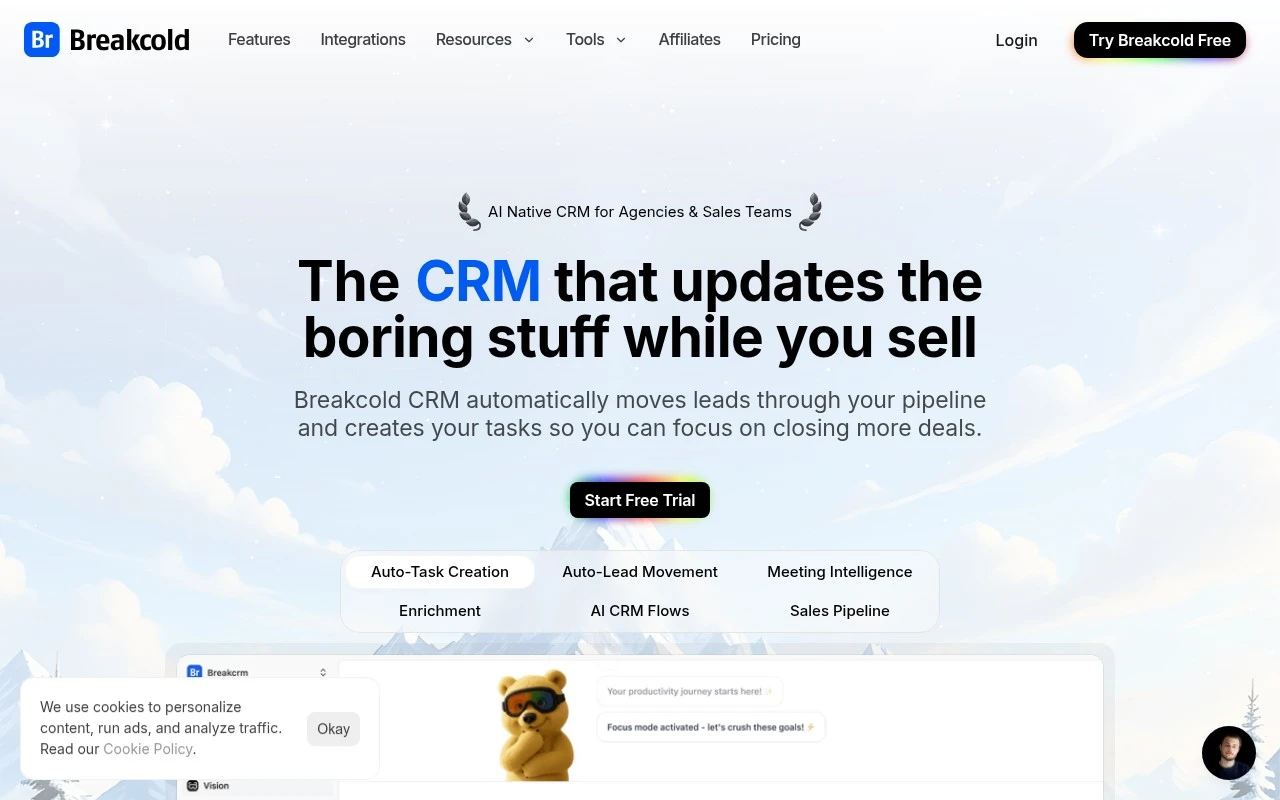
Breakcold is an AI-native CRM for modern sales teams that need to manage prospects, conversations, follow-ups, and pipeline activity across multiple channels without spending hours on manual CRM administration. Breakcold is best at turning scattered sales interactions from email, calls, LinkedIn, Telegram, WhatsApp, and meetings into structured CRM context that reps can act on quickly. For founders, agencies, sales development teams, and account executives, the platform is designed around the reality that prospecting rarely happens in one inbox anymore. A lead may reply on LinkedIn, continue the conversation by email, join a call, and then need a WhatsApp follow-up, so the CRM has to keep pace with the relationship rather than simply store records. At the center of the product is a practical approach to crm automation. Contacts can be enriched, fields can be updated with AI CRM formulas, and repetitive data work can be reduced so salespeople spend more time selling and less time correcting records. Instead of treating the CRM as a static database, it acts more like a workspace that updates as conversations develop. Pipeline automation is part of that broader workflow rather than a separate back-office process. Breakcold helps teams centralize tasks, track engagement, and maintain next steps across channels, which makes it easier to avoid missed follow-ups and cold leads. The emphasis is on keeping outreach, relationship management, and pipeline movement connected in one operating system. The multichannel layer is one of the clearest differences from older CRM tools. Sales teams can work across email, calls, LinkedIn, Telegram, and WhatsApp while keeping the context tied to the contact or company record. This is especially useful for social selling and outbound motions where relationship-building happens through several touchpoints before a meeting is booked. Meeting intelligence adds another layer to the sales workflow. The platform can record meetings, transcribe audio, generate AI summaries, and support both pre-meeting preparation and post-meeting review. For reps, that means meeting notes become easier to capture and reuse, while managers get a clearer view of what was discussed without relying only on manual updates. For sales leaders, Breakcold is positioned as a lighter, more AI-native alternative to CRM setups that require extensive configuration or constant policing of data quality. It is not just about storing leads, but about reducing the friction between conversations, notes, tasks, and pipeline visibility. That makes it particularly relevant for teams that want automation without losing the human context of their sales relationships. Someone reading a Breakcold review or comparing Breakcold pricing will usually be evaluating more than a contact database. The real question is whether the team needs a CRM built around active multichannel selling, AI-assisted updates, and meeting follow-through. In that sense, Breakcold is a sales CRM for teams that want the system of record to behave more like a system of action.

Use cases

Best for

CRM Automation

Breakcold enriches contacts and uses AI CRM formulas to auto update fields and create follow up tasks across channels.

Transcribe Audio

Breakcold records meetings and transcribes the audio so the text is searchable and linked to the right contact.

Meeting Notes

Breakcold generates AI meeting summaries and action items for pre meeting prep and post meeting review inside the CRM.

ANALYSIS

Strengths & limitations

Strengths
  • Best suited to digital sales teams because AI contact enrichment and automated field updates reduce repetitive CRM administration.
  • Strong fit for multichannel prospecting because email, calls, LinkedIn, Telegram, and WhatsApp follow-ups can be managed from one sales workflow.
  • Useful for meeting-heavy teams because recording, pre-meeting context, and AI summaries help prepare for calls and review outcomes quickly.

Limitations
  • Less suitable for teams that only need a simple contact database because the AI-native multichannel workflow can add more structure than basic CRM users require.
  • Less suitable for offline or single-channel sales teams because Breakcold is oriented toward digital outreach across email, calls, social, and messaging channels.
  • Paid pricing can be a constraint for very small teams because access depends on an ongoing software budget rather than a free CRM option.

Evaluation

FYAI score breakdown

Our structured evaluation across five key criteria

8.8 / 10

Overall score

Based on 119 reviews

  • Ease of use9.0 / 10
  • Features8.3 / 10
  • Pricing8.8 / 10
  • Integrations8.8 / 10
  • Support9.0 / 10

What users say

Findings from public reviews, documentation and community sources.

  • Ease of use

    G2’s product-review signal says users “consistently praise Breakcold for its ease of use,” and Software Advice describes the experience as “very fluid and intuitive.”

  • Features

    Breakcold’s feature page positions the product as an “AI-native CRM” covering AI agents, MCP access, CRM records, and pipeline workflows. Breakcold’s homepage lists enrichment, multichannel sync, live recorder, pipeline view, and AI agent workspaces.

  • Pricing

    Breakcold’s pricing page lists one plan at “$59 /mo,” a “14-day free trial,” 1 included seat, 2 connected accounts, and 3,000 AI CRM actions. Breakcold’s pricing page lists add-ons of “+$10/mo” per extra seat or connected account and references an AI token model.

  • Integrations

    Breakcold’s homepage states “20+ Native integrations” and names Lemlist, Smartlead, Clay, Zapier, Make, and Slack. Breakcold’s homepage also supports Claude, ChatGPT, MCP, and agent/API-style actions such as search contacts, create records, and trigger follow-ups.

  • Support

    Capterra review snippets include “the support is awesome” and say updates/features are being added “directly in response” to users.

Who is this for?

Best for sales and marketing teams that want an AI-native CRM for outbound work, Breakcold’s feature page covers AI agents, MCP access, CRM records, and pipeline workflows. Less suited to teams that need a flat, all-inclusive price, Breakcold’s pricing page lists “$59 /mo” with 1 included seat, 2 connected accounts, 3,000 AI CRM actions, and “+$10/mo” per extra seat or connected account.

PRODUCT PREVIEW

Feature highlights

Multichannel inbox

Manage email, calls, LinkedIn, WhatsApp, Telegram in one place.

AI CRM formulas

Auto-update fields and keep records clean with AI-driven rules.

Meeting AI summaries

Record calls and get instant notes for prep and follow-ups.

COMPARE

Discover curated alternatives worth comparing

Compare similar AI tools based on features, pricing and use cases

7.5/ 10Based on 12,890 reviews

Zoominfo

Lead GenerationCRM & Segmentation
Finds prospects, enriches accounts, and flags buyer signals
Best for:
Sales teams
Pricing
Paid only

8.6/ 10Based on 6,982 reviews

Zoho CRM

Sales & OutreachAnalytics & Reporting
Rewrites emails, detects anomalies, and builds CRM modules
Best for:
Sales teams
Pricing
Freemium

8.0/ 10Based on 1,041 reviews

Zoho Campaigns

Lead GenerationCRM & Segmentation
Builds email and SMS campaigns, automates and analyzes results
Best for:
Marketing teams
Pricing
Freemium

Turn social engagement into warm B2B conversations. Start building real relationships with Breakcold today and keep deals moving with consistent, timely outreach.

FAQ

Frequently asked
questions

Everything you need to know about this AI tool,
its features, pricing, use cases, and limitations.

Who is Breakcold best suited for?
Breakcold is best suited for sales-focused teams that manage leads and follow-ups across email, calls, LinkedIn, WhatsApp, Telegram, and similar digital channels. It is a practical fit for digital agencies, consultants, startups, and sales teams that want CRM records, outreach tasks, contact enrichment, and meeting notes in one workflow.
Is Breakcold free or paid?
Breakcold is a paid sales CRM, with a free trial call to action available for evaluation. Buyers should check breakcold.com for current plan details, usage limits, and included features, especially around contact enrichment, CRM automation, meeting recording, transcript summaries, and multichannel follow-up workflows.
How does Breakcold compare with other sales CRM tools?
Breakcold is more focused on social and digital selling workflows than a broad general-purpose CRM. Its strength is combining lead management, contact enrichment, multichannel follow-ups, CRM field updates, and meeting summaries. The right choice depends on team size, budget, required integrations, reporting needs, and how heavily the team sells through online channels.
How much setup work does Breakcold usually require?
Breakcold’s main trade-off is that it is strongly oriented toward sales outreach and CRM admin reduction, not every general CRM use case. Teams should validate the depth of each channel integration, automation workflow, reporting requirement, and plan limit before committing, especially if they need complex pipeline automation or non-sales CRM processes.
What should teams check about Breakcold’s data privacy and compliance?
Teams should review Breakcold’s current privacy, security, and compliance documentation before connecting customer conversations, contact records, call notes, and meeting transcripts. Important checks include data retention, user permissions, access controls, integrations, transcript handling, and whether the tool meets the organization’s internal requirements for regulated or sensitive sales data.