Curated ToolThis tool is part of our curated AI directory. We only include tools that meet our standards for relevance, usability and real-world value.

Aweber

AI-assisted creation and automation of marketing email campaigns

Marketing AutomationEmail Marketing & Deliverability

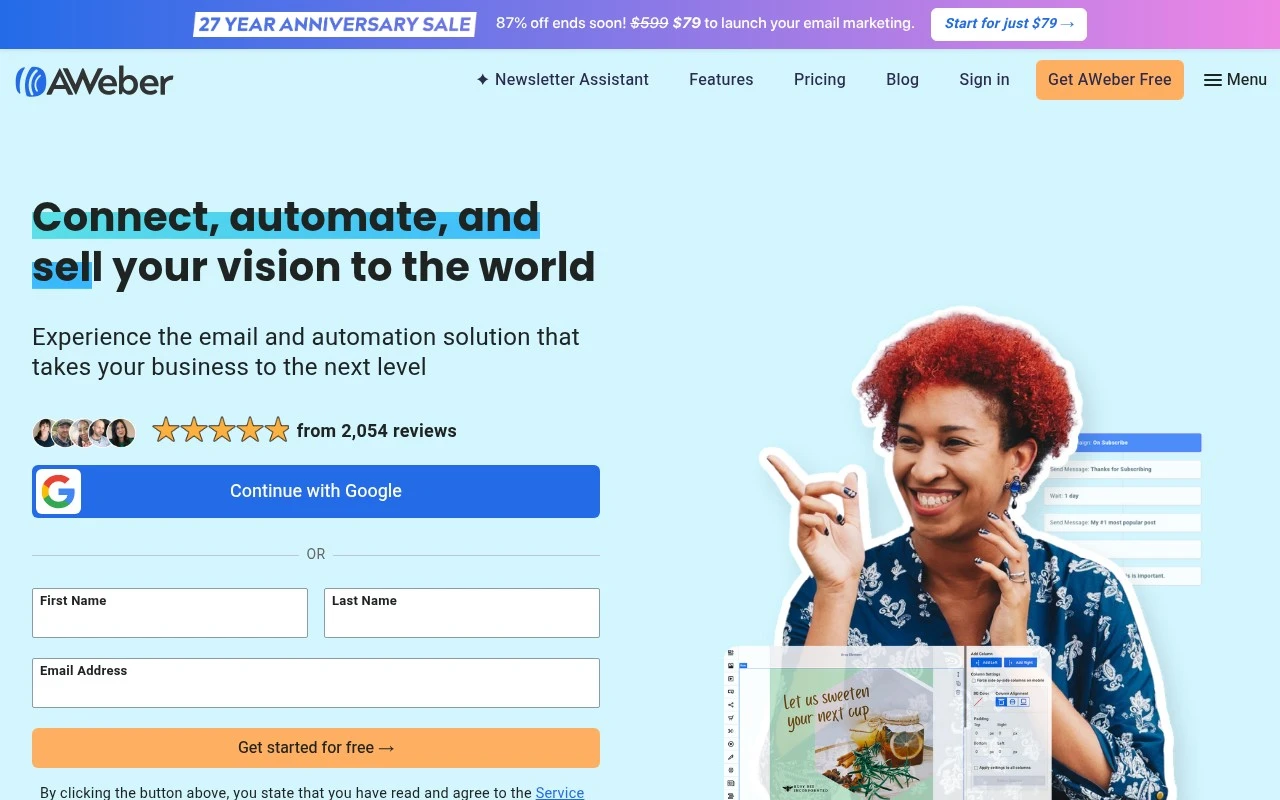
Aweber is an email marketing platform for small businesses. Its official page positions it as software for growing an audience, increasing sales, and using AI to write, design, and automate emails in the user’s voice. It is best understood as a permission-based email marketing tool, not a cold-email or purchased-lead outreach system.

FYAI Score

8.0 / 10

Based on 649 reviews

Pricing:

Freemium

Best for:

Small businesses and creators growing permission-based email lists

Score Breakdown

  • Ease of use8.0 / 10
  • Features7.3 / 10
  • Pricing7.4 / 10
  • Integrations8.8 / 10
  • Support9.2 / 10

PRODUCT PREVIEW

What this AI tool does

Aweber is an email marketing tool designed to help individuals and small teams create, send, and manage email campaigns. It’s typically used to communicate with subscribers, share updates or promotions, and keep contact lists organized in one place. In practice, it supports common workflows like building signup forms, creating email templates, and setting up automated messages based on subscriber actions. Reporting and list management tools can help you understand how emails perform and maintain healthier subscriber lists over time. This page provides an informational overview of what aweber is used for and the kinds of tasks it can support, so you can decide whether it fits your needs and how it compares to other email marketing platforms.

Use cases

Best for

Create Email Campaign

Use Aweber to create an email campaign with templates and AI writing tools, then schedule and send it to opted-in subscribers.

Marketing Automation

Set up marketing automation by building subscriber-triggered flows that send follow-up emails based on signups, clicks, and tags.

ANALYSIS

Strengths & limitations

Strengths
  • Focused clearly on small-business email marketing.
  • Includes AI-assisted email writing, design, and automation according to the official page.
  • Explicitly emphasizes lawful, permission-based email practices.
Limitations
  • Purchased leads and unsolicited email are prohibited, so it is not suitable for cold outreach campaigns.
  • The provided official page gives limited detail on advanced features such as analytics, segmentation, integrations, or landing pages.
  • Usage is restricted for certain content types and sensitive personal data categories under its service terms.

Evaluation

FYAI score breakdown

Our structured evaluation across five key criteria

8.0 / 10

Overall score

Based on 649 reviews

  • Ease of use8.0 / 10
  • Features7.3 / 10
  • Pricing7.4 / 10
  • Integrations8.8 / 10
  • Support9.2 / 10

What users say

Findings from public reviews, documentation and community sources.

  • Ease of use

    G2's 649-review signal says users “consistently praise AWeber for its ease of use and automation capabilities.”

  • Features

    AWeber positions itself as “email marketing software” with AI that “writes, designs, and automates your emails in minutes.” G2 users also highlight AWeber's automation capabilities.

  • Pricing

    AWeber's pricing documentation lists AWeber Plus as starting at “$30 per month” or “$20 per month, billed annually at $240,” and other snippets reference send limits and setup/service fees.

  • Integrations

    AWeber describes connections to “social media, landing pages, shopping carts and many more integrations,” and Zapier lists AWeber as integrating with “9000 other apps.”

  • Support

    Trustpilot highlights “Aweber has exceptional support,” and a Reddit user said AWeber offered “really fantastic customer service and follow up.”

Who is this for?

Best for email marketers who want AI-assisted email creation and automation, AWeber says its AI “writes, designs, and automates your emails in minutes,” and G2 users highlight automation capabilities. Less suited to teams that need a simple flat-price decision without checking usage terms, AWeber's pricing documentation lists AWeber Plus as starting at “$30 per month” or “$20 per month, billed annually at $240,” and other snippets reference send limits and setup/service fees.

PRODUCT PREVIEW

Feature highlights

AI email writing

Draft subject lines and copy in your brand voice in minutes.

Email automation

Send welcome series and follow-ups triggered by subscriber actions.

Reports & insights

Track opens, clicks, and growth to improve every campaign.

COMPARE

Discover curated alternatives worth comparing

Compare similar AI tools based on features, pricing and use cases

7.5/ 10Based on 12.890 reviews

Zoominfo

Lead GenerationCRM & Segmentation
Find and enrich B2B leads with firmographic and contact data
Best for:
Sales teams
Pricing
Paid only

8.6/ 10Based on 6.982 reviews

Zoho CRM

Sales & OutreachAnalytics & Reporting
AI assists CRM tasks: rewrite emails, detect anomalies, predict
Best for:
Sales teams
Pricing
Freemium

8.0/ 10Based on 1.041 reviews

Zoho Campaigns

Lead GenerationCRM & Segmentation
Create, automate, and analyze email and SMS marketing campaigns
Best for:
Marketing teams
Pricing
Freemium

Start sending emails that turn subscribers into customers. Join thousands of small businesses using Aweber to grow their audience and sales with confidence.

FAQ

Frequently asked
questions

Everything you need to know about this AI tool,
its features, pricing, use cases, and limitations.

Who is Aweber a good fit for, and when should I consider another tool?
Aweber fits small to mid-sized teams that want straightforward newsletters, basic-to-moderate automation, and solid reporting without a heavy setup. It’s especially practical for creators, coaches, and small ecommerce shops that rely on email sequences and broadcasts. If you need highly customized template design, complex multi-branch journeys, or deep native CRM sales pipelines, you may find more flexibility in other platforms.
How does Aweber’s free plan compare to its paid plans, and what are the main limitations?
Aweber offers a free tier that’s useful for testing list growth and sending basic campaigns, but it’s capped at a relatively small subscriber count and includes Aweber branding. Paid plans scale with list size and unlock more advanced automation and segmentation options. If you expect rapid list growth, compare total cost at your projected subscriber range before committing.
How does Aweber compare with Mailchimp, Constant Contact, and ConvertKit for email marketing?
Compared with Mailchimp, Aweber is often simpler to operate for core email workflows, while Mailchimp can offer broader marketing features depending on plan. Versus Constant Contact, Aweber typically provides stronger automation options, whereas Constant Contact can be more event- and small-business-directory oriented. Against ConvertKit, Aweber is generally more list-and-campaign centric, while ConvertKit can feel more streamlined for creator tagging and automation-first setups.
How quickly can I get started with Aweber, and what onboarding effort should I expect?
Aweber’s template and design flexibility can feel more limited than some competitors if you want highly bespoke layouts. Pricing can become less attractive as your subscriber list grows, so it’s worth modeling costs at multiple list sizes. Some advanced automation and segmentation features may take time to learn if you’re new to email marketing tools.
What should I know about Aweber’s data handling, privacy, and compliance before choosing it?
Aweber supports common compliance needs like unsubscribe management and list hygiene features, but you still need to configure consent capture and retention practices to match your policies. Check Aweber’s Data Processing Addendum and where data is stored/processed if you have GDPR or regional requirements. If you handle sensitive data, confirm what personal data you’ll upload and whether your use case fits Aweber’s acceptable-use and security controls.